
1. Introduction
This manual provides detailed instructions for the installation, operation, and maintenance of your Uckazy 12.3 Inch Android 14 Car Radio. Please read this manual thoroughly before using the product to ensure proper function and safety.
2. Compatibility
This device is designed for specific Mercedes-Benz models and NTG systems. Ensure your vehicle matches the compatibility requirements before installation.
- Suitable For: Mercedes-Benz W176, C117, X156, W463 (2016-2018 models)
- Compatible NTG System: NTG 5.0/5.1/5.2 System
- Important Note: This item is only compatible with original radios featuring the NTG 5.0/5.1 system. It is NOT compatible with original radios using NTG 4.0/4.5/4.7 systems.

Image: Compatibility chart showing visual examples of NTG 4.0, NTG 4.5/4.7 (incompatible) and NTG 5.0/5.1 (compatible) radio units.
3. Product Features
The Uckazy 12.3 Inch Android 14 Car Radio offers a range of advanced features to enhance your driving experience:
- Display: 12.3-inch HD (1920*720) IN-CELL touchscreen with full lamination technology for enhanced clarity and reduced reflection.
- Operating System: Android 14.
- Connectivity: Supports wireless (wired) Apple CarPlay, wireless (wired) Android Auto, wireless MirrorLink for iOS and Android phones, Bluetooth, and Wi-Fi.
- Audio: Built-in Digital Signal Processor (DSP) with 16 EQ segments for customizable sound quality.
- Integration: Retains original OEM system functions, including steering wheel controls, iDrive system control, original CD player, and original car system. Compatible with OEM reversing camera and parking radar.
- Navigation: Access map navigation through CarPlay/Android Auto.
- Voice Assistant: Use Siri or Google Voice Assistant for hands-free control.

Image: Visual representation of the unit supporting original OEM features such as steering wheel control, OEM reversing camera, iDrive control, original car stereo sound, original CD, and the original car system.

Image: Screenshots demonstrating wireless Apple CarPlay and wireless Android Auto interfaces on the car radio display, showing navigation, music, and phone applications.

Image: A visual comparison illustrating the clarity difference between an 800x480 pixel screen and the 1920x720 pixel IPS screen of this product, highlighting higher color brightness and wider viewing angles.

Image: Screenshot of the built-in DSP interface showing a 16-segment equalizer for audio adjustments.
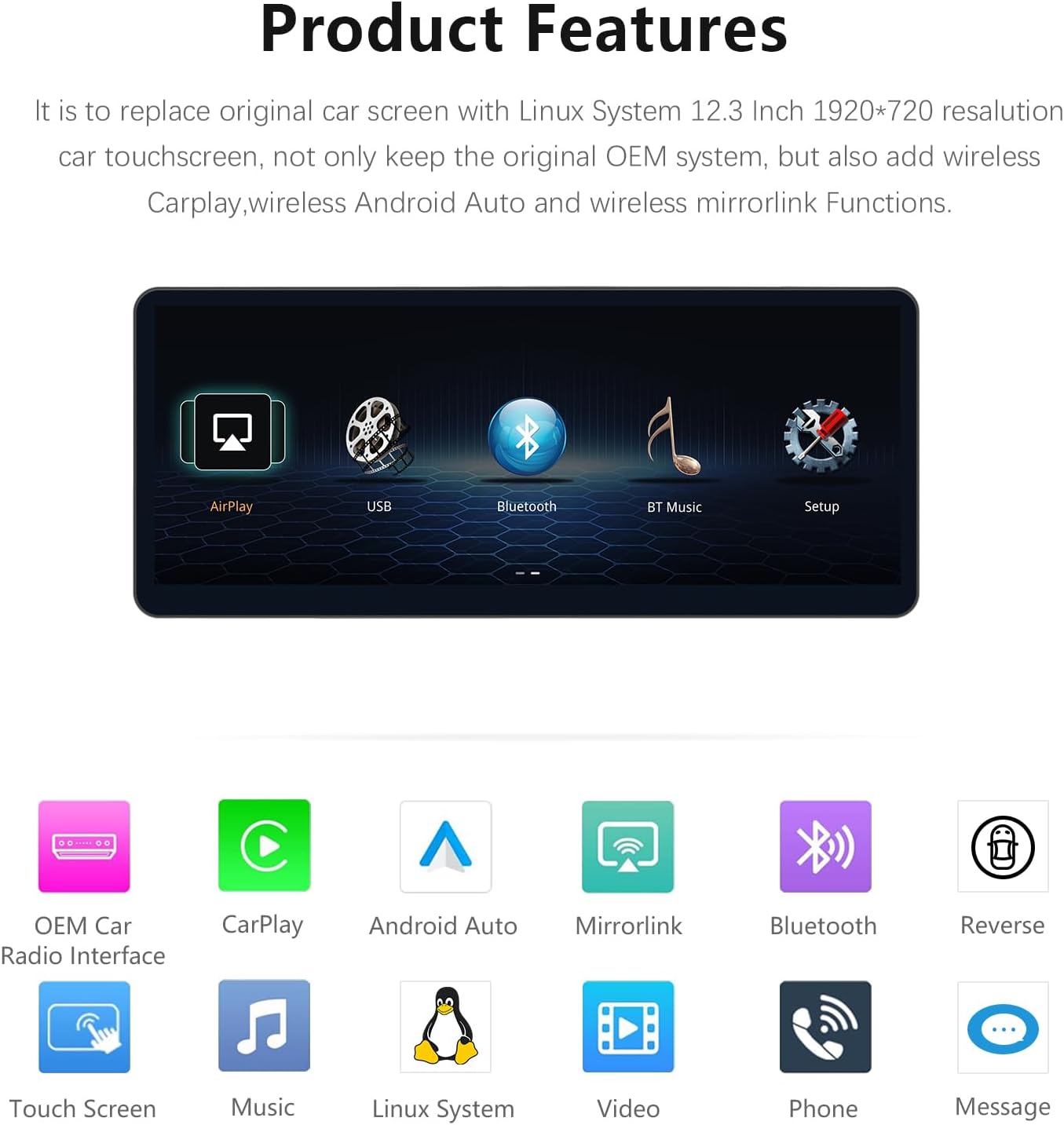
Image: Icons representing various product features including AirPlay, USB, Bluetooth, BT Music, Setup, OEM Car Radio Interface, CarPlay, Android Auto, Mirrorlink, Reverse, Touch Screen, Music, Linux System, Video, and Phone.

Image: Examples of CarPlay functionality, including voice commands for navigation ("Hey, Siri! Navigate home.") and third-party map support, alongside mobile music playback.
4. Package Contents
Verify that all items are present in the package:
- 12.3 Inch Android 14 Car Radio Unit
- USB Cable
- AUX Cable
- AMI Cable
- Power Cable
- Installation Tools
- Touch Pen

Image: A visual representation of the main unit dimensions (310mm x 132mm) and all included accessories: USB cable, AUX cable, AMI cable, power cable, installation tools, and touch pen.
5. Setup and Installation
This unit is designed for plug-and-play installation, integrating with your vehicle's existing system. Professional installation is recommended to ensure correct wiring and functionality.
5.1 Pre-Installation Checklist
- Confirm vehicle compatibility (Mercedes-Benz W176, C117, X156, W463 2016-2018 with NTG 5.0/5.1/5.2 System).
- Gather all included components and tools.
- Disconnect the vehicle's battery before starting installation to prevent electrical damage.
5.2 Installation Steps (General Guidelines)
- Carefully remove the original car radio display and trim using the provided installation tools.
- Connect the new Android 14 Car Radio unit to the vehicle's wiring harness using the supplied power cable and other necessary cables (USB, AUX, AMI). Ensure all connections are secure.
- Integrate the unit with the existing OEM system cables, including those for steering wheel controls and iDrive.
- Mount the new display unit securely in the dashboard.
- Reconnect the vehicle's battery.
- Test all functions, including power on/off, audio, touchscreen response, CarPlay/Android Auto, and original OEM system integration.
Note: Specific installation steps may vary depending on your vehicle model. Refer to a professional installer or detailed vehicle-specific guides if needed.
6. Operating Instructions
6.1 Powering On/Off
The unit will typically power on automatically with the vehicle's ignition. To manually power off or restart, use the designated power button or menu option on the touchscreen.
6.2 Navigating the Interface
The 12.3-inch touchscreen allows for intuitive control. Swipe, tap, and pinch gestures are supported. The interface includes icons for various functions such as CarPlay, Android Auto, Bluetooth, Music, Video, and Settings.
6.3 Wireless Apple CarPlay / Android Auto
- Ensure your smartphone's Bluetooth and Wi-Fi are enabled.
- On the car radio, select the "CarPlay" or "Android Auto" icon.
- Follow the on-screen prompts to pair your phone via Bluetooth. Once paired, the system will establish a Wi-Fi connection for wireless CarPlay/Android Auto.
- For wired connection, connect your phone via a USB cable to the unit's USB port.
- Once connected, you can access navigation, music, calls, messages, and other compatible apps directly from the car radio display.
- Use voice commands (Siri for CarPlay, Google Assistant for Android Auto) for hands-free operation.
6.4 DSP Audio Settings
Access the "DSP" or "EQ" settings from the main menu to customize your audio experience. The 16-segment equalizer allows for precise adjustments of frequency bands. You can also select from various preset EQ modes.
6.5 Retaining OEM Functions
The unit is designed to retain the functionality of your original Mercedes-Benz system. You can switch between the Android system and the original NTG system as needed. Steering wheel controls and the iDrive controller will continue to function for both systems.
7. Maintenance
- Cleaning: Use a soft, dry cloth to clean the screen and unit. Avoid abrasive cleaners or solvents.
- Software Updates: Periodically check for software updates to ensure optimal performance and access to new features. Follow the instructions provided with the update.
- Temperature: Avoid exposing the unit to extreme temperatures, direct sunlight for prolonged periods, or high humidity.
8. Troubleshooting
| Problem | Possible Cause | Solution |
|---|---|---|
| Unit does not power on. | Loose power connection, vehicle battery disconnected, blown fuse. | Check all power cable connections. Ensure vehicle battery is connected. Check vehicle's fuse box for blown fuses. |
| No sound. | Volume too low, incorrect audio source, loose speaker connections. | Increase volume. Verify correct audio source is selected. Check speaker wiring. Ensure original car stereo is functioning. |
| CarPlay/Android Auto not connecting. | Bluetooth/Wi-Fi off on phone, incorrect pairing, phone software issue. | Ensure phone's Bluetooth and Wi-Fi are on. Re-pair the phone. Try a different USB cable for wired connection. Restart phone and car radio. |
| Touchscreen unresponsive. | Temporary software glitch, screen protector interference. | Restart the unit. Ensure screen is clean and free of obstructions. If a screen protector is installed, ensure it is properly applied. |
| Original OEM system not accessible. | Incorrect wiring, software conflict. | Verify all OEM system integration cables are correctly connected. Restart the unit. |
If problems persist, please contact customer support.
9. Specifications
| Feature | Detail |
|---|---|
| Brand | Uckazy |
| Screen Size | 12.3 Inches |
| Resolution | HD 1920*720 |
| Operating System | Android 14 |
| Internal Storage | 64GB (for 4+64G model) |
| Connectivity | Wireless CarPlay, Wireless Android Auto, Wireless MirrorLink, Bluetooth, Wi-Fi |
| Special Features | Touchscreen, Built-in DSP (16 EQ segments), Retains OEM functions (iDrive, Steering Wheel Control, Reversing Camera, Parking Radar) |
| Compatible Devices | Smartphone |
| Parcel Dimensions | 55.88 x 50.8 x 40.64 cm |
| Item Weight | 1.54 kg |
10. Warranty and Support
For warranty information and technical support, please refer to the documentation included with your purchase or contact Uckazy customer service directly. Ensure you have your product model number and purchase details available when contacting support.
Manufacturer: Uckazy