
1. Introduction
This manual provides essential instructions for the safe and effective use of your ANDELI MONERRC LED PRO Auto-Darkening Welding Helmet and accompanying welding gloves. Please read this manual thoroughly before initial setup, operation, or maintenance to ensure proper function and personal safety. Retain this manual for future reference.
2. Safety Information
Always prioritize safety when performing welding operations. Failure to follow these safety guidelines may result in serious injury or property damage.
- Eye Protection: The auto-darkening filter (ADF) protects against harmful UV/IR radiation. However, always inspect the ADF before each use for cracks or damage. Never weld if the ADF is damaged or not functioning correctly.
- Head Protection: Ensure the helmet fits securely and comfortably. It must cover your entire face and neck area during welding.
- Hand Protection: Always wear the provided welding gloves to protect your hands from heat, sparks, and electrical shock.
- Respiratory Protection: Welding fumes can be hazardous. Ensure adequate ventilation in your workspace or use appropriate respiratory protection.
- Electrical Safety: Be aware of electrical hazards associated with welding equipment. Ensure all connections are secure and equipment is properly grounded.
- Fire Hazards: Welding produces sparks and heat. Keep flammable materials away from the welding area. Have fire extinguishing equipment readily available.
- Maintenance: Only perform maintenance as described in this manual. Do not modify the helmet or gloves.
3. Package Contents
Verify that all items listed below are present in your package:
- ANDELI MONERRC LED PRO Auto-Darkening Welding Helmet
- Welding Gloves
- User Manual (this document)

Image 3.1: The ANDELI MONERRC LED PRO Welding Helmet and a pair of welding gloves, as included in the package.
4. Product Overview
Familiarize yourself with the components and features of your welding helmet.
4.1. Helmet Features
- Auto-Darkening Filter (ADF): Automatically switches from light to dark shade when an arc is detected.
- 180° Large Viewing Screen: Provides a main viewing area of 3.94 x 3.74 inches, complemented by an additional 3.72 x 1.76 inch side view (DIN4, non auto-darkening) for enhanced peripheral vision.
- Integrated LED Lights: Four LEDs provide up to 400 lumens of illumination for improved visibility in low-light conditions.
- 4 Arc Sensors: Ensure rapid and reliable auto-darkening response.
- True Color View: Offers 1/1/1/2 optical clarity for a more natural and clear view of the weld puddle.
- UV/IR Protection: Constant protection up to Shade DIN16, regardless of the ADF's active shade setting.
- Adjustable Headgear: For a secure and comfortable fit.
- Type-C Charging Port: For convenient recharging of the helmet's internal battery.

Image 4.1: A close-up view of the ANDELI MONERRC LED PRO Welding Helmet, highlighting the integrated LED lights on the sides of the viewing area.
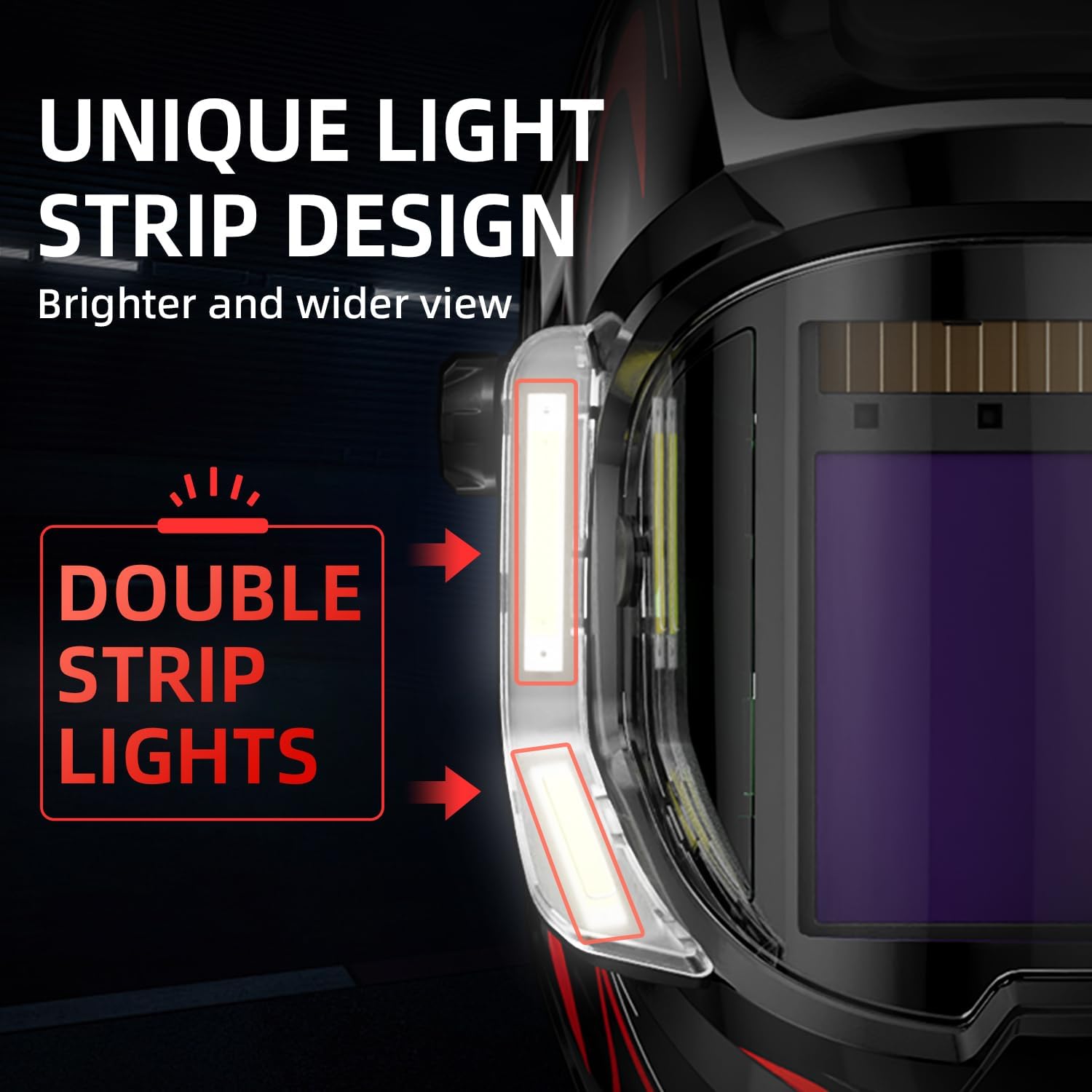
Image 4.2: A diagram illustrating the unique double light strip design on the helmet, indicating brighter and wider illumination.
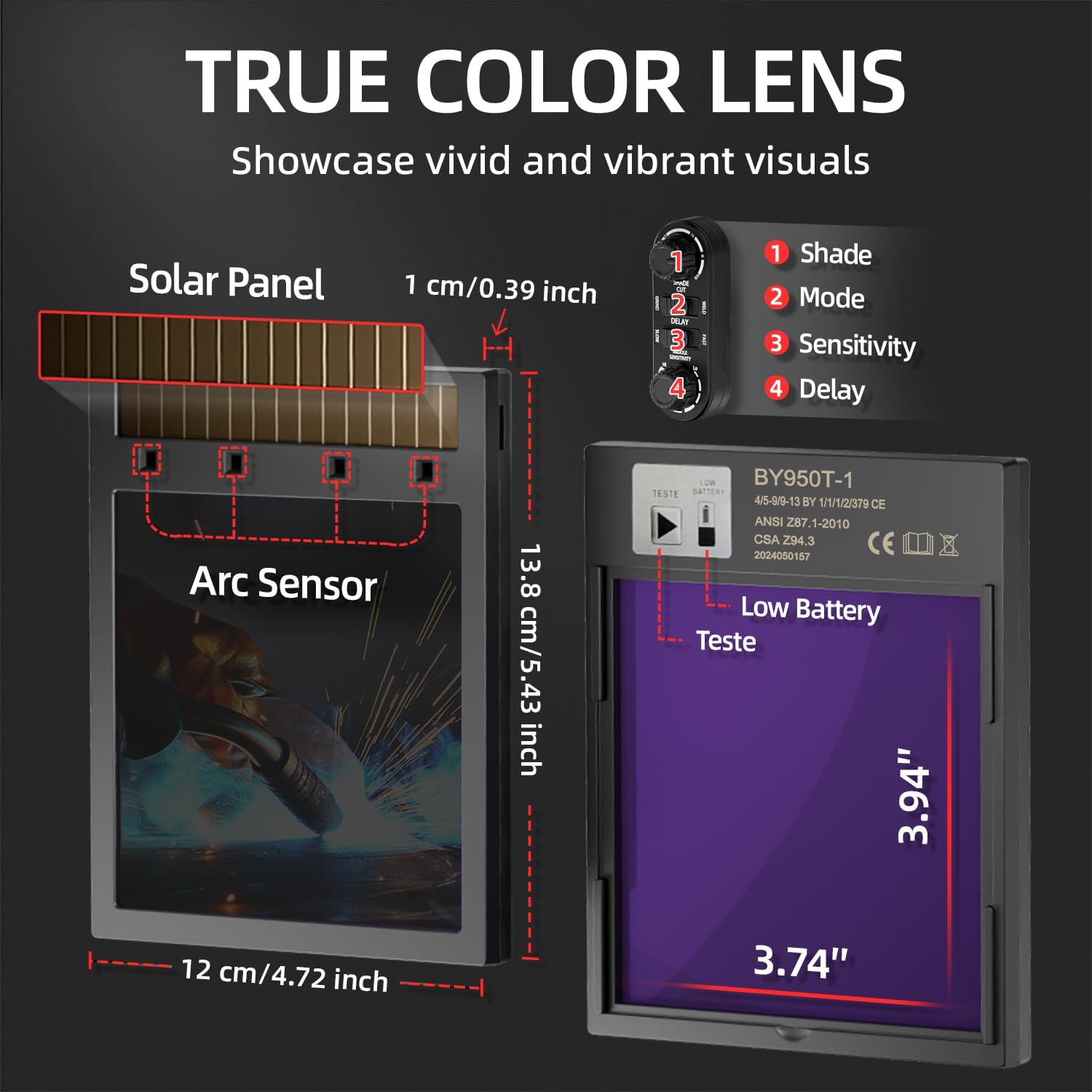
Image 4.3: A detailed diagram of the True Color Lens, showing its dimensions (3.94 inches by 3.74 inches), solar panel, arc sensors, and control settings for Shade, Mode, Sensitivity, and Delay.
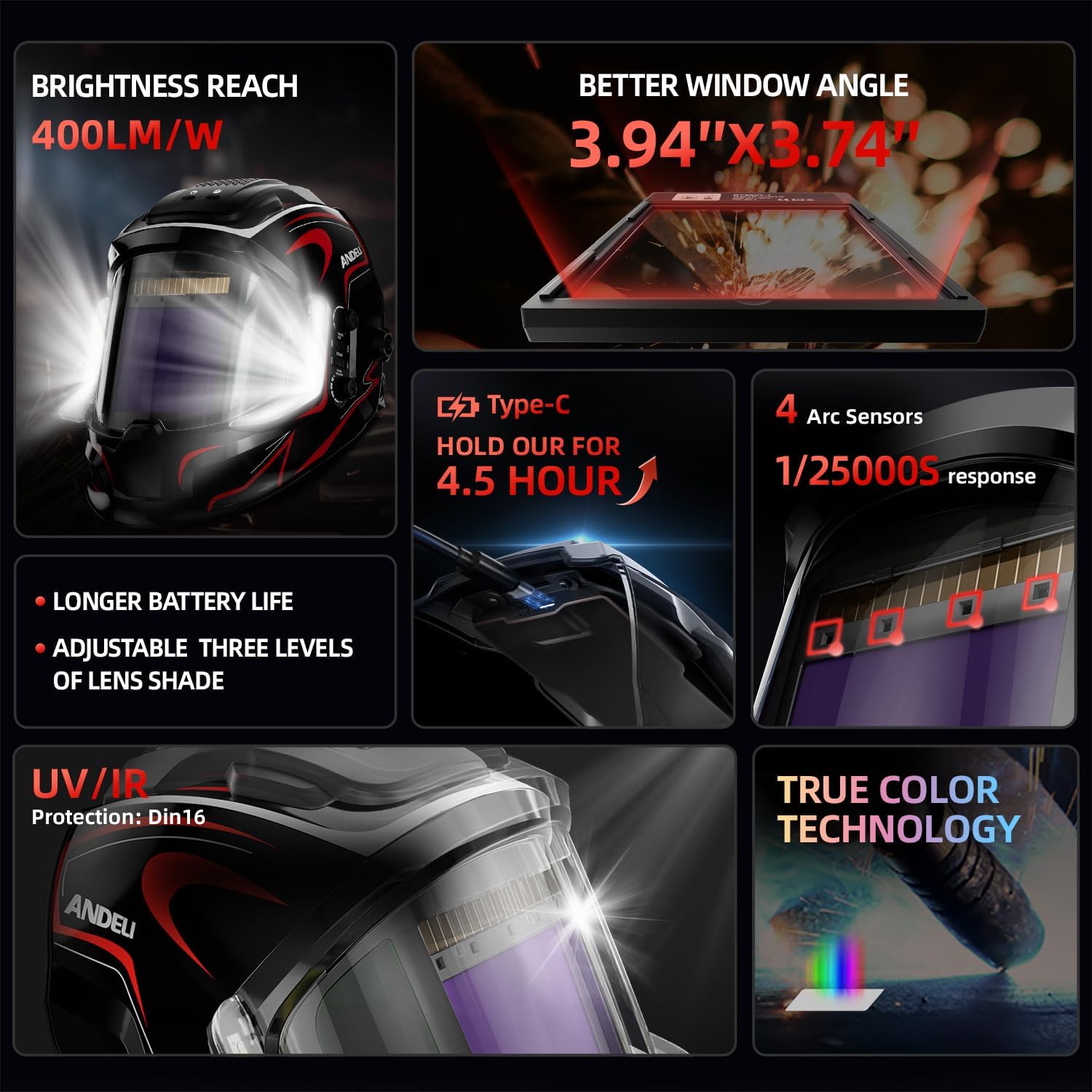
Image 4.4: An infographic summarizing key features: 400 lumens brightness, 3.94"x3.74" viewing angle, Type-C charging, 4 arc sensors with 1/25000s response, UV/IR Protection (DIN16), and True Color Technology.
4.2. Controls and Adjustments
The helmet features external controls for easy adjustment:
- Shade Control: Adjusts the darkness level of the ADF.
- Mode Selector: Switches between welding, grinding, and cutting modes.
- Sensitivity Control: Adjusts the ADF's responsiveness to the welding arc.
- Delay Control: Sets the time the ADF remains dark after the arc ceases.
- LED Light Button: Activates and deactivates the integrated LED lights.
5. Setup
5.1. Headgear Adjustment
Proper headgear adjustment is crucial for comfort and stability.
- Place the helmet on your head.
- Adjust the top strap to position the helmet correctly on your head.
- Rotate the rear knob to tighten or loosen the headgear until it fits snugly but comfortably.
- Adjust the distance between your eyes and the lens, and the angle of the helmet, using the side knobs. Ensure a clear and unobstructed view.
5.2. Charging the Helmet
The helmet's internal battery powers the LED lights and assists the auto-darkening function. It is rechargeable via a Type-C port.
- Locate the Type-C charging port on the helmet.
- Connect a Type-C charging cable (not included) to the port and to a suitable power source.
- Allow the helmet to charge until the charging indicator (if present) shows a full charge. A full charge can provide 3 to 6 hours of continuous LED operation.
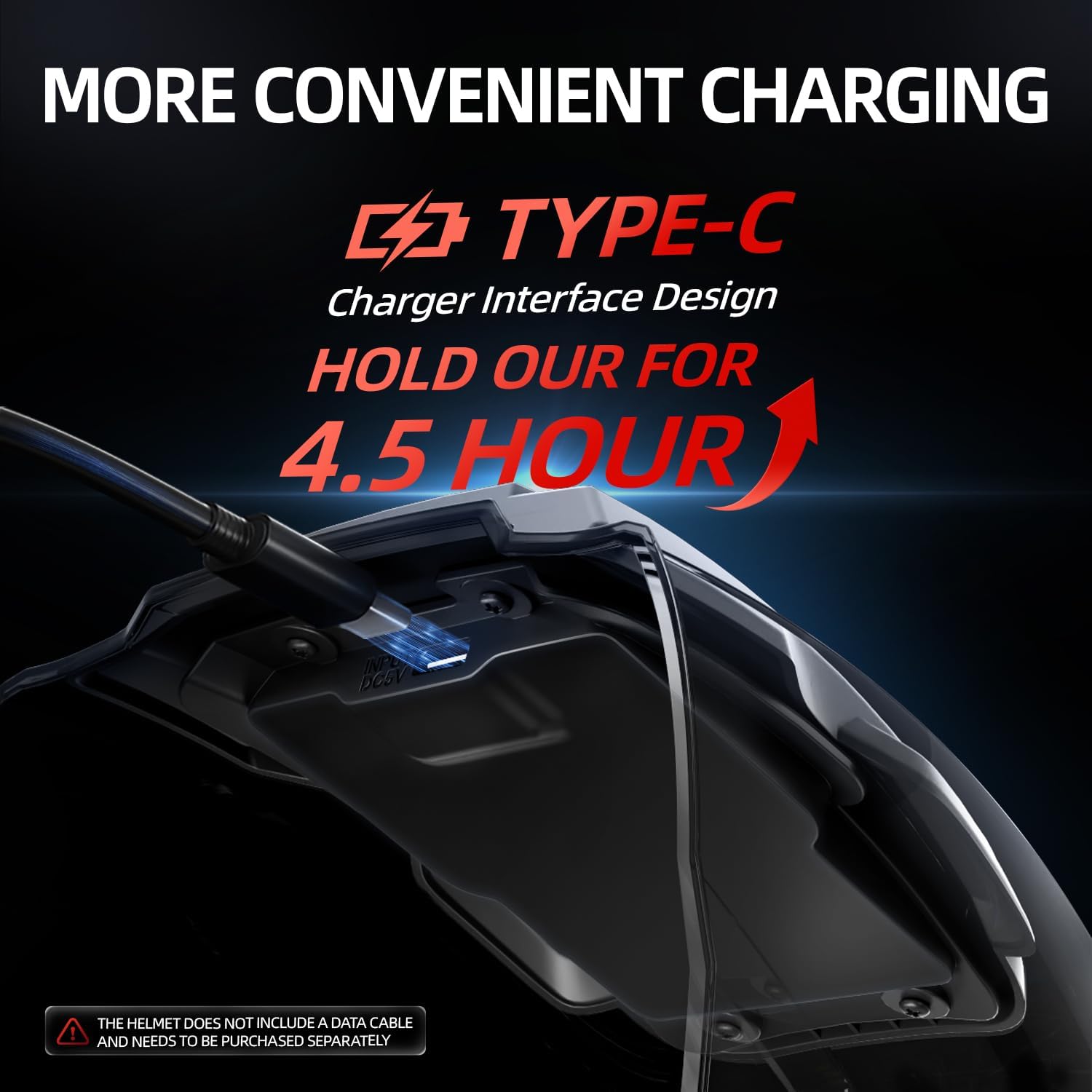
Image 5.1: A close-up view of the Type-C charging port on the helmet, illustrating the connection for recharging. Note: The data cable is not included.
5.3. Initial Function Check
Before welding, perform a quick test:
- Put on the helmet.
- Point the helmet towards a bright light source (but not directly at the sun).
- Quickly flash the light source on and off. The lens should darken instantly and then return to its clear state. If it does not, refer to the Troubleshooting section.
6. Operating Instructions
6.1. Selecting Operating Mode
Use the mode selector switch on the helmet to choose the appropriate operation:
- Weld Mode: For all welding processes (MMA, MIG, TIG). The ADF will auto-darken upon arc detection.
- Grind Mode: The ADF remains in a light shade (DIN4) for grinding operations. The auto-darkening function is disabled in this mode.
- Cut Mode: For cutting applications. The ADF will auto-darken upon arc detection.
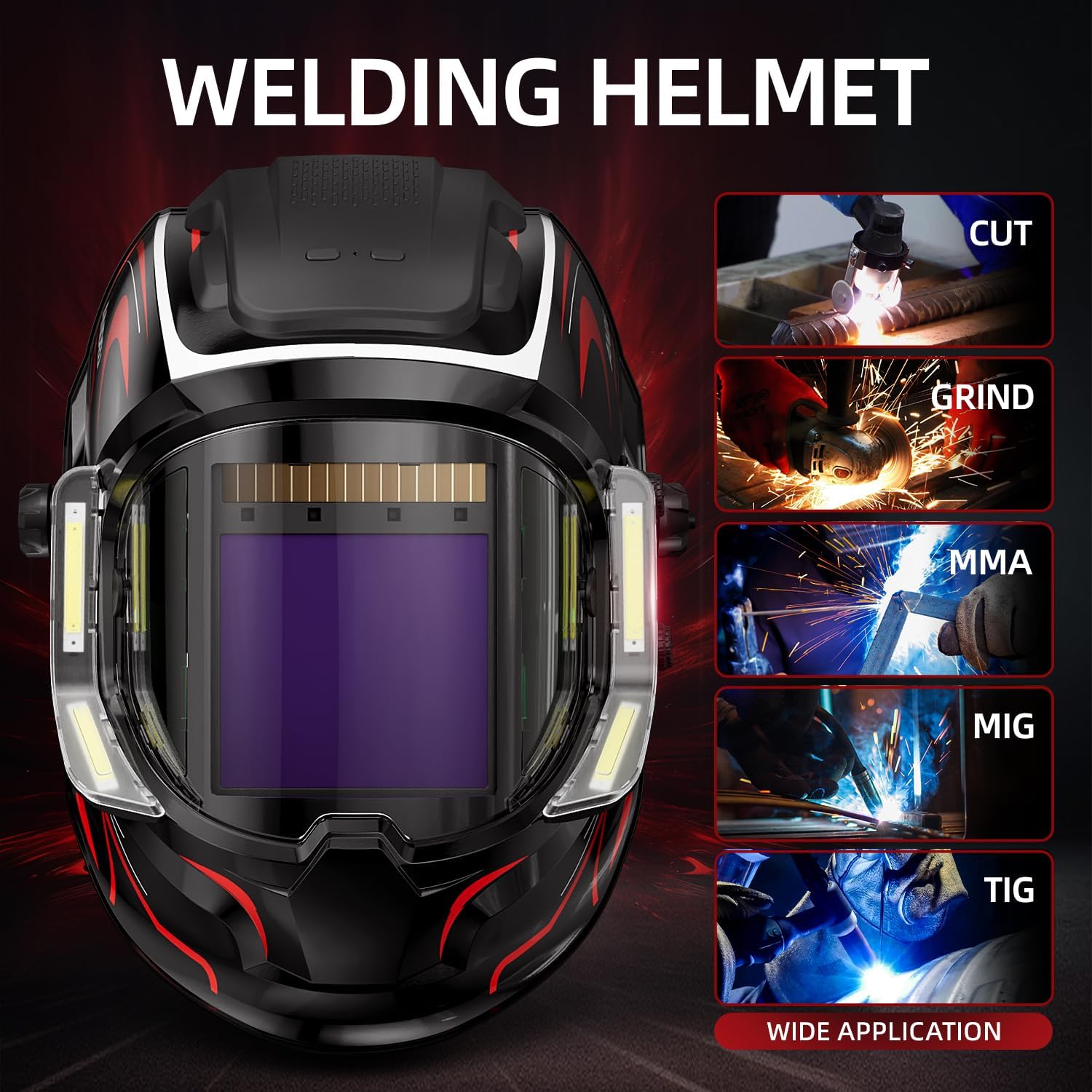
Image 6.1: The welding helmet shown with visual examples of its wide application range, including cutting, grinding, MMA (Manual Metal Arc), MIG (Metal Inert Gas), and TIG (Tungsten Inert Gas) welding.
6.2. Adjusting Shade Level
Rotate the shade control knob to select the desired shade level (typically DIN 9-13 for welding). Refer to welding standards for appropriate shade levels for your specific process and amperage.
6.3. Adjusting Sensitivity
The sensitivity control adjusts how easily the ADF detects an arc. Increase sensitivity for low-amperage welding or when the arc is partially obscured. Decrease sensitivity to prevent false darkening from ambient light.
6.4. Adjusting Delay
The delay control sets the time the ADF remains dark after the welding arc stops. A shorter delay is suitable for tack welding, while a longer delay helps protect eyes from afterglow and allows the weld puddle to cool slightly before viewing.
6.5. Using the LED Lights
Press the LED light button to turn the integrated lights on or off. These lights provide additional illumination for your workspace, especially in dimly lit environments. The lights are powered by the helmet's internal rechargeable battery.
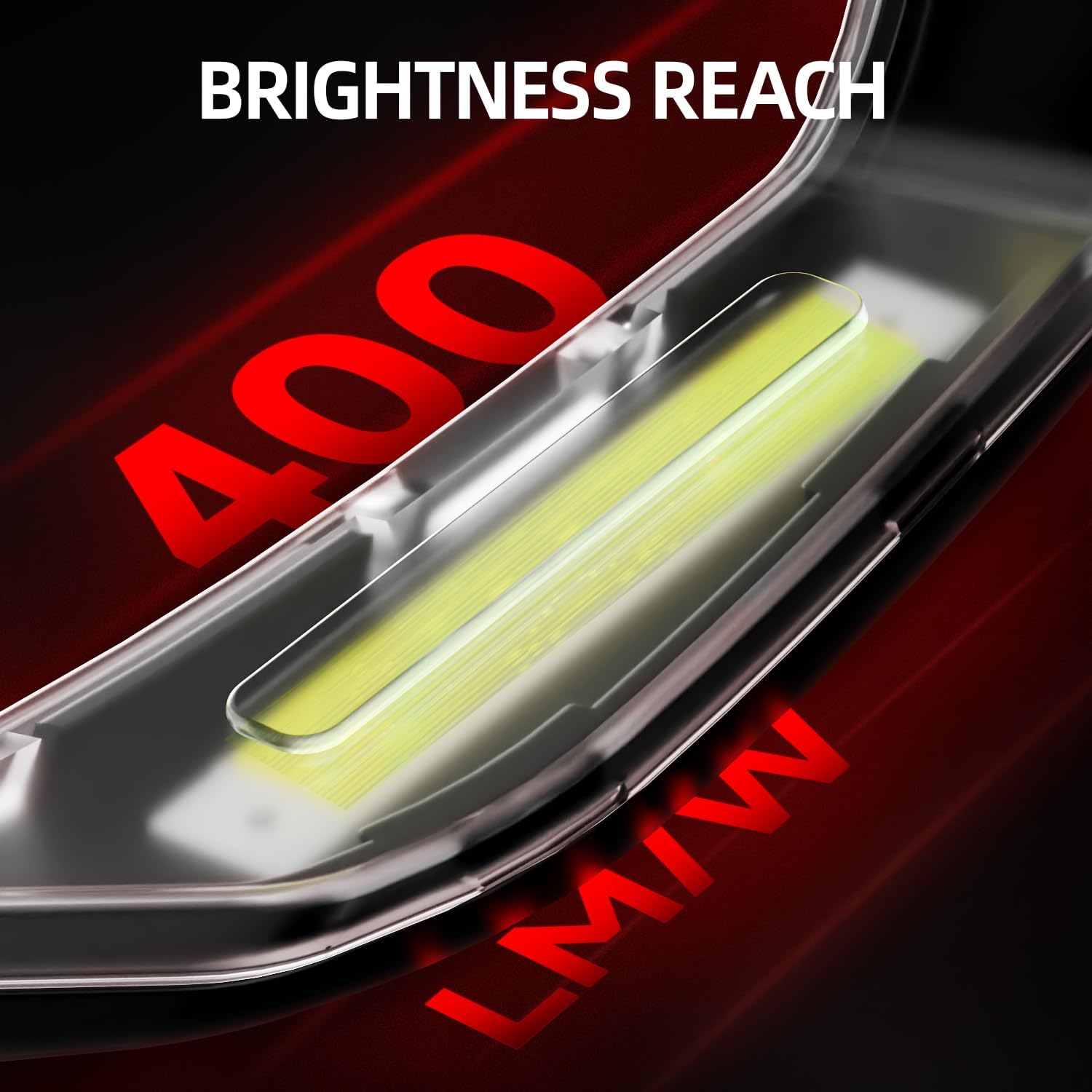
Image 6.2: A close-up view of one of the helmet's LED light strips, indicating a brightness output of up to 400 lumens.
6.6. Wearing Welding Gloves
Always wear the provided welding gloves to protect your hands from heat, sparks, and spatter during welding and grinding operations. Ensure they fit properly and are free from damage.

Image 6.3: A pair of ANDELI welding gloves, designed for hand protection during welding tasks.
7. Maintenance
7.1. Cleaning the Helmet and Lens
- Regularly clean the helmet shell with a soft, damp cloth. Avoid harsh chemicals or abrasive cleaners.
- Clean the outer and inner protective lenses with a soft, lint-free cloth. If necessary, use a mild soap solution. Do not use solvents.
- Ensure the arc sensors are clean and free from obstructions.
7.2. Battery Care
- Recharge the helmet's internal battery as needed using the Type-C port.
- Avoid fully discharging the battery frequently to prolong its lifespan.
- If the helmet is stored for extended periods, charge it periodically to maintain battery health.
7.3. Storage
Store the helmet and gloves in a clean, dry place, away from direct sunlight, extreme temperatures, and corrosive materials.
8. Troubleshooting
If you encounter issues with your welding helmet, refer to the following common problems and solutions:
| Problem | Possible Cause | Solution |
|---|---|---|
| Helmet does not darken. | Low battery; Sensors dirty/blocked; Incorrect sensitivity setting; ADF damaged. | Charge battery; Clean sensors; Adjust sensitivity; Replace ADF if damaged. |
| False darkening. | High sensitivity setting; Ambient light interference. | Decrease sensitivity; Ensure no strong ambient light sources are directly hitting sensors. |
| LED lights not working. | Low battery; Light button malfunction. | Charge battery; Contact support if button is unresponsive after charging. |
| Poor visibility through lens. | Protective lens dirty/scratched. | Clean or replace protective lenses. |
If the problem persists after attempting these solutions, please contact ANDELI customer support.
9. Specifications
| Feature | Specification |
|---|---|
| Model | MONERRC LED PRO |
| Brand | ANDELI |
| Main Viewing Area | 3.94 x 3.74 inches (10 x 9.5 cm) |
| Side View Area | 3.72 x 1.76 inches (9.45 x 4.47 cm), DIN4 (non auto-darkening) |
| Optical Clarity | 1/1/1/2 |
| UV/IR Protection | Up to Shade DIN16 (constant) |
| Arc Sensors | 4 |
| Switching Time (Light to Dark) | 1/25000 seconds |
| LED Brightness | Up to 400 lumens |
| LED Battery Life | 3 to 6 hours (continuous operation) |
| Charging Port | Type-C |
| ASIN | B0FH4K73ZV |
| Date First Available | November 30, 2024 |
10. Warranty and Support
For warranty information, technical assistance, or to inquire about replacement parts, please contact ANDELI customer service. Refer to the product packaging or the retailer's website for specific contact details. Please have your product model (MONERRC LED PRO) and ASIN (B0FH4K73ZV) available when contacting support.