1. Product Overview
The Ajazz AK980MAX is a high-performance wired mechanical keyboard designed for gaming and professional use. It features a 98% layout with 101 keys, magnetic powder switches, hot-swappable functionality, and customizable ARGB backlighting. Its robust construction and advanced features provide a precise and responsive typing experience.

Image 1.1: The Ajazz AK980MAX mechanical keyboard, showcasing its 98% layout and aesthetic design.
Key Features:
- Magnetic Axis Switches: Offers precise 0.01mm accuracy, 3.5±0.1mm total travel, 40±5gf trigger force, and a lifespan of 100 million cycles.
- 98% Layout (101 Keys): Efficient design retaining essential keys while saving desk space.
- Hot-Swappable: Allows easy replacement of magnetic switches without soldering.
- ARGB Backlighting: Features 20 preset lighting effects with an esports-grade refresh rate.
- Gasket Structure: Advanced five-layer filling and 1.6mm non-grooved PCB for enhanced typing feel and sound dampening.
- Wired Connectivity: USB wired connection ensures stable and low-latency performance.
- PBT Keycaps: Durable, side-printed keycaps for long-lasting legends.
- Web Driver Support: Customizable key parameters, lighting, and macros via dedicated software.

Image 1.2: Visual representation of the AK980MAX's core features, including hot-swappable switches, magnetic axis, wired connection, gasket structure, ARGB backlighting, PBT keycaps, 98% layout, and web driver support.
2. Setup Guide
2.1 Package Contents
Before proceeding, please ensure all items are present in the package:
- Ajazz AK980MAX Mechanical Keyboard
- USB-C to USB-A Cable
- User Manual (this document)
2.2 Connecting the Keyboard
- Locate the USB-C port on the back or side of the AK980MAX keyboard.
- Connect one end of the provided USB-C cable to the keyboard's USB-C port.
- Connect the other end of the USB-A cable to an available USB port on your computer (Desktop PC, Laptop, Gaming Console, etc.).
- The keyboard will automatically be recognized by your operating system (Windows, macOS, Linux). No additional drivers are typically required for basic functionality.

Image 2.1: The USB-C port on the keyboard, ready for connection to a computer.
3. Operating Instructions
3.1 Basic Keyboard Functions
The AK980MAX functions as a standard 101-key keyboard. All keys perform their labeled functions by default. For specific multimedia or system functions, use the Fn key in combination with other keys.
3.2 RGB Backlighting Control
The keyboard features customizable ARGB backlighting. You can adjust lighting effects, brightness, and speed directly from the keyboard:
- Change Lighting Effect: Press Fn + | to cycle through 20 preset ARGB lighting effects.
- Adjust Brightness: Use specific Fn key combinations (refer to keyboard legends or web driver for details).
- Adjust Speed: Use specific Fn key combinations (refer to keyboard legends or web driver for details).
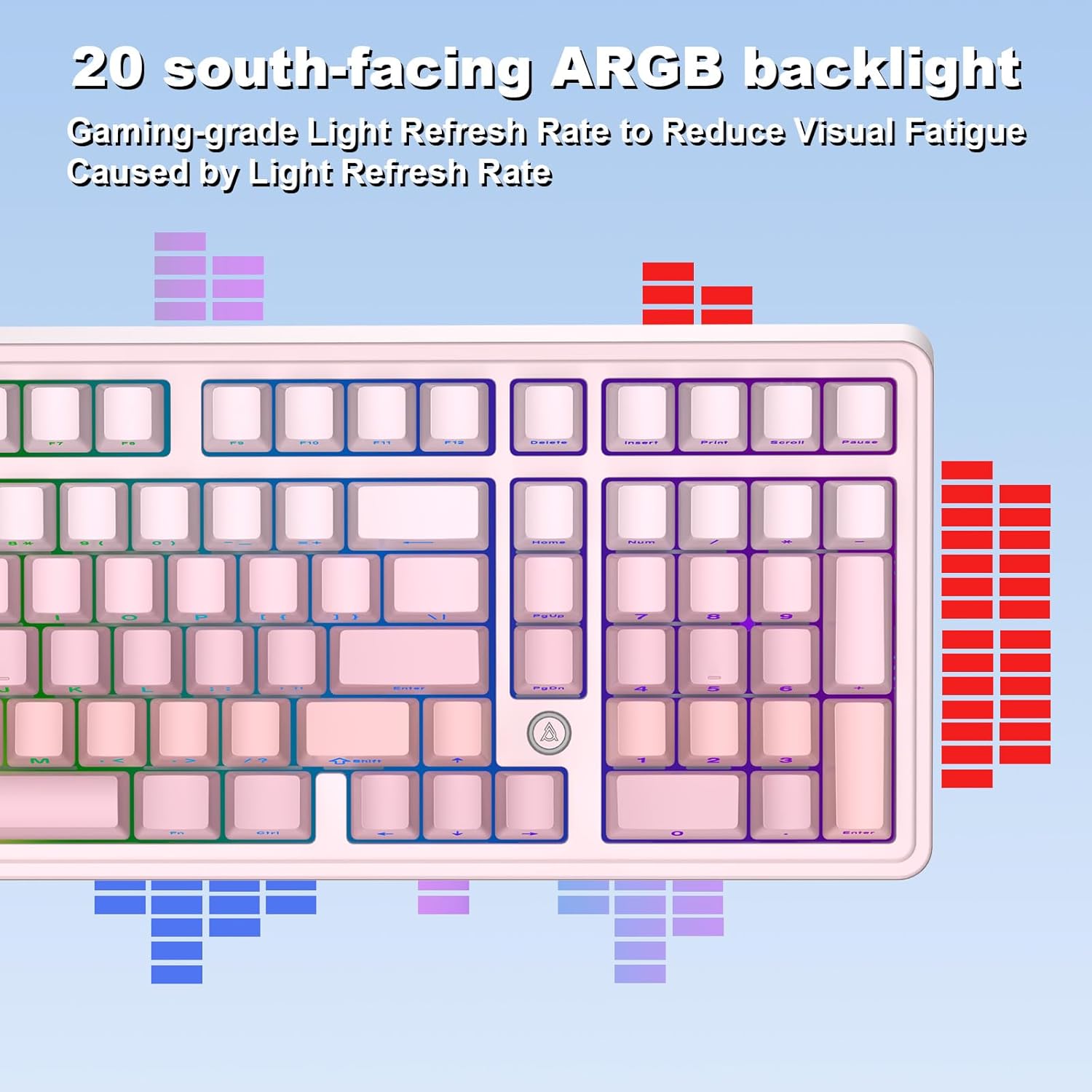
Image 3.1: An example of the ARGB backlighting on the AK980MAX keyboard, illustrating various color patterns.
3.3 Advanced Customization with Web Driver
For advanced customization, including key remapping, macro creation, and detailed lighting control, download and install the official web driver software. The web driver is compatible with Windows and Mac OS.
- Supported Systems: Windows, Mac OS
- Functions: Luminous Flux Setting, Key Setting, Customized Key, RGB Lighting, Macro, and other advanced features.

Image 3.2: Screenshot of the web driver interface, demonstrating options for customizing keys and lighting settings.
4. Maintenance
4.1 Cleaning the Keyboard
To maintain optimal performance and appearance, regularly clean your keyboard:
- Disconnect the keyboard from your computer.
- Use a soft, lint-free cloth lightly dampened with water or a mild cleaning solution to wipe the keycaps and chassis.
- For dust and debris between keycaps, use compressed air.
- Avoid spraying liquids directly onto the keyboard.
4.2 Keycap and Switch Replacement (Hot-Swappable)
The AK980MAX features hot-swappable magnetic switches, allowing for easy replacement without soldering. Ensure the replacement switches are compatible magnetic switches with the 'N' side facing down.
- Gently remove the keycap using a keycap puller.
- Use a switch puller to carefully extract the magnetic switch from the PCB.
- Align the new magnetic switch with the socket, ensuring the 'N' side faces down, and press it firmly until it clicks into place.
- Reattach the keycap.
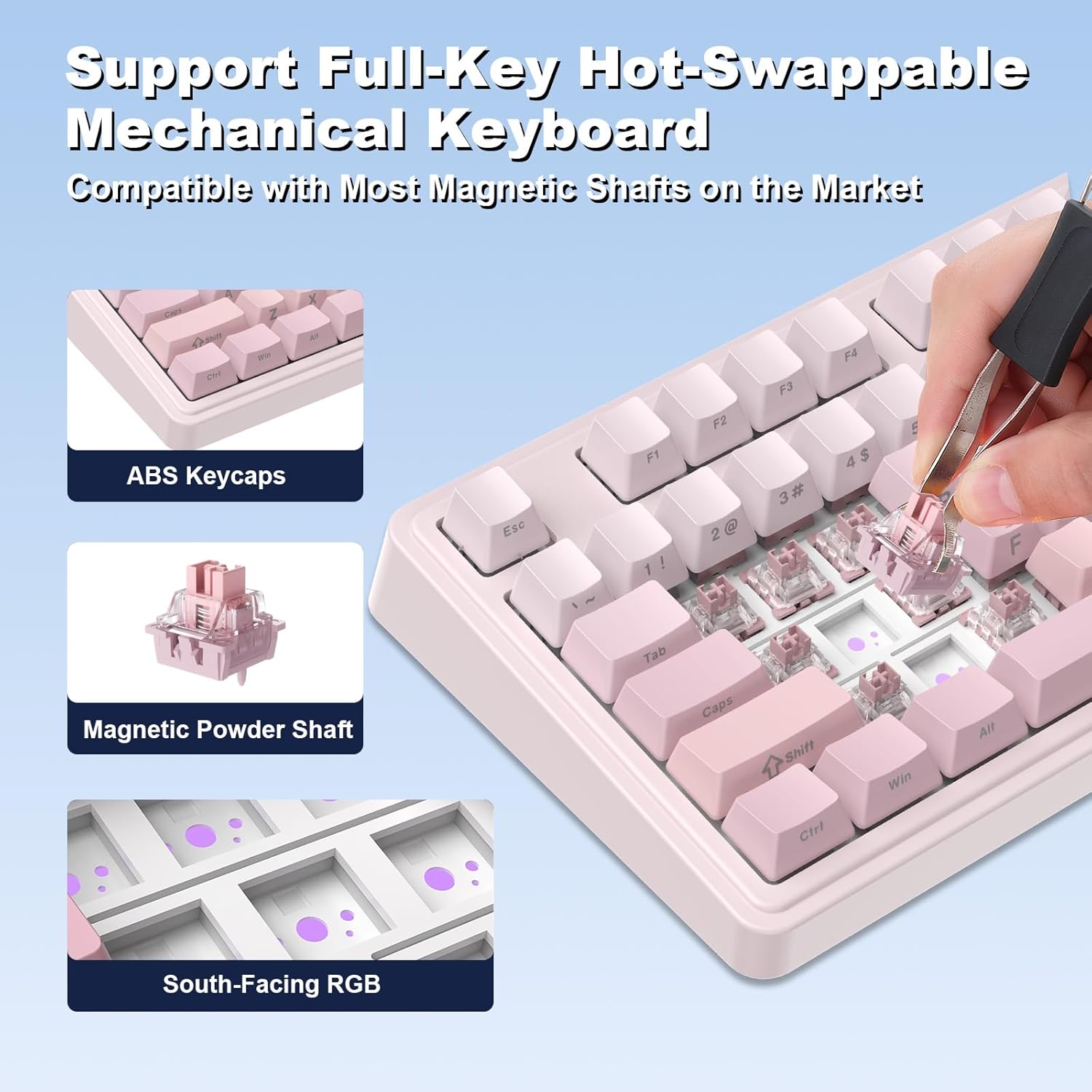
Image 4.1: Illustration of the hot-swappable feature, showing how to remove and replace keycaps and magnetic switches.
4.3 Gasket Structure and PCB Design
The keyboard incorporates an advanced gasket structure with five layers of filling, extended integrated silicone pads, and a non-grooved 1.6mm PCB. This design optimizes resilience and stability, providing a softer and more elastic typing feel while effectively dampening cavity noise.

Image 4.2: Exploded view detailing the internal layers of the keyboard's gasket design, including keycaps, upper cover, center frame, shaft, aluminum alloy locator plate, sandwich cotton, IXPE shaft lower pad, transparent PET pad, PCB, bottom cotton, silicone, and bottom shell.
5. Troubleshooting
If you encounter issues with your AK980MAX keyboard, please refer to the following common solutions:
- Keyboard Not Responding:
- Ensure the USB cable is securely connected to both the keyboard and the computer.
- Try connecting the keyboard to a different USB port on your computer.
- Test the keyboard on another computer to rule out system-specific issues.
- Keys Not Registering:
- Check if any debris is lodged under the keycap or switch.
- If a specific switch is faulty, consider replacing it using the hot-swappable feature (refer to Section 4.2).
- Backlighting Not Working/Incorrect:
- Ensure the backlighting is not turned off or set to minimum brightness (use Fn key combinations).
- If using the web driver, verify that the lighting settings are correctly configured.
- Restart your computer and reconnect the keyboard.
- Web Driver Not Detecting Keyboard:
- Ensure the keyboard is properly connected via USB.
- Restart the web driver software and your computer.
- Check for updates to the web driver software.
6. Specifications
| Feature | Specification |
|---|---|
| Product Dimensions | 17 x 6 x 2 inches (43.18 x 15.24 x 5.08 cm) |
| Item Weight | 2.42 pounds (1.1 kg) |
| Manufacturer | AJAZZ |
| Model Number | AK980 |
| Brand | DAIDAI |
| Connectivity Technology | Wired (USB) |
| Keyboard Description | Mechanical |
| Switch Type | Magnetic Axis Switches |
| Key Lifespan | 100 million cycles |
| Polling Rate | 8K |
| Backlighting | ARGB RGB |
| Keycap Material | PBT |
| Compatible Devices | Desktop Computer, Gaming Console, Laptop, PC |

Image 6.1: Diagram illustrating the dimensions of the AK980MAX keyboard.
7. Warranty and Support
For warranty information, technical support, or further assistance, please refer to the official DAIDAI brand store or contact customer service.
Visit the DAIDAI Store for more product information and support resources.


