
Introduction
This manual provides essential information for the safe and efficient use of your Acer Aspire TC-1785-UA92 desktop computer. Please read these instructions carefully before operating your new system. Keep this manual for future reference.

Image: The Acer Aspire Desktop PC, showcasing its sleek design.
Setup
Follow these steps to set up your Acer Aspire desktop computer.
1. Unpacking
- Carefully remove all components from the packaging.
- Verify that all items listed in the packing list are present.
- Retain the packaging materials for future transport or service.
2. Connecting Peripherals
Connect your monitor, keyboard, and mouse to the appropriate ports on the desktop.
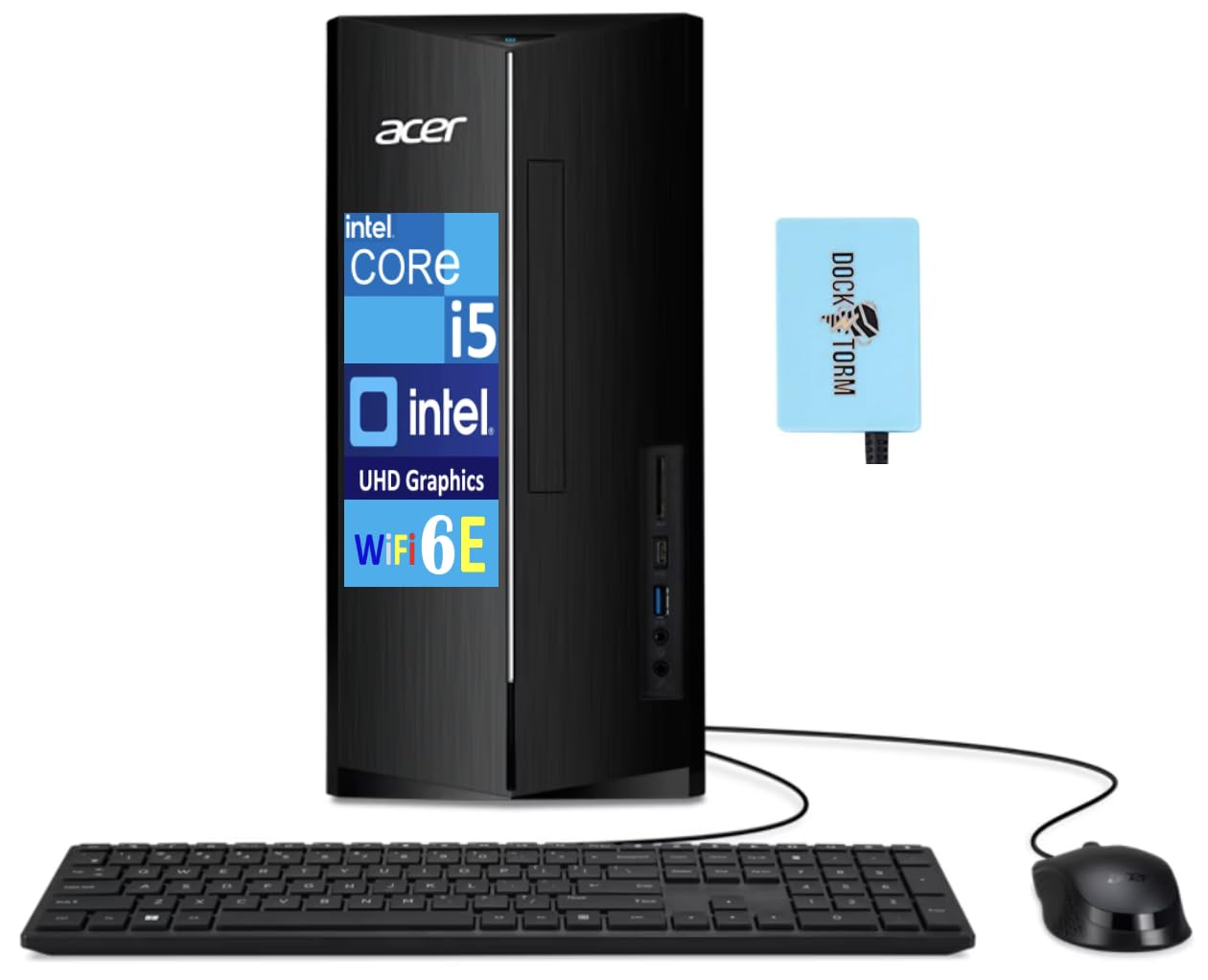
Image: The Acer Aspire desktop tower shown with the included USB keyboard and mouse.
- Monitor: Connect your monitor to one of the two HDMI ports on the rear of the desktop.
- Keyboard and Mouse: Connect the included USB keyboard and mouse to any available USB ports.
- Network: For a wired connection, connect an Ethernet cable to the RJ-45 port. For wireless, ensure Wi-Fi 6E is enabled in Windows settings.
- Audio: Connect speakers or headphones to the audio jacks.
- USB Hub: The included Dockztorm portable USB hub can be connected to a USB port for additional connectivity.

Image: Rear view of the desktop, highlighting the various connectivity ports including HDMI, USB, and Ethernet.

Image: The blue Dockztorm portable USB hub, designed for enhanced connectivity.
3. Powering On
- Connect the power cord to the desktop and then to a power outlet.
- Press the power button located on the front of the desktop.
4. Initial Windows Setup
Upon first boot, Windows 11 Pro will guide you through the initial setup process. Follow the on-screen instructions to configure your language, region, network, and user account.
Operating Your Desktop
Your Acer Aspire TC-1785-UA92 desktop runs on Windows 11 Pro, offering a robust and user-friendly operating environment.
Basic Usage
- Familiarize yourself with the Windows 11 Pro interface.
- Utilize the Intel Core i5-14400 processor and 8GB DDR5 RAM for efficient multitasking and application performance.
- Store your files on the fast 1TB PCIe NVMe SSD.

Image: A user working productively at a desk with the Acer Aspire desktop and monitor.
Connectivity
The desktop offers a variety of connectivity options:
- Wireless: Integrated Wi-Fi 6E AX211 for high-speed internet and Bluetooth 5.3 for connecting wireless peripherals.
- Wired: RJ-45 Ethernet port for stable wired network connections.
- USB Ports: Multiple USB 2.0 and USB 3.2 Type-C ports for connecting various devices.
- Video Output: Two HDMI ports for connecting multiple displays.
- Card Reader: An SD card reader for easy data transfer from memory cards.
Audio Features
Experience clear audio with the integrated HD Audio system, supporting 5.1-Channel Surround Sound for an immersive experience.

Image: The Acer Aspire desktop connected to a monitor displaying a vibrant concert scene, illustrating its audio capabilities.
Maintenance
Regular maintenance helps ensure the longevity and optimal performance of your desktop.
- Cleaning: Keep the desktop clean and free of dust. Use a soft, dry cloth for exterior surfaces. Use compressed air to clear dust from vents periodically.
- Software Updates: Regularly check for and install Windows updates and driver updates to ensure system stability and security.
- Data Backup: Periodically back up important data to an external drive or cloud storage to prevent data loss.
- Ventilation: Ensure the desktop has adequate ventilation and is not placed in an enclosed space to prevent overheating.
Troubleshooting
This section addresses common issues you might encounter.
- No Power:
- Check if the power cord is securely connected to both the desktop and the power outlet.
- Ensure the power outlet is functional.
- No Display:
- Verify that the monitor is powered on and the video cable (HDMI) is securely connected to both the desktop and the monitor.
- Ensure the correct input source is selected on your monitor.
- Slow Performance:
- Close unnecessary applications running in the background.
- Check for and install any pending Windows updates.
- Run a disk cleanup and defragmentation (for HDDs, not typically needed for SSDs).
- Scan for malware or viruses.
- Network Connectivity Issues:
- For Wi-Fi, ensure Wi-Fi is enabled and you are connected to the correct network. Restart your router/modem.
- For wired connection, check the Ethernet cable and ensure your router/modem is functioning.
If you continue to experience issues, please refer to the support section or contact Acer customer support.
Specifications
| Model | TC-1785-UA92 |
| Processor | 14th Gen Intel Core i5-14400 (2.50GHz base, up to 4.7GHz, 10 Cores, 16 Threads) |
| Graphics | Intel UHD Integrated Graphics |
| Memory | 8GB DDR5 DIMM RAM |
| Storage | 1TB PCIe NVMe SSD |
| Operating System | Windows 11 Pro-64 |
| Wireless Connectivity | Wi-Fi 6E AX211, Bluetooth 5.3 |
| Ports | 4x USB 2.0, 2x HDMI, 1x USB 3.2 Type-C, RJ-45 Ethernet, SD Card Reader, Headphone/Microphone Combo Jack |
| Power Supply | 300W |
| Dimensions (L x W x H) | 14.25 x 14 x 10 inches |
| Weight | 14 pounds |
Warranty and Support
Your Acer Aspire TC-1785-UA92 desktop comes with a warranty and support options.
- Warranty: This product includes a 1-year manufacturer warranty from GreatPriceTech, covering defects in materials and workmanship. Please retain your proof of purchase.
- Technical Support: For technical assistance, troubleshooting, or warranty claims, please contact GreatPriceTech or visit the official Acer support website for general product information and drivers.
- Online Resources: Visit the Acer Support Website for drivers, manuals, and FAQs.


