
1. Introduction
Thank you for choosing the 4DRC Y10 Amphibious RC Truck. This manual provides essential information for the safe operation, setup, and maintenance of your new remote control vehicle. Please read this manual thoroughly before use to ensure optimal performance and longevity of the product.
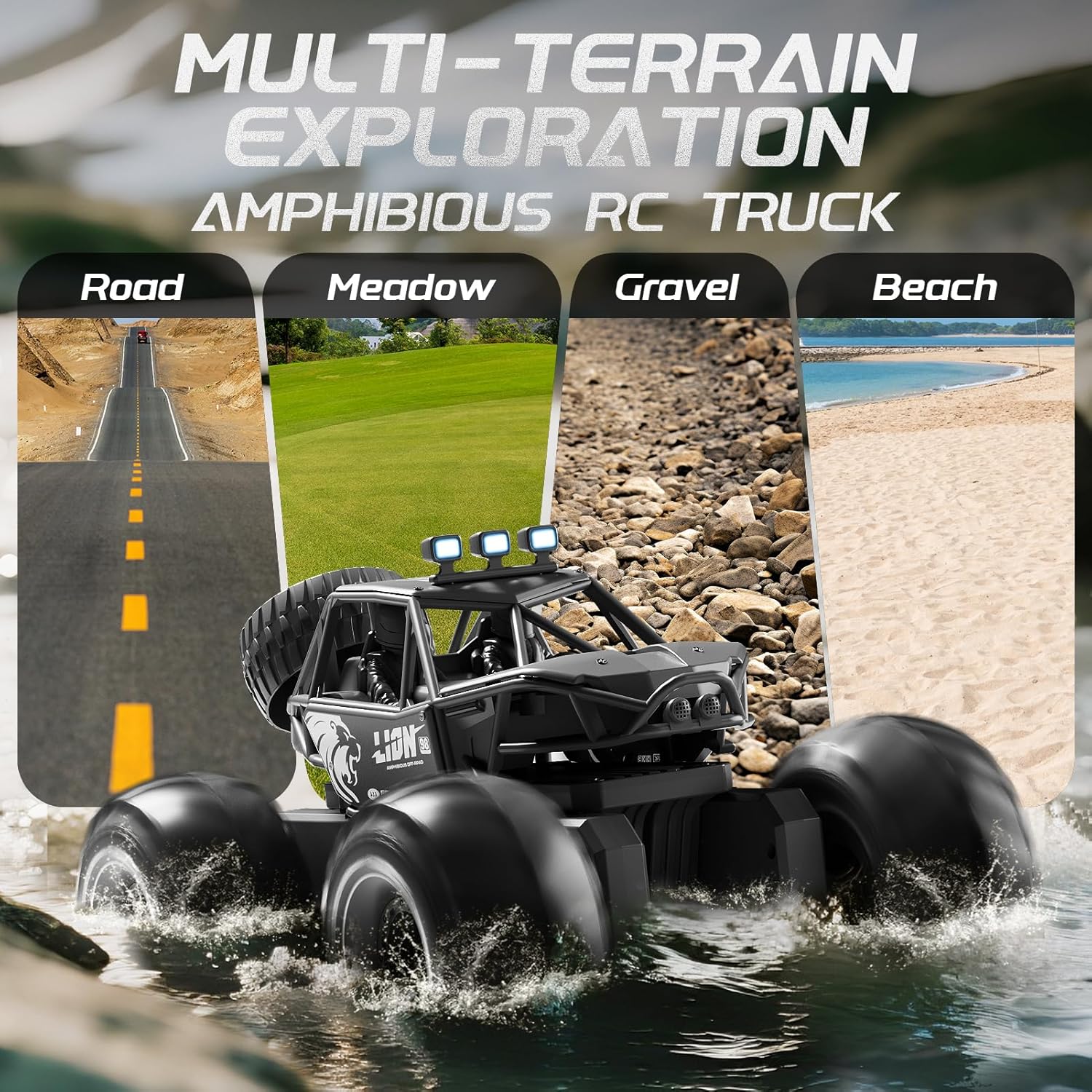
Image 1.1: The 4DRC Y10 Amphibious RC Truck demonstrating its multi-terrain capabilities.
2. Safety Information
- Age Recommendation: This product is suitable for children aged 8 and above. Adult supervision is recommended for younger users.
- Battery Safety: Use only the provided rechargeable batteries and charging cable. Do not mix old and new batteries, or different types of batteries. Do not short-circuit, disassemble, or expose batteries to extreme temperatures.
- Water Use: While the vehicle is waterproof (IPX-7 rated), avoid prolonged submersion in saltwater or chemically treated water (e.g., chlorinated pools) to prevent damage. Always ensure the battery compartment is securely sealed before water play.
- Operating Environment: Operate the RC truck in open areas, away from people, pets, and obstacles. Avoid public roads or areas with heavy traffic.
- Maintenance: Regularly inspect the vehicle for damage. Do not operate if damaged.
3. Package Contents
Please check the package contents to ensure all items are present:
- 4DRC Y10 Amphibious RC Truck
- 2.4GHz Remote Control
- Rechargeable Batteries (2)
- USB Charging Cable
- Screwdriver
- User Manual (this document)

Image 3.1: Overview of the 4DRC Y10 package contents and dimensions.
4. Setup
4.1 Charging the Vehicle Battery
- Locate the battery compartment on the underside of the RC truck. Use the provided screwdriver to open the compartment.
- Connect the rechargeable battery to the USB charging cable.
- Plug the USB charging cable into a standard USB power adapter (not included) or a computer USB port.
- The indicator light on the USB cable will show the charging status. Charging typically takes 2-3 hours.
- Once fully charged, disconnect the battery and securely place it back into the compartment. Ensure the compartment is sealed to maintain waterproofing.

Image 4.1: The 4DRC Y10 is equipped with a high-capacity rechargeable battery for extended playtime.
4.2 Installing Remote Control Batteries
- Open the battery cover on the back of the remote control.
- Insert 2 'C' size batteries (included) into the compartment, observing the correct polarity (+/-).
- Close the battery cover securely.
5. Operating Instructions
5.1 Pairing the Remote Control
- Ensure the RC truck battery is charged and installed.
- Turn on the RC truck using the power switch located on the vehicle.
- Turn on the remote control. The indicator light on the remote will flash.
- The remote control and truck will automatically pair. The indicator light on the remote will become solid once paired.
5.2 Basic Controls
- Forward/Backward: Use the left joystick to move the truck forward or backward.
- Turn Left/Right: Use the right joystick to steer the truck left or right.
- 2.4GHz Anti-Interference Control: The 2.4GHz frequency allows multiple RC vehicles to operate simultaneously without interference.

Image 5.1: Enjoy racing with friends thanks to the 2.4GHz anti-interference control.
5.3 Stunt Features
The 4DRC Y10 is designed for exciting stunts:
- 360° Rotation: Push both joysticks in opposite directions (e.g., left joystick forward, right joystick backward) to perform a 360-degree spin.
- Two-Wheel Driving: The truck can perform stunts where it drives on two wheels. Practice is required to master this maneuver.
- LED Lights: The integrated LED lights enhance visibility and add to the visual appeal during operation, especially in low-light conditions.
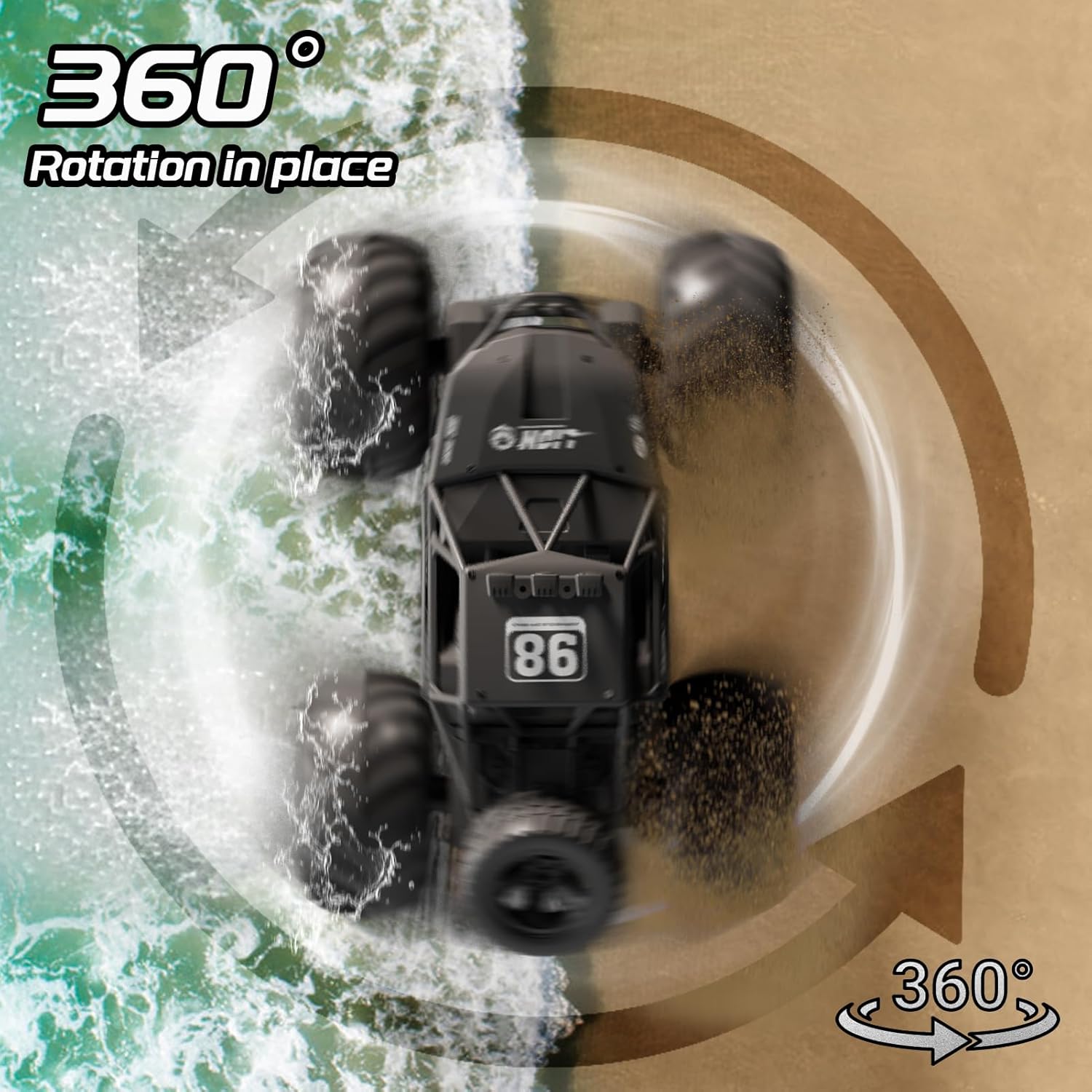
Image 5.2: The 4DRC Y10 performing a 360-degree rotation stunt.
5.4 Amphibious Mode
The 4DRC Y10 is fully waterproof (IPX-7 rated) and can operate on water surfaces:
- Ensure the battery compartment is completely sealed before entering water.
- Drive the truck into calm water. The wheels will act as paddles, propelling the vehicle.
- The truck supports "Double Side Surfing," meaning it can drive on water even if it flips over.

Image 5.3: The IPX-7 waterproof design allows for exciting water adventures.

Image 5.4: The 'Double Side Surfing' feature allows continuous play even if the truck flips.
6. Maintenance
- Cleaning: After use, especially in water or dirty environments, wipe the truck clean with a damp cloth. Do not use harsh chemicals.
- Drying: If used in water, ensure the truck is thoroughly dried before storing. Open the battery compartment (after removing the battery) to allow any moisture to evaporate.
- Storage: Store the RC truck and remote control in a cool, dry place away from direct sunlight. Remove batteries from the remote control if not used for extended periods.
- Inspection: Periodically check for loose screws, damaged parts, or worn tires. Replace any damaged components to maintain performance and safety.
7. Troubleshooting
| Problem | Possible Cause | Solution |
|---|---|---|
| Truck does not respond to remote. | Low battery in truck or remote; Not paired; Power switch off. | Charge truck battery; Replace remote batteries; Ensure both power switches are ON; Re-pair the remote and truck. |
| Short operating distance or interference. | Low battery in remote or truck; Environmental interference. | Charge truck battery; Replace remote batteries; Operate in an open area away from other electronic devices. |
| Truck moves slowly or lacks power. | Low truck battery. | Recharge the truck battery fully. |
| Truck stops working in water. | Battery compartment not sealed; Prolonged use in harsh water. | Ensure battery compartment is tightly sealed. Avoid saltwater or chemically treated water. Dry thoroughly after use. |
8. Specifications
- Model Number: ST-DE-Y10
- Brand: 4DRC
- Dimensions (L x W x H): 27 x 20 x 16 cm (10.6 x 7.8 x 6.3 inches)
- Weight: 1.14 kg
- Material: Plastic (ABS)
- Color: Black
- Control Frequency: 2.4GHz
- Drive System: 4WD (Four-Wheel Drive)
- Waterproofing: IPX-7
- Playtime: Approximately 60+ minutes (per battery)
- Special Features: Amphibious, Stunt Capabilities (360° rotation, two-wheel driving), LED Lights, Shock-resistant design.
- Power Source: Battery Powered
- Batteries Included: Yes (2 rechargeable batteries for truck, 2 'C' batteries for remote)
- Recommended Age: 8+ years
9. Warranty and Support
For warranty information or technical support, please refer to the contact details provided on the product packaging or the official 4DRC website. Please retain your purchase receipt as proof of purchase for any warranty claims.