
1. Introduction
This manual provides instructions for the assembly, operation, maintenance, and troubleshooting of your SUPERJARE Nightstand with Charging Station. Please read this manual thoroughly before assembly and use to ensure proper function and safety.
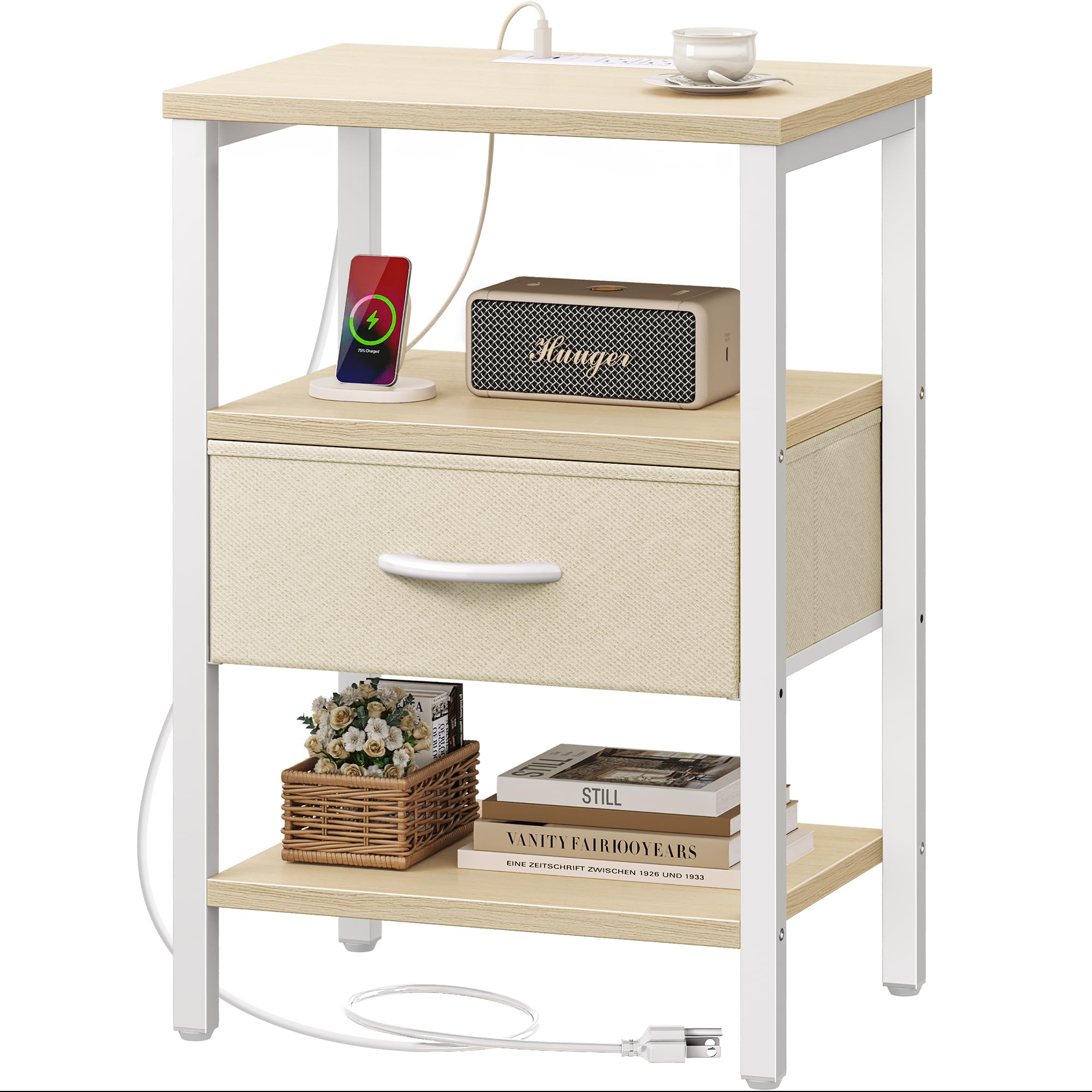
Image 1.1: The SUPERJARE Nightstand with Charging Station, featuring a white maple finish and a fabric drawer.
2. Safety Information
- Always follow the assembly instructions provided.
- Keep the charging station dry and do not overload the outlets.
- Unplug the charging station when not in use or during lightning storms.
- Do not use the charging station if the cord or plug is damaged.
- Keep the charging station out of reach of children and pets.
3. Package Contents
Verify that all components are present before beginning assembly. Refer to the included assembly instructions for a detailed list of parts.
- Assembly Instructions
- Assembly Tools (e.g., screwdriver)
- Numbered Components (e.g., metal frame parts, shelves, fabric drawer)
- Charging Station Unit
- Adjustable Feet

Image 3.1: Dimensions of the nightstand and its components.
4. Setup and Assembly
Assembly of the SUPERJARE Nightstand is designed to be straightforward. Follow the step-by-step instructions provided in the package. All necessary components are numbered, and tools are included.
4.1. General Assembly Steps
- Unpack all components and verify against the parts list.
- Assemble the metal frame according to the diagrams.
- Attach the wooden shelves to the frame.
- Install the charging station into the designated slot on the top shelf.
- Insert the fabric drawer into your preferred position.
- Attach the adjustable feet to the bottom of the frame.
4.2. Fabric Drawer Installation
The fabric drawer offers two installation positions: you can place it in the middle or at the bottom, depending on your storage needs. Choose the desired position before fully securing the surrounding shelves.

Image 4.1: Four forms of installation are available for the fabric drawer and shelves. Choose the drawer's position before installation.
4.3. Adjustable Feet
The nightstand includes adjustable feet to ensure stability on uneven surfaces and to protect your floor from scratches. Rotate the feet to adjust the height as needed.

Image 4.2: Adjustable feet allow for balancing the nightstand and protecting floors.
4.4. Assembly Video
Video 4.1: Official SUPERJARE video demonstrating the nightstand's features, including aspects of assembly and functionality.
5. Operating Instructions
5.1. Charging Station Usage
The integrated charging station provides convenient power access. It includes:
- 1 USB Port (5V / 2A)
- 2 AC Outlets (125V / 12A)
- 1 Type-C Port (5V / 2A)
To use, simply plug the nightstand's power cord into a wall outlet. Then, connect your devices to the appropriate ports on the charging station.

Image 5.1: The charging station with USB, Type-C, and AC outlets for multiple devices.
5.2. Storage and Organization
The nightstand features a spacious tabletop, two open shelves, and one fabric drawer. The fabric drawer is ideal for concealing smaller items, helping to maintain a tidy appearance.
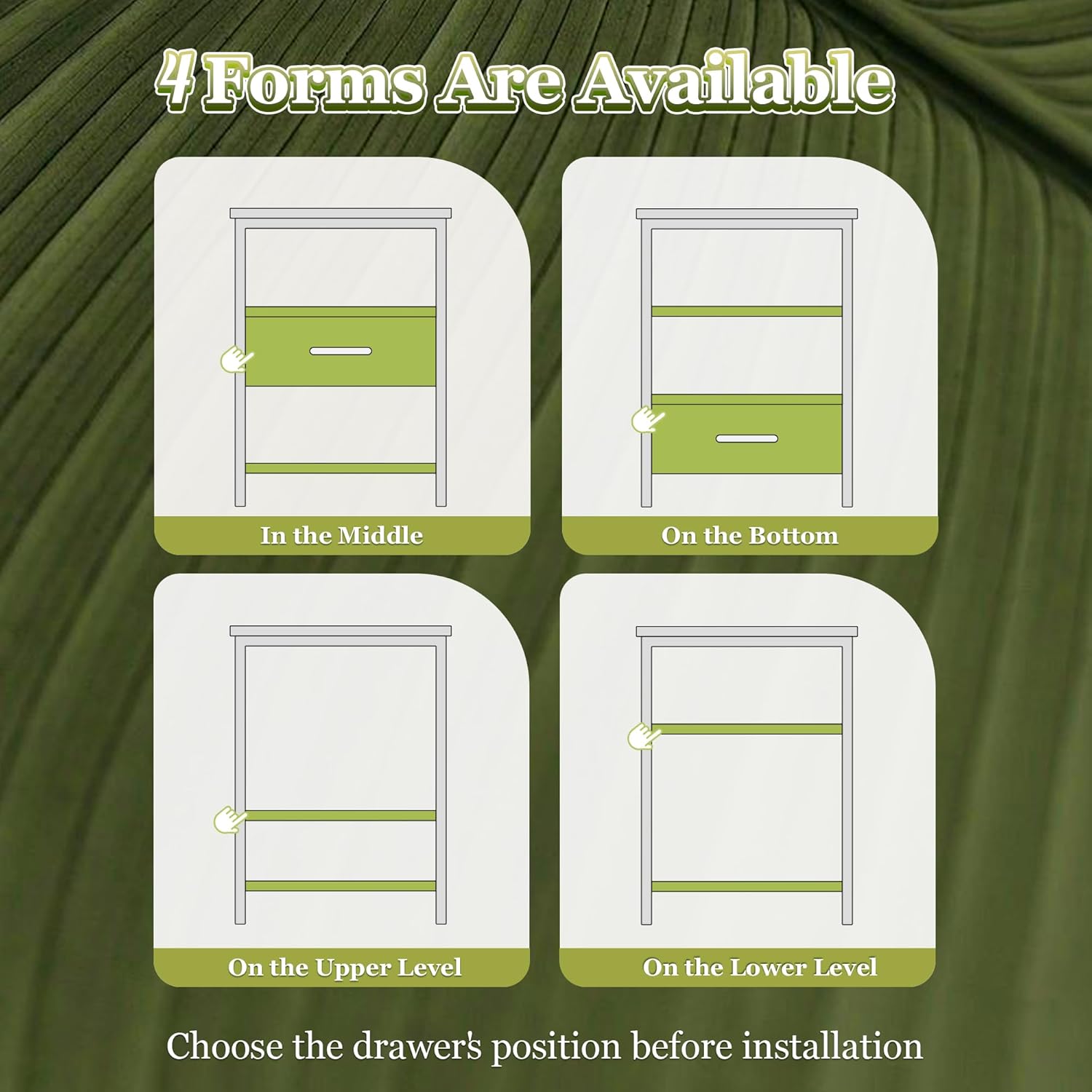
Image 5.2: The large fabric drawer provides hidden storage for bedside items.
6. Maintenance
To maintain the appearance and longevity of your nightstand:
- Wipe surfaces with a damp cloth. Avoid harsh chemicals or abrasive cleaners.
- Ensure the charging station remains dry.
- Periodically check all screws and connections to ensure they are tight.
7. Troubleshooting
7.1. Charging Station Not Working
- Ensure the nightstand's power cord is securely plugged into a functional wall outlet.
- Check if the device you are trying to charge is properly connected to the charging station.
- Verify that the device itself is functioning correctly.
- Avoid overloading the outlets; ensure total power draw does not exceed the specified limits (125V / 12A).
7.2. Instability
- Adjust the leveling feet at the bottom of the nightstand to compensate for uneven floors.
- Ensure all assembly screws are tightened securely.
If you encounter issues not covered here, please refer to the contact information in the Support section.
8. Specifications
| Brand | SUPERJARE |
| Model | M (11.8"D x 15.7"W x 23.4"H) |
| Product Dimensions | 11.8"D x 15.7"W x 23.4"H |
| Item Weight | 12.1 Pounds |
| Frame Material | Metal |
| Top Material Type | Engineered Wood |
| Color | White Maple |
| Number of Drawers | 1 |
| Special Features | Adjustable Fabric Drawer, Charging Station (1 USB, 2 AC Outlets, 1 Type-C) |
| Required Assembly | Yes |
9. Warranty and Support
For warranty information or technical support, please contact SUPERJARE customer service directly. Refer to the contact details provided with your purchase or visit the official SUPERJARE website.
Please have your product model number (M (11.8"D x 15.7"W x 23.4"H)) and purchase date available when contacting support.