
1. Introduction
The NEEWER BASICS SL30 RGB Stick Light is a versatile and portable LED video light designed for various creative lighting scenarios. It features adjustable brightness, color temperature, and a wide range of RGB effects, making it suitable for photography, videography, live streaming, and events. This manual provides essential information for the safe and effective use of your SL30 RGB Stick Light.

Image: The NEEWER BASICS SL30 RGB Stick Light in use, demonstrating its versatility.
2. Package Contents
Please check the package contents upon unpacking to ensure all items are present and undamaged:
- 1x NEEWER BASICS SL30 RGB Stick Light
- 1x USB-A to USB-C Charging Cable
- 1x Strap

Image: All items included in the NEEWER BASICS SL30 RGB Stick Light package.
3. Setup
3.1 Charging the Device
Before first use, fully charge the SL30 RGB Stick Light. Connect the provided USB-A to USB-C charging cable to the light's USB-C port and a compatible USB power source (e.g., laptop, power bank, USB adapter). The battery indicator will show charging status. A full charge provides approximately 120 minutes of continuous use at maximum brightness.

Image: The USB-C charging port and battery indicator on the SL30 RGB Stick Light.
3.2 Mounting Options
The SL30 RGB Stick Light offers flexible mounting solutions:
- 1/4-inch Screw Holes: Both ends of the light feature standard 1/4-inch screw holes, allowing attachment to tripods, light stands, or other compatible accessories for various angles and setups.
- Magnetic Attachment: The light has built-in powerful magnets, enabling direct attachment to any metal surface for quick and convenient positioning.
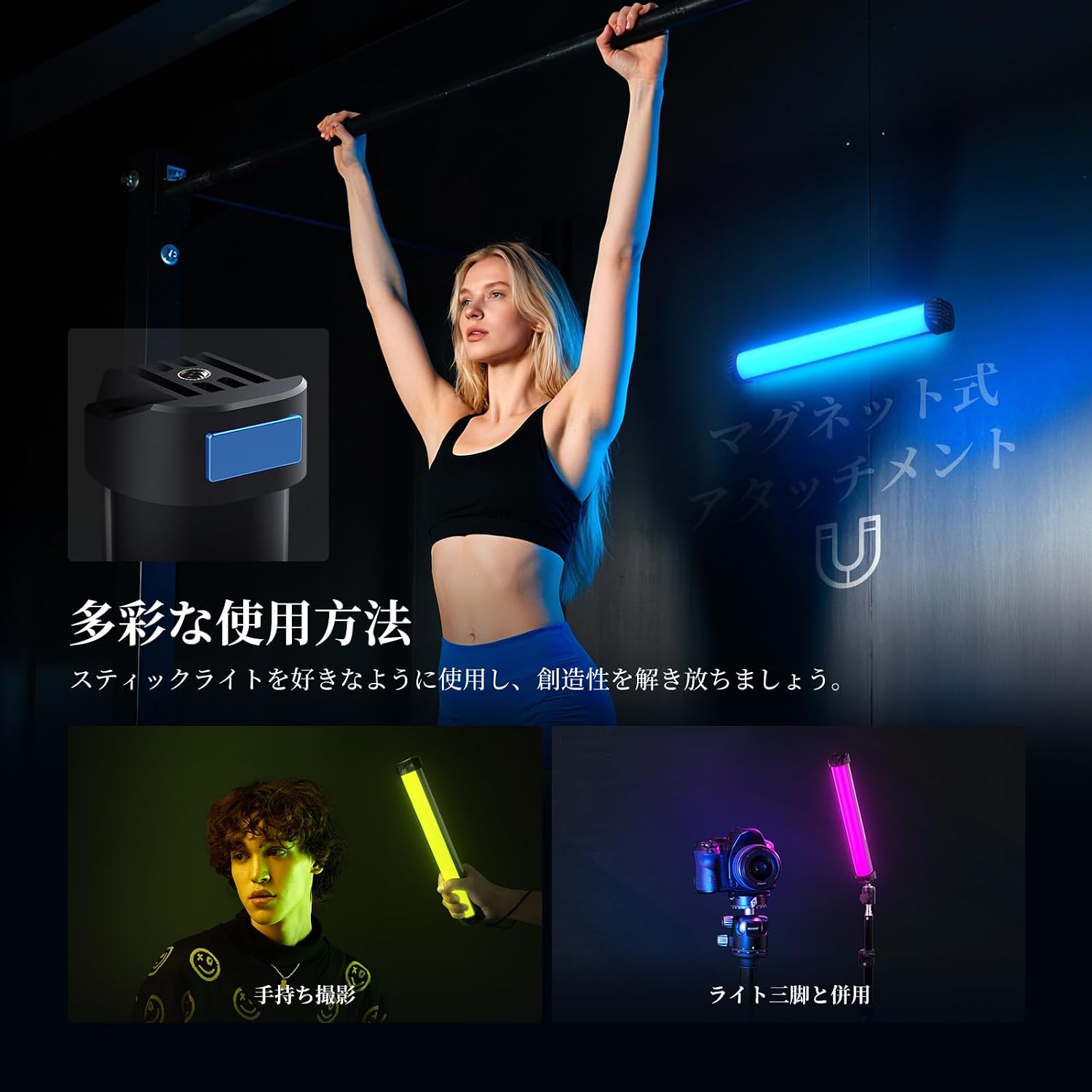
Image: The magnetic base and 1/4-inch screw thread on the SL30 RGB Stick Light.
4. Operating Instructions
4.1 Power On/Off
Press and hold the On/Off button located on the control panel to power the light on or off.
4.2 Mode Selection
The SL30 RGB Stick Light features three specialized operating modes:
- CCT Mode: Press the CCT Mode button to enter Color Temperature mode. In this mode, you can select from three preset color temperatures: 6500K (cool white), 4000K (natural light), and 2700K (warm light). Use the Up and Down buttons to adjust brightness.
- FX Mode: Press the FX Mode button to access 36 dynamic RGB effects. These effects include various lighting simulations and sound-activated modes, adding creative flair to your projects. Use the Up and Down buttons to cycle through effects or adjust parameters.
- RGB Mode: Press the RGB Mode button to select from 15 static RGB colors. This mode allows for precise color selection to match your creative vision. Use the Up and Down buttons to select colors or adjust brightness.

Image: Demonstration of CCT mode with different color temperatures.

Image: Visual representation of static and dynamic RGB effects.
4.3 Brightness Adjustment
In any mode, use the Up and Down buttons to increase or decrease the brightness level. The light offers 13 levels of brightness adjustment.

Image: The SL30 RGB Stick Light used for light painting, highlighting its portability.
5. Maintenance
To ensure the longevity and optimal performance of your NEEWER BASICS SL30 RGB Stick Light, follow these maintenance guidelines:
- Keep the light clean by wiping it with a soft, dry cloth. Avoid using harsh chemicals or abrasive materials.
- Store the light in a cool, dry place away from direct sunlight and extreme temperatures.
- Avoid dropping or subjecting the light to strong impacts.
- Do not attempt to disassemble or repair the device yourself, as this will void the warranty.
6. Troubleshooting
If you encounter any issues with your SL30 RGB Stick Light, refer to the following common troubleshooting steps:
- Light not turning on: Ensure the battery is charged. Connect the light to a power source and try again.
- Light not charging: Check the USB-C cable and power adapter for damage. Try a different cable or power source.
- Inconsistent light output: Ensure the light is fully charged. If the issue persists, contact customer support.
- Controls unresponsive: Power off the device and restart it. If the problem continues, the device may require servicing.
7. Specifications
| Feature | Specification |
|---|---|
| Model | SL30 |
| Item Type | RGB Stick Light |
| Power | 8W |
| Power Input | DC 5V/2A |
| Illuminance | 460lux/0.5m |
| CRI | 95 |
| Color Temperature | 2700K-6500K (6500K, 2700K, 4000K presets) |
| FX Mode Effects | 36 Dynamic RGB Effects |
| RGB Mode Effects | 15 Static RGB Effects |
| Battery Capacity | 3.7V 2000mAh 7.4Wh |
| Continuous Lighting Time | 120 minutes (at max brightness) |
| Weight | 210g |
| Dimensions | 295 x 44 x 44mm |
| Hardware Interface | USB |
| UPC | 191073113329 |
8. Warranty and Support
8.1 Warranty Information
The NEEWER BASICS SL30 RGB Stick Light comes with a 1-year manufacturer's warranty from the date of purchase. This warranty covers defects in materials and workmanship under normal use. It does not cover damage caused by misuse, accident, unauthorized modification, or improper operation.
8.2 Customer Support
For any questions, technical assistance, or warranty claims, please contact NEEWER customer support through the retailer where you purchased the product or visit the official NEEWER website for contact information. Please have your product model and purchase details ready when contacting support.


