1. Introduction
Thank you for choosing the Avatar Controls 12FT Smart Outdoor Christmas Cone Tree. This product is designed to provide a vibrant and customizable lighting experience for your outdoor spaces. Featuring 832 RGB LEDs, app and remote control, music synchronization, and DIY pattern capabilities, this cone tree is suitable for various holiday and event decorations. Please read this manual thoroughly before installation and operation to ensure proper use and longevity of your product.
2. Safety Information
- Ensure the product is installed on a stable, level surface to prevent tipping.
- This product is rated IP65 waterproof for outdoor use. However, avoid submerging the power adapter or control box in water.
- Do not attempt to modify or repair the product. Contact customer support for assistance.
- Keep away from open flames or excessive heat sources.
- Always unplug the power adapter before performing any maintenance or when the product is not in use for extended periods.
- Ensure all electrical connections are secure and protected from moisture.
3. Package Contents
Verify that all components are present in the package:
- 12FT Foldable Outdoor Christmas Cone Tree (with 832 RGB LEDs)
- Remote Control
- UL Listed Power Adapter
- Sturdy Stand Kit (Base and support poles)
- Instruction Manual (This document)
4. Setup Instructions
- Unpack Components: Carefully remove all items from the packaging.
- Assemble the Stand: Connect the support poles to the base of the cone tree. Ensure all connections are firm and secure.
- Position the Tree: Place the assembled cone tree in your desired outdoor location. Ensure the ground is level and stable.
- Unfold the Tree: Gently unfold the LED light strings from the central pole, spreading them evenly to form the cone shape.
- Connect Power: Plug the UL Listed Power Adapter into the cone tree's power input. Then, plug the adapter into a suitable outdoor power outlet. Ensure the outlet is protected from weather elements.
- Initial Power On: The tree should illuminate upon connecting to power.
- Download the App: Search for the "Hello Fairy" app on your smartphone's app store (iOS or Android) and install it.
- Pair with App: Open the "Hello Fairy" app, enable Bluetooth on your device, and follow the in-app instructions to discover and pair with your Avatar Controls Cone Tree. No Wi-Fi connection is required for app control.
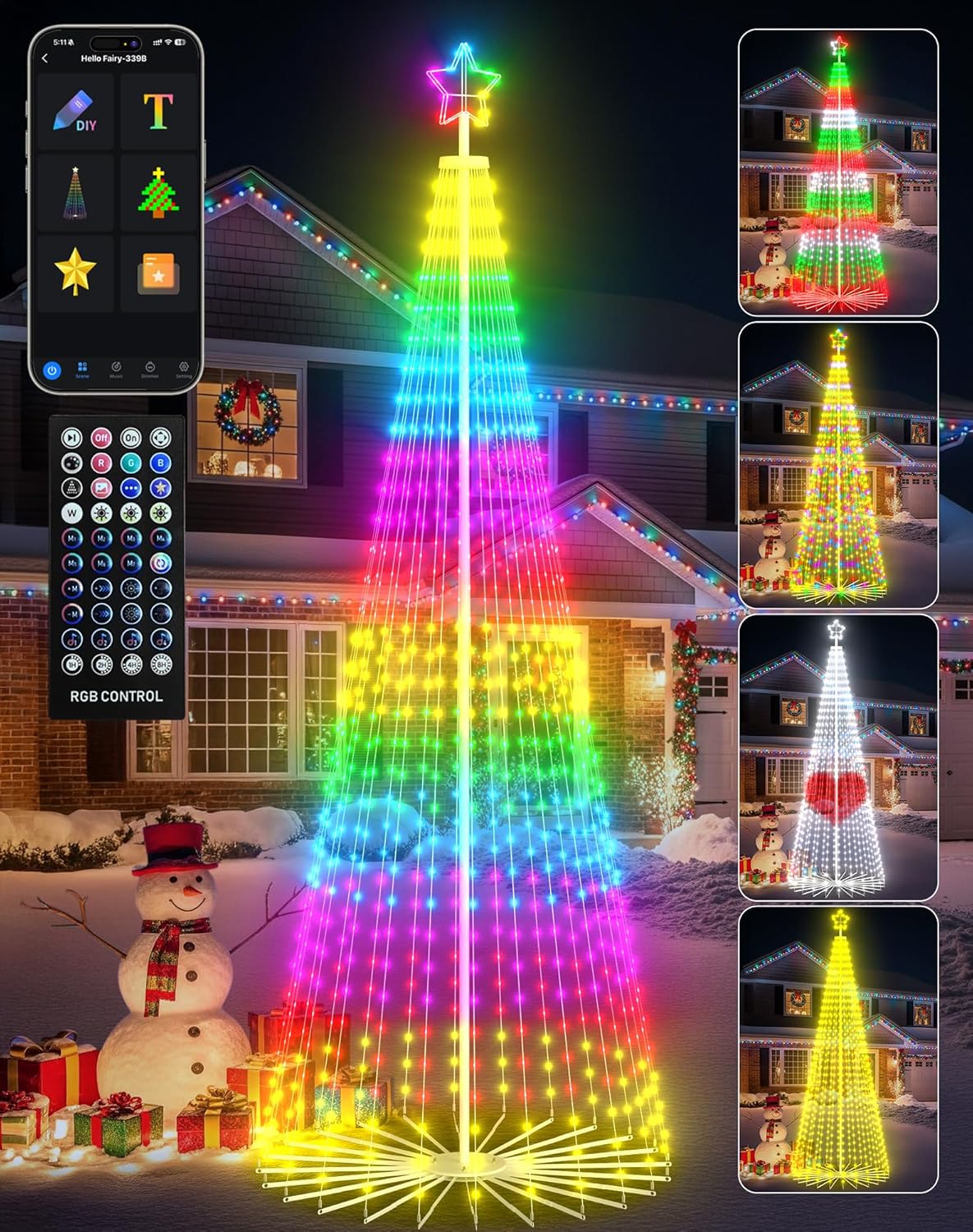
Image 1: The 12FT Smart Outdoor Christmas Cone Tree fully assembled and illuminated, showcasing its vibrant RGB LED lights. The image also displays the accompanying remote control and a smartphone screen illustrating the 'Hello Fairy' app interface for light customization.
5. Operating Instructions
5.1. App Control (Hello Fairy App)
The "Hello Fairy" app provides comprehensive control over your cone tree's lighting features via Bluetooth.
- Color Changing: Select from 16 million colors to customize the tree's illumination.
- Preset Lighting Modes: Access over 100 pre-programmed lighting effects and patterns.
- DIY Patterns & Text: Create custom lighting patterns or display scrolling text messages directly through the app.

Image 2: A smartphone displaying the 'Hello Fairy' app interface, demonstrating the DIY light customization feature where users can design their own patterns on a grid, shown next to an illuminated cone tree.
- Music Sync Mode: Utilize the built-in microphone to synchronize the lights with music, making them pulse and dance to audio input.
- Timer Function: Set schedules for the lights to turn on and off automatically.
- Group Control: Connect and synchronize up to 8 Avatar Controls cone trees for a coordinated display.

Image 3: Three Avatar Controls cone trees displayed in a snowy outdoor setting, all illuminated with synchronized red, green, and white patterns, demonstrating the group control feature via the 'Hello Fairy' app.
5.2. Remote Control
The included remote control offers convenient access to basic functions:
- Power On/Off: Turn the lights on or off.
- Color Selection: Choose from a range of pre-set colors.
- Mode Selection: Cycle through various lighting effects.
- Brightness Adjustment: Increase or decrease the light intensity.
- Timer Settings: Set the lights to automatically turn off after 1, 2, 4, or 8 hours.

Image 4: A split image showing the cone tree in an unlit state with an 'AUTO OFF' indicator on the left, and fully lit with an 'AUTO ON' indicator on the right. Below, the remote control and a smartphone app screen illustrate timer settings for both devices.
5.3. Adjustable Top Star Color
The star at the top of the cone tree can be controlled independently or synchronized with the main tree lights.
- One-Touch Remote Control: Switch the star's color between Off and Warm Yellow.
- Smart App Control: Activate "Follow Mode" in the app for the star to match the color and effects of the main tree lights.
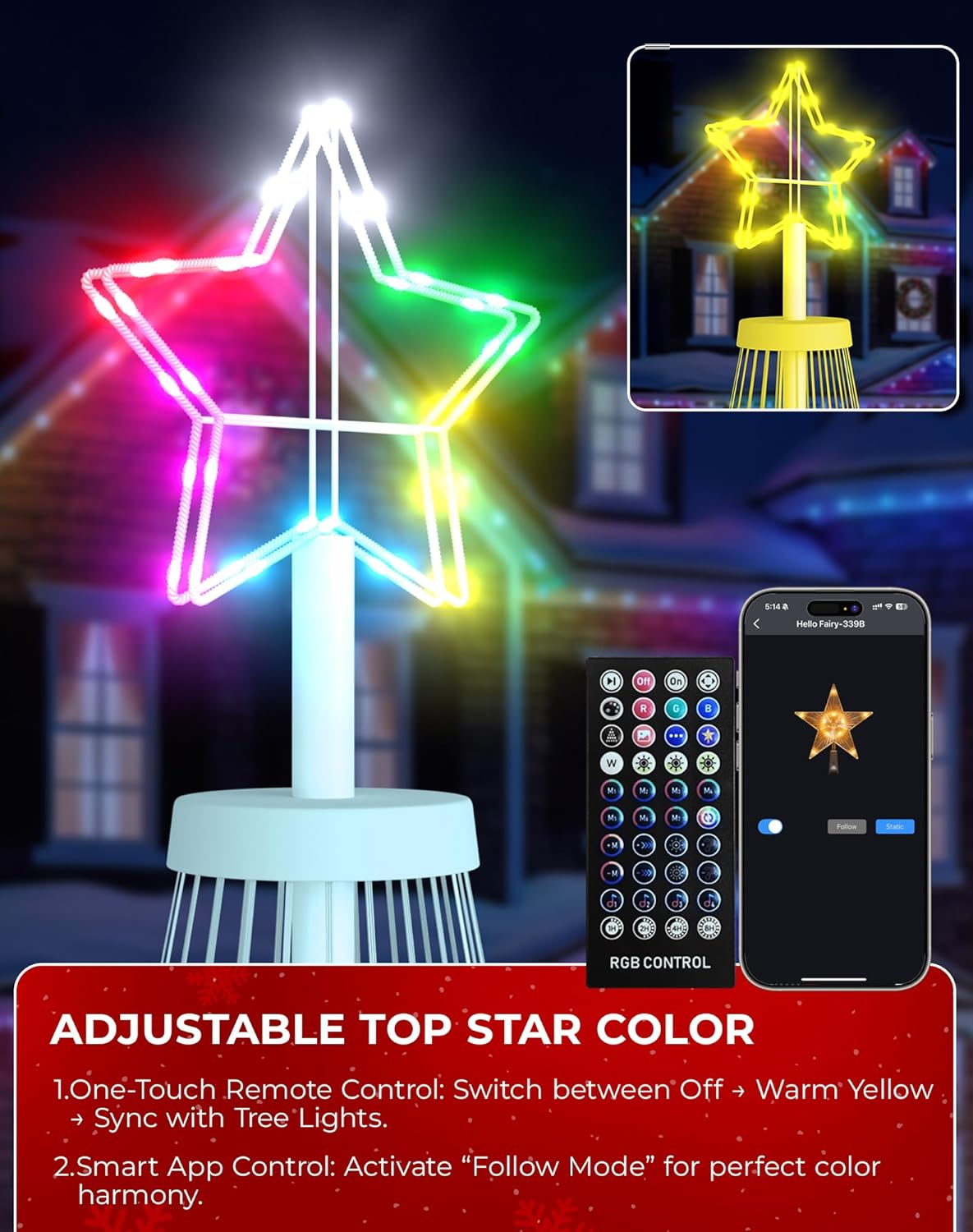
Image 5: A close-up view of the illuminated top star of the cone tree, showing its multi-color capabilities. The image also displays the remote control and a smartphone app interface for adjusting the star's color and activating 'Follow Mode'.
6. Maintenance
- Cleaning: Wipe the LED strings and frame with a soft, damp cloth. Do not use harsh chemicals or abrasive cleaners.
- Storage: When not in use, unplug the tree, carefully fold the light strings back towards the central pole, and store in a cool, dry place. The foldable design allows for space-saving storage.
- Weather Resistance: The IP65 rating ensures protection against dust and water jets. However, for extreme weather conditions (e.g., hurricanes, blizzards), it is recommended to temporarily store the tree indoors.
7. Troubleshooting
- Lights not turning on:
- Check if the power adapter is securely plugged into both the tree and the power outlet. Ensure the outlet is functional. Verify the remote or app is sending an 'On' command.
- App cannot connect to the tree:
- Ensure Bluetooth is enabled on your smartphone. Make sure the tree is powered on and within range. Close and reopen the "Hello Fairy" app. If issues persist, try restarting your smartphone.
- Remote control not responding:
- Check the battery in the remote control and replace if necessary. Ensure there are no obstructions between the remote and the tree's receiver.
- Lights not syncing with music:
- Ensure the music sync mode is activated in the app. Check that your smartphone's microphone is enabled for the "Hello Fairy" app and that music is playing loudly enough for the microphone to detect.
8. Specifications
| Brand | Avatar Controls |
| Model Number | BESL82 |
| Product Dimensions | 142"D x 51"W x 51"H (approx. 12 feet tall) |
| Material | Metal |
| LED Type | RGB LED |
| Number of LEDs | 832 |
| Control Method | Bluetooth App (Hello Fairy) & Remote Control |
| Waterproof Rating | IP65 |
| Item Weight | 16.13 pounds |
| Included Components | 12ft foldable outdoor christmas tree, Remote Control, UL Listed Power Adapter, sturdy stand kit |
9. Warranty and Support
For warranty information and technical support, please refer to the contact details provided with your purchase or visit the official Avatar Controls website. Keep your purchase receipt as proof of purchase for any warranty claims.
If you encounter any issues not covered in this manual, please contact Avatar Controls customer service for further assistance.


