1. Introduction
This manual provides essential information for the safe and efficient use of your SAMSUNG Galaxy Buds 3 FE (2025) True Wireless Bluetooth Earbuds. Please read this manual thoroughly before using your device to ensure proper operation and to maximize your listening experience.
2. What's in the Box
Verify that all items are present in your product packaging:
- Galaxy Buds 3 FE Earbuds (Left and Right)
- Charging Case
- Ear Tips (Small, Medium, Large)
- USB-C Charging Cable (not explicitly listed in 'whats_in_the_box' but standard for such devices)
- Quick Start Guide (not explicitly listed but implied)
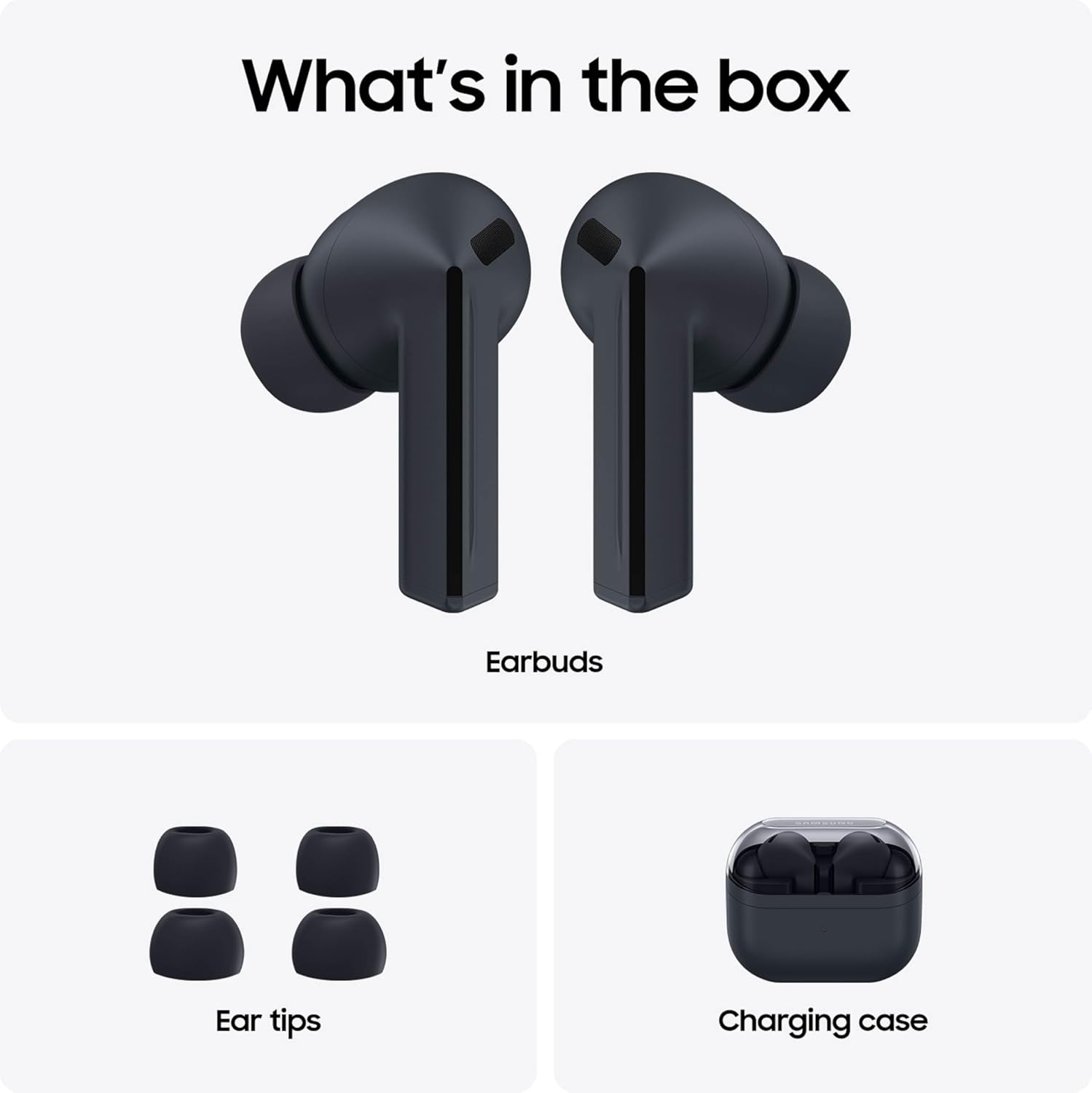
Image: The Galaxy Buds 3 FE earbuds, various sizes of ear tips, and the charging case, illustrating the package contents.
3. Setup
3.1 Charging the Earbuds and Case
Before first use, fully charge the Galaxy Buds 3 FE and their charging case. Connect the USB-C charging cable to the charging case and a power source. The indicator light on the case will show the charging status.
- Place the earbuds into the charging case.
- Close the charging case lid.
- Connect the USB-C cable to the charging port on the case and a compatible power adapter.
- The LED indicator on the case will illuminate to show charging status. A green light typically indicates a full charge.

Image: The Galaxy Buds 3 FE inside their open charging case, with a visual representation of battery charging, highlighting the long-lasting battery feature.
3.2 Pairing with a Device
To connect your Galaxy Buds 3 FE to a smartphone or tablet:
- Open the charging case. The earbuds will automatically enter pairing mode.
- On your Galaxy device, open the Galaxy Wearable app. If not installed, download it from the Galaxy Store or Google Play Store.
- Follow the on-screen prompts in the app to detect and connect to your Galaxy Buds 3 FE.
- For non-Galaxy Android devices or other Bluetooth devices, go to your device's Bluetooth settings and select "Galaxy Buds 3 FE" from the list of available devices.

Image: A Galaxy smartphone displaying a connection prompt for Galaxy Buds 3 FE, positioned next to the open charging case with earbuds, illustrating easy device pairing.
3.3 Fitting the Earbuds
Proper fit is crucial for optimal sound quality and Active Noise Cancellation. Experiment with the included ear tips (S, M, L) to find the most comfortable and secure fit.
- Select the ear tips that provide a snug seal in your ear canal.
- Insert each earbud into your ear and rotate it slightly until it feels secure and comfortable.

Image: A close-up view of the black Galaxy Buds 3 FE earbuds, highlighting their ergonomic design and the ear tips for a secure fit.
4. Operating the Galaxy Buds 3 FE
4.1 Active Noise Cancellation (ANC) and Ambient Mode
The Galaxy Buds 3 FE feature Active Noise Cancellation to reduce external distractions and Ambient Mode to stay aware of your surroundings.
- Active Noise Cancellation (ANC): Blocks out unwanted background noise for an immersive listening experience.
- Ambient Mode: Allows you to hear your surroundings while still enjoying your audio.
You can switch between ANC, Ambient Mode, and Off using the touch controls or through the Galaxy Wearable app.

Image: A person wearing Galaxy Buds 3 FE, with eyes closed, in what appears to be a train station, symbolizing the ability to tune out unwanted noise and focus on audio.
4.2 Touch Controls
Control your audio playback, calls, and modes with simple gestures on the earbuds.
- Single Pinch: Play/Pause audio, Answer/End call.
- Double Pinch: Next track, Reject call.
- Triple Pinch: Previous track.
- Swipe (up/down on the blade): Adjust volume.
- Touch and Hold: Customizable action (e.g., switch ANC/Ambient Mode, activate voice assistant). Configure in the Galaxy Wearable app.

Image: Two diagrams showing a hand interacting with the Galaxy Buds 3 FE, demonstrating the 'Swipe' gesture for volume control and the 'Pinch control' for other functions.
4.3 Enhanced Sound and Clear Calls
Experience powerful sound with deep bass and clear voice calls thanks to the improved dynamic speaker and multiple microphones.

Image: A pair of Galaxy Buds 3 FE earbuds surrounded by concentric sound waves, representing elevated audio quality with deep bass.

Image: A person wearing Galaxy Buds 3 FE, smiling and appearing to be engaged in a clear conversation, illustrating the enhanced call quality.
4.4 Hands-Free Voice Assistant (Gemini)
Access your voice assistant, Gemini, directly through your earbuds for hands-free assistance on the go. Ensure your Galaxy phone has Gemini enabled and configured.

Image: A person performing a yoga pose while wearing Galaxy Buds 3 FE, with speech bubbles indicating voice commands like "Hey Google" and "Start a 20-minute yoga workout," demonstrating hands-free access to Gemini.
4.5 Seamless Device Switching
The Galaxy Buds 3 FE can seamlessly switch between your connected Galaxy devices (phone, tablet, PC) without manual re-pairing. Ensure all devices are logged into the same Samsung account and have Bluetooth and Wi-Fi enabled.

Image: A visual representation of Galaxy Buds 3 FE positioned between a laptop and a smartphone, with an incoming call notification on both devices, demonstrating the seamless switching capability between Galaxy devices.
4.6 Real-Time Translation
Utilize the real-time translation feature for face-to-face conversations. This feature requires a compatible Galaxy device, Samsung account login, and language preset (English and French pre-installed; other languages require free download).
4.7 Find My Earbuds
If you misplace your earbuds, the Find My Earbuds feature can help locate them by showing their last connected location on a map via the SmartThings app. This requires your Galaxy phone to be running Android 11.0 or later with 3GB+ RAM and an internet connection.
5. Maintenance
5.1 Cleaning Your Earbuds
Regular cleaning helps maintain sound quality and hygiene.
- Gently wipe the earbuds and charging case with a soft, dry, lint-free cloth.
- Remove ear tips and clean them with a mild soap solution if necessary, then rinse and dry thoroughly before reattaching.
- Use a dry cotton swab to carefully clean the speaker mesh and charging contacts.
5.2 Water Resistance
The Galaxy Buds 3 FE are rated IPX4 for water resistance, meaning they are resistant to splashing water for up to 5 minutes. The charging case is not water resistant.
- Avoid exposing the earbuds to high-pressure water or submersion.
- If the earbuds become wet, dry them thoroughly before placing them back in the charging case or using them.
- Do not use the earbuds in a sauna or steam room.
6. Troubleshooting
If you encounter issues with your Galaxy Buds 3 FE, refer to the following common solutions:
| Problem | Solution |
|---|---|
| Earbuds not pairing | Ensure earbuds are charged. Open the case to enter pairing mode. Check your device's Bluetooth settings. Restart your device. |
| No sound or low volume | Check device volume. Ensure earbuds are properly seated. Clean speaker mesh. Re-pair the earbuds. |
| Active Noise Cancellation not working effectively | Ensure earbuds have a snug fit. Check ANC settings in the Galaxy Wearable app. |
| Earbuds not charging | Ensure charging cable is securely connected. Clean charging contacts on earbuds and case. Try a different charging cable or power adapter. |
| Touch controls unresponsive | Ensure earbuds are clean and dry. Restart the earbuds by placing them in the case and closing it for a few seconds. |
7. Specifications
| Feature | Detail |
|---|---|
| Model Name | Buds3 FE |
| Model Number | SM-R420NZKFXAR |
| Connectivity Technology | Wireless (Bluetooth) |
| Bluetooth Version | Not specified, typically latest standard (e.g., 5.3) |
| Audio Driver Type | Dynamic Driver |
| Frequency Range | 20 Hz - 20,000 Hz |
| Noise Control | Active Noise Cancellation, Ambient Mode |
| Battery Life (Earbuds) | Up to 8.5 hours (ANC off) |
| Total Listening Time (with case) | Up to 30 hours |
| Water Resistance | IPX4 (Earbuds only) |
| Item Weight | 1.84 Ounces (total) |
| Product Dimensions | 1.92 x 2.32 x 0.96 inches |
| UPC | 198957214578 |
8. Warranty and Support
8.1 Warranty Information
Your SAMSUNG Galaxy Buds 3 FE (2025) come with a 2-year manufacturer's warranty for US versions, covering defects in materials and workmanship under normal use. Please retain your proof of purchase for warranty claims. For full warranty terms and conditions, refer to the documentation included with your product or visit the official Samsung website.
8.2 Customer Support
For further assistance, technical support, or service inquiries, please contact Samsung Customer Service through their official website or the contact information provided in your product's packaging. You can also find additional resources and FAQs on the Samsung support portal.


