
1. Product Overview
The FUNMILY Walking Pad Treadmill with Incline is a versatile fitness device designed for home and office use. It functions as both a walking pad and a running treadmill, featuring an adjustable incline and a foldable design for convenient storage. This manual provides essential information for safe and effective use.
Key Features:
- Incline Function: Manually adjustable 8% incline for varied workout intensity.
- Dual Modes: Walking mode (0.6-4 mph) with handlebar folded, and Running mode (0.6-7.5 mph) with handlebar unfolded.
- Foldable Design: Space-saving and easy to store under furniture or vertically.
- Powerful Motor: 2.5 HP quiet motor for smooth operation.
- LED Display: Shows time, speed, distance, and calories burned.
- Remote Control: Wireless control for speed adjustment and start/stop functions.
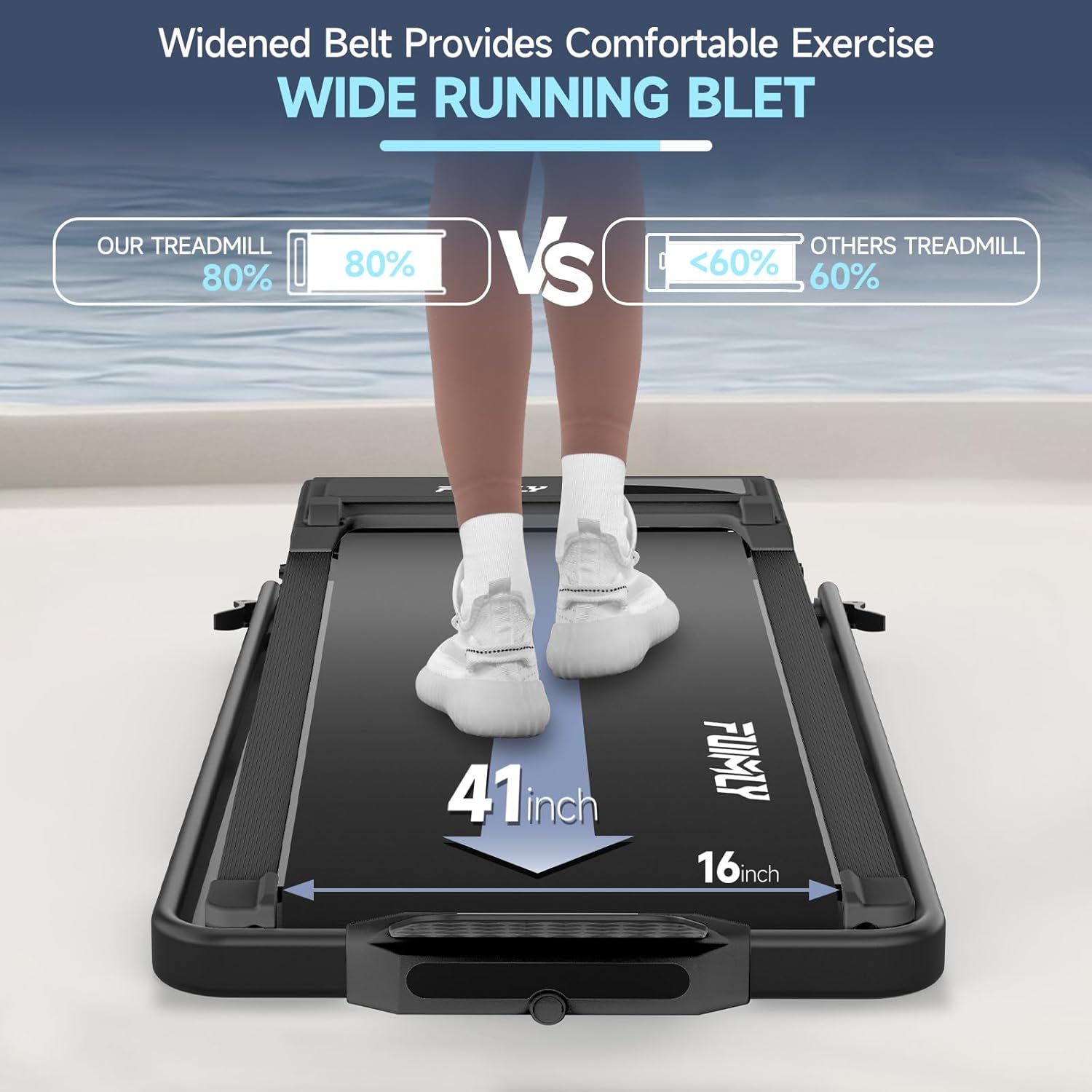
- Wide Running Belt: 41" x 16" non-slip belt with shock absorption.
- High Capacity: Supports users up to 300 lbs.
2. Package Contents
Before assembly and operation, please verify that all components listed below are present in your package.
- Electric Treadmill (x1)
- User Manual (x1)
- Remote Control (x1)
- Power Cord (x1)
- Lubricating Oil (x1)
- Wrench (x1)
- Safety Key (x1)
- iPad Holder (x1)

3. Setup Instructions
The FUNMILY Walking Pad Treadmill is designed for minimal assembly, allowing for quick setup. While largely ready out of the box, some components may require attachment.
3.1 Unpacking and Placement
- Carefully remove the treadmill and all accessories from the packaging.
- Place the treadmill on a flat, stable surface, ensuring adequate space around it for safe operation.
- Ensure the power cord can reach a grounded electrical outlet without being stretched.
3.2 Handlebar and iPad Holder Assembly
If your model includes a handlebar or iPad holder, follow the instructions in the included user manual for attachment. These are typically secured with the provided wrench.
3.3 Incline Adjustment
The treadmill features a manual 8% incline. To engage the incline, you will need to physically adjust the support feet located at the rear of the treadmill. Refer to the detailed diagrams in your included user manual for precise steps. Ensure the treadmill is stable after adjustment.

3.4 Safety Key
Attach the safety key to your clothing before starting the treadmill. This key acts as an emergency stop mechanism, immediately halting the treadmill if it becomes dislodged.
4. Operating Instructions
Familiarize yourself with the control methods and exercise modes before beginning your workout.
4.1 Power On/Off
- Plug the power cord into a grounded electrical outlet.
- Locate the main power switch, usually at the front base of the treadmill, and turn it to the 'ON' position.
- To power off, turn the main switch to 'OFF' and unplug the unit.
4.2 Using the Remote Control
The remote control is your primary interface for operating the treadmill.
- Start/Stop: Press the power button on the remote to start or stop the treadmill.
- Speed Adjustment: Use the '+' and '-' buttons to increase or decrease the speed.
- Emergency Stop: The safety key, when pulled, will immediately stop the treadmill. This should only be used in emergencies.

4.3 Exercise Modes
The treadmill offers two distinct exercise modes based on the handlebar position:
- Walking Mode: When the handlebar is folded down, the treadmill operates at speeds from 0.6 to 4 mph, suitable for walking or light jogging.
- Running Mode: With the handlebar unfolded and upright, the treadmill supports speeds from 0.6 to 7.5 mph, allowing for more intense running workouts.


5. Maintenance
Regular maintenance ensures the longevity and optimal performance of your treadmill.
5.1 Lubrication
The running belt requires periodic lubrication to reduce friction and wear. Use the provided lubricating oil and follow the instructions in your user manual for application. Typically, this involves lifting the belt and applying oil to the deck beneath.
5.2 Belt Adjustment
Over time, the running belt may shift or become loose. If the belt is not centered or slips during use, it may require adjustment. Use the provided wrench to make small, incremental adjustments to the tension bolts at the rear of the treadmill. Consult your user manual for detailed instructions and diagrams on how to properly center and tension the belt.
5.3 Cleaning
Wipe down the treadmill surfaces with a damp cloth after each use to remove sweat and dust. Avoid using abrasive cleaners or solvents that could damage the finish or electronic components.
6. Troubleshooting
This section addresses common issues you might encounter with your FUNMILY Walking Pad Treadmill.
6.1 Treadmill Not Starting
- Ensure the power cord is securely plugged into a grounded outlet.
- Verify the main power switch is in the 'ON' position.
- Check that the safety key is properly inserted into its receptacle. The treadmill will not operate without the safety key in place.
6.2 Remote Control Issues
- Check the battery in the remote control and replace if necessary.
- Ensure there are no obstructions between the remote control and the treadmill's receiver.
- If the remote control continues to malfunction, contact customer support for assistance.
6.3 Running Belt Slipping or Off-Center
- Refer to section 5.2 for instructions on belt adjustment.
- Ensure the treadmill is on a level surface.
- If the issue persists after adjustment, contact customer support.
7. Specifications
| Feature | Specification |
|---|---|
| Brand | FUNMILY |
| Model | Walking Pad Treadmill with Incline |
| Color | BLACK |
| Product Dimensions (LxWxH) | 54"D x 26.5"W x 5.9"H |
| Folded Size | 54"D x 26"W x 6"H |
| Material | Alloy Steel |
| Motor Horsepower | 2.5 HP |
| Speed Range | 0.6 - 7.5 MPH |
| Maximum Incline Percentage | 8% (Manual) |
| Running Belt Dimensions | 41" x 16" |
| Maximum Weight Recommendation | 300 lbs |
| Metrics Measured | Distance, Speed, Calories Burned |
| Power Source | Corded Electric |
| Assembly Required | Yes (Minimal) |


8. Warranty and Customer Support
FUNMILY is committed to providing high-quality products and excellent customer service.
8.1 Warranty Information
Your FUNMILY Walking Pad Treadmill comes with a 365-day warranty from the date of purchase. This warranty covers manufacturing defects and ensures the product meets our quality standards. Additionally, we offer lifetime replacement accessories for your convenience.
8.2 Customer Support
If you encounter any issues, have questions, or require assistance with your treadmill, please do not hesitate to contact our customer support team. We are dedicated to providing 100% satisfying customer service, with inquiries typically answered within 24 hours.
For support, please refer to the contact information provided in your included user manual or visit the official FUNMILY website.