Introduction
This user manual provides essential information for the safe and efficient operation of your Bosch Professional GMP 2-15 Pin-Type Moisture Meter. Please read these instructions carefully before initial use and keep them for future reference. This device is designed for precise measurement of moisture content in various wood types and building materials, featuring an integrated thermo-hygrometer for comprehensive environmental data.
Safety Instructions
- Always wear appropriate personal protective equipment (PPE) when working with tools.
- Do not attempt to measure live electrical circuits. The pins are conductive.
- Keep the device away from children. The measuring pins are sharp.
- Use the device only for its intended purpose as described in this manual.
- Protect the device from extreme temperatures, direct sunlight, and strong vibrations.
- Do not open the device housing, except for battery replacement. Repairs should only be performed by qualified personnel.
Product Overview
The Bosch Professional GMP 2-15 is a robust pin-type moisture meter designed for professional use. It features a high-contrast color LCD display, an integrated thermo-hygrometer, and an IP65 protection rating.
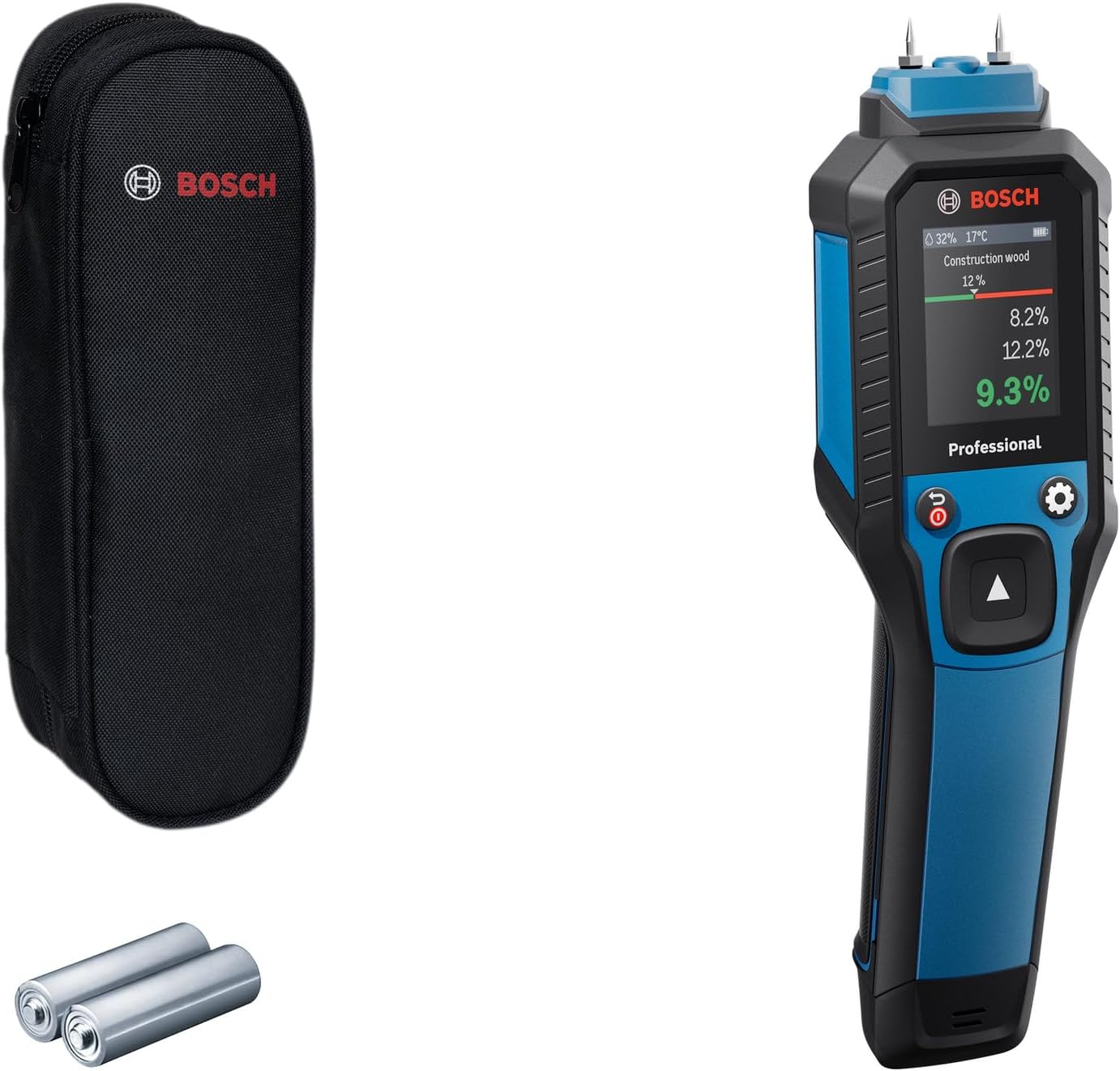
Figure 1: Bosch Professional GMP 2-15 Moisture Meter, showing the device, protective pouch, and two AA batteries.
Key Components:
- Measuring Pins: For penetrating materials to measure moisture content.
- Color LCD Display: Shows measurement results, material type, ambient temperature, and relative humidity.
- Control Buttons: Power, navigation, and settings.
- Integrated Thermo-Hygrometer: Measures ambient temperature and relative humidity.
- Battery Compartment: Located at the bottom of the device.
Setup
Battery Installation:
- Ensure the device is switched off.
- Locate the battery compartment cover at the bottom of the device.
- Slide or unclip the cover to open the compartment.
- Insert two AA batteries, observing the correct polarity (+/-) as indicated inside the compartment.
- Close the battery compartment cover securely.
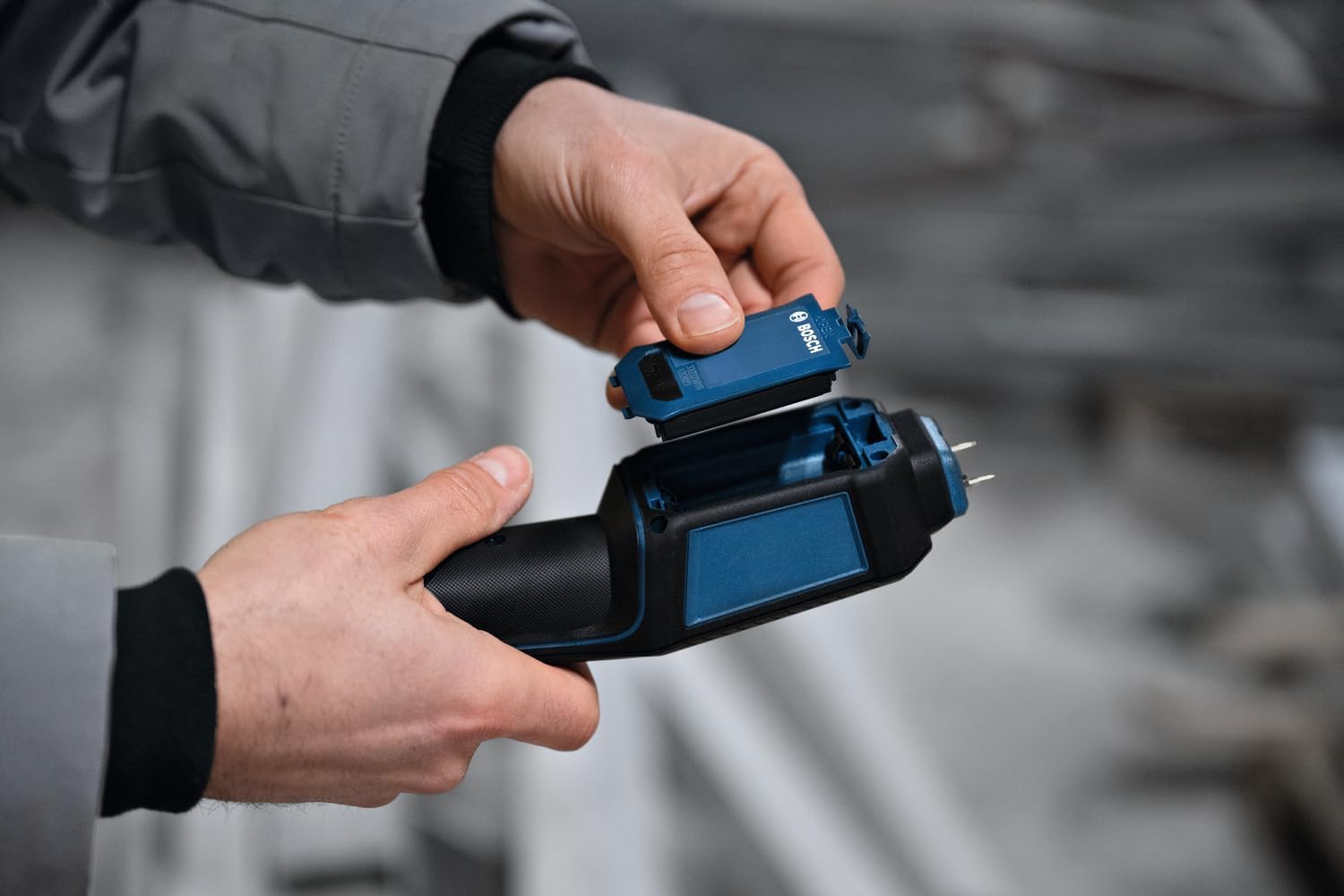
Figure 2: Proper battery installation into the device's compartment.
Operating Instructions
1. Powering On/Off:
Press and hold the power button (usually marked with a power symbol) to turn the device on or off. The display will illuminate upon activation.
2. Selecting Material Type:
Use the navigation buttons to scroll through the available material categories (e.g., wood types, building materials). Refer to the device's internal menu for a complete list of 37 wood types and 10 building materials.
3. Taking a Measurement:
- Select the appropriate material type for the object you are measuring.
- Carefully press the measuring pins into the surface of the material. Ensure both pins are fully inserted and make good contact.
- Read the moisture content percentage displayed on the LCD screen.
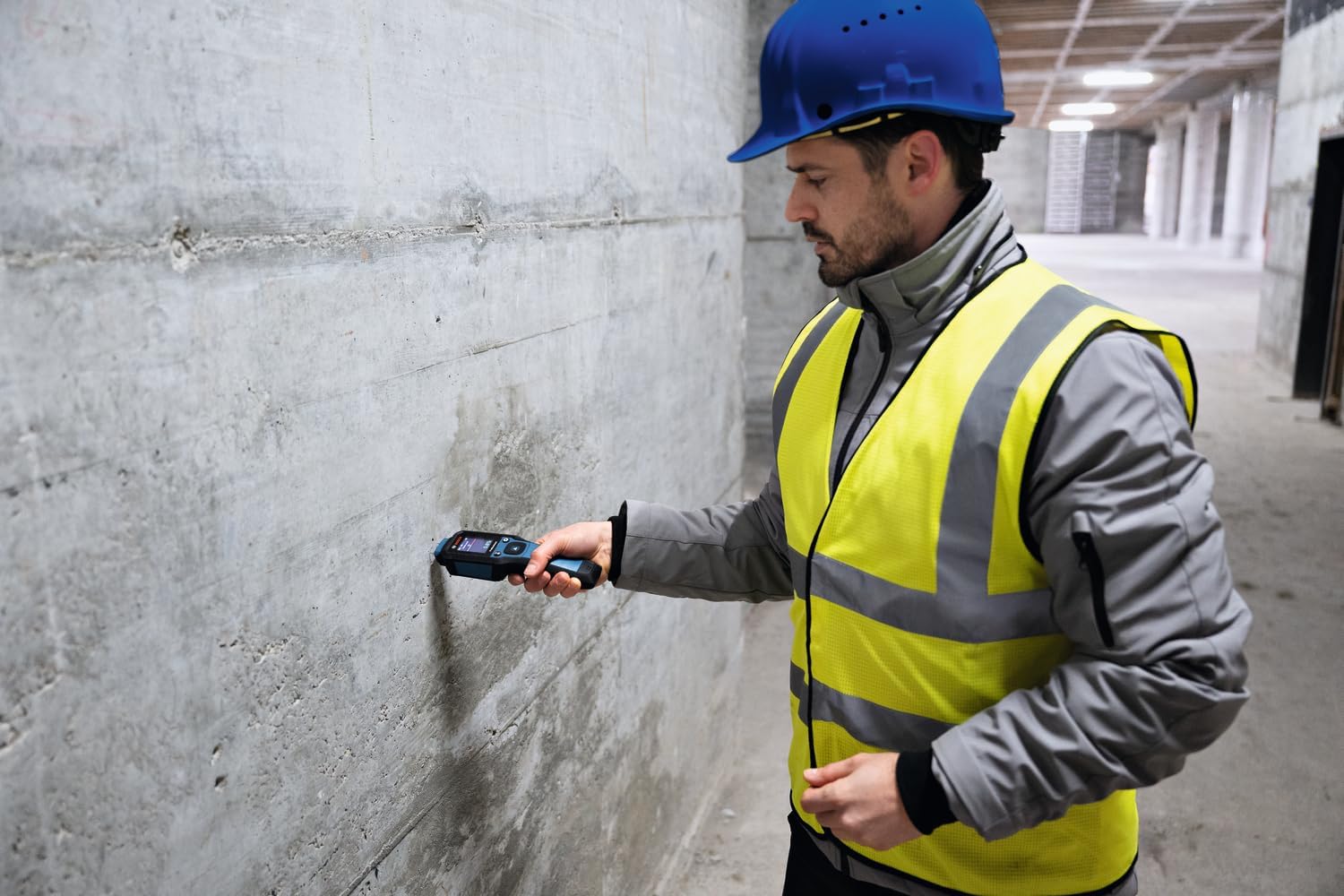
Figure 3: Measuring moisture content in a concrete wall.

Figure 4: Detailed view of the device pins inserted into a wall surface during measurement.
4. Using the Integrated Thermo-Hygrometer:
The device continuously monitors ambient temperature and relative humidity. These values are displayed on the screen alongside moisture measurements, providing comprehensive environmental data.
5. Adjusting Thresholds:
The GMP 2-15 allows for adjustable threshold settings. Access the settings menu (usually via a gear icon button) to set custom moisture thresholds. This feature simplifies result interpretation by indicating if measurements are above or below a predefined acceptable level.

Figure 5: The device display showing moisture percentage, ambient temperature, and relative humidity.
Maintenance
Cleaning:
- Wipe the device with a soft, damp cloth. Do not use abrasive cleaners or solvents.
- Ensure the measuring pins are clean and free from debris after each use.
Storage:
- Store the device in its protective pouch in a dry, dust-free environment.
- Remove batteries if the device will not be used for an extended period to prevent leakage.
Troubleshooting
| Problem | Possible Cause | Solution |
|---|---|---|
| Device does not turn on. | Dead or incorrectly inserted batteries. | Replace batteries or check polarity. |
| Inaccurate readings. | Incorrect material selected; pins not fully inserted; pins dirty or damaged. | Verify material setting; ensure full pin insertion; clean or replace pins. |
| Display is blank or flickering. | Low battery power; device malfunction. | Replace batteries. If problem persists, contact customer support. |
Specifications
| Feature | Detail |
|---|---|
| Model | GMP 2-15 |
| Brand | Bosch Professional |
| Measuring Principle | Resistance measurement (pin-type) |
| Measurable Materials | 37 types of wood, 10 types of building materials |
| Integrated Sensors | Thermo-hygrometer (ambient temperature, relative humidity) |
| Display | High-contrast color LCD |
| Protection Rating | IP65 (dust and water jet protected) |
| Power Supply | 2 x AA batteries |
| Dimensions (approx.) | 235 mm (H) x 62 mm (W) x 45 mm (D) |
| Weight (approx.) | 188 grams (without batteries) |

Figure 6: Approximate dimensions of the GMP 2-15 device.
Warranty and Support
Your Bosch Professional GMP 2-15 Moisture Meter comes with a manufacturer's warranty. Please refer to the included warranty card for specific terms and conditions. For technical support, service, or spare parts, please contact your local Bosch Professional service center or visit the official Bosch Professional website.
Official Bosch Professional Website: www.bosch-professional.com


