
Introduction
Thank you for choosing the PHOTOOLEX 10W 4-Color Photography Flashlight. This portable LED light is designed for creative photography and videography, offering versatile lighting options with its 4 color modes, 20 magnetic gobos, and adjustable zoom function. This manual provides essential information for safe and effective use of your device.
Package Contents:
- 1 x 10W Photography Flashlight
- 20 x Metal Gobos
- 1 x Silicone Gobo Cover
- 1 x Silicone Diffuser
- 1 x Carrying Bag
- 1 x USB-C Charging Cable
- 1 x User Manual

Image: Contents of the PHOTOOLEX 10W 4-Color Photography Flashlight package.
Setup
- Charging the Device: Connect the flashlight to a power source using the provided USB-C charging cable. The 8400mAh lithium battery provides up to 240 minutes of continuous lighting at full power.
- Attaching Gobos: Select one of the 20 magnetic metal gobos. Place it onto the front of the flashlight; the magnetic attraction will secure it. For protection, use the silicone gobo cover.
- Attaching Diffuser: For softer light, place the silicone diffuser over the front of the flashlight.

Image: Attaching a magnetic gobo to the flashlight.

Image: Overview of the 20 magnetic pattern gobos.
Operating Instructions
- Power On/Off:
- To turn on: Quickly press the button once, then quickly rotate it to activate the light.
- To turn off: Press the button for more than 2 seconds.
- Adjusting Brightness: Rotate the button to adjust the brightness. There are 10 levels of brightness adjustment available.
- Changing Colors: Short press the button to cycle through the four vibrant lighting colors: Sunset Orange, Cool Blue, Warm White, and Scarlet Red.
- Zoom Function: The flashlight features a push-pull design for beam adjustment.
- To narrow the beam (spotlight effect): Extend the lampshade.
- To widen and soften the beam (floodlight effect): Shorten the lampshade.
For best effects, this photography flashlight is ideal for dark interiors within 1.5 meters.

Image: Simple color and brightness control diagram.
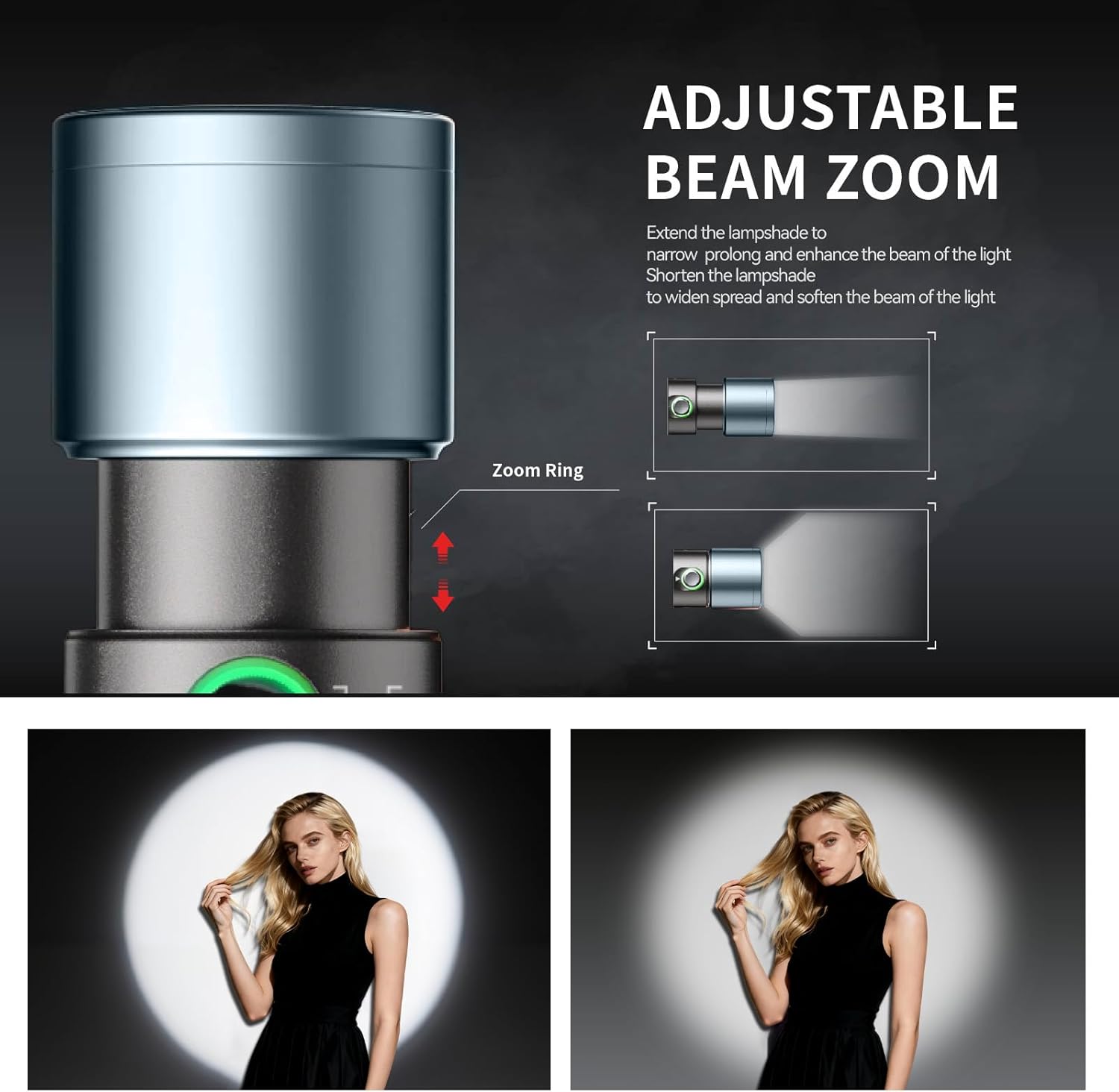
Image: Adjustable beam zoom functionality.
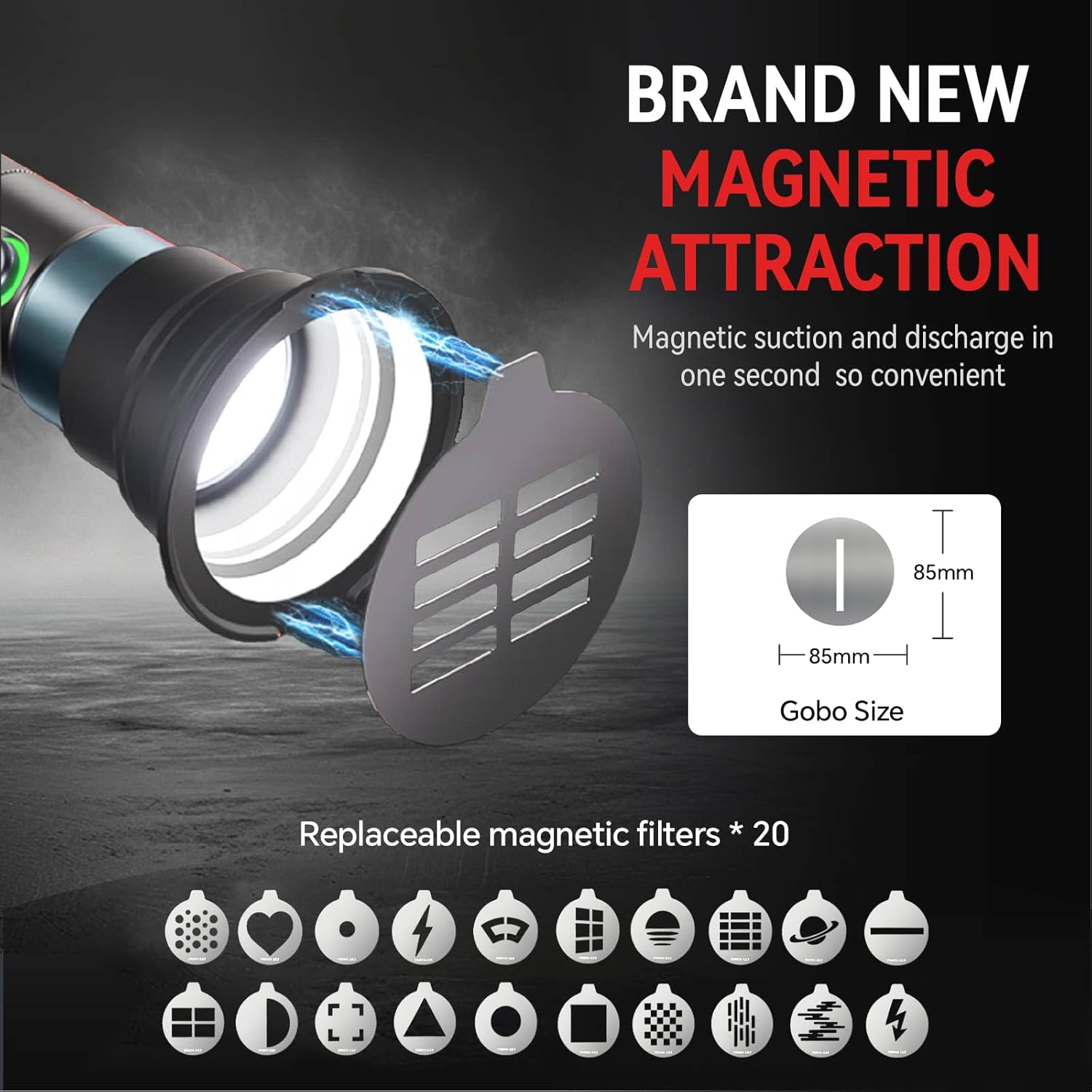
Image: Examples of creative lighting effects.
Maintenance
- Cleaning: Use a soft, dry cloth to clean the exterior of the flashlight. Do not use abrasive cleaners or solvents.
- Storage: Store the flashlight in a cool, dry place away from direct sunlight and extreme temperatures.
- Battery Care: To prolong battery life, avoid fully discharging the battery frequently. Charge the device regularly, even if not in use for extended periods.
Troubleshooting
| Problem | Possible Cause | Solution |
|---|---|---|
| Light does not turn on. | Low battery or incorrect power-on sequence. | Charge the flashlight. Ensure you press the button once and then quickly rotate it to activate. |
| Light is dim or flickers. | Low battery or brightness setting is too low. | Charge the flashlight. Rotate the button to increase brightness. |
| Gobos do not stay in place. | Gobo not properly aligned or magnetic attraction is weak due to obstruction. | Ensure the gobo is centered and flush with the flashlight's front. Clean any debris from the magnetic surface. |
| Flashlight gets warm during use. | Normal operation, especially at high brightness. | This is normal. If it becomes excessively hot, reduce brightness or allow it to cool down. |
Specifications
| Feature | Detail |
|---|---|
| Model Number | 104-FS |
| Power | 10W (Max) |
| Battery Capacity | 8400 mAh Lithium Battery |
| Continuous Runtime | Up to 240 minutes (at full power) |
| Charging Interface | USB-C |
| Color Modes | 4 (Sunset Orange, Cool Blue, Warm White, Scarlet Red) |
| Brightness Levels | 10 |
| CRI | Ra 96+ |
| Illuminance | 1300 lux at 0.5m (Warm White Light) |
| Zoom Angle | Approx. 10° to 60° |
| Material | Aluminum Alloy |
| Dimensions (L x W x H) | 15.6 x 5.2 x 4.8 cm (6.1 x 2.0 x 1.9 inches) |
| Weight | 1.02 kg (2.25 lbs) |
| Water Resistance | Not waterproof |
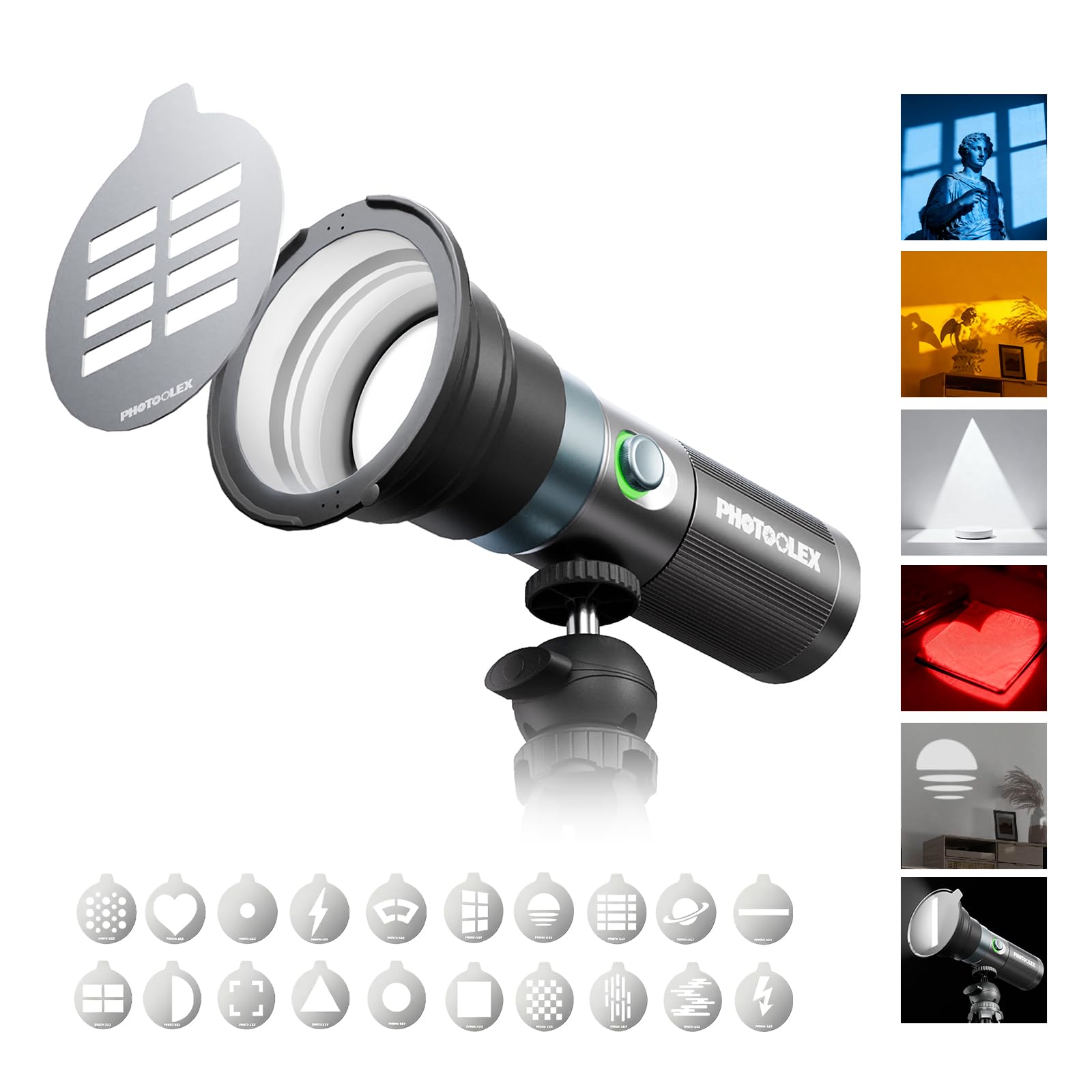
Image: Overview of the PHOTOOLEX 10W 4-Color Photography Flashlight and its features.
Warranty and Support
PHOTOOLEX offers a one-year after-sales service for this product. If you have any questions or require assistance with your 4-color ambient light, please contact our customer support team. We are committed to providing support and ensuring your satisfaction.
For further assistance, please refer to the contact information provided on the PHOTOOLEX official website or your purchase documentation.