
1. Introduction
The BOSEAN K-100A is a portable single gas detector designed for continuous detection of combustible gases (Ex). It features advanced MCU control, low power consumption, and provides reliable protection in various industrial environments. This manual provides essential information for the safe and effective use of your K-100A gas detector.
2. What's in the Box
Please check the contents of your package upon receipt to ensure all items are present:
- 1 X K-100A Gas Detector
- 1 X Calibration cover
- 1 X Charger
- 1 X Aluminum alloy portable suitcase

Image: Contents of the BOSEAN K-100A package. This image displays the K-100A gas detector, a calibration cover, a charger, and a portable aluminum alloy suitcase, illustrating all items included with the product.
3. Product Overview
The BOSEAN K-100A is engineered for precision and durability, offering a range of features for effective gas detection.
Key Features:
- High Precision Sensor: The electrochemical sensor provides sensitive, accurate, stable, and repeatable measurements of gas concentration.
- Multiple Alarm Methods: Features adjustable audio, visual, and vibration alarms that activate when preset gas levels are reached.
- Long Battery Life: Equipped with a 1500mAh rechargeable battery, providing over 8 hours of continuous operation.
- Robust Design: Made from high-quality ABS plastic, it is durable, fall-resistant, waterproof, dustproof, and explosion-proof.
- Clear Display: High-resolution LCD with backlight for easy readability in various lighting conditions.
- Portability: Compact size with a back clip design and included portable aluminum alloy suitcase for easy transport.
- Calibration Function: Adjustable calibrating level and self-adjustment function for accurate readings.

Image: Rapid Response. The image highlights the detector's quick response time of 0.5 seconds for swift gas detection and reliable protection.

Image: Three Types of Alarms. This graphic illustrates the visual, audible, and tactile (vibration) alarm functions of the K-100A detector.

Image: Long Battery Life. The image emphasizes the 14-hour battery life provided by the 1500mAh capacity battery.

Image: Safe to Use. This image highlights the explosion-proof, waterproof, and dustproof characteristics of the device, ensuring safety in harsh environments.
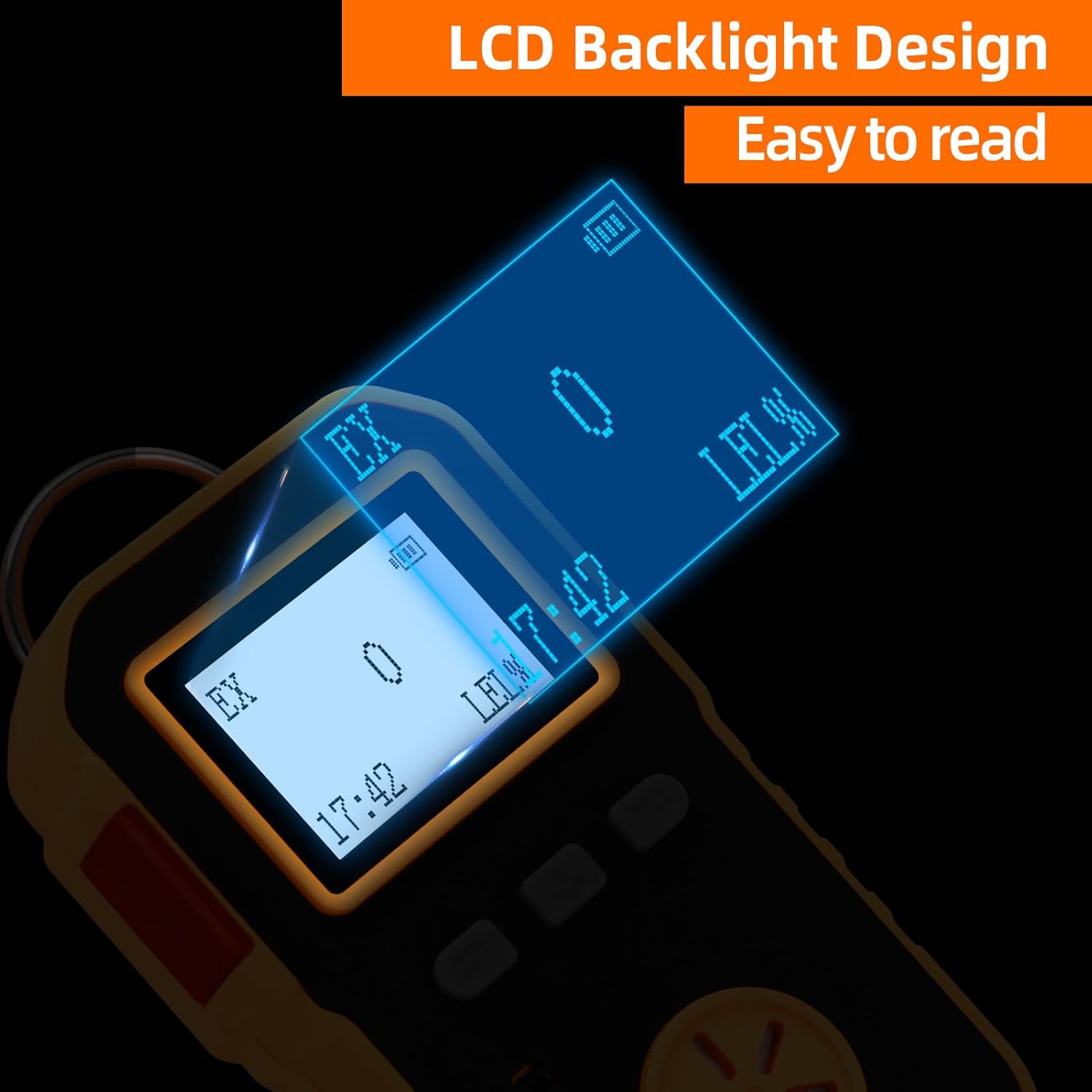
Image: LCD Backlight Design. The image demonstrates the clear and easy-to-read LCD display with its backlight feature.

Image: Easy to Carry. This image shows the detector with its back clip for attachment and the portable aluminum alloy suitcase for convenient transport.
4. Specifications
| Feature | Description |
|---|---|
| Model Number | K-100A |
| Detection Gas | Combustible Gas (Ex) |
| Detection Range | 0-1000 ppm |
| Resolution | 1 PPM |
| Accuracy | ± 5% FS |
| Response Time | ≤ 30 seconds |
| Alarm Function | Sound, Light, Vibration |
| Working Environment Temperature | -10 ℃ ~ 50 ℃ |
| Working Environment Humidity | <95% RH (non-condensing) |
| Power Source | Battery Powered (1500mAh) |
| Battery Life | More than 8 hours continuous operation |
| Material | ABS + Rubber |
| Product Dimensions | 7.9D x 6W x 2.5H Centimeters |
| Item Weight | 127 g |
| Safety Features | Explosion-proof, Waterproof, Dustproof |
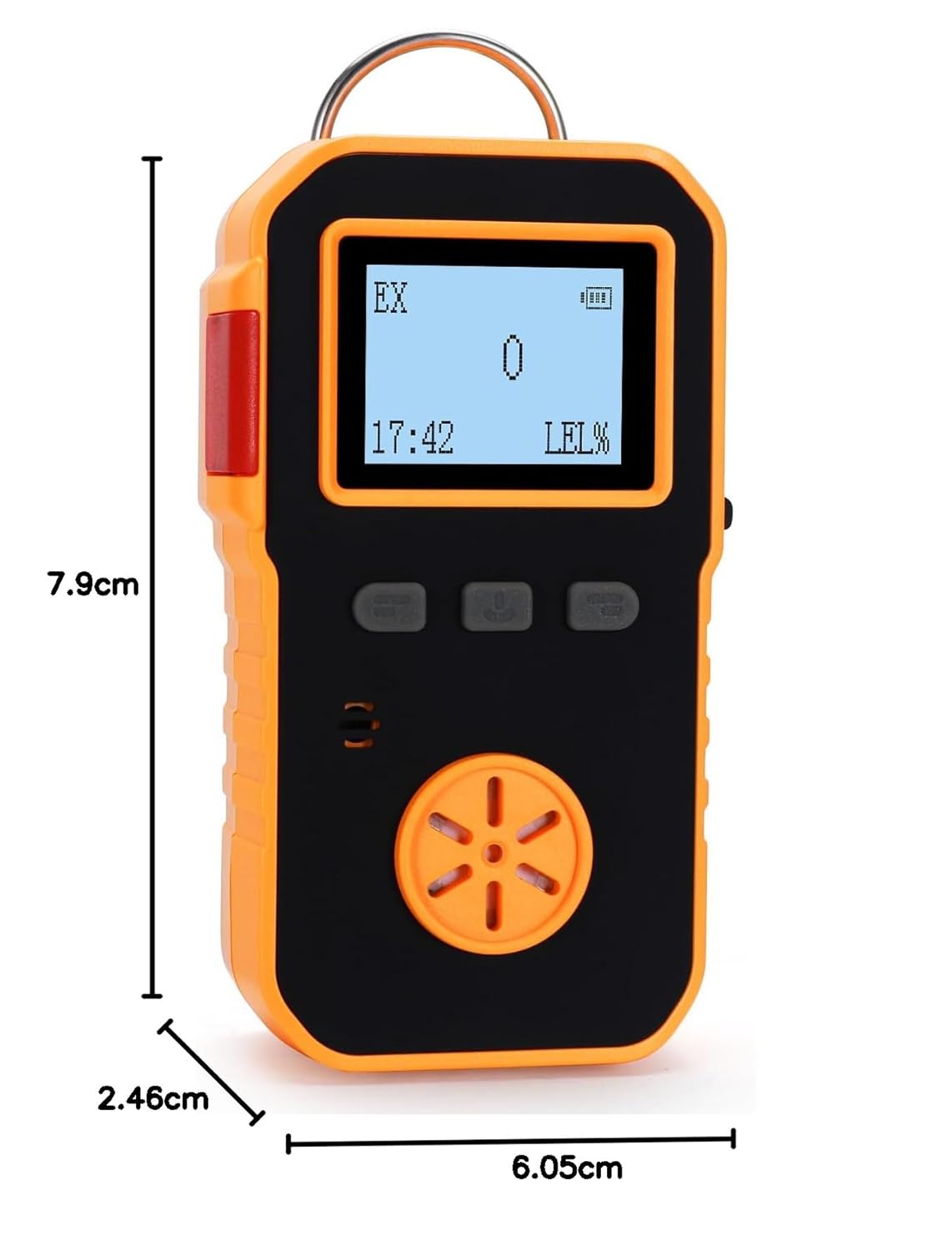
Image: Product Dimensions. This image provides a visual representation of the detector's dimensions, showing its length, width, and thickness.
5. Setup
5.1 Unpacking and Inspection
Carefully remove the K-100A gas detector and all accessories from the packaging. Inspect the device for any visible damage. If any damage is found, do not use the device and contact customer support immediately.
5.2 Charging the Device
Before first use, fully charge the detector. Connect the provided USB charger to the device's charging port and plug it into a power source. The battery indicator on the LCD will show charging status. A full charge typically takes several hours.
5.3 Initial Power On
Press and hold the power button (usually the middle button) for a few seconds until the LCD screen illuminates and the device performs a self-test. The device will display the current gas concentration (EX) and LEL%.
5.4 Calibration
Regular calibration is crucial for maintaining accuracy. The K-100A features an adjustable calibrating level and a self-adjustment function. Use the provided calibration cover for precise calibration.
- Attach the calibration cover securely over the sensor area.
- Follow the on-screen prompts or refer to the device's menu for calibration procedures.
- Ensure you use appropriate calibration gas as per industry standards for accurate results.

Image: Calibration Cover in Use. This image shows the calibration cover attached to the detector, indicating the process of gas entry for calibration to achieve accurate readings.
6. Operating Instructions
6.1 Powering On/Off
- To Power On: Press and hold the power button for approximately 3 seconds. The device will initiate a self-test.
- To Power Off: Press and hold the power button for approximately 3 seconds. A countdown or confirmation message may appear before shutdown.
6.2 Understanding the Display
The high-resolution LCD displays critical information:
- EX: Indicates the type of gas being detected (Combustible Gas).
- Gas Concentration: Numerical value showing the current gas level in ppm.
- LEL%: Lower Explosive Limit percentage, indicating the concentration relative to the explosive limit.
- Battery Indicator: Shows the current battery level.
- Time: Current time display.
6.3 Alarm Functions
The K-100A provides three types of alarms when gas concentration exceeds preset levels:
- Audible Alarm: A loud beeping sound.
- Visual Alarm: Flashing LED lights on the device.
- Vibration Alarm: The device vibrates to alert the user.
Alarm levels (low and high) are adjustable through the device's menu settings. Refer to the device's on-screen menu for instructions on adjusting these settings.
6.4 Working Environment
Ensure the device is operated within its specified working environment conditions:
- Temperature: -10 ℃ to 50 ℃
- Humidity: <95% RH (non-condensing)
7. Maintenance
7.1 Cleaning
Wipe the exterior of the detector with a soft, damp cloth. Do not use abrasive cleaners, solvents, or immerse the device in water. Ensure the sensor opening is clear of dust and debris.
7.2 Battery Charging
Recharge the device when the low battery indicator appears. Use only the provided charger. Overcharging or using incompatible chargers may damage the battery and void the warranty.
7.3 Sensor Care and Calibration
The gas sensor is a critical component. Avoid exposing it to extreme temperatures, high concentrations of gas for prolonged periods, or physical shock. Regular calibration (as described in Section 5.4) is essential to maintain the accuracy and reliability of the detector. The frequency of calibration depends on usage and environmental conditions, but it is generally recommended to calibrate at least every 6-12 months, or more frequently if required by local regulations or specific applications.
8. Troubleshooting
If you encounter issues with your K-100A detector, refer to the following common problems and solutions:
| Problem | Possible Cause | Solution |
|---|---|---|
| Device does not power on | Low battery; Device malfunction | Charge the device fully; If still unresponsive, contact support. |
| Inaccurate readings | Needs calibration; Sensor contaminated; Extreme environmental conditions | Perform calibration; Clean sensor area; Ensure operating within specified temperature/humidity. |
| Alarm sounds continuously without gas presence | False alarm due to interference; Sensor fault | Move to a clean air environment; Recalibrate; If issue persists, contact support. |
| Low battery alarm constantly active | Battery not fully charged; Battery degradation | Ensure full charge cycle; If battery life is significantly reduced, contact support for battery replacement options. |
If the problem persists after attempting these solutions, please contact BOSEAN customer support for further assistance.
9. Safety Information
The BOSEAN K-100A is designed with safety in mind, featuring explosion-proof construction. However, it is crucial to follow these safety guidelines:
- Always operate the device within the specified temperature and humidity ranges.
- Do not attempt to open or modify the device, as this may compromise its explosion-proof rating and void the warranty.
- Ensure the device is regularly calibrated to maintain accuracy and reliability.
- In case of an alarm, immediately follow your facility's safety protocols for gas leaks or hazardous conditions.
- Keep the device away from strong electromagnetic fields, which can interfere with its operation.
- Store the device in a clean, dry place when not in use.
10. Warranty and Support
10.1 Warranty Information
For detailed warranty terms and conditions, please refer to the warranty card included in your product package or visit the official BOSEAN website. Keep your purchase receipt as proof of purchase for warranty claims.
10.2 Customer Support
If you have any questions, require technical assistance, or need to report an issue with your BOSEAN K-100A gas detector, please contact BOSEAN customer support. Contact details can typically be found on the manufacturer's website or in the product documentation.
