
1. Introduction and Overview
The Rythflo 60W Bluetooth Sound Bar (Model SK300 Fi) is designed to enhance your audio experience for TV, PC, projector, and gaming. It features powerful sound output, dynamic lighting, and multiple connectivity options for versatile use in your home theater setup.

Image: Rythflo 60W Bluetooth Sound Bar highlighting 60W power, 85dB max volume, and 60-20kHz frequency response.
Equipped with 2 full-range drivers and a Mica Fiber Diaphragm, this soundbar delivers up to 85dB of rich, balanced sound, ideal for medium-sized living rooms. Enjoy crystal-clear dialogue and reduced distortion even at high volumes, with three optimized modes: Movie, Music, and TV.

Image: Rythflo Sound Bar with remote, displaying dynamic flame lighting in a cozy room setting.
The soundbar features LED lighting across its entire front surface, offering 8 effects including flame simulation and rhythm-based flashes. These lights sync with the audio, creating an immersive home theater experience.

Image: Rythflo Sound Bar displaying three sound modes: Movie, Music, and TV, with descriptions for each.
2. What's in the Box
Your Rythflo Sound Bar package includes everything you need for a quick setup:
- 1 x 60W Bluetooth TV Sound Bar
- 1 x Remote Control
- 1 x Power Cable
- 1 x User Manual
- 1 x Wall Mounting Kit
- 4 x Connection Cables (1*3.5mm Audio Cable, 1*Optical Cable, 1*AUX to RCA Cable, 1*TV ARC Cable)

Image: Contents of the Rythflo Sound Bar box, including the soundbar, remote, various cables, and mounting kit.
Video: A seller demonstrates the unboxing process and contents of the Rythflo Sound Bar package.
3. Setup
3.1 Placement Options
The Rythflo Sound Bar features a concise and compact design, allowing for flexible placement. It can be mounted on a wall or placed on a table to save space.

Image: Rythflo Sound Bar shown in various mounting and placement options, including wall-mount and tabletop.
3.2 Connecting Power
- Insert the power adapter into the DC IN port on the soundbar.
- Plug the other end into an active power source. Once it's connected, the soundbar LED indicator will turn RED.
3.3 Connecting to Devices
The soundbar offers multiple connection options to ensure compatibility with various devices:
- TV ARC: Use the provided TV ARC cable to connect to your TV's HDMI ARC port.
- Optical (OPT): Use the provided Optical cable to connect to your TV or other audio source.
- 3.5mm AUX: Use the provided 3.5mm audio cable for direct connection to devices with a 3.5mm audio output.
- AUX-to-RCA: Use the provided AUX to RCA cable for older TVs or audio devices.
- Bluetooth 5.3: For wireless connection to your phone, tablet, PC, or laptop.
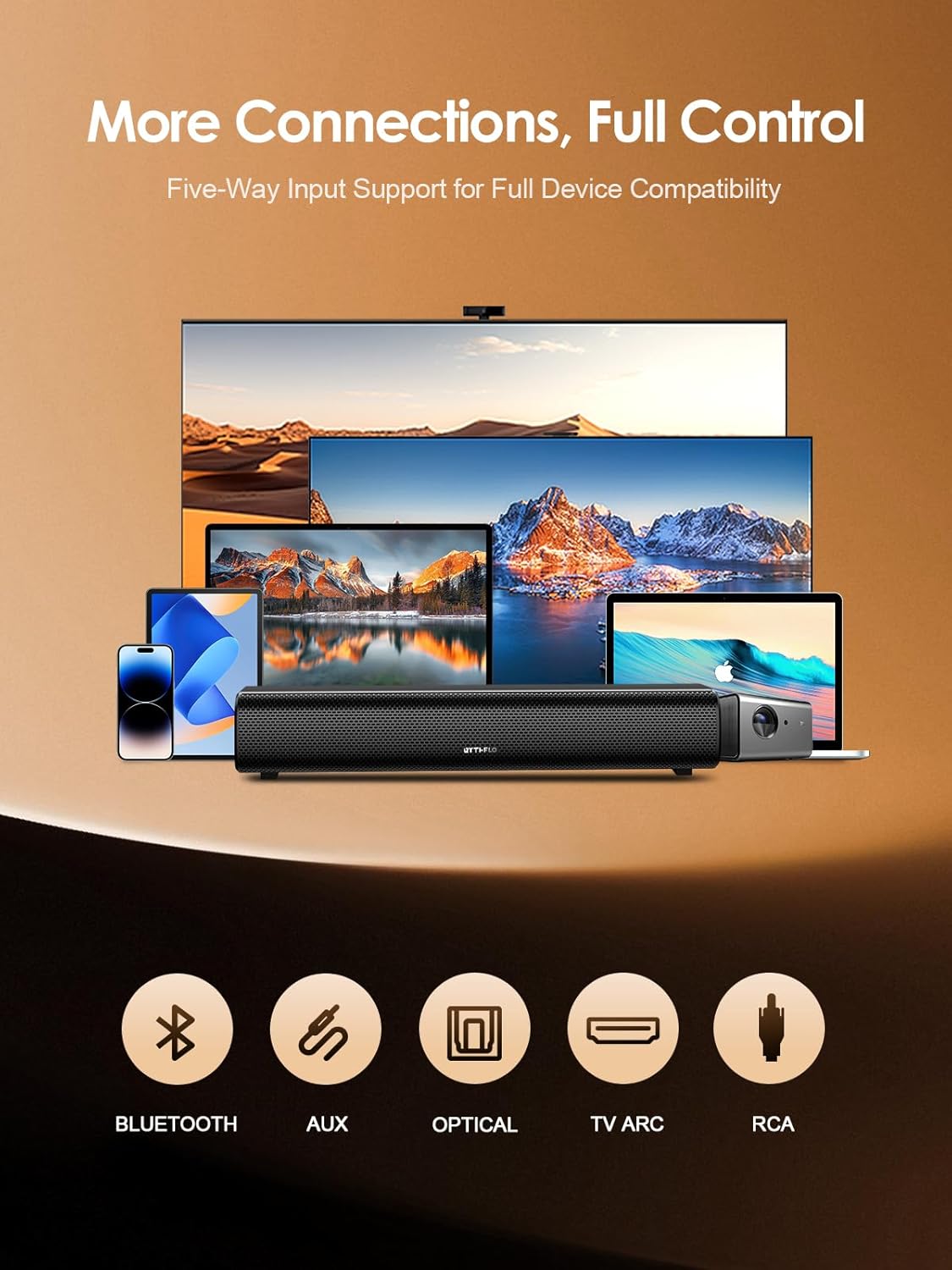
Image: Rythflo Sound Bar showing various connection ports: Bluetooth, AUX, Optical, TV ARC, and RCA.
Video: A seller demonstrates how to connect the Rythflo TV sound bar using various input methods.
4. Operating Instructions
4.1 Power On/Off
To turn on, hold down the power button for 2 seconds. To turn off, hold down the power button for 2 seconds or press the power button on the soundbar's remote.
4.2 Switching Input Modes
Press the 'BT' button on the soundbar or the corresponding input button (ARC, OPT, AUX, BT) on the remote to switch between modes. The LED will flash blue and you'll hear a beep in default mode (Bluetooth mode).
4.3 Adjusting Volume
Use the volume up (+) and volume down (-) buttons on the soundbar or remote control to adjust the audio level.
4.4 Sound Modes
The soundbar features three optimized sound modes: Movie, Music, and TV. Select the desired mode using the remote control to enhance your listening experience.
- Movie Mode: Enhances cinematic clarity and powerful bass.
- Music Mode: Provides rich detail and balanced tones.
- TV Mode: Delivers crystal-clear dialogue and reduced distortion.

Image: Rythflo Sound Bar with remote, displaying dynamic flame lighting and control buttons.
Video: A seller demonstrates the use of the Rythflo TV sound bar, including changing modes and adjusting volume.
5. Maintenance
To ensure the longevity and optimal performance of your Rythflo Sound Bar, follow these simple maintenance guidelines:
- Cleaning: Use a soft, dry cloth to wipe the surface of the soundbar. Avoid using liquid cleaners or abrasive materials.
- Placement: Keep the soundbar away from direct sunlight, heat sources, and excessive moisture.
- Ventilation: Ensure proper ventilation around the unit to prevent overheating.
6. Troubleshooting
If you encounter any issues with your Rythflo Sound Bar, please refer to the following common troubleshooting tips:
- No Sound: Check all cable connections (power, audio input). Ensure the correct input mode is selected on the soundbar and your TV. Verify that the volume is not muted or set too low.
- Bluetooth Connection Issues: Ensure the soundbar is in Bluetooth pairing mode (LED flashes blue). Turn off and on Bluetooth on your device. Make sure your device is within 33ft (10 meters) of the soundbar.
- Remote Control Not Working: Check if the remote control batteries need replacement. Ensure there are no obstructions between the remote and the soundbar.
- Distorted Sound: Try adjusting the volume or switching sound modes. Ensure audio cables are securely connected and not damaged.
For further assistance, please contact customer support.
7. Specifications
| Feature | Detail |
|---|---|
| Model Name | SK300 Fi |
| Speaker Maximum Output Power | 60 Watts |
| Signal-to-Noise Ratio | 85 dB |
| Frequency Response | 20 KHz |
| Connectivity Technology | Bluetooth, TV ARC, Optical, 3.5mm AUX, AUX-to-RCA |
| Bluetooth Version | 5.3 |
| Bluetooth Range | 10 Meters (33ft) |
| Speaker Type | Soundbar |
| Special Feature | LED Light (8 Flame Light Modes) |
| Mounting Type | Wall Mount |
| Product Dimensions | 4.3"D x 16.8"W x 6.7"H |
| Item Weight | 3.6 Pounds |
8. Warranty and Support
The Rythflo Sound Bar is backed by an 18-month warranty for a worry-free experience. For any questions, technical support, or warranty claims, please refer to the contact information provided in your detailed user manual or on the product packaging.
Full after-sales support is available to assist you with any product-related inquiries.