
1. Introduction
The SIGBOT Portable Electric Coffee Grinder HB-991 is designed for coffee enthusiasts who desire freshly ground coffee anywhere. Featuring 38 precise grind settings and a durable conical burr, this rechargeable mill is suitable for various brewing methods, including espresso, Moka pot, Turkish coffee, and more. Its compact design makes it ideal for travel, camping, or office use.

Image: The SIGBOT Portable Electric Coffee Grinder, showcasing its sleek design and portability.
2. Setup
2.1 Charging the Grinder
Before first use, ensure the grinder is fully charged. Connect the provided Type-C cable to the charging port on the top of the grinder and to a compatible power source (power bank, car charger, or wall adapter). The indicator light will show charging status. A full charge provides approximately 40 grinding sessions.
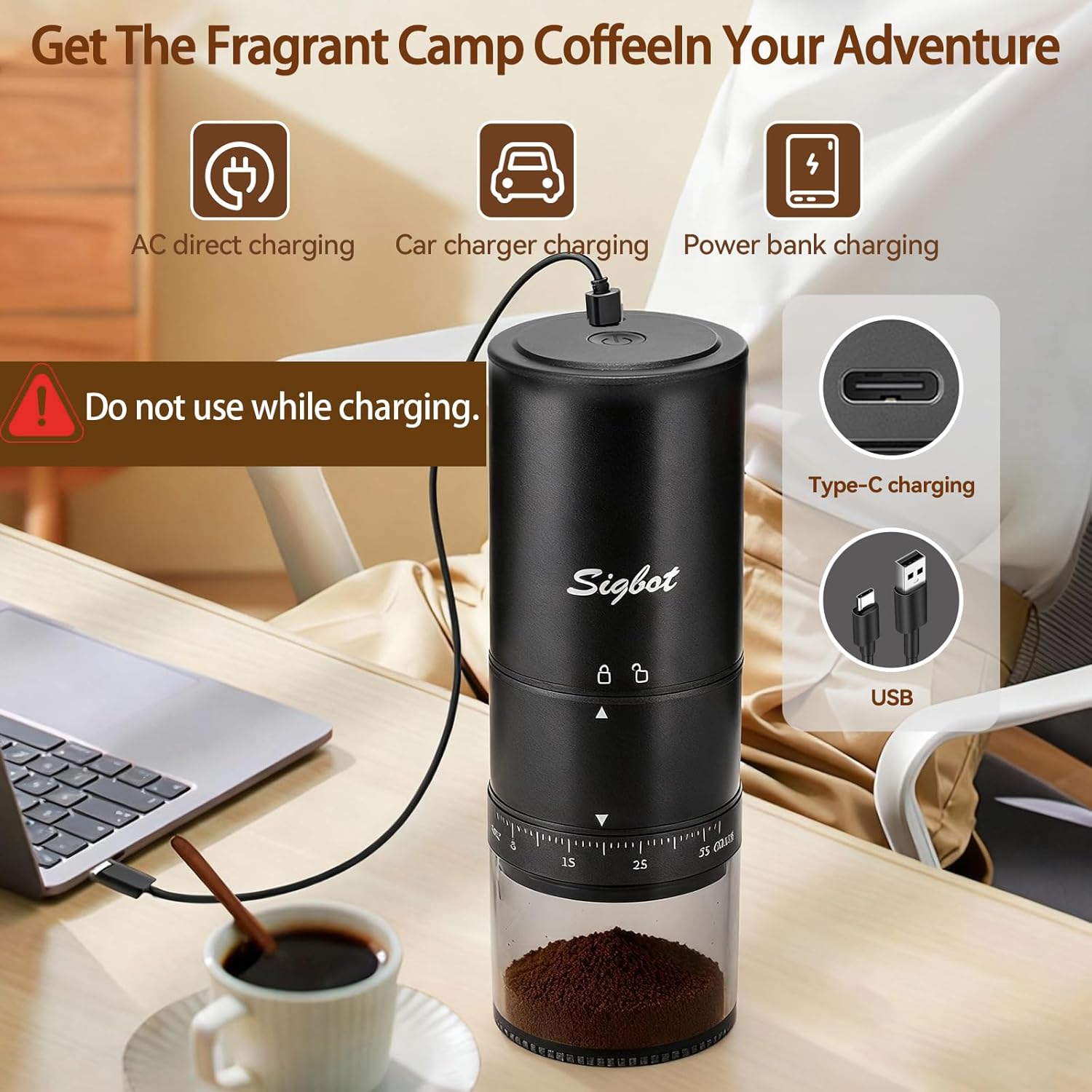
Image: The grinder connected via its Type-C charging port, illustrating charging flexibility.
2.2 Loading Coffee Beans
- Remove the top cover of the grinder.
- Pour your desired amount of whole coffee beans into the bean hopper. Do not overfill.
- Replace the top cover securely.
2.3 Adjusting Grind Settings
The grinder features 38 external grind settings, allowing for precise control over your coffee grounds. To adjust, rotate the dial located on the lower part of the grinder body. The settings range from 'FINE' (1-5) for espresso to 'COARSE' (28-38) for French press. Setting 5 is recommended for optimal performance for espresso.

Image: Visual guide to the 38 grind settings and their recommended uses for various coffee types.
3. Operation
The SIGBOT coffee grinder offers simple one-touch operation:
- Start Grinding: Double-click the power button on the top of the grinder to begin grinding. The grinder will automatically stop once the beans are fully ground.
- Pause Grinding: Single-click the power button to pause the grinding process. Click again to resume.
A 15g dose of coffee beans typically grinds in about 30 seconds.

Image: Demonstrating the smart and simple operation design with double-click start and single-click pause.
3.1 Visual Guide to Grinding Process
Video: This video demonstrates the SIGBOT Portable Electric Coffee Grinder in action, showing the process of loading beans, adjusting grind settings, and the grinding operation.
4. Maintenance
4.1 Cleaning Instructions
The grinder features fully detachable components for easy cleaning. Regular cleaning ensures optimal performance and extends the life of your grinder.
- Unscrew the grinding cup from the main motor unit.
- Use the provided cleaning brush to remove any residual coffee grounds from the burr and grinding chamber.
- The grinding cup can be rinsed with water. Ensure it is completely dry before reassembling.
- Important: The motor unit should not be exposed to water. Wipe it clean with a dry cloth only.

Image: The grinder disassembled into its main components, highlighting the ease of cleaning.
5. Troubleshooting
- Grinder not starting: Ensure the grinder is charged. Double-click the power button to start. Check if the grinding cup and top cover are securely attached.
- Inconsistent grind: Verify that the grind setting is appropriate for your desired coffee type. Ensure the burr is clean and free of obstructions.
- Grinder stops unexpectedly: The grinder has an automatic stop feature when grinding is complete. If it stops prematurely, check for low battery or if the bean hopper is empty.
6. Specifications
| Feature | Detail |
|---|---|
| Brand | SIGBOT |
| Model Number | HB-991 |
| Color | Black |
| Material | Stainless Steel |
| Product Dimensions | 2.8"L x 2.8"W x 8"H |
| Item Weight | 1.57 pounds (0.71 Kilograms) |
| Voltage | 7.4 Volts |
| Batteries | 2 Lithium Ion batteries required (included) |
| Grind Settings | 38 (External Adjustment) |
| Burr Type | Conical Burr (420 Stainless Steel) |
| Charging | Type-C USB (cable included) |
7. Warranty and Support
For warranty information and customer support, please refer to the documentation included with your product or contact SIGBOT customer service directly. Specific warranty terms may vary.