
1. Introduction
Thank you for choosing the WATTSBVD TC4-S Smart Temperature Controller. This device is designed for precise temperature measurement and control in various industrial and scientific applications. This manual provides essential information for the safe and efficient operation of your new temperature controller. Please read it thoroughly before installation and use.
2. Product Overview
The TC4-S is a compact and intelligent temperature controller featuring a clear digital display and intuitive controls. It is equipped to handle various temperature sensing inputs, specifically the PT100 type for this model, and provides output for controlling heating or cooling elements.
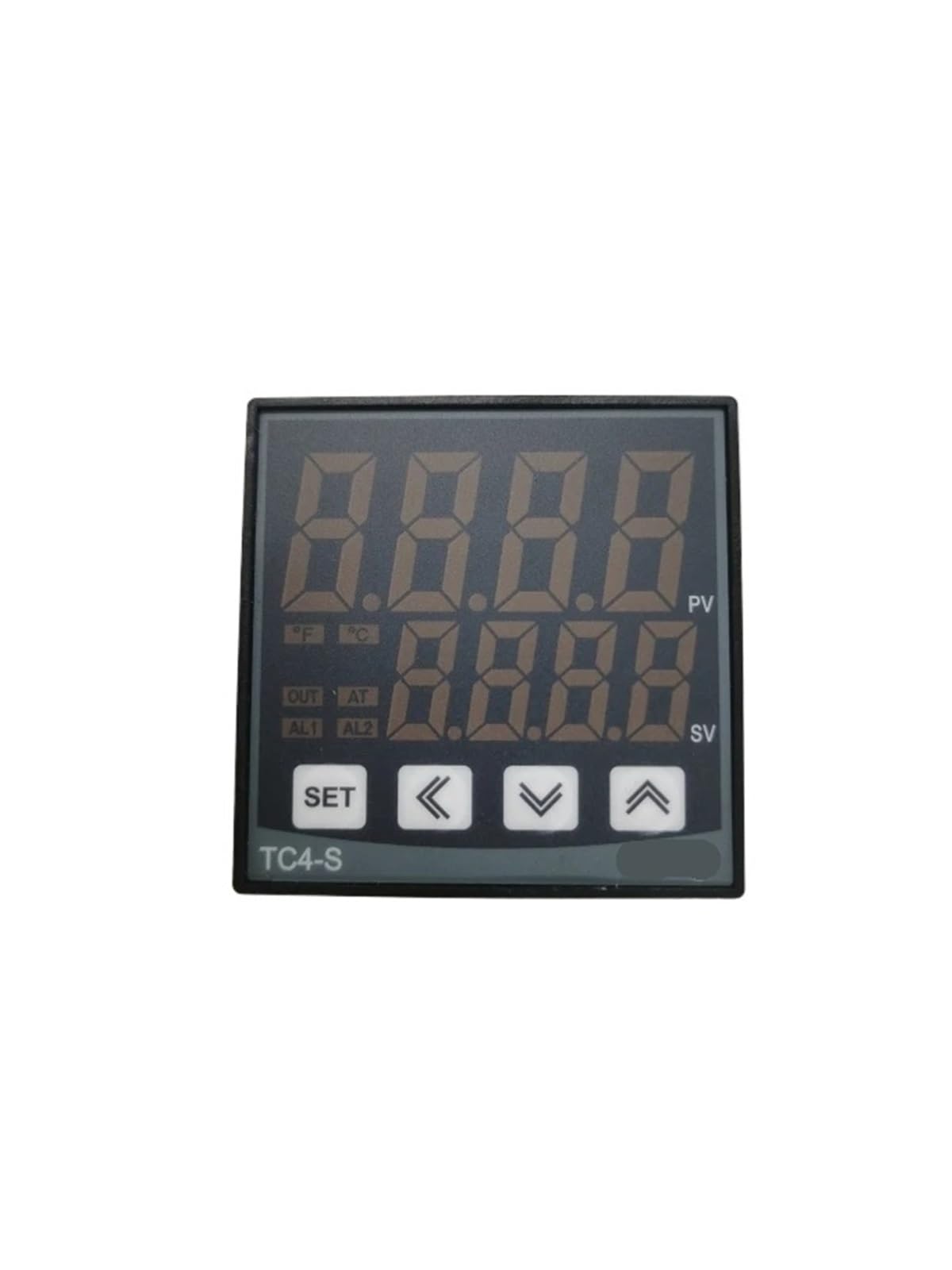
Figure 2.1: Front Panel of TC4-S Controller. This image shows the front face of the TC4-S temperature controller. It features two digital displays, one for Process Value (PV) and one for Set Value (SV), indicating current and target temperatures. Below the displays are indicator lights for output (OUT), alarm 1 (AL1), and alarm 2 (AL2). Four control buttons are visible: SET, Left Arrow, Down Arrow, and Up Arrow, used for configuration and adjustment.

Figure 2.2: Side Panel with Wiring Diagram. This image displays the side of the TC4-S controller, detailing the electrical wiring connections. The diagram illustrates connections for power input (100-240VAC, 50/60Hz), output for SSR (Solid State Relay) and standard relay, alarm outputs, and the TC/RTD (Thermocouple/Resistance Temperature Detector) sensor input. Specific terminals are numbered for clear identification during installation.
3. Setup and Installation
Proper installation is crucial for the performance and safety of the TC4-S controller. Ensure all power is disconnected before proceeding with any wiring.
- Mounting: Install the controller in a suitable panel cutout. Ensure adequate ventilation to prevent overheating.
- Power Connection: Connect the power supply (100-240VAC, 50/60Hz) to the designated terminals as shown in the wiring diagram (Figure 2.2).
- Sensor Connection: For the PT100 sensor, connect the wires to the RTD input terminals according to the diagram. Ensure correct polarity and secure connections.
- Output Wiring: Connect your heating or cooling device to the appropriate output terminals (SSR or Relay) as per your system requirements and the wiring diagram.
- Initial Power-Up: After all connections are secure, apply power to the controller. The display should illuminate.
Warning: All wiring should be performed by a qualified electrician to prevent electrical shock or damage to the device.
4. Operating Instructions
The TC4-S controller is designed for user-friendly operation. Here are the basic steps to set your desired temperature:
- Power On: Ensure the controller is powered on. The PV display shows the current temperature, and the SV display shows the set temperature.
- Access Set Point: Press the SET button once. The SV display will start flashing, indicating it is ready for adjustment.
- Adjust Set Point: Use the Up Arrow (▲) and Down Arrow (▼) buttons to increase or decrease the set temperature. The Left Arrow (◀) button can be used to shift the cursor for faster adjustment of individual digits.
- Confirm Set Point: Press the SET button again to save the new set point. The SV display will stop flashing and show the new set temperature.
- Parameter Settings: For advanced settings (e.g., alarm limits, control mode, calibration), press and hold the SET button for several seconds to enter the parameter menu. Refer to the full technical manual for detailed parameter descriptions.
5. Maintenance
The WATTSBVD TC4-S controller requires minimal maintenance to ensure long-term reliability.
- Cleaning: Periodically clean the front panel with a soft, dry cloth. Do not use abrasive cleaners or solvents.
- Inspection: Regularly inspect wiring connections for looseness or signs of damage. Ensure the sensor is clean and properly positioned.
- Ventilation: Ensure that the ventilation openings on the controller are not obstructed to prevent internal heat buildup.
- Calibration: If accurate temperature readings are critical, periodic calibration of the sensor and controller may be necessary. Consult a specialist for calibration procedures.
6. Troubleshooting
If you encounter issues with your TC4-S controller, refer to the following common problems and solutions:
| Problem | Possible Cause | Solution |
|---|---|---|
| Display is blank | No power, incorrect wiring | Check power supply and wiring connections. |
| Inaccurate temperature reading | Sensor faulty, incorrect sensor type, poor sensor connection, environmental interference | Verify sensor type (PT100), check sensor wiring, replace sensor if damaged, ensure sensor is in correct measurement environment. |
| Output not activating | Wiring error, set point not reached, control mode issue, faulty output component | Check output wiring, confirm set point and current temperature, review control mode settings, test external relay/SSR. |
| Controller not responding to button presses | Keypad lock, internal fault | Check if keypad lock function is active (refer to full manual). Power cycle the device. If issue persists, contact support. |
If the problem persists after attempting these solutions, please contact customer support.
7. Specifications
- Brand: WATTSBVD
- Model Name: WATTSBVD (TC4-S W1T/R-2 PT100)
- Color: Tc4-s W1t R-2 Pt100
- Product Weight: 50 Grams
- Number of Elements: 1
- Number of Units: 1.0 pieces
- ASIN: B0FGVYTG9P
- Manufacturer: WATTSBVD
8. Warranty and Support
This product is covered by the standard manufacturer's warranty. For specific warranty terms and conditions, please refer to the documentation provided with your purchase or contact the retailer.
For technical support, troubleshooting assistance beyond this manual, or inquiries regarding parts and service, please contact WATTSBVD customer service through your point of purchase or the official WATTSBVD website.