
Retevis A3
Retevis A3 Quad-Band Ham Radio User Manual
Model: A3
Introduction
The Retevis A3 is a quad-band transmission ham radio designed for versatile communication. It features a dual-channel setup, long battery life, NOAA weather alerts, and customizable options, making it suitable for various communication needs.

Image: Two Retevis A3 ham radios with charging bases, power adapters, USB cables, and speaker microphones.
Package Contents
Verify that all items are present in your package:
- A3 Two Way Radio (x2)
- 2500 mAh Battery (x2)
- Antenna (Standard)
- T-shape Antenna (x1)
- Desk Charger (x1)
- Data Cable (x1)
- Adapter (x2)
- 28Mhz Antenna (x2)
- High Gain Antenna (x2)
- Lanyard (x2)
- Belt Clip (x2)
- Speaker Mic (x2)
- User Manual (x1)

Image: A visual representation of all items included in the Retevis A3 Ham Radio package, such as radios, batteries, antennas, chargers, and accessories.
Setup
1. Battery Installation
- Align the battery pack with the back of the radio.
- Slide the battery into place until it clicks securely.
- To remove, press the release latch and slide the battery off.
2. Antenna Attachment
The Retevis A3 comes with multiple antennas for different frequency bands and performance needs:
- Standard Antenna: General purpose use.
- High Gain Antenna: For enhanced signal reception and transmission.
- T-shape Antenna: Specific design for certain band characteristics.
- 28Mhz Antenna: Optimized for the 28-29Mhz band.
To attach an antenna, screw it clockwise onto the antenna connector on top of the radio until it is finger-tight. Do not overtighten.

Image: A detailed view of the Retevis A3 radio highlighting the three types of antennas included: a high gain antenna, a T-shape antenna, and a 28MHz antenna, indicating their attachment points.
3. Charging the Battery
Use the provided desk charger and power adapter to charge the 2500mAh battery. A full charge provides approximately 16 hours of active use and 119 hours of standby time.
- Connect the power adapter to the desk charger.
- Plug the adapter into a standard wall outlet.
- Place the radio (with battery installed) into the charging slot of the desk charger.
- The charging indicator light will show the charging status (e.g., red for charging, green for fully charged).

Image: A graphic emphasizing the 2500mAh battery capacity, providing 119 hours of standby and 16 hours of active use, with a person hiking in the background.
Operating Instructions
1. Power On/Off
To power on the radio, rotate the volume knob clockwise. To power off, rotate it counter-clockwise until it clicks.
2. Quad-Band Transmission
The A3 radio supports transmission across four amateur radio bands: 10 meters, 6 meters, 2 meters, and 70 centimeters. This allows for flexible communication over various distances and conditions.
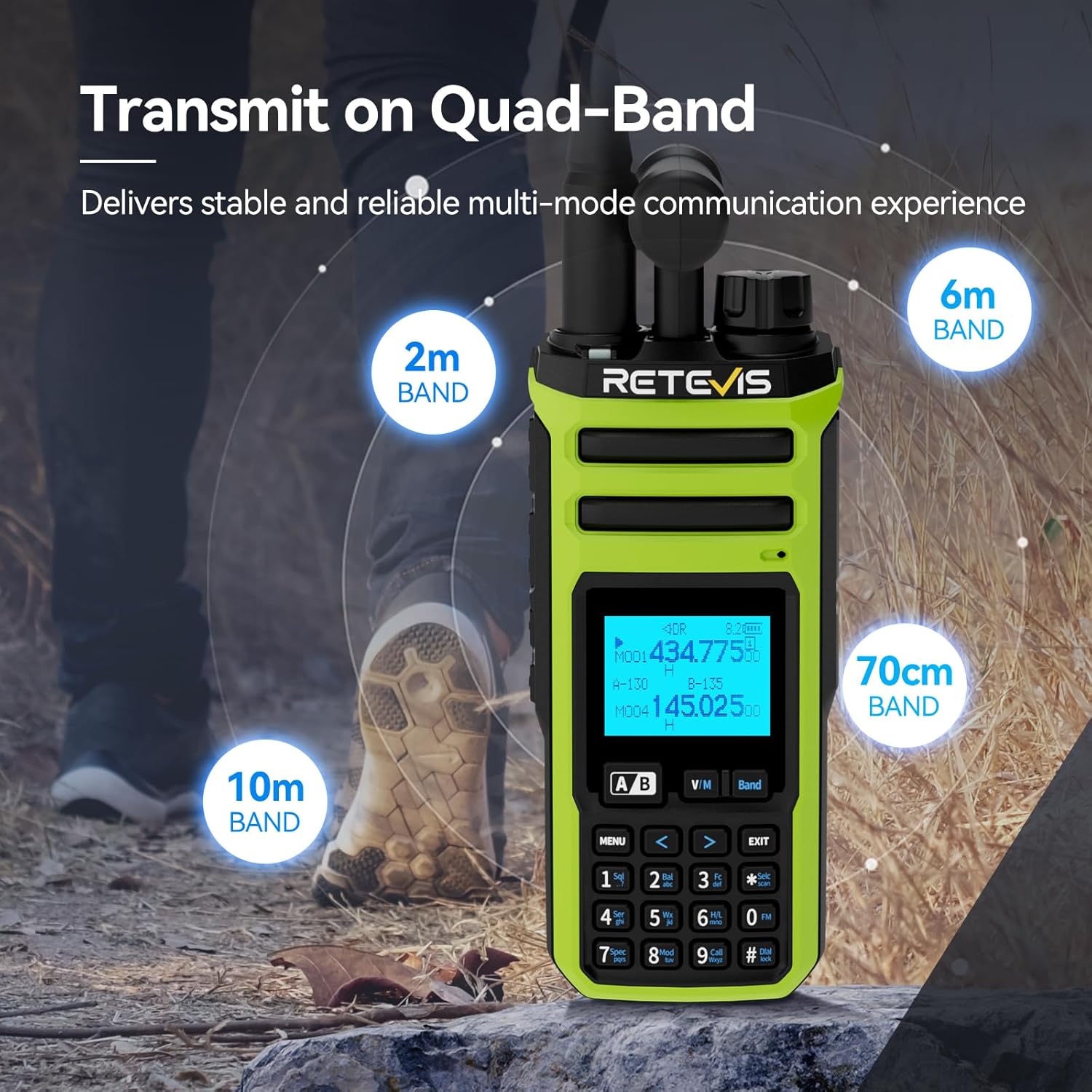
Image: A Retevis A3 radio in an outdoor setting, with text overlays indicating its quad-band transmission capabilities across 10m, 6m, 2m, and 70cm bands.
3. Dual Channel Operation
The radio features a dual-channel setup, allowing you to monitor two frequencies simultaneously. It includes independent volume control for each channel and separate PTT (Push-To-Talk) buttons for transmitting on either channel.
- Independent Volume Control: Adjust the audio level for each monitored channel separately using the dedicated volume knobs.
- Dual PTT Buttons: Use the designated PTT buttons to transmit on the active A or B channel.

Image: A close-up of the Retevis A3 radio highlighting the adjustable volume control for each band and the dual-channel PTT buttons on the side.
4. Full-Band Reception
The A3 radio offers wide-range reception from 600 meters to 26 centimeters, supporting various modes including AM, FM, AIR, SSB, and CW. This enables monitoring of diverse broadcasts and communications.

Image: A Retevis A3 radio with graphical overlays indicating its ability to receive signals in AM, SSB, FM, AIR, and CW modes, covering a wide frequency range.
5. NOAA Weather Function
The integrated NOAA feature provides access to 10 NOAA weather channels, delivering real-time weather alerts to help you stay prepared for changing conditions.

Image: The Retevis A3 radio screen showing NOAA weather alert information, emphasizing its SAME decoding feature for localized alerts.
6. Customization Options
Personalize your radio experience with various customization features:
- DIY Boot Screens: Upload custom images to display when the radio powers on.
- Text Messages: Send and receive text messages.
- End Tones: Customize the tones heard at the end of transmissions.
- Magic Voice: Activate unique voice modulation effects.

Image: A graphic illustrating the customization features of the Retevis A3, including personalized boot screens, text messages, and the "Magic Voice" function.
7. Customizable Side Keys
The radio's side keys can be programmed to access essential features quickly, allowing you to tailor controls to your specific needs.
8. Quick Channel Access
Pressing key '9' allows for quick access to a predefined channel, ensuring rapid communication during critical moments.
9. Spectrum Analyzer Function
The built-in spectrum analyzer visualizes signal activity in real-time, assisting in identifying active bands for communication.

Image: The Retevis A3 radio screen showing a spectrum analyzer display, visualizing signal activity to help users find optimal communication bands.
10. Firmware Updates
The Retevis A3 supports firmware updates to ensure access to the latest features and performance enhancements. Refer to the official Retevis website for update procedures and availability.

Image: A Retevis A3 radio with a graphical arrow pointing upwards, symbolizing the availability of firmware updates to enhance functionality.
Maintenance
1. Battery Care
- Avoid fully discharging the battery frequently to prolong its lifespan.
- Store the radio and battery in a cool, dry place when not in use for extended periods.
- Do not expose the battery to extreme temperatures.
2. Cleaning
- Wipe the radio's exterior with a soft, damp cloth.
- Do not use harsh chemicals or abrasive cleaners.
- Ensure the radio is dry before use or storage.
Troubleshooting
| Problem | Possible Cause | Solution |
|---|---|---|
| Radio does not power on. | Battery is low or not installed correctly. | Charge the battery or re-install it securely. |
| Cannot transmit or receive. | Incorrect frequency/channel, antenna not attached, or out of range. | Verify frequency settings, ensure antenna is securely attached, move closer to the other radio. |
| Poor audio quality. | Weak signal, incorrect squelch setting, or damaged speaker/microphone. | Adjust squelch level, check antenna connection, move to an area with better signal. |
| Battery drains quickly. | Frequent transmission, high power setting, or aging battery. | Reduce transmission time, use lower power settings when possible, consider replacing the battery if it's old. |
Specifications
- Brand: Retevis
- Model Number: A3
- Item Weight: 4.29 pounds (package weight)
- Package Dimensions: 9.18 x 8.83 x 6.97 inches
- Batteries: 2500 mAh rechargeable battery (x2 included)
- Number of Channels: 999
- Special Features: 999 Channels, Dual Receiving, Long Range
- Water Resistance Level: Not Water Resistant
- Manufacturer: Retevis
- First Available: July 5, 2025
Warranty and Support
Retevis provides the following warranty for the A3 Ham Radio:
- Radio Body: 2-year warranty.
- Accessories: 1-year warranty.
- Return Policy: 30 days no-reason return.
For support or warranty claims, please contact Retevis customer service through Amazon. They aim to reply within 12 hours. Maintenance services are available beyond the warranty period, with corresponding costs to be afforded by the buyer.
Related documentsA3


Ask a question about this manual
Ask about setup, troubleshooting, compatibility, parts, safety, or missing instructions. Manuals+ will review the question and use this page’s manual context to help answer it.