
1. Introduction
This manual provides detailed instructions for the proper setup, operation, and maintenance of your NEEWER GM-MP3 360° Rotating Macro Focusing Rail. Designed for macrophotography, this robust aluminum alloy rail offers precise 4-axis adjustments and smooth dual-slider movement, ensuring stable and creative camera positioning. Please read this manual thoroughly before using the product to ensure optimal performance and longevity.

Image 1.1: The NEEWER GM-MP3 Macro Focusing Rail, showcasing its compact design and dual rail system.
2. Package Contents
Verify that all items listed below are included in your package:
- 1 x Macro Focusing Rail
- 1 x 1/4" to 3/8" Adapter
- 1 x Hex Key
- 1 x User Manual
3. Product Overview
The NEEWER GM-MP3 Macro Focusing Rail is engineered for precision and stability in macrophotography. Key features include:
- 4-Axis Positioning: Allows for highly precise adjustments in four directions.
- 360° Rotation: The upper slider supports 90° rotation on four axes for versatile camera positions.
- Dual Sliders with Lead Screws: Ensures smooth, precise, and uninterrupted movement, with each slider offering 100mm effective travel and a combined 200mm movement.
- Arca-Type Quick Release System: Provides fast and secure camera mounting and easy connection to Arca-type tripod heads.
- Robust Aluminum Alloy Construction: Lightweight at 745g (1.6 lbs) yet supports cameras up to 2.5kg (5.5 lbs).
- Versatile Mounting Options: Features 1/4" and 3/8" mounting points for compatibility with various camera stands and tripods.

Image 3.1: The macro focusing rail demonstrating its solid aluminum construction and load capacity of 2.5 kg (5.5 lbs).
4. Setup
Follow these steps to set up your macro focusing rail:
- Mounting to a Tripod:
- Identify the 3/8" threaded hole on the base of the macro focusing rail.
- If your tripod or monopod has a 3/8" screw, directly attach the rail to it.
- If your tripod head uses a 1/4" screw, use the included 1/4" to 3/8" screw adapter to ensure compatibility.
- Alternatively, the rail's sliding base is Arca-type compatible, allowing direct attachment to Arca-type tripod heads for stable shooting.
- Attaching Your Camera:
- The top plate of the macro focusing rail features an Arca-type quick release plate with a 1/4" screw.
- Securely attach your camera or camcorder to this quick release plate. Ensure the camera is firmly tightened to prevent movement.
- The two limit screws on the quick release plate can be removed if necessary for specific setups.
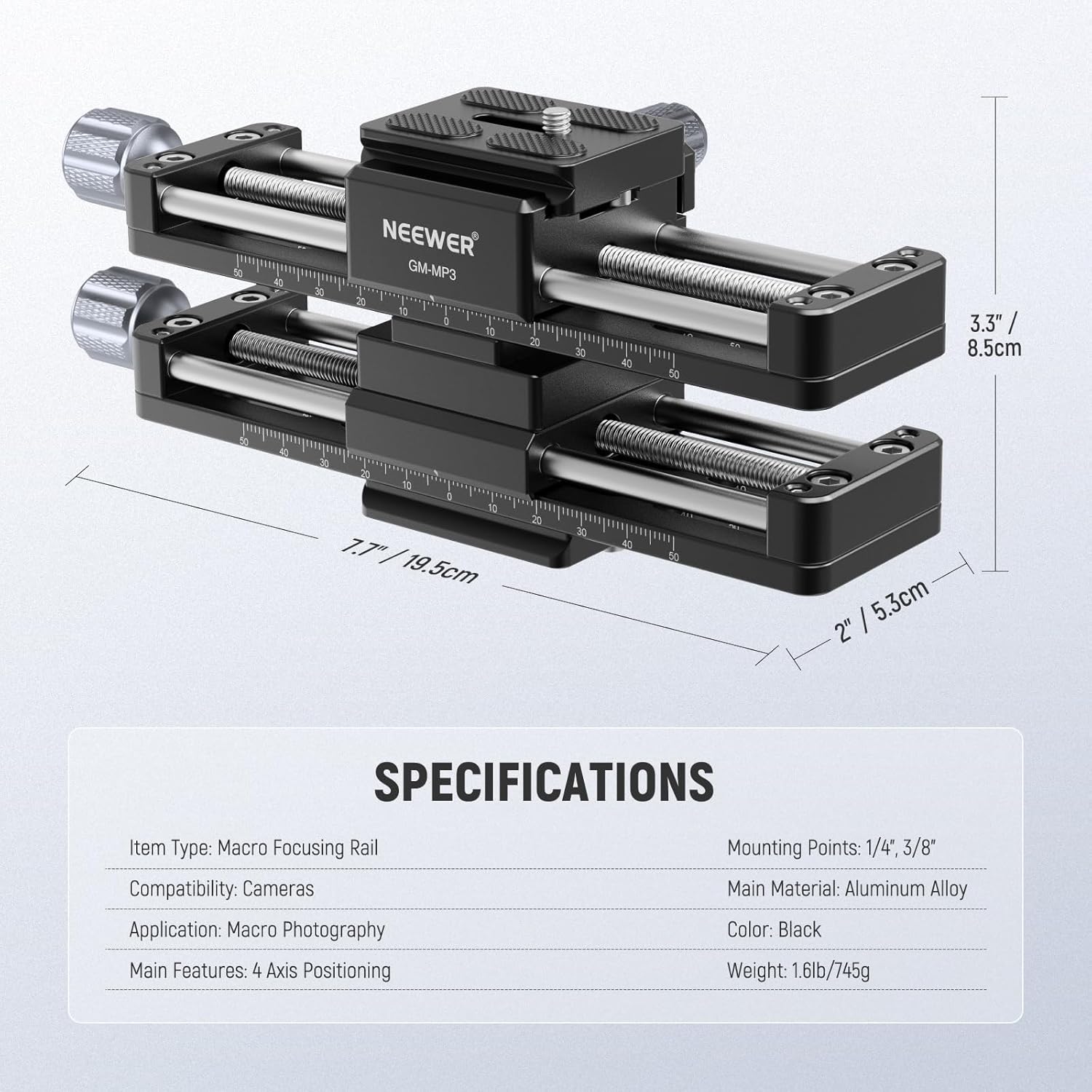
Image 4.1: Demonstrates the 3/8" threaded hole and the 3/8" to 1/4" screw adapter for tripod mounting versatility.
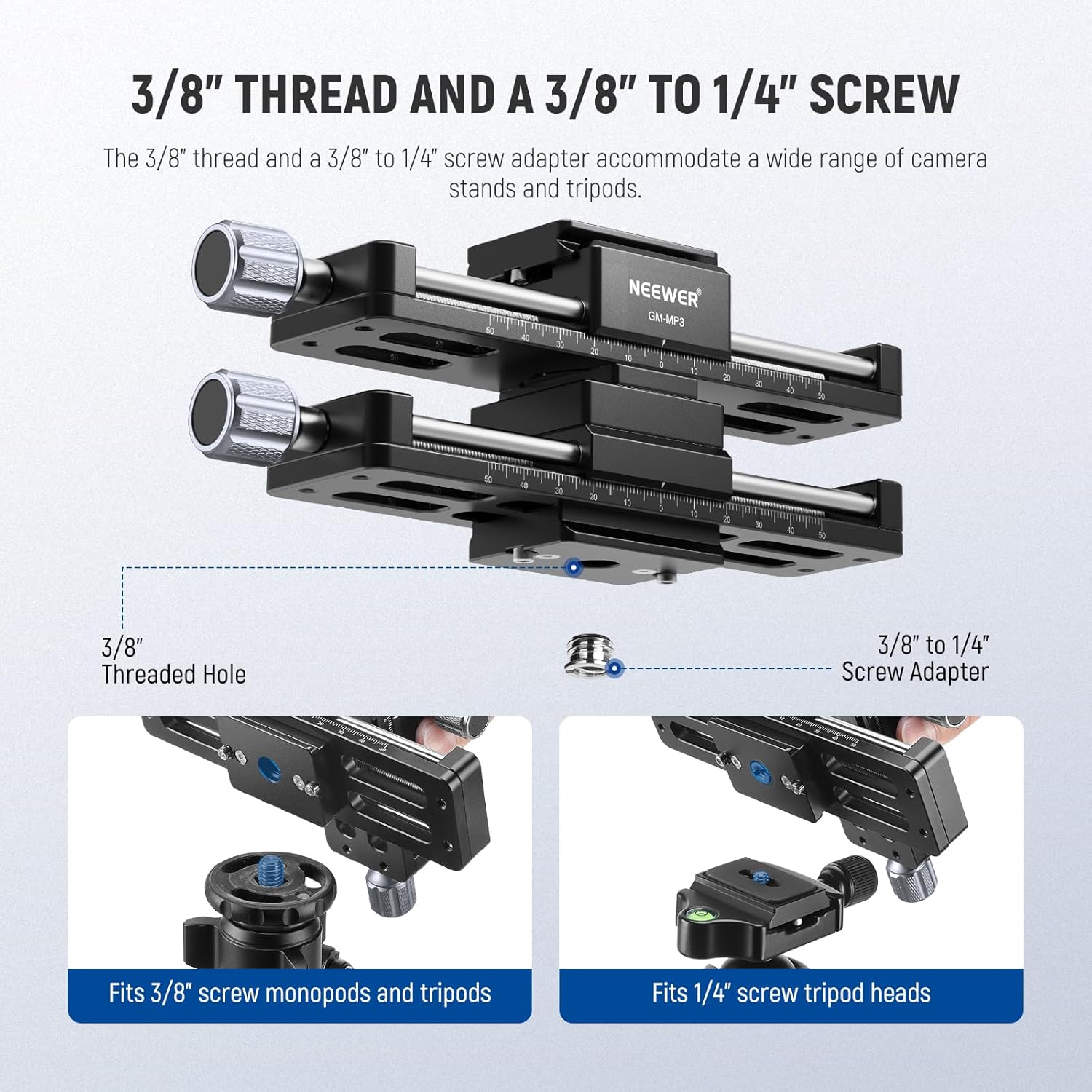
Image 4.2: Illustrates the Arca-type quick release system for fast and secure camera attachment.
5. Operating Instructions
The GM-MP3 rail provides precise control for macro photography. Here’s how to operate it:
- 4-Axis Movement:
- The rail allows movement in four directions: left, right, forward, and backward.
- Use the adjustment knobs on each slider to control the movement. Turning the knobs will actuate the lead screws, moving the camera smoothly.
- Each slider provides an effective movement of 100mm. When moving both sliders in the same direction, a combined movement of 200mm is achieved.
- 360° Rotation:
- The upper slider can be rotated 90° on its axis, allowing for innovative camera positions and angles.
- To stabilize the camera after adjusting the rotation, ensure the positioning lock is pushed down and secured.
- Precise Focusing:
- For focus stacking or precise composition, make small, controlled adjustments using the lead screw knobs.
- The smooth action of the dual sliders ensures minimal vibration and precise positioning for critical macro shots.

Image 5.1: Illustrates the flexible four-axis positioning capabilities of the rail for various macro setups.

Image 5.2: Detailed view of the dual sliders and lead screws, highlighting the adjustment knob for precise control.

Image 5.3: Demonstrates the four-axis movement, allowing the camera to move left, right, back, and forth for optimal framing.
6. Maintenance
To ensure the longevity and optimal performance of your NEEWER GM-MP3 Macro Focusing Rail, follow these maintenance guidelines:
- Cleaning: Use a soft, dry cloth to wipe down the rail after each use. Avoid abrasive cleaners or solvents that could damage the finish.
- Lubrication: Periodically check the lead screws for smooth operation. If movement becomes stiff, apply a small amount of silicone-based lubricant to the screws. Do not over-lubricate.
- Storage: Store the rail in a clean, dry environment, away from extreme temperatures and humidity.
- Inspection: Regularly inspect all screws and connections to ensure they are tight. Use the included hex key to tighten any loose components.
7. Troubleshooting
If you encounter any issues with your macro focusing rail, refer to the following common problems and solutions:
- Problem: Camera or rail feels unstable.
- Solution: Ensure all mounting screws (camera to quick release plate, quick release plate to rail, rail to tripod) are securely tightened. Verify that the tripod itself is stable on a flat surface.
- Problem: Sliders are stiff or difficult to move.
- Solution: Clean the lead screws and rails to remove any dust or debris. Apply a small amount of silicone lubricant to the lead screws if necessary.
- Problem: Camera rotation is not stable.
- Solution: Ensure the positioning lock for the upper slider's rotation is fully engaged and pushed down.
8. Specifications
| Feature | Specification |
|---|---|
| Item Type | Macro Focusing Rail |
| Model Number | GM-MP3 |
| Compatibility | Camera, Camcorder |
| Application | Macro Photography |
| Main Features | 4-Axis Positioning, 360° Rotation |
| Mounting Points | 1/4", 3/8" |
| Main Material | Aluminum Alloy |
| Color | Black |
| Weight | 745g (1.6 lbs / 23.28 Ounces) |
| Recommended Max Load | 2.5 kg (5.5 lbs) |
| Package Dimensions | 24.4 x 11.7 x 10.5 cm |
| Country of Origin | China |
| UPC | 191073113213 |
Image 8.1: Visual representation of the macro focusing rail's dimensions and key specifications.
9. Warranty and Support
For warranty information or technical support, please refer to the documentation included with your purchase or contact NEEWER customer service directly through their official website. Keep your purchase receipt as proof of purchase for any warranty claims.


