
1. Introduction
This manual provides detailed instructions for the installation, operation, and maintenance of your Uckazy 12.3-inch Android 14 Car Radio. Please read this manual thoroughly before installation and use to ensure proper function and to maximize your experience with the device. Keep this manual for future reference.
2. Product Overview
The Uckazy 12.3-inch Android 14 Car Radio is an advanced multimedia system designed to upgrade your vehicle's infotainment capabilities. It features a high-definition IPS touch screen, an Android 14 operating system, and supports wireless Apple CarPlay and Android Auto. The unit integrates seamlessly with your vehicle's existing systems, enhancing navigation, communication, and entertainment.

Figure 2.1: Uckazy 12.3-inch Android 14 Car Radio showcasing its 12.3-inch HD IPS screen, Octa-core processor, 8GB RAM, 128GB ROM, MediaTek chipset, full lamination, and built-in DSP.
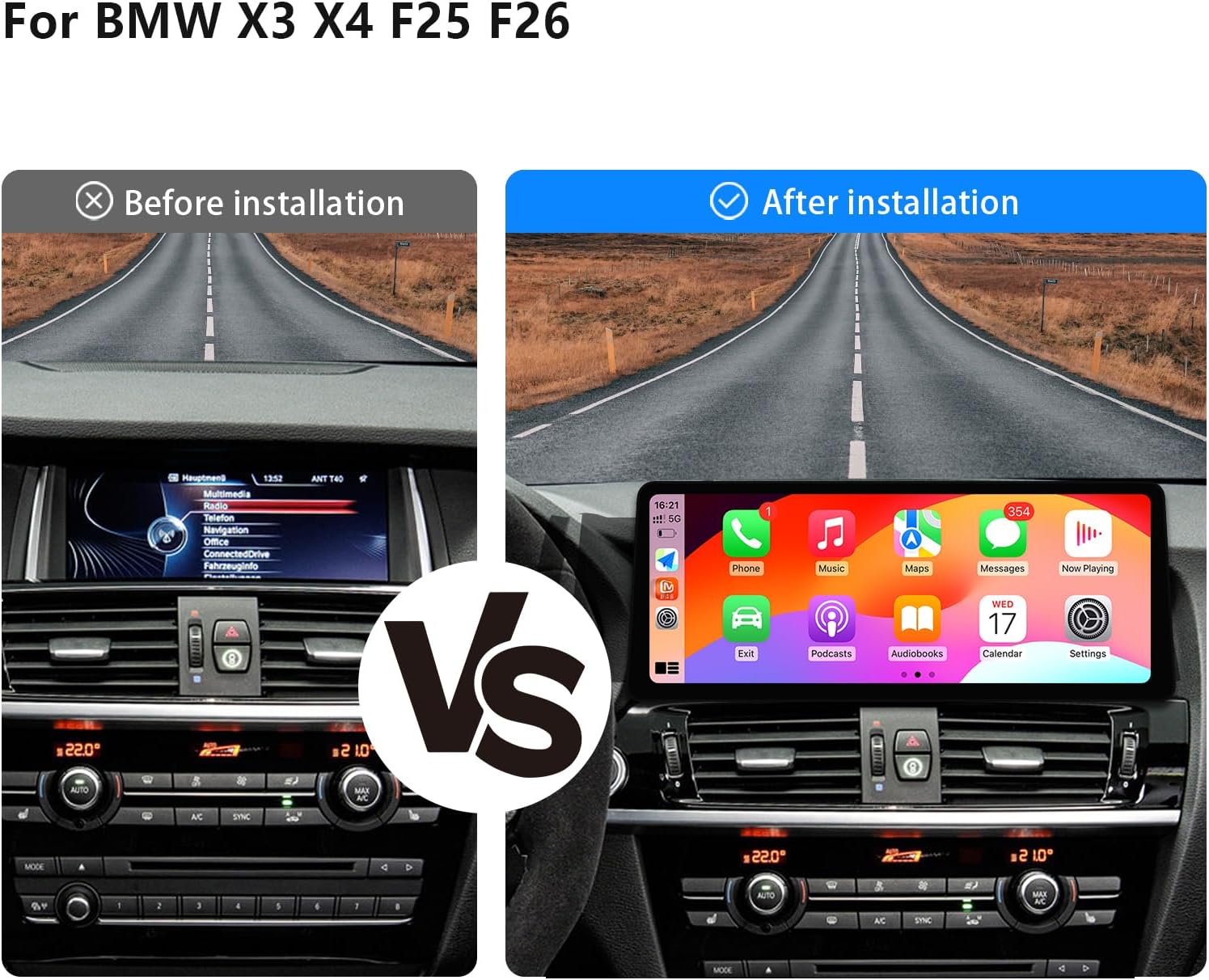
Figure 2.2: Visual comparison of the vehicle's dashboard before and after the installation of the Uckazy 12.3-inch Android 14 Car Radio, demonstrating the enhanced display and interface.
Key Features:
- 12.3-inch HD (1920x720) IN-CELL IPS Touch Screen with full lamination technology for enhanced clarity and reduced reflection.
- Android 14 Operating System.
- Wireless (and wired) Apple CarPlay and Android Auto support.
- Built-in Digital Signal Processor (DSP) with 16 EQ segments for advanced audio tuning.
- Retains original iDrive system control and full range of OEM functions.
- Supports steering wheel controls, OEM reversing camera, and parking radar.
- Bluetooth and Wi-Fi connectivity.
3. Compatibility Check
This unit is specifically designed for BMW X3 F25 and X4 F26 models manufactured between 2010 and 2012, equipped with the NBT System. It is crucial to verify your vehicle's system type before installation.

Figure 3.1: Guide for identifying your BMW's system (CIC or NBT) by checking the LVDS port type. This unit is compatible with the NBT system.
Important Note:
- Ensure your car system is an NBT system.
- The unit requires a 6-pin LVDS port for NBT systems.
- If you are uncertain about your vehicle's system, please consult a professional or contact Uckazy customer support for assistance.
4. Package Contents
Upon opening the package, please verify that all components are present and undamaged:
- 1x Uckazy 12.3-inch Android 14 Car Radio Main Unit
- 1x Power Wiring Harness
- 1x GPS Antenna
- 2x USB Cables
- 1x External Microphone
- 1x User Manual (this document)
- Necessary installation brackets and screws
5. Installation Guide
Installation of this car radio requires technical knowledge and experience with automotive electronics. Professional installation is highly recommended to prevent damage to the unit or your vehicle.
General Installation Steps:
- Preparation: Disconnect the vehicle's battery to prevent electrical shorts. Gather necessary tools (trim removal tools, screwdrivers, etc.).
- Remove Original Unit: Carefully remove the existing car radio and display, following your vehicle's specific disassembly procedures.
- Connect Wiring: Connect the provided power wiring harness to the vehicle's wiring. Ensure all connections are secure. Connect the GPS antenna, USB cables, and external microphone to the new unit.
- Connect Display: Connect the LVDS cable from the new display to the vehicle's NBT system.
- Test Functionality: Before fully reassembling, reconnect the battery and power on the unit. Test basic functions such as power, display, audio, and touch response. Verify that original OEM functions (iDrive, steering wheel controls) are retained.
- Secure and Reassemble: Once tested, secure the new unit in place using the provided brackets and screws. Carefully reassemble the dashboard trim.

Figure 5.1: Illustration of how the Uckazy car radio supports and retains original OEM features such as steering wheel control, OEM reversing camera compatibility, iDrive control, original car stereo sound, and the original CD/car system.
6. Operating Instructions
6.1 Basic Operation
- Power On/Off: The unit typically powers on with the vehicle's ignition. A long press on the power button (if available) may turn the screen off or put the unit into standby.
- Volume Control: Adjust volume using the vehicle's steering wheel controls or the original iDrive controller.
- Switching Systems: The unit allows switching between the original BMW system and the Android system. This is usually done via a dedicated button or a touch screen icon.
6.2 Android System Navigation
The 12.3-inch IPS touch screen provides an intuitive interface for navigating the Android 14 operating system. Swipe, tap, and pinch gestures are supported. The main interface provides access to installed applications, settings, and media.
6.3 Wireless CarPlay / Android Auto
This unit supports both wireless Apple CarPlay and wireless Android Auto, allowing seamless integration of your smartphone's features.

Figure 6.1: Display of wireless CarPlay and Android Auto interfaces, demonstrating access to navigation, phone, music, and other applications.
- Pairing: Enable Bluetooth and Wi-Fi on your smartphone. On the car radio, navigate to the CarPlay/Android Auto application. Follow the on-screen prompts to pair your phone.
- Functionality: Once connected, you can access navigation (e.g., Apple Maps, Google Maps, Waze), make calls, send messages, play music, and use voice assistants (Siri or Google Assistant) directly from the car's display.

Figure 6.2: Examples of voice control commands for navigation, third-party map applications, and mobile music playback through the car radio interface.
6.4 DSP Audio Processing
The built-in DSP allows for precise audio customization with 16 EQ segments. This feature enhances sound quality and allows you to tailor the audio output to your preferences.

Figure 6.3: The DSP interface showing 16 adjustable EQ segments, allowing users to fine-tune audio frequencies for optimal sound quality.
- Accessing EQ: Navigate to the 'Sound Settings' or 'DSP' application on the Android interface.
- Adjustments: Use the touch screen to adjust individual frequency bands, set presets, and modify sound effects like reverberation, compression, and delay.
6.5 Display Features
The 1920x720 IPS screen offers superior visual clarity and a wide viewing angle of up to 178 degrees, significantly improving the display quality compared to standard car screens.
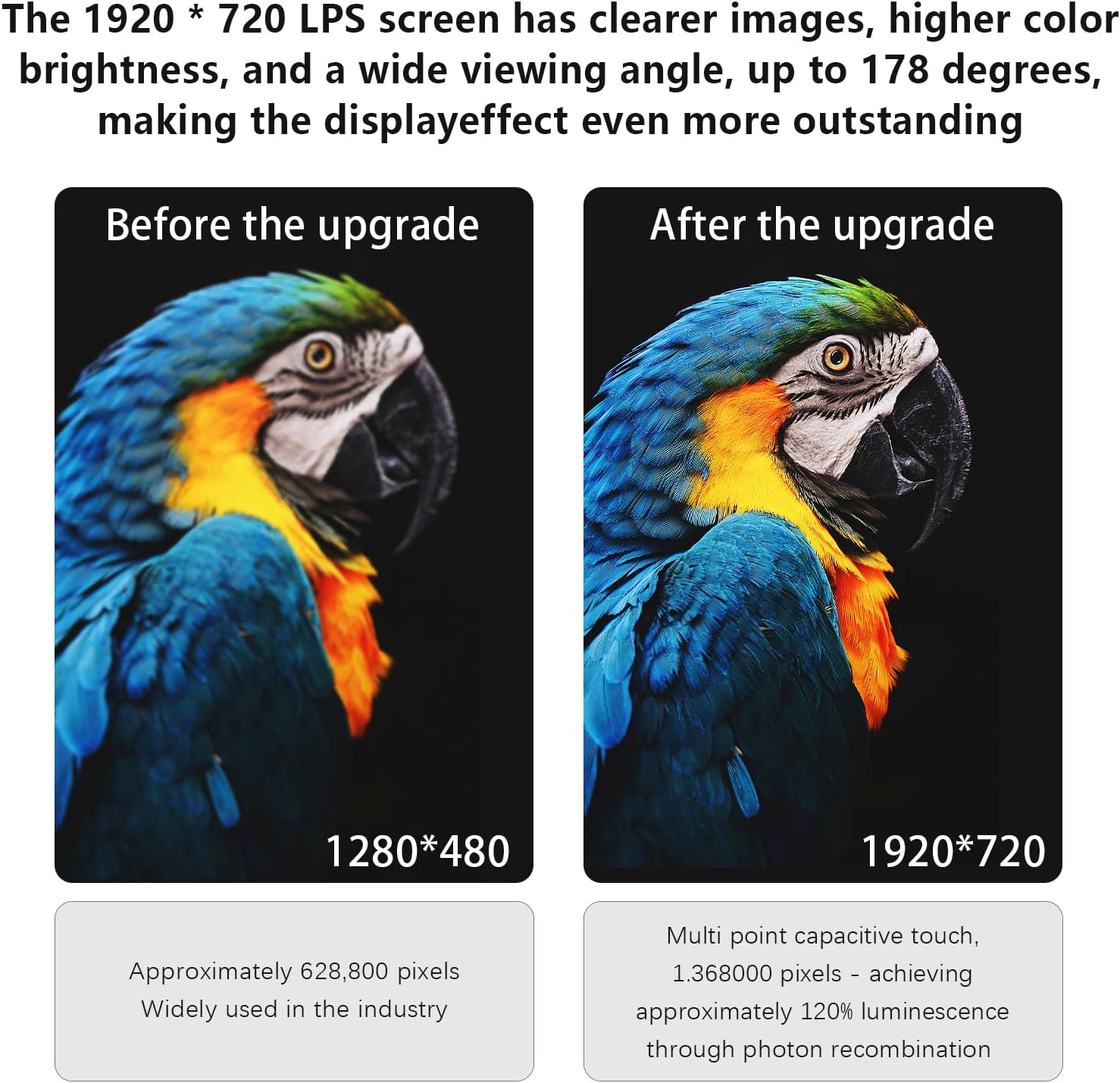
Figure 6.4: Visual comparison illustrating the enhanced clarity and detail provided by the 1920x720 IPS screen compared to a lower resolution 1280x480 display.
6.6 Retained OEM Functions
The Uckazy car radio is designed to integrate with and retain the functionality of your vehicle's original systems, including:
- iDrive system control
- Steering wheel controls
- Original CD player functionality
- Original car system interface (switchable)
- Compatibility with OEM reversing camera and parking radar
7. Maintenance
Proper maintenance ensures the longevity and optimal performance of your car radio.
- Screen Cleaning: Use a soft, lint-free cloth slightly dampened with water or a screen cleaner specifically designed for electronic displays. Avoid harsh chemicals or abrasive materials.
- Software Updates: Periodically check for available software updates from the manufacturer to ensure optimal performance, security, and access to new features. Follow the provided instructions for any update procedures.
- Environmental Conditions: Avoid exposing the unit to extreme temperatures, direct sunlight for prolonged periods, or excessive moisture.
8. Troubleshooting
If you encounter issues with your Uckazy car radio, refer to the following common problems and solutions:
| Problem | Possible Cause | Solution |
|---|---|---|
| Unit does not power on | Loose power connection, blown fuse, vehicle battery issue | Check power wiring, inspect vehicle fuses, ensure battery is charged. |
| No sound output | Incorrect audio settings, loose speaker connections, volume too low | Verify audio settings in DSP/sound menu, check speaker wiring, increase volume. |
| CarPlay/Android Auto not connecting | Bluetooth/Wi-Fi off on phone, incorrect pairing, phone software issue | Ensure phone's Bluetooth/Wi-Fi is on, re-pair the device, restart phone and car radio. |
| Touch screen unresponsive | Temporary software glitch, screen damage | Restart the unit. If issue persists, contact support. |
| Original iDrive/controls not working | Incorrect wiring, software conflict | Verify all OEM integration wiring. Ensure correct system mode is selected. |
If the problem persists after attempting these solutions, please contact Uckazy customer support for further assistance.
9. Specifications
| Feature | Specification |
|---|---|
| Model | CIC 8+128G |
| Screen Size | 12.3 inches |
| Screen Type | IN-CELL IPS Touch Screen, Full Lamination |
| Resolution | 1920x720 |
| Operating System | Android 14 |
| RAM | 8GB |
| ROM | 128GB |
| Connectivity | Bluetooth, Wi-Fi, Wireless CarPlay, Wireless Android Auto |
| Audio Processing | Built-in DSP with 16 EQ segments |
| Compatible Vehicles | BMW X3 F25 / X4 F26 (2010-2012) NBT System |
| Item Weight | 3.4 pounds |
| Package Dimensions | 22 x 20 x 16 inches |
10. Warranty and Support
Uckazy products are manufactured to high-quality standards. This product is covered by a manufacturer's warranty against defects in materials and workmanship. For specific warranty terms and conditions, please refer to the documentation included with your purchase or contact Uckazy customer support.
Customer Support:
For technical assistance, troubleshooting, or warranty inquiries, please contact the seller or visit the official Uckazy support website. When contacting support, please have your product model (CIC 8+128G) and purchase information (ASIN: B0FGTK5ZCL) ready.