
Uckazy 12.3' CIC 4+64G
Uckazy 12.3 Inch Android 14 Car Radio for BMW X3 F25 (2011-2013) CIC System User Manual
Model: 12.3' CIC 4+64G
1. Introduction
1.1 Product Overview
This manual provides detailed instructions for the installation, operation, and maintenance of your Uckazy 12.3 Inch Android 14 Car Radio. This advanced car stereo system is designed to enhance your driving experience with features such as a 12.3-inch IPS touch screen, Android 14 operating system, wireless CarPlay, and Android Auto support.
1.2 Applicable Models and Years
This unit is specifically designed for BMW X3 F25 models manufactured between 2010 and 2013 that are equipped with the Original CIC System. It is crucial to verify your vehicle's system type before installation.
Important Note:
- This unit is compatible with BMW vehicles that come with the Original CIC System.
- If your car is from 2012 or 2013, you must check the LVDS connector. CIC systems use a 4-pin LVDS plug, while NBT systems use a 6-pin LVDS plug. Selecting the incorrect system will prevent proper functionality.
- Please ensure your original car has an AUX audio input. If not, an FM transmitter may be required, or the AUX function must be activated at a local car workshop for sound output.

This image illustrates the difference between the 4-pin LVDS connector for CIC systems, which is compatible with this product, and the 6-pin LVDS connector for NBT systems, which is not compatible. Verify your vehicle's connector type before proceeding with installation.
2. Setup and Installation
2.1 Pre-Installation Checks
Before beginning installation, confirm that all components are present and undamaged. Ensure your vehicle's ignition is off and the battery is disconnected to prevent electrical damage.
2.2 Connecting the Power Cable and Fiber Optic Cables
Proper connection of the power cable and fiber optic cables is essential for the unit's functionality, especially for audio output. Follow these steps carefully:
- Locate the original power cable in your vehicle.
- Carefully cock the snap on the original power cable connector and pull out the fiber optic cable.
- Locate the power cord provided with your new unit and plug the fiber optic cable into the correct interface.
- Finally, snap the new power cable into the original power cable connector, ensuring a secure fit.
This video demonstrates the process of transferring fiber optic cables from the original power connector to the new unit's power cable. This step is critical for ensuring proper audio functionality after installation, especially if you experience no sound.
2.3 Initial Power-On and System Configuration
After all physical connections are made, reconnect the battery and power on the vehicle. The unit should boot up. Follow any on-screen prompts for initial setup. Ensure all original vehicle functions, such as iDrive control and steering wheel controls, are retained and operational.

This image illustrates how the new 12.3-inch display integrates seamlessly with the BMW X3 F25's original OEM system, retaining essential functionalities such as steering wheel controls, compatibility with the OEM reversing camera, iDrive control, and utilizing the original car stereo for sound output.
3. Operating Instructions
3.1 User Interface Overview
The unit features a 12.3-inch HD IPS touch screen with a resolution of 1920x720. The Android 14 operating system provides a user-friendly interface. You can switch between the Android system and your original BMW iDrive system at any time.

This image highlights the core features of the Uckazy 12.3-inch car radio, including its Octa-core processor, 4GB RAM, 64GB ROM, MediaTek chipset, full laminated 1920x720 HD IPS screen, and support for navigation, music, Wi-Fi, 2K video, 360-degree camera, and DSP audio processing.
3.2 Wireless CarPlay and Android Auto
The unit supports wireless CarPlay and Android Auto, allowing seamless integration with your smartphone for navigation, music, messaging, and voice commands (Siri or Google Voice Assistant).
- Ensure Bluetooth is enabled on your smartphone and the car radio.
- Navigate to the Bluetooth settings on the car radio and pair with your phone.
- Once paired, enable Siri on your iPhone (for CarPlay) or Google Voice Assistant on your Android device (for Android Auto).
- The system will automatically connect to CarPlay or Android Auto.
This video demonstrates the steps to establish a wireless CarPlay connection with the unit. It shows how to enable Bluetooth, pair your phone, and activate Siri to utilize CarPlay features such as navigation, music playback, and messaging.

This image displays the user interfaces for both Wireless CarPlay and Wireless Android Auto, showcasing how various applications for navigation, music, and communication are presented on the 12.3-inch screen, providing a modern and integrated smartphone experience in your vehicle.

This image demonstrates the CarPlay interface on the car radio screen, showing simultaneous display of navigation, music playback, and messaging. It highlights the multi-functional capabilities and ease of access to smartphone features while driving.
3.3 Sound Customization (Built-in DSP)
The unit features a built-in Digital Signal Processor (DSP) with 16 EQ segments. This allows for detailed audio adjustments to optimize sound quality according to your preferences. You can adjust various parameters to enhance bass, treble, and overall sound staging.

This image displays the unit's built-in DSP equalizer interface, featuring 16 adjustable frequency bands. This allows users to fine-tune the audio output for a personalized listening experience, enhancing clarity and depth of sound.
3.4 Screen Quality and Display
The 12.3-inch HD IPS screen offers clear images, high color brightness, and a wide viewing angle of up to 178 degrees. The full lamination technology reduces reflection and enhances the display effect.
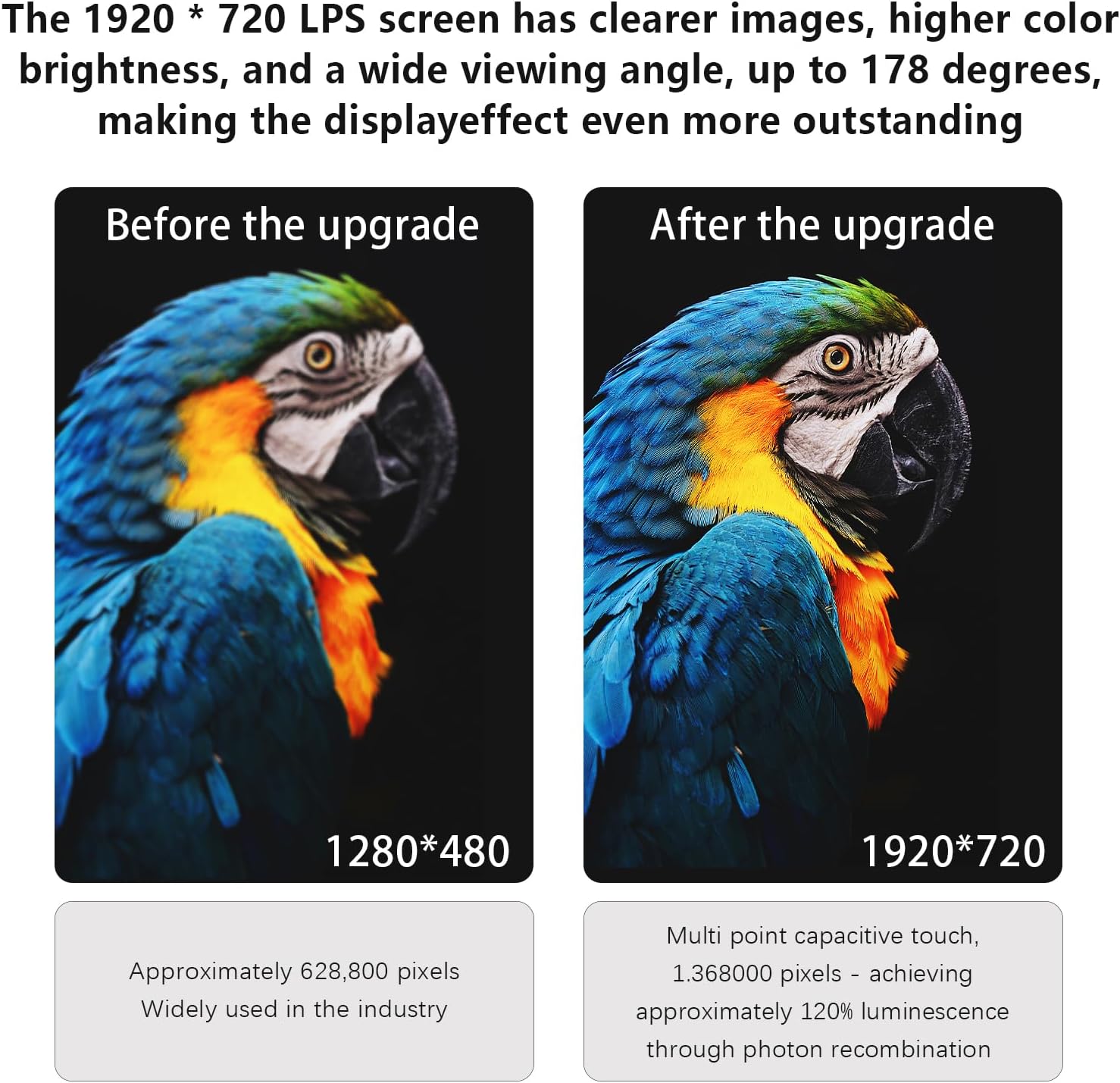
This image provides a visual comparison between a standard 1280x480 resolution screen and the upgraded 1920x720 IPS screen, demonstrating the significant improvement in image clarity, detail, and color vibrancy offered by the new display.
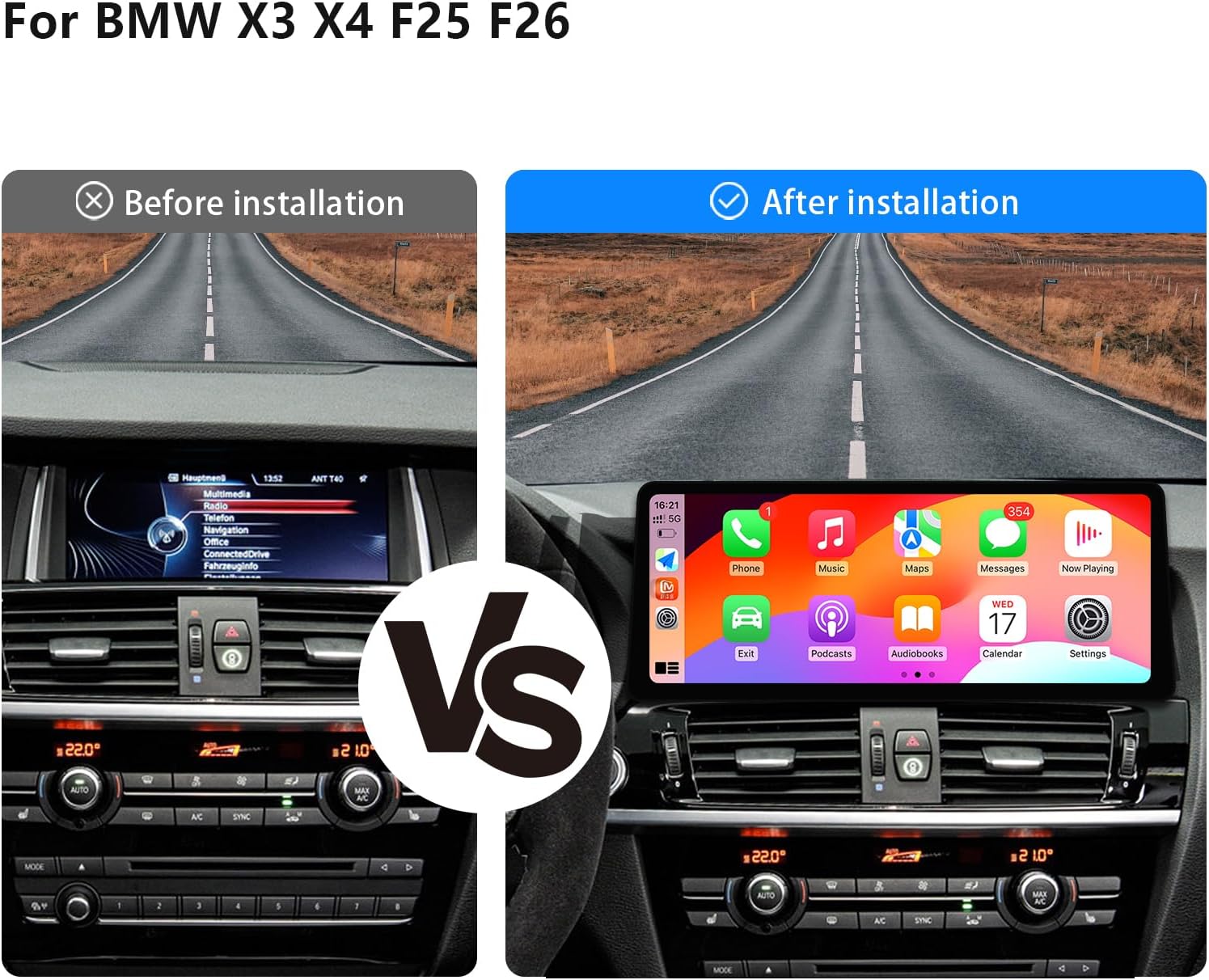
This image presents a side-by-side comparison of the BMW X3 F25 dashboard before and after the installation of the 12.3-inch car radio. It clearly illustrates the visual upgrade and how the larger screen modernizes the vehicle's interior, showcasing the CarPlay interface on the new display.
4. Maintenance
4.1 Cleaning the Screen
To clean the touch screen, use a soft, lint-free cloth. For stubborn smudges, lightly dampen the cloth with water or a screen-safe cleaning solution. Avoid abrasive materials or harsh chemicals, as these can damage the screen coating.
4.2 Software Updates
Periodically check for software updates to ensure optimal performance and access to new features. Updates are typically provided by the manufacturer and can be installed via USB or Wi-Fi, following specific instructions provided with the update package.
5. Troubleshooting
5.1 No Sound Output
If you experience no sound from the unit, first verify that your original car has an AUX input and that it is selected as the audio source. If your car lacks AUX, an FM transmitter or AUX activation is necessary. Recheck the fiber optic cable connections as detailed in Section 2.2 and Video 1.
5.2 Connectivity Issues (CarPlay/Android Auto)
Ensure Bluetooth is enabled on both your phone and the car radio. Confirm that Siri (for CarPlay) or Google Voice Assistant (for Android Auto) is activated on your smartphone. If issues persist, try unpairing and re-pairing the devices, or restarting both the phone and the car radio.
5.3 Software Lag or Unresponsiveness
Occasional software lag can occur. Try restarting the unit. Ensure the system is updated to the latest firmware version. If the problem persists, a factory reset may be necessary (note: this will erase all user data and settings).
6. Product Specifications
| Feature | Specification |
|---|---|
| Screen Size | 12.3 inches |
| Display Type | HD IPS Touch Screen (1920x720) |
| Operating System | Android 14 |
| Processor | Qualcomm Snapdragon SM6125 Octa-core (4*Cortex A73 2.4GHz + 4*Cortex A53 1.9GHz) |
| GPU | Adreno 610 |
| RAM | 4GB |
| ROM | 64GB |
| Connectivity | 4G, 2.4G/5.0G Wi-Fi, Bluetooth |
| Special Features | Wireless CarPlay, Wireless Android Auto, Built-in DSP (16 EQ segments), Full Lamination Technology |
| Compatible Devices | Smartphone |
| Item Weight | 3.4 pounds |
| Package Dimensions | 22 x 20 x 16 inches |
7. Warranty Information
This Uckazy product comes with a standard manufacturer's warranty covering defects in materials and workmanship. The specific duration and terms of the warranty may vary. Please refer to the warranty card included with your product or contact customer support for detailed information. Keep your proof of purchase for warranty claims.
8. Customer Support
For technical assistance, troubleshooting, or any questions regarding your Uckazy 12.3 Inch Android 14 Car Radio, please contact the seller directly through the platform where you made your purchase. Provide your order number and a detailed description of the issue for prompt support.