
DOOGEE U11 Android 16 Tablet
DOOGEE U11 Android 16 Tablet User Manual
Model: U11 Android 16 Tablet
1. Introduction
Thank you for choosing the DOOGEE U11 Android 16 Tablet. This manual provides essential information for setting up, operating, and maintaining your device. Please read it carefully to ensure optimal performance and longevity of your tablet.
The DOOGEE U11 is an 11-inch tablet featuring the latest Android 16 operating system, Gemini AI, a Unisoc T7200 Octa-Core processor, 16GB RAM (4GB physical + 12GB virtual), 128GB internal storage expandable up to 2TB, and an 8580mAh battery. It is designed for a smooth and immersive user experience, supporting HD streaming with Widevine L1 certification.
2. What's in the Box
Please check the contents of your package. If any items are missing or damaged, contact your retailer.
- DOOGEE U11 Android 16 Tablet
- USB Type-C Cable
- Power Adapter
- SIM Ejector Tool
- Quick Start Guide / User Manual
3. Initial Setup
3.1 Powering On and Off
- To Power On: Press and hold the Power button (located on the side) until the DOOGEE logo appears.
- To Power Off: Press and hold the Power button until the power options menu appears. Select 'Power off'.
- To Restart: Press and hold the Power button until the power options menu appears. Select 'Restart'.
3.2 Initial Configuration
Upon first power-on, the tablet will guide you through the initial setup process:
- Language Selection: Choose your preferred language.
- Wi-Fi Connection: Connect to a Wi-Fi network to access the internet. This is required for many setup steps and software updates.
- Google Account: Sign in with your Google account or create a new one. This is necessary for downloading apps from the Google Play Store and syncing data.
- Date & Time: Set the correct date and time, or allow the network to set it automatically.
- Security: Set up a screen lock (PIN, pattern, password, or Face ID).
- Face ID Setup: The tablet supports Face ID for convenient unlocking. Follow the on-screen instructions to register your face. Ensure good lighting and hold the tablet at eye level during registration.
4. Operating Instructions
4.1 Basic Navigation
- Touch: Tap an icon to open an app or select an item.
- Swipe: Swipe across the screen to navigate between home screens, scroll through lists, or view content.
- Pinch-to-Zoom: Use two fingers to pinch in or out on images, web pages, or maps to zoom.
- Long Press: Press and hold an item for more options or to move it.
4.2 Key Features and Functions

The DOOGEE U11 runs on the latest Android 16 system, offering enhanced app permission controls and stronger privacy protection.
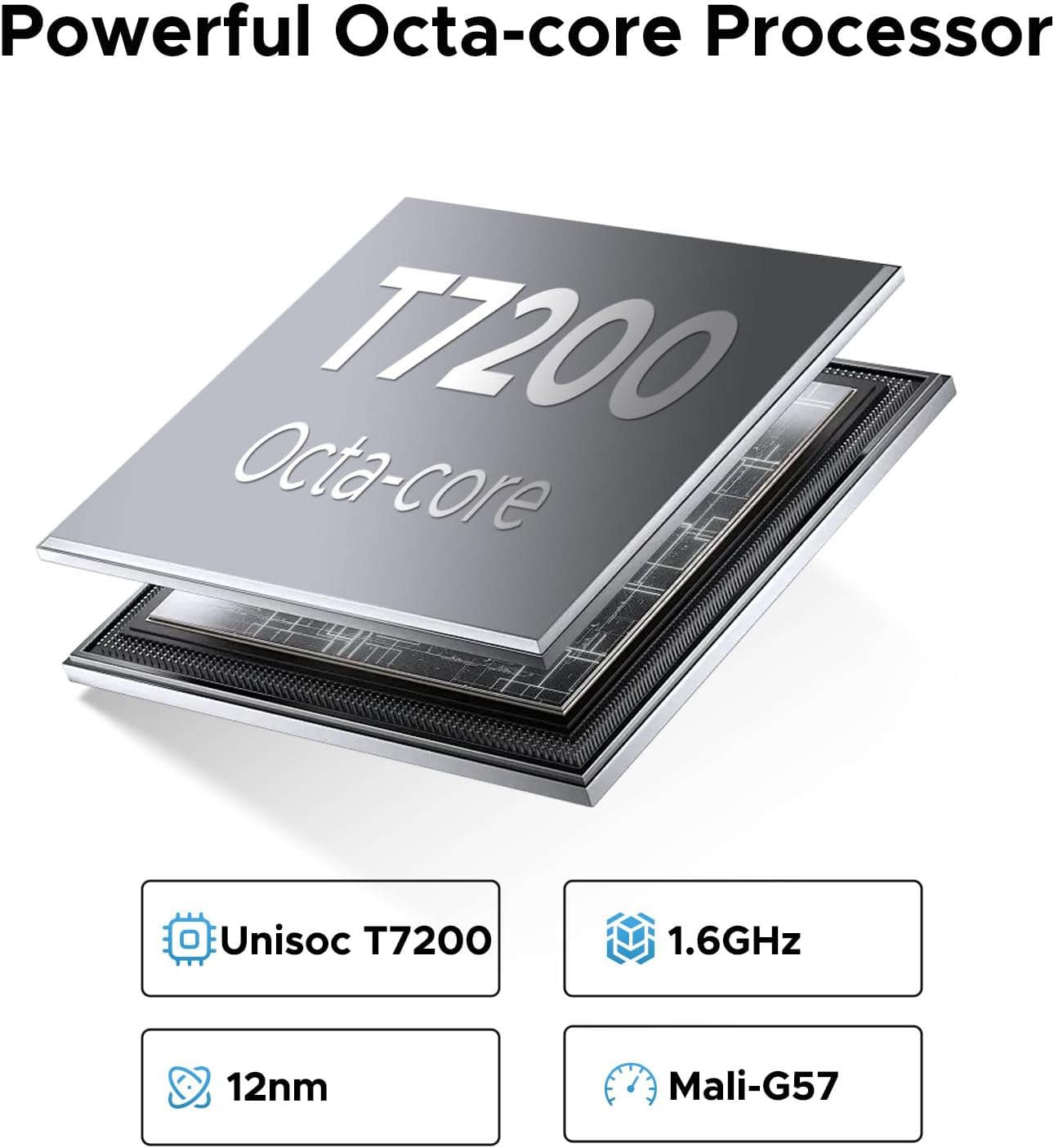
Powered by the Unisoc T7200 Octa-Core processor, ensuring smooth performance for multitasking and gaming.

Equipped with a large 8580mAh battery for extended usage times, perfect for long video playback or music sessions.
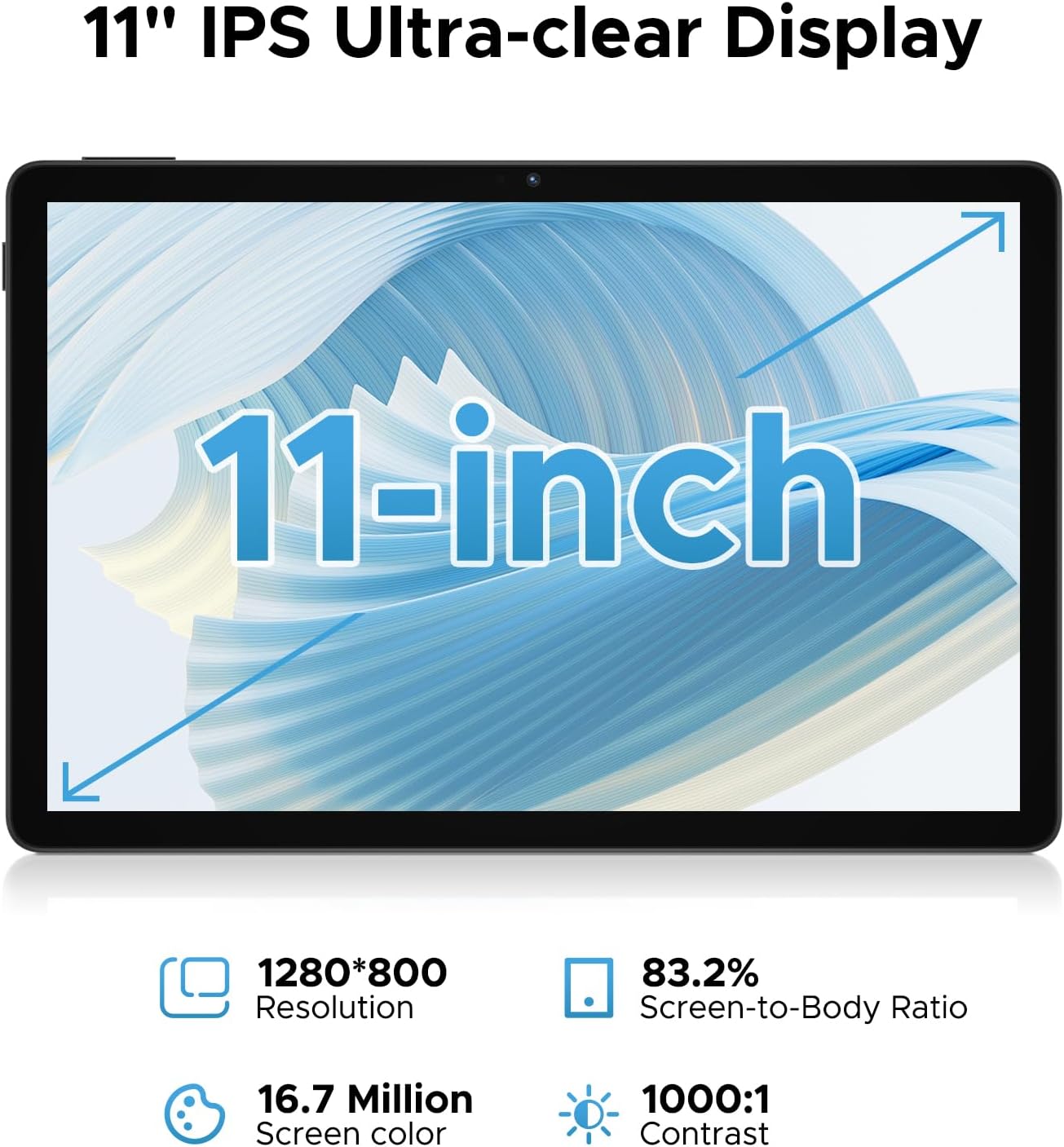
The 11-inch Full HD IPS screen with a 90Hz refresh rate provides a vibrant and smooth visual experience.

Features 16GB RAM (4GB LPDDR4X + 12GB virtual RAM) and 128GB internal storage, expandable up to 2TB via TF card.

Equipped with a 13MP rear camera and a 5MP front camera for capturing photos and video calls.

Dual professionally tuned speakers provide rich, immersive audio for gaming and media consumption.
- Gemini AI: The built-in Gemini AI intelligently optimizes system resources, enhancing performance for tasks like photo editing and real-time translation.
- Widevine L1 Certification: Allows streaming of full 1080P HD content from platforms such as Netflix, YouTube, Hulu, and Amazon Prime Video.
- Dual Band WiFi: Supports 2.4GHz and 5GHz Wi-Fi for fast and stable internet connectivity.
- OTG Support: Enables connection of USB devices and 5W reverse charging to power other devices.
- 3.5mm Audio Jack: For connecting wired headphones or external speakers.
- App Cloning: Run multiple instances of the same app, useful for managing separate accounts (e.g., two Facebook accounts).
- Game Space: Optimize tablet performance for gaming, ensuring high frame rates and smooth gameplay.
- Low Blue Light Mode: Reduces blue light emission to protect eyesight during extended use.
- FM Radio Function: Enjoy radio stations by plugging in headphones.
- Accurate Navigation System: Supports GPS, Beidou, GLONASS, Gali, and AGPS for reliable navigation.
- Built-in WPS Office: Provides a PC-level office experience with WPS Word, Excel, and PPT.
4.3 Official Product Video
This video demonstrates the key features and user experience of the DOOGEE U11 11-inch Tablet, including its design, display, and overall responsiveness.
5. Maintenance
- Battery Care: To prolong battery life, avoid fully discharging the tablet frequently. Charge it regularly and avoid exposing it to extreme temperatures.
- Cleaning: Use a soft, lint-free cloth to clean the screen and body of the tablet. Avoid using harsh chemicals or abrasive materials.
- Software Updates: Regularly check for and install system updates to ensure your tablet has the latest features, security patches, and performance improvements. You can usually find this option in the Settings menu under 'System' or 'About tablet'.
- Storage Management: Periodically clear unnecessary files, cache data, and uninstall unused apps to free up storage space and maintain optimal performance.
6. Troubleshooting
| Problem | Possible Solution |
|---|---|
| Tablet does not power on. | Ensure the battery is charged. Connect the tablet to the charger for at least 30 minutes before attempting to power on again. |
| Wi-Fi connection issues. | Restart your Wi-Fi router. Forget the network on your tablet and reconnect. Ensure you are within range of the Wi-Fi signal. |
| Apps are running slowly or crashing. | Close background apps. Clear app cache (Settings > Apps > [App Name] > Storage > Clear cache). Restart the tablet. Ensure sufficient free storage space. |
| Screen is unresponsive. | Perform a forced restart by holding the Power button for about 10-15 seconds until the tablet restarts. |
| Face ID not working. | Ensure you are in a well-lit environment. Re-register your face in the security settings. Clean the front camera lens. |
7. Specifications
| Feature | Detail |
|---|---|
| Brand | DOOGEE |
| Model Name | U11 Android 16 Tablet |
| Operating System | Android 16 |
| Screen Size | 11 Inches |
| Max Screen Resolution | 1280*800 Pixels |
| Processor | Unisoc T7200 Octa-Core |
| RAM | 16GB (4GB LPDDR4X + 12GB Virtual) |
| Internal Storage | 128GB |
| Expandable Storage | Up to 2TB via TF card |
| Battery Capacity | 8580mAh |
| Rear Camera | 13MP |
| Front Camera | 5MP |
| Connectivity | 2.4G+5G WiFi, OTG, Bluetooth |
| Audio | Dual Speakers, 3.5mm Audio Jack |
| Dimensions (LxWxH) | 10.1 x 6.67 x 0.31 inches |
| Item Weight | 14.7 ounces |
| Color | Black |
8. Warranty and Support
DOOGEE is committed to providing high-quality products and excellent customer service.
- 30-Day Money Back Guarantee: Enjoy a 30-day money back guarantee and free returns.
- 2-Year Limited Warranty: Your DOOGEE U11 Tablet is covered by a 2-year limited warranty from the date of purchase. This warranty covers manufacturing defects and workmanship. Please retain your proof of purchase for warranty claims.
- 24/7 Online Support: For any technical assistance, troubleshooting, or warranty inquiries, please contact our customer support team. Refer to the contact information provided in your Quick Start Guide or visit the official DOOGEE website for support details.
Ask a question about this manual
Ask about setup, troubleshooting, compatibility, parts, safety, or missing instructions. Manuals+ will review the question and use this page’s manual context to help answer it.