
1. Introduction
Welcome to the AUKABREX A4Pro 15.6-inch laptop user manual. This document provides essential information to help you get started with your new device, understand its features, and ensure optimal performance. The A4Pro is designed for efficiency and versatility, powered by an Intel Core i9-11900H processor, 16GB RAM, and a 512GB SSD, running on Windows 11.
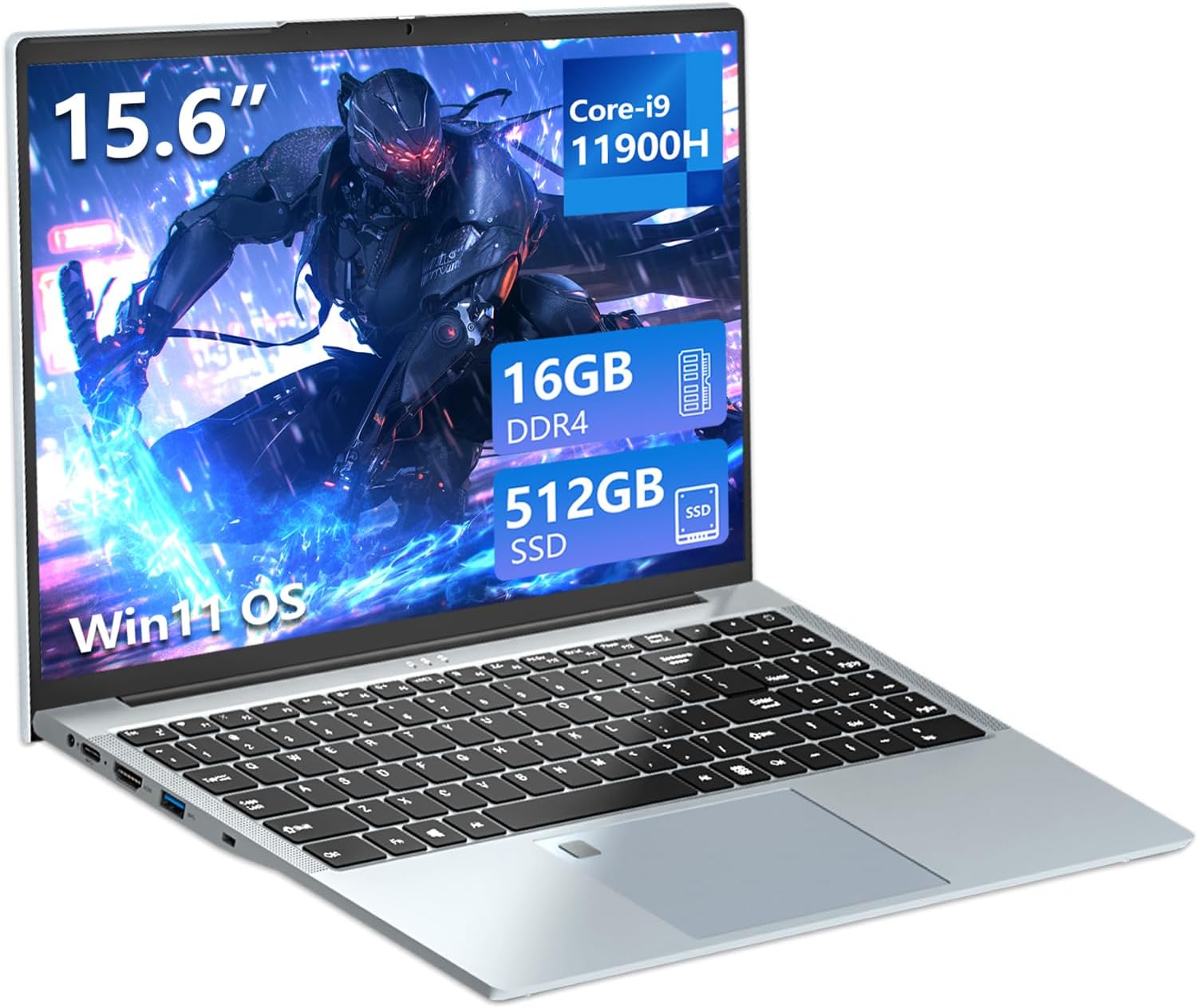
Figure 1: AUKABREX A4Pro laptop highlighting its main features.
2. Product Overview
The AUKABREX A4Pro laptop offers a comprehensive set of features and connectivity options to support your daily computing needs. Its compact and portable design, combined with powerful internal components, makes it suitable for various tasks from professional work to entertainment.
2.1. External Components and Ports
Familiarize yourself with the various ports and components on your laptop for seamless connectivity.

Figure 2: Overview of the laptop's rich interface ports.
- Left Side: TF Card slot, USB 3.0 port, 3.5mm Audio Jack, RJ45 Network Port.
- Right Side: DC IN power port, Type-C port (full function), HDMI port, USB 3.0 port.
- Other Features: Integrated Webcam, Stereo Sounder, Digital Microphone.
3. Setup
3.1. Unboxing and Initial Inspection
- Carefully remove the laptop and all accessories from the packaging.
- Check for any visible damage to the laptop or accessories.
- Verify that all included items are present: laptop, power adapter, and keyboard stickers (German, French, Spanish, Italian).
3.2. Powering On for the First Time
- Connect the power adapter to the DC IN port on the laptop and then to a power outlet.
- Open the laptop lid.
- Press the power button, usually located on the top right of the keyboard, to turn on the laptop.
3.3. Windows 11 Initial Setup
Upon first boot, you will be guided through the Windows 11 setup process. Follow the on-screen instructions to:
- Select your region and keyboard layout.
- Connect to a Wi-Fi network.
- Sign in with your Microsoft account or create a new one.
- Set up a PIN for quick login.
3.4. Fingerprint Sensor Setup
For enhanced security and convenience, set up the fingerprint unlock feature:
- Go to Settings > Accounts > Sign-in options.
- Under 'Windows Hello Fingerprint', click Set up.
- Follow the on-screen prompts to register your fingerprint.
4. Operating Your Laptop
4.1. Keyboard and Touchpad
The A4Pro features a full-size backlit keyboard with an independent numeric keypad and a large touchpad with integrated fingerprint reader.

Figure 3: Backlit keyboard and fingerprint unlock feature.
- Backlit Keyboard: Adjust the keyboard backlight brightness using the FN + F5 keys. This allows comfortable typing in low-light conditions.
- Numeric Keypad: Use the dedicated numeric keypad for efficient data entry.
- Touchpad: The large touchpad supports multi-touch gestures for navigation.
4.2. Display
Experience clear and vibrant visuals on the 15.6-inch Full HD (1920x1080) IPS display. The 16:9 aspect ratio is ideal for both productivity and multimedia consumption.
4.3. Connectivity
- Wi-Fi 6: Connect to high-speed dual-band Wi-Fi networks (802.11ax) for fast internet access.
- Bluetooth 5.2: Pair wireless peripherals such as headphones, mice, or keyboards.
- Wired Connections: Utilize the RJ45 port for stable wired internet, HDMI for external displays, and USB 3.0/Type-C for connecting various devices.
4.4. Webcam and Audio
The laptop includes a 640p front-facing webcam, stereo sounders, and a digital microphone, suitable for video calls and online meetings.
5. Performance and Storage
5.1. Processor and Graphics
The AUKABREX A4Pro is powered by an Intel Core i9-11900H processor, featuring 8 cores and a burst frequency of up to 4.7 GHz. Integrated Iris Xe Graphics provide capable performance for daily tasks, multimedia, and light gaming.

Figure 4: Intel Core i9-11900H Processor specifications.
5.2. Memory and Storage
The laptop comes with 16GB of high-speed DDR4 RAM and a 512GB M.2 2280 SATA SSD. This configuration ensures fast boot times, quick application loading, and smooth multitasking.

Figure 5: Large storage and memory for faster operation.
The laptop supports storage expansion up to 1TB via its M.2 (2280) slots, which are compatible with both SATA and NVMe protocols.
6. Battery Management
The A4Pro is equipped with a 5000 mAh battery, providing extended usage time. Actual battery life may vary based on usage patterns and settings.

Figure 6: Laptop's portability and battery life.
6.1. Charging
Always use the provided PD fast charger to charge your laptop. Connect the charger to the DC IN port. The charging indicator light will typically show the charging status.
6.2. Optimizing Battery Life
- Adjust screen brightness to a comfortable level.
- Close unnecessary applications running in the background.
- Enable battery saver mode in Windows settings when battery is low.
7. Maintenance
7.1. Cleaning Your Laptop
- Use a soft, lint-free cloth to clean the screen and exterior.
- For stubborn smudges, slightly dampen the cloth with water or a screen cleaner.
- Avoid spraying liquids directly onto the laptop.
7.2. Software Updates
Regularly check for and install Windows updates to ensure your system has the latest security patches and performance improvements. Go to Settings > Windows Update to manage updates.
7.3. Storage Upgrades
The laptop supports M.2 2280 SSDs (SATA and NVMe protocols) for storage expansion up to 1TB. If you plan to upgrade, it is recommended to consult a professional or refer to detailed technical guides to avoid damaging the device.
8. Troubleshooting
This section addresses common issues you might encounter with your AUKABREX A4Pro laptop.
8.1. Laptop Does Not Power On
- Ensure the power adapter is securely connected to both the laptop and a working power outlet.
- Check if the power outlet is functional by plugging in another device.
- If the battery is completely drained, it may take a few minutes of charging before the laptop can power on.
8.2. Wi-Fi Connectivity Issues
- Verify that Wi-Fi is enabled in Windows settings.
- Restart your router and modem.
- Ensure you are within range of your Wi-Fi network and entering the correct password.
8.3. Fan Noise
Under heavy load, such as running demanding applications or games, the laptop's cooling fan may become audible. This is normal operation to dissipate heat and maintain optimal performance. If fan noise is excessively loud or constant during light use, ensure ventilation vents are not obstructed and consider updating drivers.
8.4. Fingerprint Sensor Not Working
- Ensure your finger is clean and dry when using the sensor.
- Try re-registering your fingerprint in Windows settings.
- Ensure Windows Hello is properly configured.
9. Specifications
| Feature | Specification |
|---|---|
| Brand | AUKABREX |
| Model Name | A4Pro |
| Operating System | Windows 11 |
| Processor | Intel Core i9-11900H |
| Processor Speed | Up to 4.9 GHz (Burst Frequency) |
| Number of Cores | 8 |
| RAM | 16 GB DDR4 |
| Maximum Memory | 32 GB |
| Storage | 512 GB SSD (M.2 2280 SATA/NVMe compatible, expandable up to 1TB) |
| Screen Size | 15.6 Inches |
| Screen Resolution | 1920 x 1080 pixels (Full HD IPS) |
| Graphics Card | Integrated Intel Iris Xe Graphics |
| Wireless Technology | Wi-Fi 6 (802.11ax) |
| Bluetooth | Bluetooth 5.2 |
| Ports | 1x Type-C (full function), 1x RJ45, 1x 3.5mm Headphone Jack, 1x HDMI, 3x USB 3.0, 1x TF Card Slot, DC IN |
| Battery Capacity | 5000 mAh |
| Dimensions (L x W x H) | 35.7 x 22.6 x 1.9 cm |
| Weight | Approx. 1.7 kg |
| Special Features | Backlit Keyboard, Fingerprint Unlock |
10. Warranty and Support
Your AUKABREX A4Pro laptop comes with a 2-year manufacturer's warranty. AUKABREX also provides lifetime customer service for this product.
For any questions, technical assistance, or quality-related issues, please do not hesitate to contact AUKABREX customer support. Refer to the contact information provided with your purchase documentation or visit the official AUKABREX website for support details.
Note: The laptop is supplied with a standard QWERTY keyboard. Keyboard stickers/membranes for German, French, Spanish, and Italian layouts are included in the package to adapt to your preferred language.