
1. Introduction
This manual provides instructions for the installation, operation, and maintenance of the Recoil P610 Digital Signal Processor and its accompanying DRC1 Controller. This system is designed to enhance audio quality through advanced digital signal processing, offering precise control over audio settings and modes. Please read this manual thoroughly before use to ensure proper setup and optimal performance.
2. Product Components
The Recoil P610 Digital Signal Processor system includes the following main components:
- P610 Processor Unit: The core unit responsible for digital audio signal processing.
- DRC1 Controller Unit: A remote control with a high-resolution display for managing the P610's functions.
- Connection Cables: Necessary cables for connecting the P610 and DRC1 units.
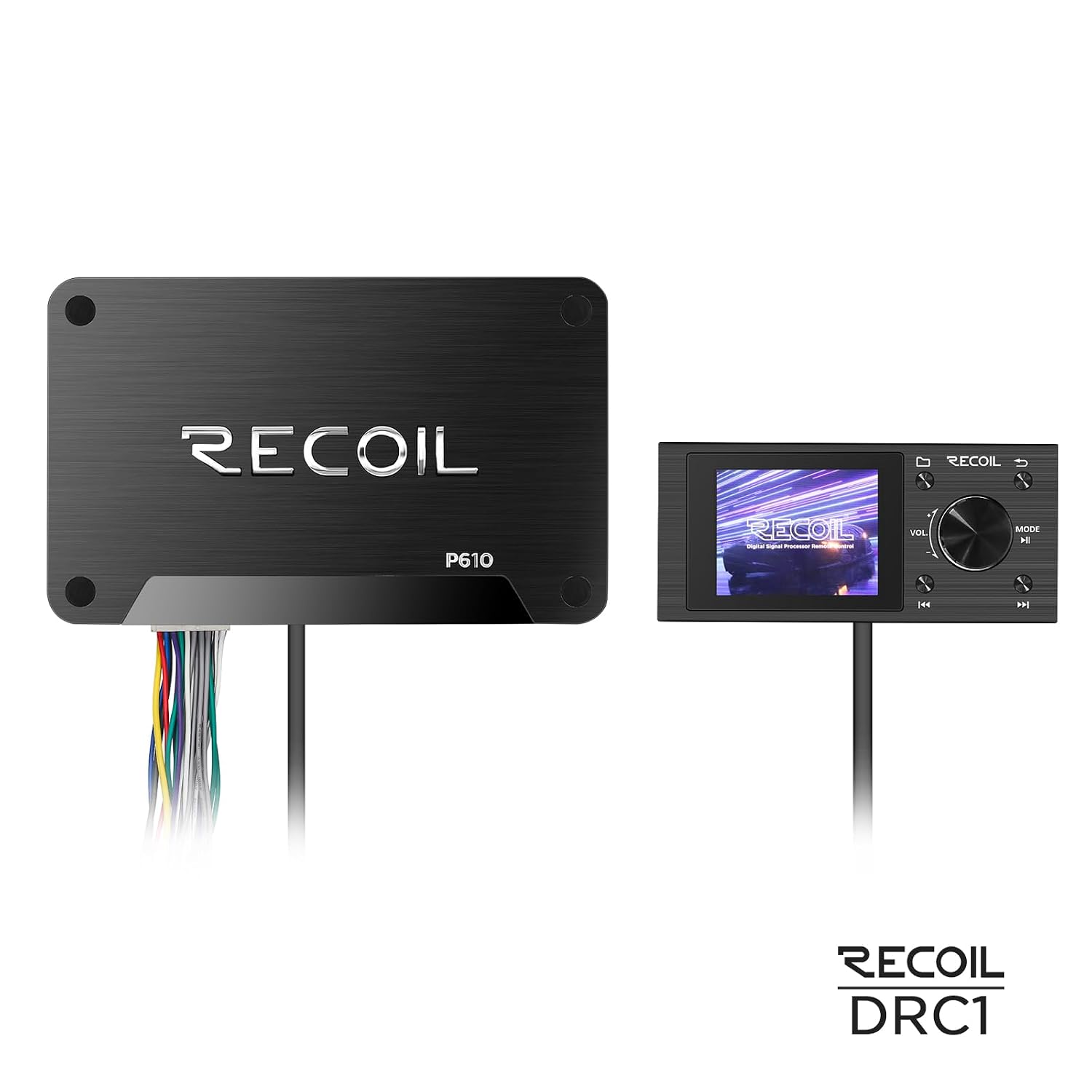
Image 2.1: Top view of the Recoil P610 Processor Unit and DRC1 Controller Unit, showing their connection.

Image 2.2: Angled view of the Recoil P610 Processor Unit and DRC1 Controller Unit.
3. Setup and Installation
Follow these guidelines for proper installation of your Recoil P610 and DRC1 system:
- Mounting the P610 Processor Unit: Securely mount the P610 Processor Unit in a suitable location, ensuring adequate ventilation. The unit's compact design allows for flexible placement in various setups.
- Connecting the DRC1 Controller: Connect the DRC1 Controller Unit to the P610 Processor Unit using the provided connection cables. Ensure all connections are firm.
- Power Connection: Connect the P610 Processor Unit to a stable power source according to the wiring diagram (refer to separate wiring instructions if provided).
- Audio Input/Output: Connect your audio source(s) to the P610's input ports and your audio output devices (e.g., amplifiers, speakers) to the P610's output ports. The P610 offers multiple input/output options for versatile integration.
- Initial Power-On: Once all connections are secure, power on your audio system. The DRC1 display should illuminate.
The system supports Wi-Fi connectivity and is compatible with devices such as the Creta 240. Ensure your system environment is suitable for these connections.
4. Operating Instructions
The DRC1 Controller provides an intuitive interface for managing the P610 Digital Signal Processor. Familiarize yourself with its controls:

Image 4.1: Close-up of the DRC1 Controller display, showing the initial power-on screen.
- High-Resolution Display: The display shows real-time audio source information, equalization settings, and processing modes.
- Rotary Control Knob: Use the central rotary knob for precise volume adjustments and navigating through menu options. Press the knob to confirm selections.
- Navigation Buttons: Dedicated buttons allow for seamless mode selection and other operational controls.
- Mode Selection: Press the 'MODE' button to cycle through available processing modes or access different settings menus.
- Audio Source Selection: The display will show the current audio source. Use the navigation controls to change sources as needed.

Image 4.2: DRC1 Controller display showing audio source and equalization settings.
The advanced DSP technology allows for precise sound customization. Refer to the on-screen menus for detailed equalization and sound tailoring options.
5. Maintenance
To ensure the longevity and optimal performance of your Recoil P610 and DRC1 system, follow these maintenance guidelines:
- Cleaning: Use a soft, dry cloth to clean the exterior of both units. Avoid abrasive cleaners or solvents, which can damage the brushed aluminum finish and display.
- Ventilation: Ensure the P610 Processor Unit has adequate airflow to prevent overheating. Do not block ventilation openings.
- Cable Management: Periodically check all connection cables for wear or damage. Replace any damaged cables immediately.
- Environmental Conditions: Operate the units within recommended temperature and humidity ranges. Avoid exposure to extreme temperatures, moisture, or direct sunlight.
6. Troubleshooting
If you encounter issues with your Recoil P610 and DRC1 system, refer to the following common troubleshooting steps:
- No Power:
- Check all power connections to the P610 Processor Unit.
- Ensure the power source is active.
- Verify that the DRC1 Controller is properly connected to the P610.
- No Audio Output:
- Confirm that audio input sources are correctly connected to the P610.
- Check connections from the P610 to your amplifier/speakers.
- Verify volume levels on the DRC1 Controller and connected audio devices.
- Ensure the correct audio source is selected on the DRC1 display.
- DRC1 Display Not Working:
- Ensure the DRC1 is securely connected to the P610.
- Check power to the P610 unit.
- Distorted Audio:
- Check all audio cables for damage or loose connections.
- Verify input signal levels are not too high, causing clipping.
- Reset equalization settings on the DRC1 to default to rule out incorrect configurations.
If problems persist after attempting these steps, contact customer support.
7. Specifications
| Feature | Detail |
|---|---|
| Brand | RECOIL |
| Model | P610 (Processor), DRC1 (Controller) |
| Product Dimensions | 16 x 10 x 10 cm (Processor Unit) |
| Item Weight | 450 g |
| Audio Output Mode | Digital Signal Processing (DSP) |
| Connector Type | Wi-Fi |
| Special Features | Wireless Carplay (via compatible devices) |
| Compatible Devices | Creta 240 |
| Control Method | Touch (DRC1 Controller) |
| Colour | Black |
8. Warranty and Support
Warranty Information: The Recoil P610 Digital Signal Processor and DRC1 Controller system comes with a 1 Year Warranty from the date of purchase. This warranty covers manufacturing defects under normal use. Please retain your proof of purchase for warranty claims.
Customer Support: For technical assistance, troubleshooting, or warranty inquiries, please contact Recoil Audio Systems Customer Support. Contact details can typically be found on the official Recoil website or your purchase documentation.
Packer/Importer: Recoil Audio Systems