
DOOGEE U11
DOOGEE U11 Android 16 Tablet User Manual
Model: U11 | Brand: DOOGEE
1. Introduction
Welcome to the user manual for your new DOOGEE U11 Android 16 Tablet. This guide provides essential information on setting up, operating, maintaining, and troubleshooting your device. The DOOGEE U11 is an 11-inch tablet featuring the latest Android 16 operating system, integrated Gemini AI, a powerful Unisoc T7200 Octa-Core processor, and a long-lasting 8580mAh battery. It is designed for a smooth and efficient user experience, whether for entertainment, productivity, or communication.

Figure 1.1: The DOOGEE U11 Android 16 Tablet, highlighting its key features including Gemini AI, 5G WiFi, 11-inch 90Hz display, Android 16, 16GB RAM, 128GB storage, 8580mAh battery, and Netflix 1080P Widevine L1 support.
2. Setup
2.1 Initial Charging
Before first use, it is recommended to fully charge your DOOGEE U11 tablet. Connect the provided USB Type-C cable to the tablet's charging port and the other end to a compatible power adapter. The 8580mAh battery ensures extended usage times once fully charged.
2.2 Power On/Off
- To Power On: Press and hold the Power button located on the side of the tablet until the DOOGEE logo appears on the screen.
- To Power Off: Press and hold the Power button until the power options menu appears. Select 'Power off' and confirm.
- To Restart: From the power options menu, select 'Restart'.
2.3 Initial Setup Wizard
Upon first power-on, the tablet will guide you through an initial setup wizard. Follow the on-screen prompts to:
- Select your language and region.
- Connect to a Wi-Fi network (supports 2.4GHz and 5GHz bands).
- Sign in with your Google account or create a new one.
- Set up screen lock (PIN, pattern, password, or Face ID).
- Review and accept terms and conditions.
2.4 Face ID Setup
For convenient and secure unlocking, set up Face ID during the initial setup or later via Settings > Security > Face Unlock. Ensure you are in a well-lit environment and follow the on-screen instructions to register your face.
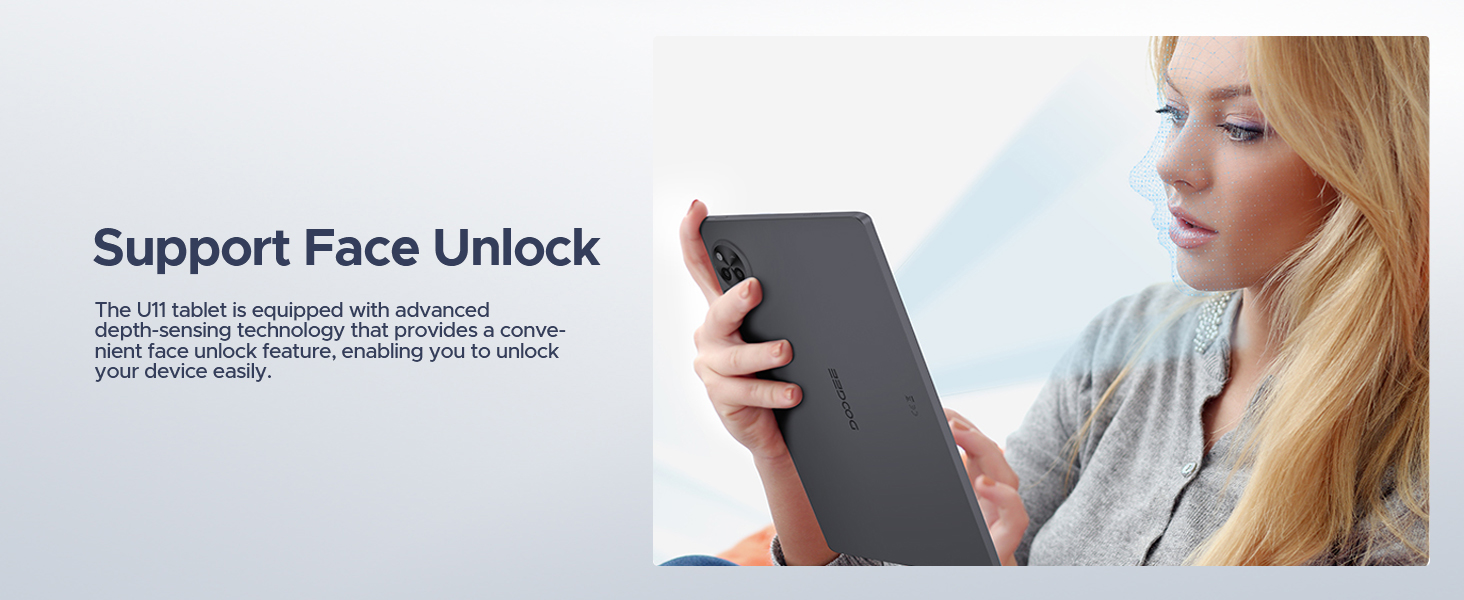
Figure 2.1: The DOOGEE U11 tablet supports Face Unlock technology for quick and secure access to your device.
3. Operating Your Tablet
3.1 Android 16 Operating System
The DOOGEE U11 runs on Android 16, offering enhanced privacy controls, improved app management, and a smoother user interface. Explore the new features and customizations available through the Settings menu.

Figure 3.1: The DOOGEE U11 features the latest Android 16 system, designed for a smarter, smoother, and safer user experience.
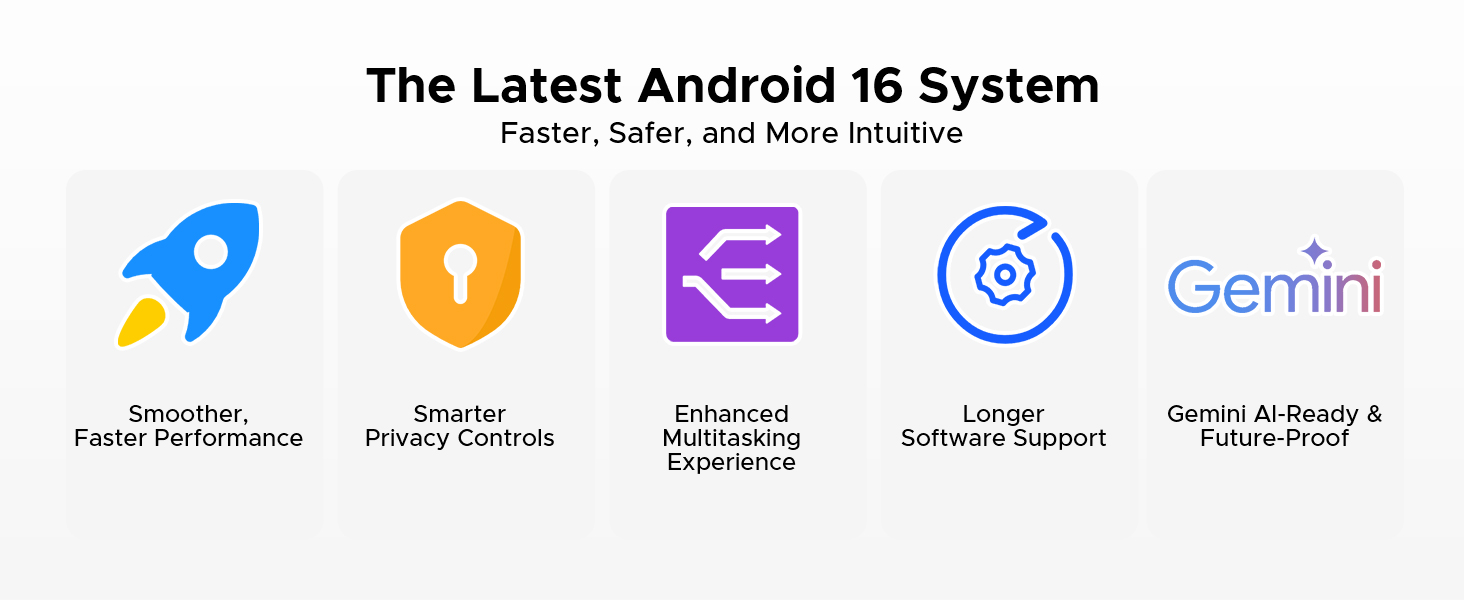
Figure 3.2: Android 16 on the DOOGEE U11 offers smoother performance, smarter privacy controls, enhanced multitasking, longer software support, and is Gemini AI-ready.
3.2 Display and Visuals
The 11-inch Full HD IPS display provides vibrant colors and wide viewing angles. With a 90Hz refresh rate, scrolling and animations appear exceptionally smooth. The tablet supports Widevine L1, enabling high-definition streaming from platforms like Netflix, YouTube, Hulu, and Amazon Prime Video.
- Resolution: 1280*800 Pixels
- Refresh Rate: 90Hz
- Widevine L1: For 1080P HD streaming.
- Low Blue Light Mode: Protects eyesight during extended use.
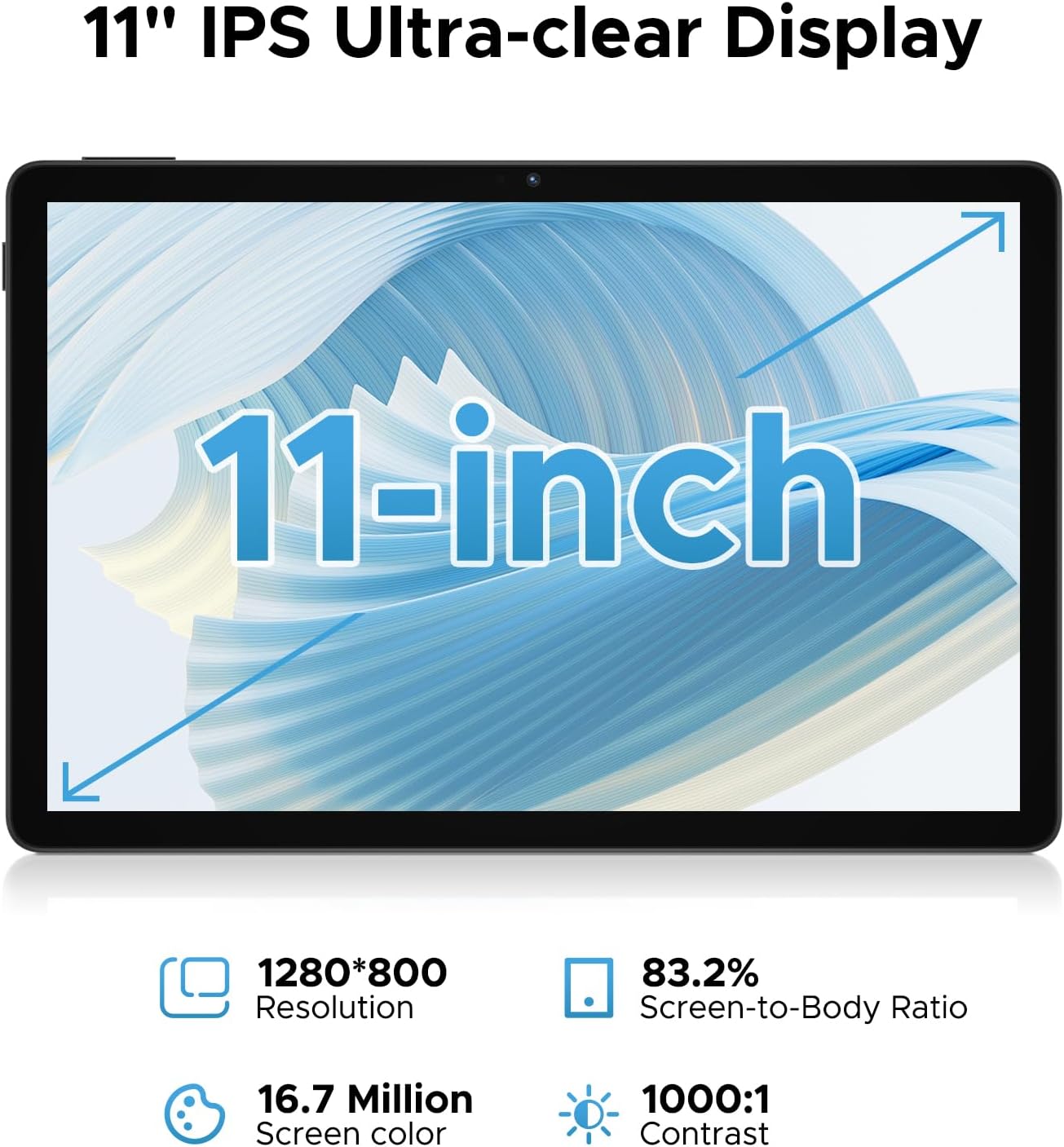
Figure 3.3: The 11-inch IPS Ultra-clear Display of the DOOGEE U11, featuring 1280*800 resolution, 83.2% screen-to-body ratio, 16.7 million screen colors, and 1000:1 contrast.

Figure 3.4: The DOOGEE U11 supports Widevine L1, ensuring a premium streaming experience with high-definition playback on popular platforms like Netflix, Hulu, Prime Video, HBO Max, and YouTube.
3.3 Performance and AI
Powered by the Unisoc T7200 Octa-Core processor and 16GB of RAM (4GB LPDDR4X physical + 12GB virtual), the tablet delivers smooth performance for multitasking, HD video playback, and light gaming. The integrated Gemini AI intelligently optimizes system resources for various tasks.
- Processor: Unisoc T7200 Octa-Core
- RAM: 16GB (4GB LPDDR4X + 12GB virtual)
- AI: Gemini AI for optimized performance.
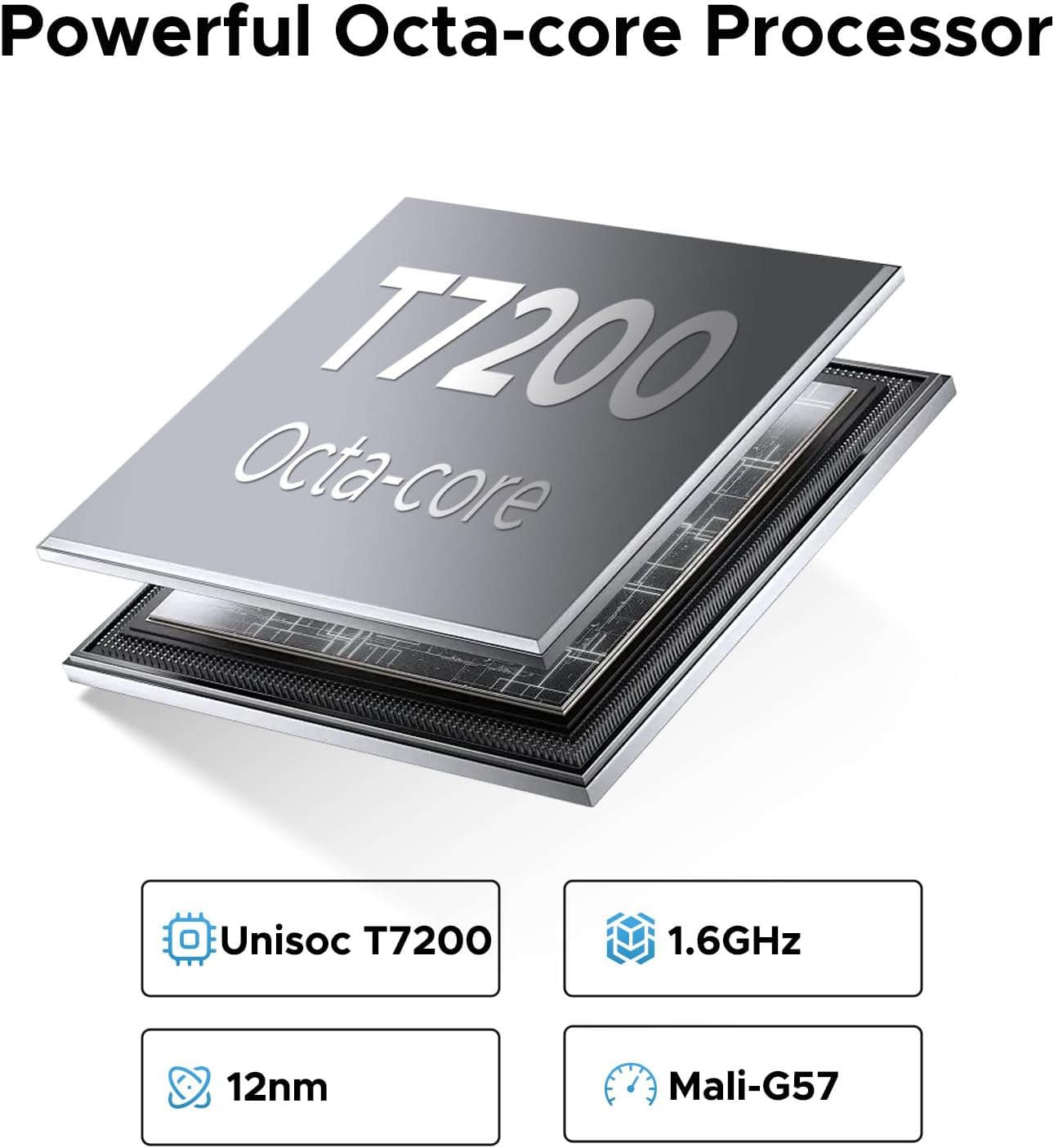
Figure 3.5: The DOOGEE U11 is equipped with a powerful Unisoc T7200 Octa-core processor, featuring 1.6GHz clock speed, 12nm process, and Mali-G57 GPU for robust performance.
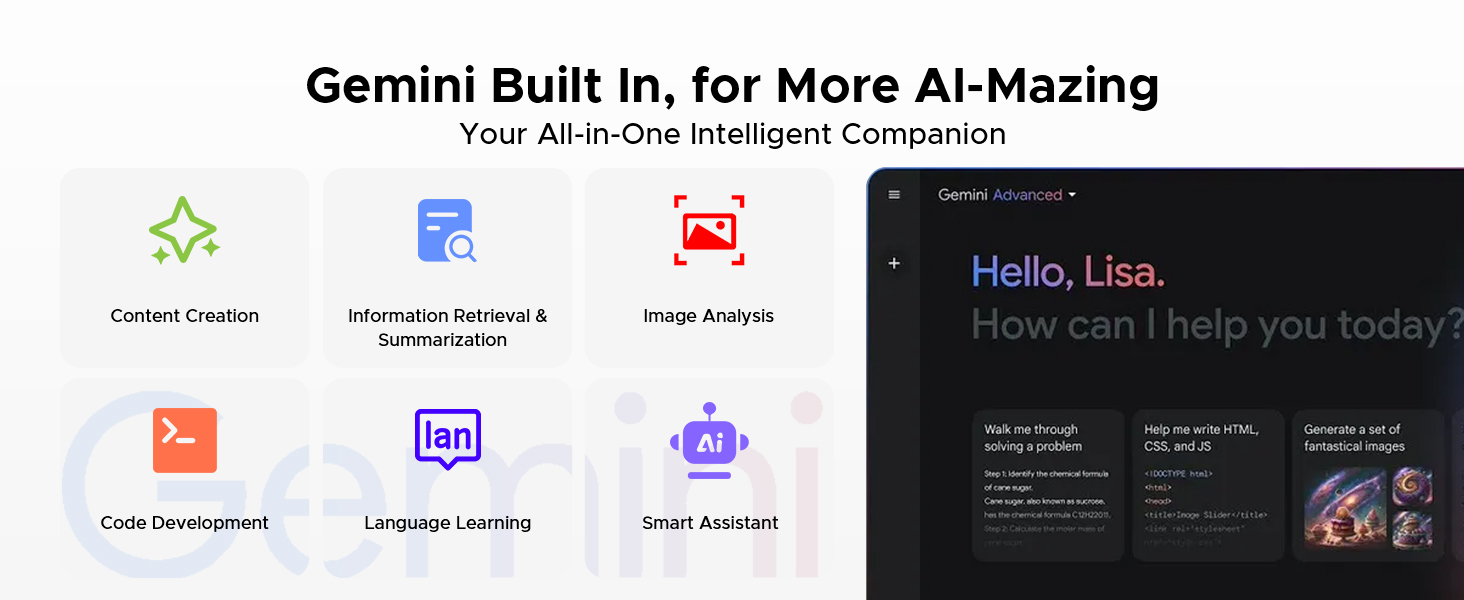
Figure 3.6: Gemini AI is built into the DOOGEE U11, offering capabilities such as content creation, information retrieval, image analysis, code development, language learning, and smart assistance.
3.4 Storage
The tablet comes with 128GB of internal storage, which can be expanded up to 2TB using a TF (microSD) card. This provides ample space for applications, photos, videos, and documents.

Figure 3.7: The DOOGEE U11 offers massive storage with 128GB internal and up to 2TB expandable storage, alongside 4GB+12GB RAM for smooth operation.
3.5 Cameras
Capture moments with the 13MP rear camera and enjoy clear video calls or selfies with the 5MP front camera.
- Rear Camera: 13MP
- Front Camera: 5MP

Figure 3.8: The DOOGEE U11 allows you to capture every detail with clarity, featuring a 13MP main camera and a 5MP front camera for photos and video calls.
3.6 Audio
Experience rich, immersive sound with the dual professionally tuned speakers, ideal for gaming, video calls, and media consumption. The tablet also includes a 3.5mm audio jack for wired headphones.

Figure 3.9: The DOOGEE U11 features stereo-enhanced dual speakers, providing a powerful audio experience for gaming and multimedia.
3.7 Connectivity
- Wi-Fi: Dual-band (2.4GHz/5GHz) for fast and stable internet.
- OTG: Supports On-The-Go functionality, allowing connection of USB devices and 5W reverse charging for other devices.
- Audio Jack: Standard 3.5mm for headphones.
3.8 Battery Life
The 8580mAh battery provides extended usage. Typical usage times include:
- Standby: Up to 1509 hours
- Video Watching: Up to 9.2 hours
- Music Playing: Up to 28.3 hours
- Web Browsing: Up to 6.7 hours

Figure 3.10: The 8580mAh battery of the DOOGEE U11 provides impressive endurance for various activities.
3.9 Additional Software Features
- App Cloning: Run multiple instances of the same app for dual accounts (e.g., social media).
- Game Space: Optimize gaming performance by managing notifications and system resources.
- Split-screen Mode: Multitask efficiently by running two apps side-by-side.
- FM Radio Function: Enjoy radio stations by plugging in headphones (acting as antenna).
- Accurate Navigation System: Supports GPS, Beidou, GLONASS, Gali, and AGPS for reliable navigation.
- Built-in PC-level WPS Office: Pre-installed WPS Office for document, spreadsheet, and presentation creation and editing.
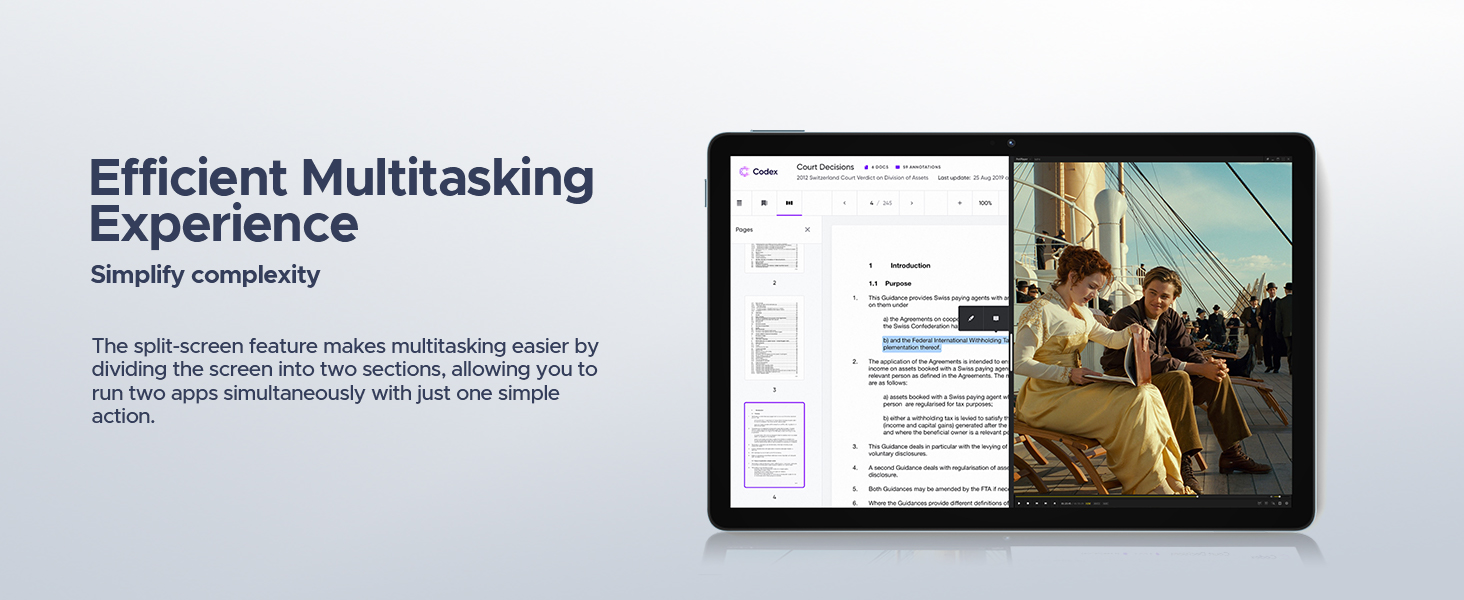
Figure 3.11: The split-screen feature on the DOOGEE U11 simplifies multitasking, allowing two applications to run simultaneously.
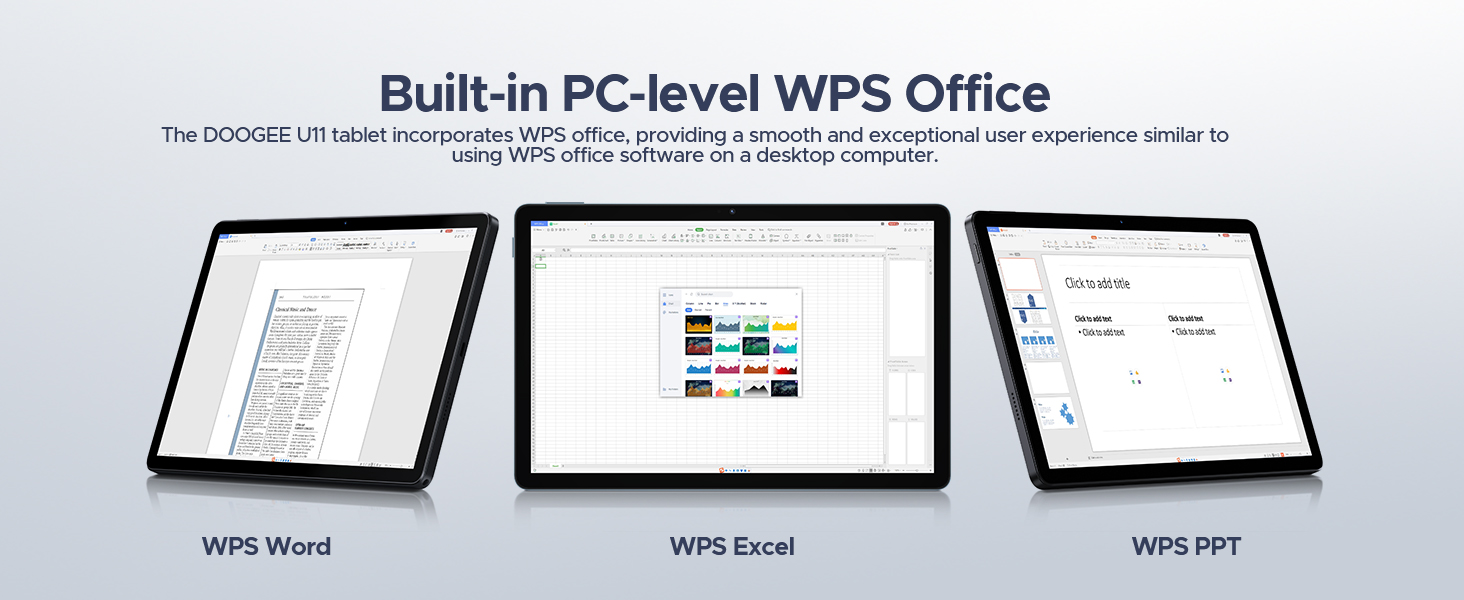
Figure 3.12: The DOOGEE U11 integrates PC-level WPS Office, providing a seamless user experience for word processing, spreadsheets, and presentations.
4. Maintenance
4.1 Cleaning Your Tablet
To maintain the tablet's appearance and functionality:
- Use a soft, lint-free cloth to wipe the screen and body.
- For stubborn smudges, slightly dampen the cloth with water or a screen cleaner.
- Avoid using harsh chemicals, abrasive materials, or excessive moisture.
4.2 Battery Care
To prolong the life of your 8580mAh battery:
- Avoid extreme temperatures (hot or cold).
- Do not let the battery completely drain frequently.
- If storing the tablet for a long period, charge it to about 50% before turning it off.
- Use only the original charger or a certified compatible charger.
4.3 Software Updates
Regularly check for and install system updates to ensure optimal performance, security, and access to the latest features of Android 16. You can check for updates in Settings > System > System update.
5. Troubleshooting
This section addresses common issues you might encounter with your DOOGEE U11 tablet.
| Problem | Possible Cause | Solution |
|---|---|---|
| Tablet does not power on. | Low battery; system crash. | Charge the tablet for at least 30 minutes. Press and hold the Power button for 10-15 seconds to force restart. |
| Wi-Fi connection issues. | Incorrect password; router issue; signal interference. | Verify Wi-Fi password. Restart your router. Move closer to the router. Forget the network and reconnect. |
| Apps are crashing or freezing. | Insufficient RAM; app bug; corrupted data. | Close background apps. Clear app cache (Settings > Apps > [App Name] > Storage > Clear cache). Update the app. Reinstall the app. |
| Slow performance. | Too many apps running; low storage; outdated software. | Close unused apps. Free up storage space. Check for system updates. Restart the tablet. |
| Face ID not working. | Poor lighting; face not recognized; sensor obstruction. | Ensure good lighting. Clean the front camera. Re-register your face in settings. |
| No sound from speakers. | Volume too low; silent mode; app specific issue. | Increase volume. Disable silent/Do Not Disturb mode. Check sound settings within the app. Restart the tablet. |
5.1 Factory Reset (Last Resort)
If issues persist, a factory reset can resolve many software-related problems. Warning: This will erase all data on your tablet. Back up important data before proceeding.
- Go to Settings > System > Reset options > Erase all data (factory reset).
- Confirm your decision and enter your PIN/pattern/password if prompted.
6. Specifications
Detailed technical specifications for the DOOGEE U11 Tablet:
| Feature | Specification |
|---|---|
| Brand | DOOGEE |
| Model Name | U11 |
| Operating System | Android 16 |
| Standing Screen Display Size | 11 Inches |
| Max Screen Resolution | 1280*800 Pixels |
| Processor | Unisoc T7200 Octa-Core |
| Memory Storage Capacity | 128 GB (expandable up to 2TB via TF card) |
| RAM | 16GB (4GB LPDDR4X + 12GB virtual) |
| Battery Capacity | 8580mAh Lithium Polymer |
| Average Battery Life | 2 years (estimated lifespan) |
| Item Weight | 14.7 ounces (approx. 416g) |
| Product Dimensions | 10.1 x 6.67 x 0.31 inches (approx. 25.65 x 16.94 x 0.79 cm) |
| Color | Gray |
| Connectivity | 2.4G+5G WIFI, OTG, 3.5mm Audio Jack |
| Cameras | 13MP Rear, 5MP Front |
| Special Features | Gemini AI, Widevine L1, Face ID, Dual Speakers, FM Radio, Navigation System, WPS Office |
7. Warranty and Support
DOOGEE is committed to providing quality products and customer service.
7.1 Warranty Information
- 30-Day Money Back Guarantee: If you are not satisfied with your purchase, you may be eligible for a full refund within 30 days.
- 2-Year Limited Warranty: Your DOOGEE U11 tablet is covered by a 2-year limited warranty against manufacturing defects from the date of purchase. Please retain your proof of purchase for warranty claims.
7.2 Customer Support
For any questions, technical assistance, or warranty claims, please contact DOOGEE customer support:
- Online Support: 24/7 One-on-One Online Support is available. Please visit the official DOOGEE website or the DOOGEE Store on Amazon for contact details.
- DOOGEE Store: Visit the DOOGEE Store on Amazon
8. Official Product Videos
No official seller videos were found for this product in the provided data. Please refer to the product listing page on Amazon for any available videos.
Related documentsU11


Ask a question about this manual
Ask about setup, troubleshooting, compatibility, parts, safety, or missing instructions. Manuals+ will review the question and use this page’s manual context to help answer it.