
1. Introduction
This manual provides essential information for the safe and efficient use of your Kuulaa 20000mAh 22.5W Portable Charger. Please read it thoroughly before operating the device and retain it for future reference.
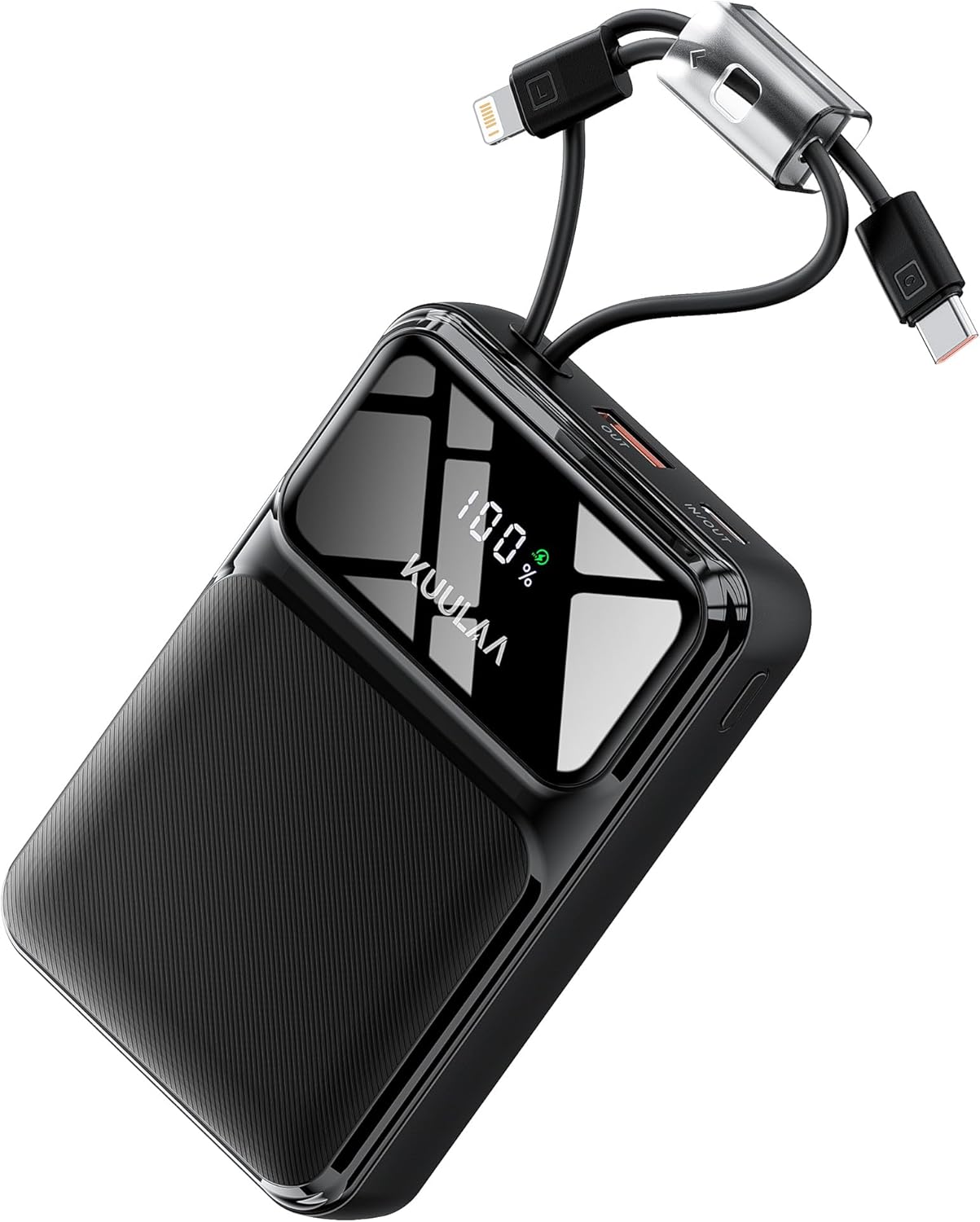
Image: The Kuulaa 20000mAh Portable Charger, showcasing its compact design, built-in cables (Lightning and USB-C), and digital LED display indicating 100% charge.
2. Package Contents
Verify that all items are present in your package:
- 1 x Kuulaa 20000mAh Portable Charger (Model: KL-YD106)
- 1 x USB-A to USB-C Charging Cable
- 1 x User Manual (this document)

Image: Illustration of the Kuulaa 20000mAh Portable Charger, its included USB-A to USB-C charging cable, and the user manual, all neatly presented with the product packaging.
3. Product Features
- High Capacity: 20000mAh battery for multiple device charges.
- Fast Charging: 22.5W output for rapid charging of compatible devices.
- Built-in Cables: Integrated USB-C and Lightning cables for convenience.
- Multiple Ports: Additional USB-A output and USB-C input/output ports.
- Digital LED Display: Clear indication of remaining battery percentage.
- Compact Design: Slim and portable, ideal for travel.
- Safety Protection: Built-in safeguards to protect devices and extend battery lifespan.

Image: Close-up view of the Kuulaa Portable Charger highlighting its various ports (Lightning cable, USB-C cable, USB-A output, USB-C input/output) and the smart LED display showing 100% charge.

Image: A diagram illustrating the four output options of the Kuulaa Portable Charger: USB-C Port (input/output 22.5W Max), USB-A Port (output 22.5W Max), USB-C Cable (output 22.5W Max), and Lightning Cable (output 12W Max).
4. Setup
4.1 Charging the Power Bank
- Connect the included USB-A to USB-C charging cable to the power bank's USB-C input/output port.
- Plug the USB-A end of the cable into a compatible USB wall adapter (not included) or a computer's USB port.
- The LED display will show the charging progress. The power bank is fully charged when the display shows "100%".

Image: The Kuulaa Portable Charger being recharged via its USB-C port using a wall adapter, with the LED display showing 100% charge. The image indicates a 5-hour charging time at 18W maximum.
4.2 Connecting Devices for Charging
The power bank offers multiple ways to charge your devices:
- Using Built-in Cables:
- Gently pull out the integrated Lightning or USB-C cable from its storage slot.
- Connect the appropriate cable to your device's charging port.
- Using USB Ports:
- Connect your device's charging cable (not included) to either the USB-A output port or the USB-C input/output port on the power bank.

Image: A comparison showing the compact Kuulaa Portable Charger with its built-in USB-C and Lightning cables next to a conventional power bank requiring external cables and adapters, emphasizing the convenience of integrated cables.
5. Operating Instructions
5.1 Powering On/Off
The power bank typically powers on automatically when a device is connected for charging. To check the battery level, press the small button located on the side of the device. The LED display will illuminate to show the current percentage.
5.2 Charging Multiple Devices
The Kuulaa Portable Charger supports charging up to four devices simultaneously using a combination of its built-in cables and external USB ports.

Image: The Kuulaa Portable Charger simultaneously charging an iPhone, iPad Pro, Samsung S24, and AirPods, demonstrating its 20000mAh large capacity and multi-device charging capability.
5.3 LED Display
The integrated LED display provides real-time battery percentage, allowing you to monitor the power bank's remaining charge.
Video: A brief demonstration of the Kuulaa Portable Power Bank, highlighting its compact size, built-in cables, and digital LED display.
6. Maintenance
- Keep the power bank dry and away from moisture.
- Avoid extreme temperatures.
- Clean the device with a soft, dry cloth. Do not use harsh chemicals.
- Store in a cool, dry place when not in use for extended periods.
- Charge the power bank at least once every three months to maintain battery health.

Image: Safety warnings indicating not to expose the product to liquids and not to drop it, as this may damage internal components, cause a short circuit, or shorten its lifespan.
7. Troubleshooting
| Problem | Possible Cause | Solution |
|---|---|---|
| Device not charging | Low power bank battery; incorrect cable; loose connection; incompatible device. | Recharge power bank; ensure correct cable is used; check connections; verify device compatibility. |
| Power bank not charging | Faulty charging cable or adapter; loose connection. | Try a different USB-A to USB-C cable and/or wall adapter; ensure connections are secure. |
| Slow charging | Cable or adapter not supporting fast charging; multiple devices charging simultaneously. | Use a fast-charging compatible cable and adapter; charge fewer devices at once. |
8. Specifications
| Feature | Detail |
|---|---|
| Model | KL-YD106 |
| Battery Capacity | 20000mAh |
| USB-C Input/Output | 22.5W Max |
| USB-A Output | 22.5W Max |
| Built-in USB-C Cable Output | 22.5W Max |
| Built-in Lightning Cable Output | 12W Max |
| Product Dimensions | 4.25 x 2.74 x 1.1 inches |
| Item Weight | 12 ounces |
| Special Features | Auto Shut-Off, Built-in Cable, Digital Display, Fast Charging |
9. Safety Information
- Do not expose the power bank to water or other liquids.
- Avoid dropping or subjecting the device to strong impacts.
- Do not disassemble, crush, or puncture the power bank.
- Keep away from direct sunlight, heat sources, and flammable materials.
- Do not use the power bank if it is severely damaged or swollen.
- Keep out of reach of children.
10. Warranty and Support
For warranty information or technical support, please refer to the product packaging or contact Kuulaa customer service directly. Contact details may be available on the official Kuulaa website or through your retailer.


