
1. Introduction
Thank you for choosing the IFECCO X27 IP68 Waterproof Bone Conduction Headphones. Designed for active lifestyles, these headphones provide a unique open-ear listening experience, allowing you to enjoy audio while remaining aware of your surroundings. With an IP68 waterproof rating, built-in MP3 player, and Bluetooth 6.0 connectivity, they are ideal for swimming, running, cycling, and other sports activities.
Key Features:
- IP68 Waterproof Design: Fully submersible up to 3 meters for 60+ minutes, perfect for aquatic sports.
- Bone Conduction Technology: Delivers sound through your cheekbones, keeping ears open for situational awareness.
- 8GB Built-in MP3 Player: Store over 2000 songs directly on the headphones for phone-free listening, especially useful underwater.
- Bluetooth 6.0 Connectivity: Provides stable wireless connection, low latency, and extended range for clear calls and music streaming.
- 8-Hour Battery Life: Enjoy extended playback for long workouts and activities.
- Lightweight & Secure Fit: Weighing only 28g with a flexible titanium frame and adjustable strap for comfort and stability during intense exercise.
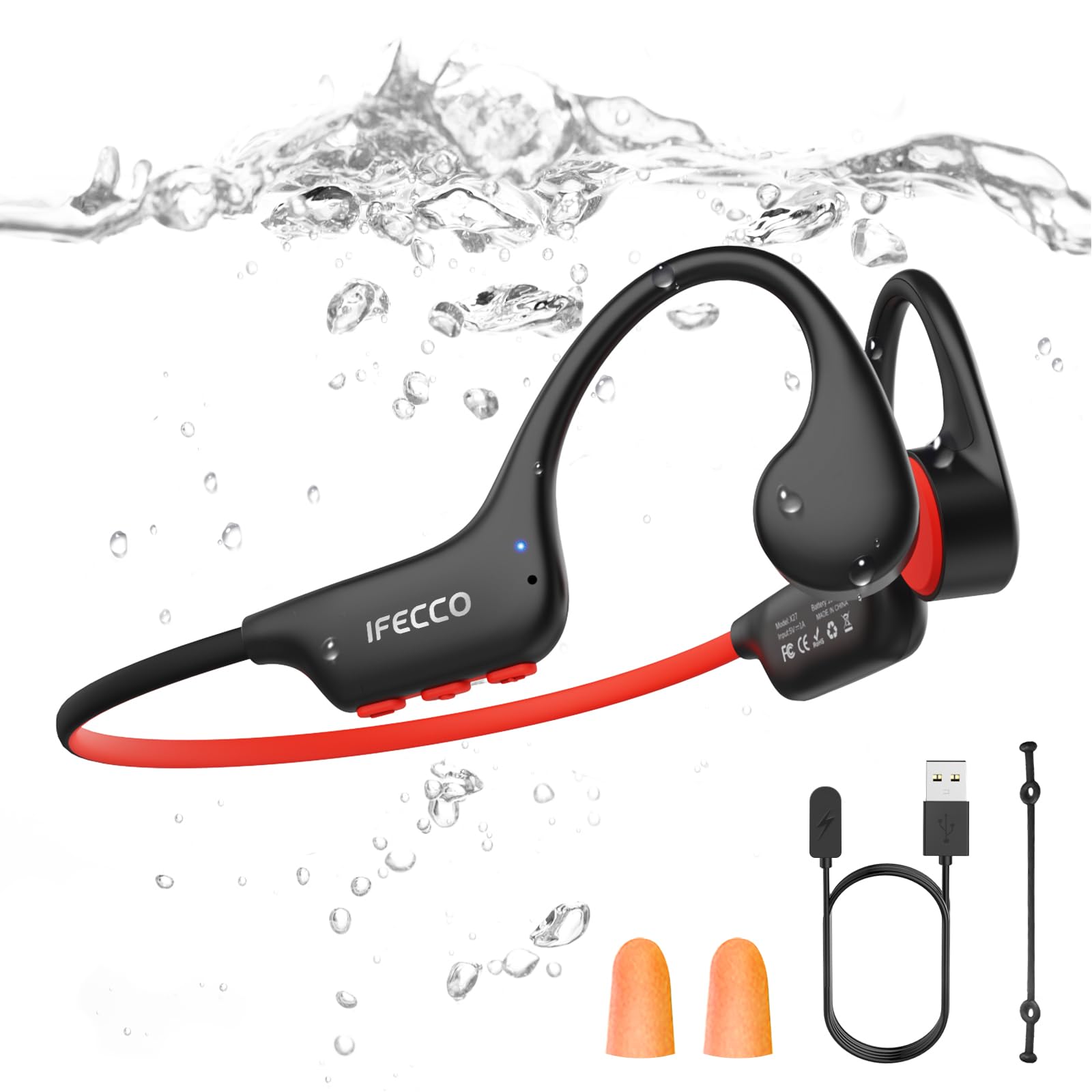
Image: IFECCO X27 Bone Conduction Headphones, highlighting their waterproof design and suitability for swimming.
2. Setup
2.1 Package Contents
- IFECCO X27 Bone Conduction Headphones
- Magnetic Charging Cable
- User Manual
- Adjustable Strap
- Earplugs (various styles)

Image: The IFECCO X27 headphones are designed for a stable and secure fit, even during dynamic activities like surfing, thanks to their anti-slip silicone components.
2.2 Charging the Headphones
Before first use, fully charge your headphones. Connect the magnetic charging cable to the charging port on the headphones and plug the USB end into a power source. A full charge takes approximately 2 hours.

Image: The magnetic charging port of the IFECCO X27 headphones, showing the connection for charging and highlighting the 8-hour battery life.
2.3 Wearing the Headphones
Place the headphones with the transducers resting on your cheekbones, just in front of your ears. The band should wrap around the back of your head. Adjust for a comfortable and secure fit. The adjustable strap can be used to further secure the headphones during vigorous activities.

Image: The adjustable strap for IFECCO X27 headphones, designed to ensure a snug and comfortable fit for various head shapes and sizes.
2.4 Power On/Off & Bluetooth Pairing
- Power On: Press and hold the Power button (usually the middle button) for 3 seconds until the LED indicator flashes.
- Bluetooth Pairing: The headphones will automatically enter pairing mode. On your device (smartphone, smartwatch, etc.), enable Bluetooth and select 'X27' from the list of available devices. The LED will turn solid blue once connected.
- Power Off: Press and hold the Power button for 3 seconds until the LED indicator turns off.
3. Operating Instructions
3.1 Button Controls

Image: Detailed overview of the button functions on the IFECCO X27 headphones.
- Volume Up (+): Tap once.
- Volume Down (-): Tap once.
- Next Song: Double tap (+).
- Previous Song: Double tap (-).
- Play/Pause: Tap once (middle button).
- Answer/Hang Up Call: Tap once (middle button).
- Reject Call: Press and hold (middle button) for 2 seconds.
- Voice Assistant: Press and hold (+) for 2 seconds.
- Game Mode: Press and hold (-) for 2 seconds.
- Switch between Bluetooth/MP3 Mode: Press and hold the middle button for 2 seconds.
3.2 Bluetooth Mode
In Bluetooth mode, the headphones connect wirelessly to your device. This mode is suitable for most land-based activities. Note: Bluetooth signal does not transmit effectively underwater. Please switch to MP3 mode for swimming.
Video: Demonstrates the use of bone conduction headphones for swimming, highlighting their waterproof capabilities and the need to switch to MP3 mode underwater.
3.3 MP3 Mode (Built-in 8GB Memory)
The headphones feature 8GB of internal storage, allowing you to upload and play music directly without a connected device. This is essential for underwater use where Bluetooth signals are unreliable.
- Uploading Music: Connect the headphones to your computer using the magnetic charging cable. The headphones will appear as a removable disk. Drag and drop your MP3/WAV/FLAC/APE/WMA audio files into the device's storage.
- Switching to MP3 Mode: Press and hold the middle button for 2 seconds to toggle between Bluetooth and MP3 modes.

Image: The IFECCO X27 headphones in an underwater setting, emphasizing their built-in 8GB MP3 player for music playback during swimming.
4. Maintenance
- Cleaning: After use, especially in chlorinated or saltwater, rinse the headphones with fresh water and wipe them dry with a soft cloth.
- Storage: Store in a cool, dry place away from direct sunlight and extreme temperatures.
- Charging Port: Ensure the magnetic charging port is clean and dry before charging to prevent corrosion.
- Battery Care: For optimal battery life, avoid fully discharging the headphones frequently. Charge them regularly.
5. Troubleshooting
5.1 No Sound / Poor Sound Quality
- Check Volume: Ensure the volume on both the headphones and your connected device is turned up.
- Bluetooth Connection: Verify that the headphones are properly paired and connected to your device. Re-pair if necessary.
- MP3 Mode: If underwater, ensure you are in MP3 mode. Bluetooth does not work underwater.
- Placement: Adjust the placement of the transducers on your cheekbones for optimal sound transmission.
5.2 Headphones Not Turning On
- Charge Battery: The battery may be depleted. Connect the headphones to the charger and allow them to charge for at least 10 minutes before attempting to power on again.
5.3 Cannot Upload Music to MP3 Player
- Cable Connection: Ensure the magnetic charging cable is securely connected to both the headphones and your computer.
- File Format: Verify that your music files are in a supported format (MP3, WAV, FLAC, APE, WMA).
- Computer Recognition: Check if your computer recognizes the headphones as a removable disk. Try a different USB port or computer if issues persist.
5.4 Bluetooth Disconnects Frequently
- Distance: Ensure your device is within the 10-meter Bluetooth range.
- Interference: Avoid environments with strong electromagnetic interference.
- Underwater Use: Remember, Bluetooth is not supported underwater. Switch to MP3 mode.
6. Specifications
| Feature | Detail |
|---|---|
| Model Name | X27 |
| Water Resistance Level | IP68 (up to 3 meters for 60+ minutes) |
| Connectivity Technology | Wireless (Bluetooth 6.0) |
| Wireless Communication Technology | Bluetooth 6.0 |
| Built-in Memory | 8GB (stores 2000+ songs) |
| Supported Audio Formats | MP3, WAV, FLAC, APE, WMA |
| Battery Average Life | 8 Hours |
| Charging Time | 2 Hours |
| Control Type | Button Control |
| Ear Placement | Open Ear |
| Material | Acrylonitrile Butadiene Styrene (ABS) |
| Maximum Operating Distance | 10 Meters |
| Item Weight | 28g (approx.) |
7. Warranty and Support
For warranty information and customer support, please refer to the official IFECCO website or contact your retailer. Keep your purchase receipt as proof of purchase for any warranty claims.
Contact Information: Please visit the IFECCO Store on Amazon for further assistance or to explore other products.


