
1. Introduction
This manual provides detailed instructions for the safe and efficient use of your Kuulaa KL-YD71 5000mAh MagSafe Power Bank. Please read this manual thoroughly before using the product and retain it for future reference.
The Kuulaa KL-YD71 is an ultra-slim, magnetic wireless portable charger designed to provide convenient power on the go. It supports both MagSafe compatible wireless charging and USB-C PD 20W fast charging.
2. Product Features
- Ultra-Slim Design: With a thickness of just 0.27 inches, this power bank is designed for portability and discreet carrying in pockets or bags.
- Magnetic Wireless Charging: Features MagSafe compatibility for effortless attachment and automatic wireless charging for compatible iPhone 12/13/14/15/16 series devices and MagSafe cases.
- Versatile Charging Options: In addition to wireless charging, the USB-C port supports Power Delivery (PD) 20W fast charging, allowing for rapid charging of devices and simultaneous charging of two devices.
- Durable Dual-Glass Design: Constructed with tempered glass panels on both front and back surfaces, offering a sophisticated appearance and enhanced scratch resistance.
- Advanced Safety Protections: Equipped with multiple safety features including overcurrent, overvoltage, overheating, short circuit, overcharge, and over-discharge protection.
- LED Indicator: Integrated LED lights display the remaining battery level and charging status.
3. Package Contents
The package includes the following items:
- Kuulaa 5000mAh MagSafe Power Bank (Model: KL-YD71)
- USB-C Charging Cable
- User Manual (This document)
4. Setup and Initial Use
- Initial Charge: Before first use, fully charge the power bank using the provided USB-C cable and a compatible power adapter (not included). The LED indicators will show charging progress.
- Power On/Off: Press the power button once to turn on the power bank. The LED indicators will light up. To turn off, press and hold the power button for a few seconds, or it will automatically turn off after a period of inactivity.

Figure 1: LED Indicator lights showing battery level. Four blue lights indicate 76-100% charge, three blue lights 51-75%, two blue lights 26-50%, and one blue light 0-25% with a red light indicating low battery.
5. Operating Instructions
5.1 Magnetic Wireless Charging
- Ensure your device is compatible with MagSafe (iPhone 12/13/14/15/16 series) or has a MagSafe compatible case.
- Align the power bank with the back of your MagSafe-compatible device. The magnets will snap it into place.
- Charging will begin automatically. The LED indicators on the power bank will show its remaining charge.

Figure 2: Magnetic attachment for wireless charging. The power bank securely snaps onto the back of a MagSafe-compatible iPhone.

Figure 3: Illustration of both 15W/7.5W Max Magnetic Charging and 20W PD Max Wired Fast Charging via USB-C.
5.2 Wired Charging (USB-C PD 20W)
- Connect one end of the USB-C charging cable to the USB-C port on the power bank.
- Connect the other end of the cable to your device's charging port.
- The power bank will automatically detect the device and begin charging.
6. Compatibility
The Kuulaa KL-YD71 MagSafe Power Bank is primarily designed for:
- Magnetic Wireless Charging: iPhone 12, iPhone 13, iPhone 14, iPhone 15, and iPhone 16 series devices, including Pro Max and Mini variants. Also compatible with official MagSafe cases or other MagSafe compatible cases.
- Wired Charging (USB-C): Any device that charges via a USB-C port, supporting PD 20W fast charging. This includes various iPhone and Samsung models.
Note: Magnetic charging function is ONLY compatible with iPhone 12/13/14/15/16 series and magnetic cases. It is not recommended for use with iPhone 12 mini and iPhone 13 mini due to potential camera obstruction.

Figure 4: Visual guide to MagSafe compatibility, showing iPhone 12-16 series and MagSafe cases as compatible, while non-magnetic cases are not recommended.
7. Safety Information
To ensure safe operation and prolong the life of your power bank, please observe the following safety guidelines:
- Do not expose the power bank to extreme temperatures (hot or cold), direct sunlight, or high humidity.
- Avoid dropping, impacting, or disassembling the device. The dual-glass design, while durable, can shatter if dropped.
- Keep away from water and other liquids.
- Use only the provided charging cable or certified compatible cables.
- Do not use if the power bank is damaged, swollen, or leaking.
- Keep out of reach of children.
- Dispose of the power bank responsibly according to local regulations for electronic waste.
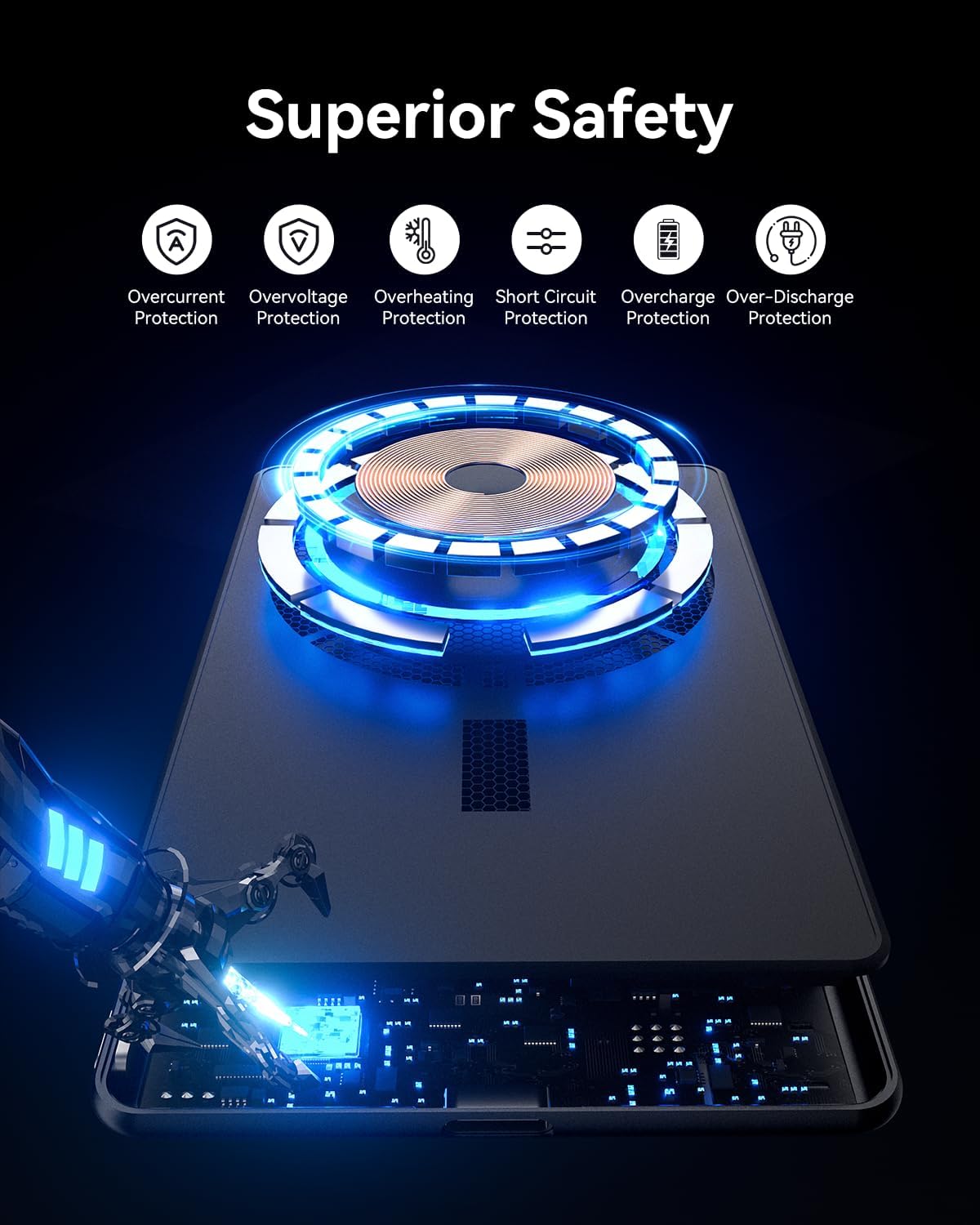
Figure 5: Diagram illustrating the multiple safety protections integrated into the power bank, including overcurrent, overvoltage, overheating, short circuit, overcharge, and over-discharge protection.
8. Maintenance
- Clean the power bank with a soft, dry cloth. Do not use harsh chemicals or abrasive materials.
- Store in a cool, dry place when not in use.
- If storing for an extended period, charge the power bank to approximately 50% every three months to maintain battery health.
9. Troubleshooting
| Problem | Possible Cause | Solution |
|---|---|---|
| Power bank not charging device. | Low battery on power bank; incorrect alignment for wireless charging; incompatible case; cable issue. | Recharge power bank; ensure proper magnetic alignment; remove non-MagSafe case; try a different cable. |
| Slow charging speed. | Device not supporting fast charging; using a non-PD compatible adapter/cable; multiple devices charging. | Ensure device supports fast charging; use a PD compatible adapter/cable; charge one device at a time for maximum speed. |
| Power bank not charging itself. | Faulty charging cable or adapter; power bank malfunction. | Try a different USB-C cable and power adapter. If issue persists, contact customer support. |
10. Specifications
- Model Number: KL-YD71
- Battery Capacity: 5000 Milliamp Hours (mAh)
- Connector Type: USB Type C
- Wireless Charging Output: 15W / 7.5W Max (MagSafe compatible)
- Wired Charging Output: USB-C PD 20W Max
- Voltage: 5 Volts (DC)
- Battery Cell Type: Lithium Ion
- Item Dimensions (L x W x Thickness): 4.06" x 2.68" x 0.27"
- Battery Weight: 90 Grams
- Special Features: Auto Shut-Off, Slim Design, Wireless Charging
- Manufacturer: Shenzhen Kula Technology Co., Ltd

Figure 6: Key features and dimensions of the Kuulaa MagSafe Power Bank, highlighting its 0.27-inch thickness, magnetic connection, USB-C output, and airline approval.
11. Warranty and Support
Your Kuulaa KL-YD71 5000mAh MagSafe Power Bank comes with a 24-month warranty from the date of purchase. This warranty covers manufacturing defects and ensures a reliable charging experience.
For warranty claims, technical support, or any inquiries regarding your product, please contact Kuulaa customer service through the retailer where the product was purchased or visit the official Kuulaa website for contact information.
Please retain your proof of purchase for warranty validation.


