
1. Introduction
This manual provides detailed instructions for the installation, operation, maintenance, and troubleshooting of your Fortdows Android 13 Car Radio. This unit is specifically designed for Dodge Ram 1500 and 2500 models manufactured between 2013 and 2018, featuring manual AC controls. It integrates a 9-inch 1280x800 HD IPS touchscreen with advanced features such as wireless Carplay, Android Auto, Bluetooth 5.4, 5G WiFi, GPS navigation, and a 1080P backup camera.
2. Safety Information
- Read all instructions carefully before installation and use.
- Installation should be performed by a qualified professional to prevent damage to the vehicle or the unit.
- Do not operate the unit in a way that distracts you from driving. Always prioritize road safety.
- Ensure all wiring is correctly connected and secured to avoid short circuits or electrical hazards.
- Keep the unit away from water and excessive moisture.
- Do not attempt to repair the unit yourself. Refer to qualified service personnel.
3. Package Contents
Verify that all items listed below are included in your package:
- 1 x Main Unit (Car Radio)
- 1 x Backup Camera
- 1 x Power Cable
- 1 x Crowbar (for trim removal)
- 2 x USB Cables
- 1 x GPS Antenna
- 1 x External Microphone (MIC)
- 1 x Camera Input Cable
- 1 x Canbus Decoder
- 1 x RCA Input/Output Cable
- 1 x Original USB Cable (vehicle specific)
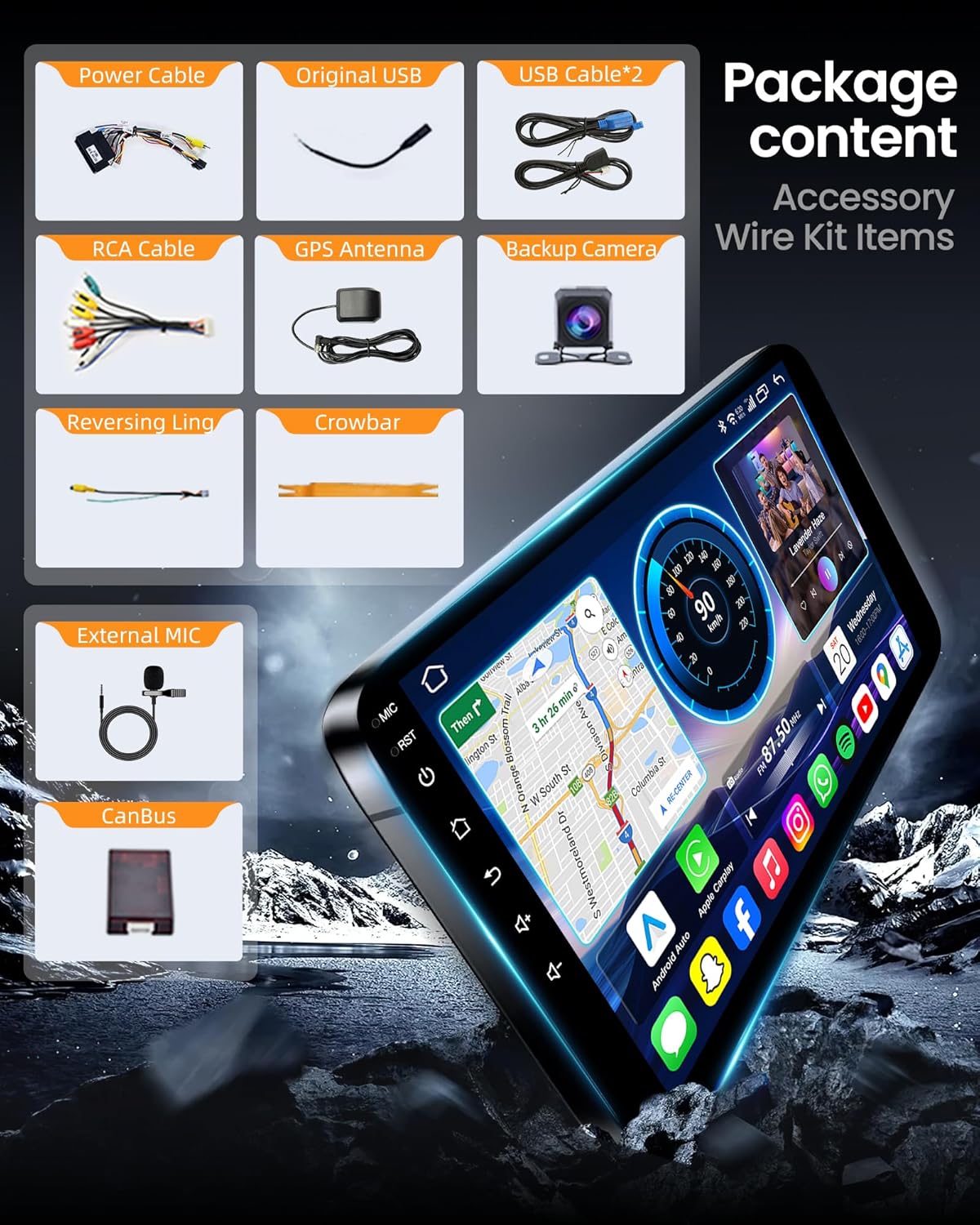
Image 3.1: Included accessories and wiring kit.
4. Setup and Installation
This car radio is designed for a plug-and-play installation in Dodge Ram 1500 and 2500 models from 2013 to 2018 that are equipped with manual AC controls. No modifications to the original dashboard are typically required.
4.1 Compatibility Check
Before beginning installation, confirm your vehicle's dashboard matches the compatible configurations. This unit is designed for models with manual AC controls and specific dashboard layouts.

Image 4.1: Dashboard compatibility guide for Dodge Ram 1500/2500 (2013-2018).
4.2 Installation Steps (General Overview)
- Disconnect Battery: Before starting, disconnect the vehicle's negative battery terminal to prevent electrical shorts.
- Remove Original Radio: Carefully use the provided crowbar to remove the trim panels and then unmount the factory radio.
- Connect Wiring: Connect the power cable, RCA cables, USB cables, GPS antenna, external microphone, and backup camera input to the new head unit. Ensure the Canbus decoder is correctly connected to integrate with vehicle systems.
- Test Connections: Before fully reassembling, reconnect the battery and briefly test the unit's basic functions (power, audio, touchscreen response).
- Mount New Radio: Secure the new Fortdows car radio into the dashboard opening.
- Reassemble Dashboard: Reinstall all trim panels removed earlier.
- Final Testing: Perform a comprehensive test of all features, including Carplay, Android Auto, Bluetooth, GPS, and the backup camera.
5. Operating Instructions
5.1 Power On/Off and Basic Navigation
Press the power button (usually located on the front panel or side) to turn the unit on or off. Navigate the Android 13 interface using the 9-inch IPS touchscreen. Swipe, tap, and use the on-screen buttons to access applications and settings.
5.2 CarPlay & Android Auto
The unit supports wireless Apple CarPlay and Android Auto. Connect your compatible smartphone wirelessly via Bluetooth and Wi-Fi. Once connected, your phone's interface will appear on the car radio display, allowing access to navigation, music, calls, and messages.
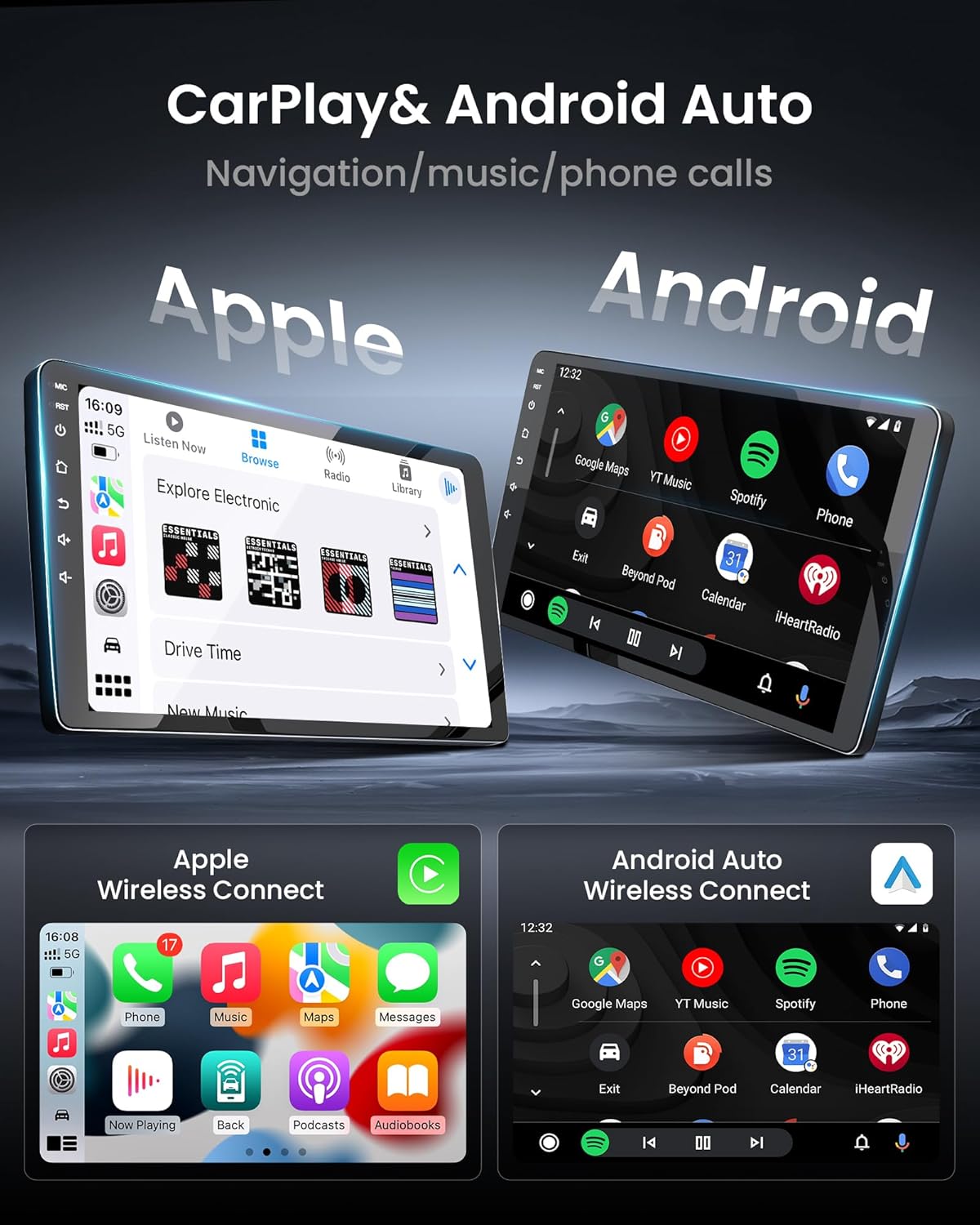
Image 5.1: Wireless CarPlay and Android Auto interfaces.
5.3 Bluetooth Handsfree
Pair your mobile phone via Bluetooth 5.4 for hands-free calling and audio streaming. Access the Bluetooth settings on the unit, search for your phone, and pair using the provided PIN if prompted. You can use voice commands for functions like "play music" or "make a call" for safer driving.
5.4 5G WiFi Connectivity & GPS Navigation
Connect to a Wi-Fi hotspot (e.g., from your phone) using the built-in 5G Wi-Fi for internet access. This enables real-time GPS navigation, map updates, and access to online content. The unit comes with pre-installed North America maps.
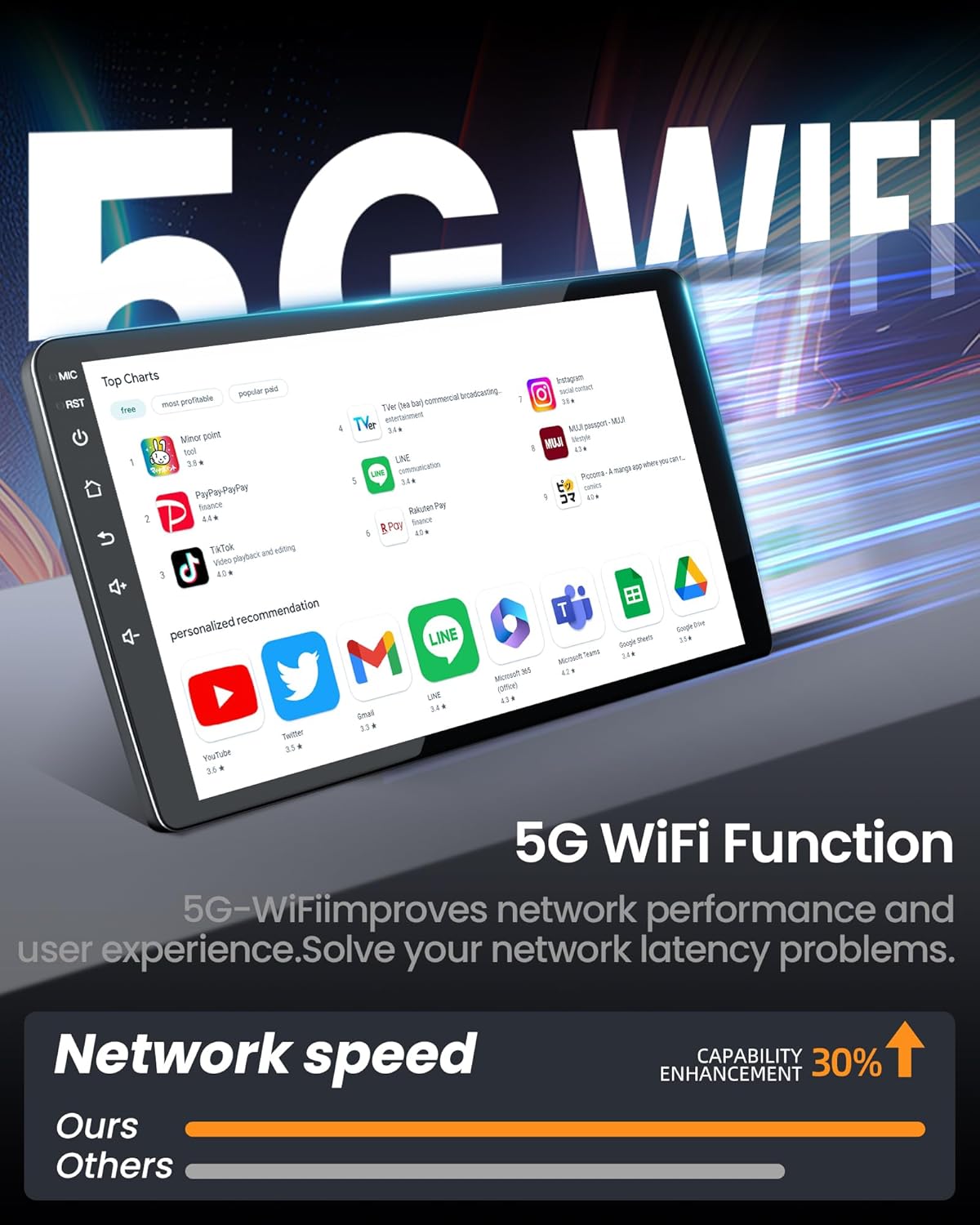
Image 5.2: 5G WiFi function for enhanced network performance.
5.5 Backup Camera
When the vehicle is shifted into reverse, the display automatically switches to the 1080P backup camera feed, providing a 170° wide viewing angle for improved visibility and safety during parking and reversing maneuvers.
5.6 Display & Audio Settings
The 9-inch IPS display offers a 1280x800 HD resolution with wide viewing angles and an anti-glare coating. Access the audio settings to fine-tune your sound experience. The unit features FM EQ settings and 32-band equalizer presets (Jazz, Rock, Pop) to customize audio output.
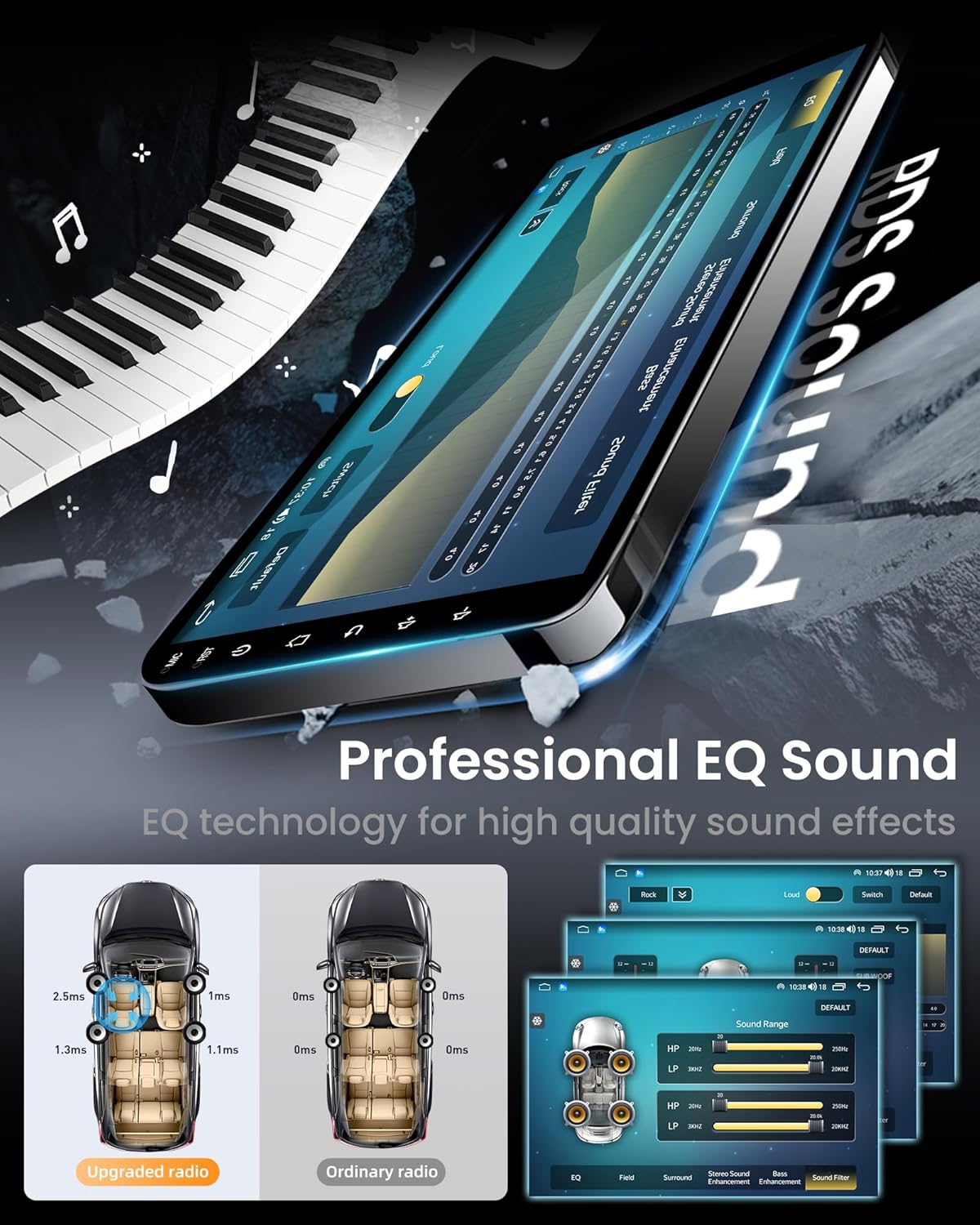
Image 5.3: Professional EQ sound settings interface.

Image 5.4: 1280x800P IPS Touchscreen clarity and saturation.
5.7 Steering Wheel Controls
The unit supports integration with your vehicle's existing steering wheel controls. This allows you to manage audio playback, answer calls, and navigate menus without taking your hands off the steering wheel.

Image 5.5: Steering wheel control functionality.
5.8 Split Screen Function
Utilize the split-screen feature to run two applications simultaneously, such as navigation on one side and music playback on the other, enhancing multitasking capabilities.
5.9 FM/AM/RDS Radio
Access the built-in FM/AM/RDS radio tuner to listen to your favorite stations. The RDS (Radio Data System) provides additional information such as station name and song title where available.
6. Maintenance
- Screen Cleaning: Use a soft, lint-free cloth to gently wipe the touchscreen. For stubborn smudges, slightly dampen the cloth with water or a screen-safe cleaner. Avoid harsh chemicals.
- General Cleaning: Keep the unit's exterior free from dust and debris. Use a soft, dry cloth.
- Software Updates: Periodically check for available software updates to ensure optimal performance and access to new features. Follow the on-screen instructions for any updates.
7. Troubleshooting
If you encounter issues with your Fortdows car radio, refer to the following common troubleshooting steps:
- No Power: Check all power connections. Ensure the vehicle's battery is charged and the ignition is on. Verify fuses are intact.
- No Sound: Check speaker connections. Ensure volume is not muted or set to zero. Verify audio settings and equalizer configurations.
- Touchscreen Unresponsive: Try restarting the unit. If the issue persists, a factory reset might be necessary (note: this will erase personal settings).
- GPS Not Working: Ensure the GPS antenna is properly connected and has a clear view of the sky. Check GPS settings for correct region and time zone.
- Bluetooth/CarPlay/Android Auto Connection Issues: Ensure Bluetooth and Wi-Fi are enabled on both the unit and your phone. Delete previous pairings and attempt to reconnect. Update phone's operating system if necessary.
- Backup Camera Not Displaying: Check the camera's power and video signal connections. Ensure the vehicle is in reverse.
For persistent issues, contact customer support.
8. Specifications
| Operating System | Android 13 |
| Processor | 8-Core |
| RAM | 2GB |
| Internal Storage (ROM) | 32GB |
| Display Size | 9 Inches |
| Display Resolution | 1280 x 800 HD IPS Touchscreen |
| Connectivity | Wireless CarPlay, Android Auto, Bluetooth 5.4, 5G WiFi |
| GPS | Built-in, North America Map Type |
| Backup Camera | 1080P AHD, 170° Viewing Angle, Waterproof |
| Audio Output Mode | Stereo, FM EQ settings, 32-band equalizer presets |
| Mounting Type | Panel Mount |
| Vehicle Service Type | Truck (Dodge Ram 1500 2500, 2013-2018) |
| Item Weight | 4.33 pounds |
| Package Dimensions | 12.6 x 11.38 x 4.96 inches |

Image 8.1: Internal hardware specifications (8-Core, 2GB RAM, 32GB ROM).
9. Warranty Information
This Fortdows car radio unit comes with a 1-year warranty from the date of purchase. This warranty covers manufacturing defects and malfunctions under normal use. It does not cover damage caused by improper installation, misuse, accidents, unauthorized repairs, or normal wear and tear. Please retain your proof of purchase for warranty claims.
10. Customer Support
If you require further assistance, have questions not covered in this manual, or need to make a warranty claim, please contact Fortdows customer support through the retailer where the product was purchased or visit the official Fortdows website for contact information.


