
1. Introduction and Overview
Thank you for choosing the Aspiron Cordless Handheld Vacuum AS-CA038. This manual provides essential information for the safe and efficient operation, maintenance, and troubleshooting of your new vacuum cleaner. Designed for versatility, this portable device offers powerful suction for quick clean-ups in your home, office, or car.

Image 1.1: Aspiron Cordless Handheld Vacuum AS-CA038 with its charging dock and various accessories.
2. Product Features
- Powerful Suction: Offers two modes: Standard (15000Pa) for general cleaning and Max (24000Pa) for tougher debris.
- Dual Charging Methods: Conveniently charge via the docking station or by plugging the cable directly into the device.
- Ergonomic Design: Lightweight and features a curved handle for comfortable, effortless use.
- Dual-Purpose Brush Head: Includes a crevice nozzle for hard-to-reach areas and a brush tool for carpets, blankets, and keyboards.
- Double Layer Filtration: Equipped with a metal mesh covering and a washable HEPA filter to block tiny dust particles.
- Large Dust Capacity: 500ml dust collection container reduces the frequency of emptying.
- Low Noise Level: Operates at less than 70dB, providing a quieter cleaning experience.
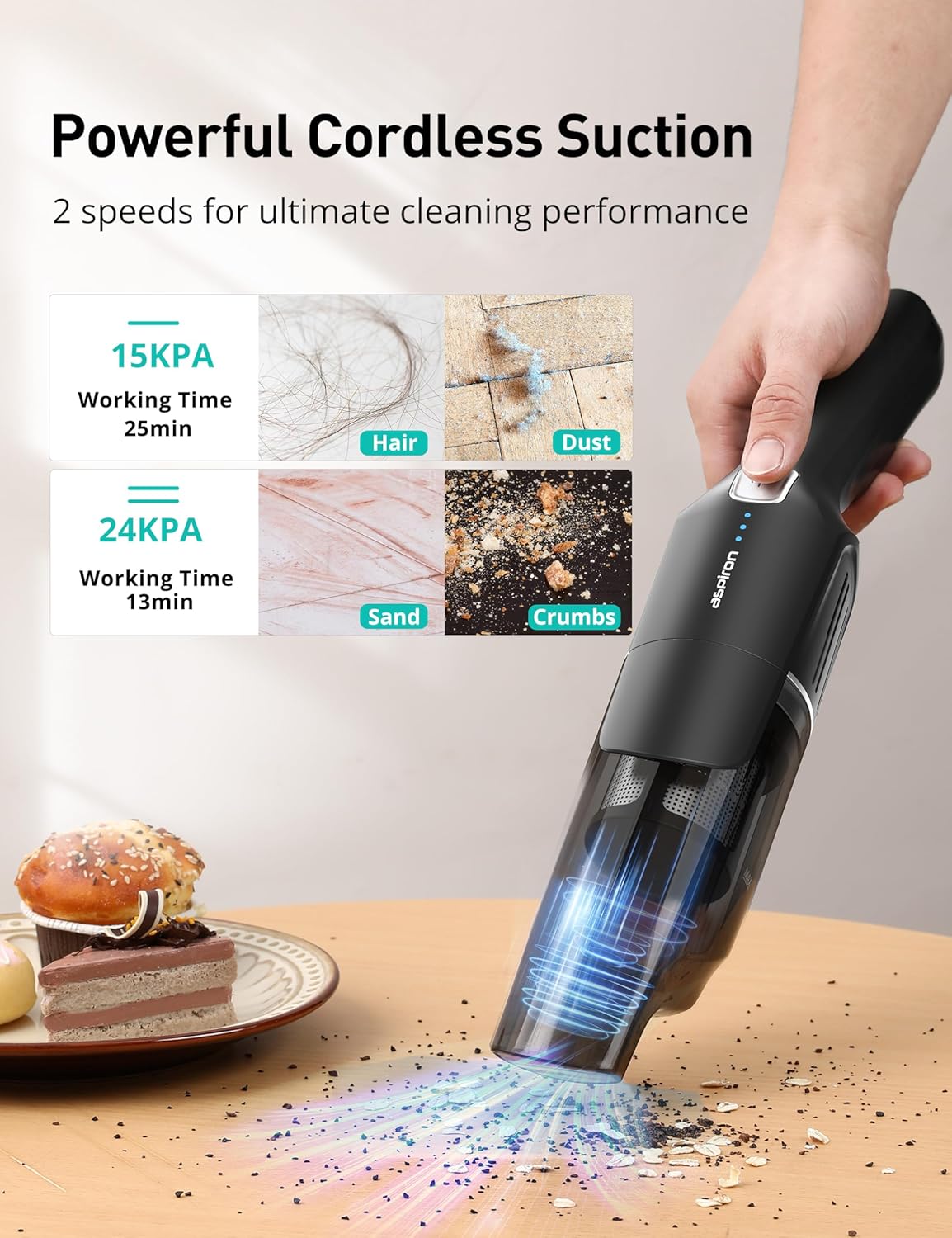
Image 2.1: Illustration of the vacuum's dual suction modes and their effectiveness on various debris types.

Image 2.2: The ergonomic handle design ensures a comfortable and secure grip during use.
3. Setup and Initial Use
3.1 Package Contents
- Aspiron Cordless Handheld Vacuum Unit
- Charging Dock
- Power Adapter
- Dual-Purpose Brush Head (Crevice Nozzle & Brush Tool)
- User Manual
3.2 Assembly
- Ensure the dust collection container is securely twisted onto the main motor unit.
- Attach the desired accessory (dual-purpose brush head) to the vacuum's nozzle. The brush head can be extended or retracted for different cleaning needs.
3.3 Charging the Vacuum
For first-time use, connect the power supply to fully charge the vacuum. The battery indicator lights will illuminate during charging.
- Using the Charging Dock: Place the vacuum onto the charging dock. Connect the power adapter to the dock and plug it into a wall outlet.
- Direct Charging: Alternatively, plug the charging cable directly into the charging port located on the vacuum unit and then into a wall outlet.
A full charge typically takes 4-5 hours. The blue indicator lights on the vacuum will show the battery level, with all lights illuminated when fully charged.

Image 3.1: The vacuum can be charged using its convenient docking station or by plugging the adapter directly into the unit.
4. Operating Instructions
4.1 Power On/Off and Suction Modes
- To Power On: Press and hold the power button for approximately 1-2 seconds. The vacuum will start in Standard suction mode (15000Pa).
- To Switch to Max Mode: Press the power button again briefly. The vacuum will switch to Max suction mode (24000Pa) for increased cleaning power.
- To Power Off: Press the power button a third time briefly.
4.2 Using the Dual-Purpose Brush Head
The included accessory is designed for versatile cleaning:
- Crevice Nozzle: Use this narrow end to reach tight spaces such as sofa crevices, car seat gaps, and corners.
- Brush Tool: Slide the brush bristles forward to clean delicate surfaces, carpets, upholstery, and keyboards.
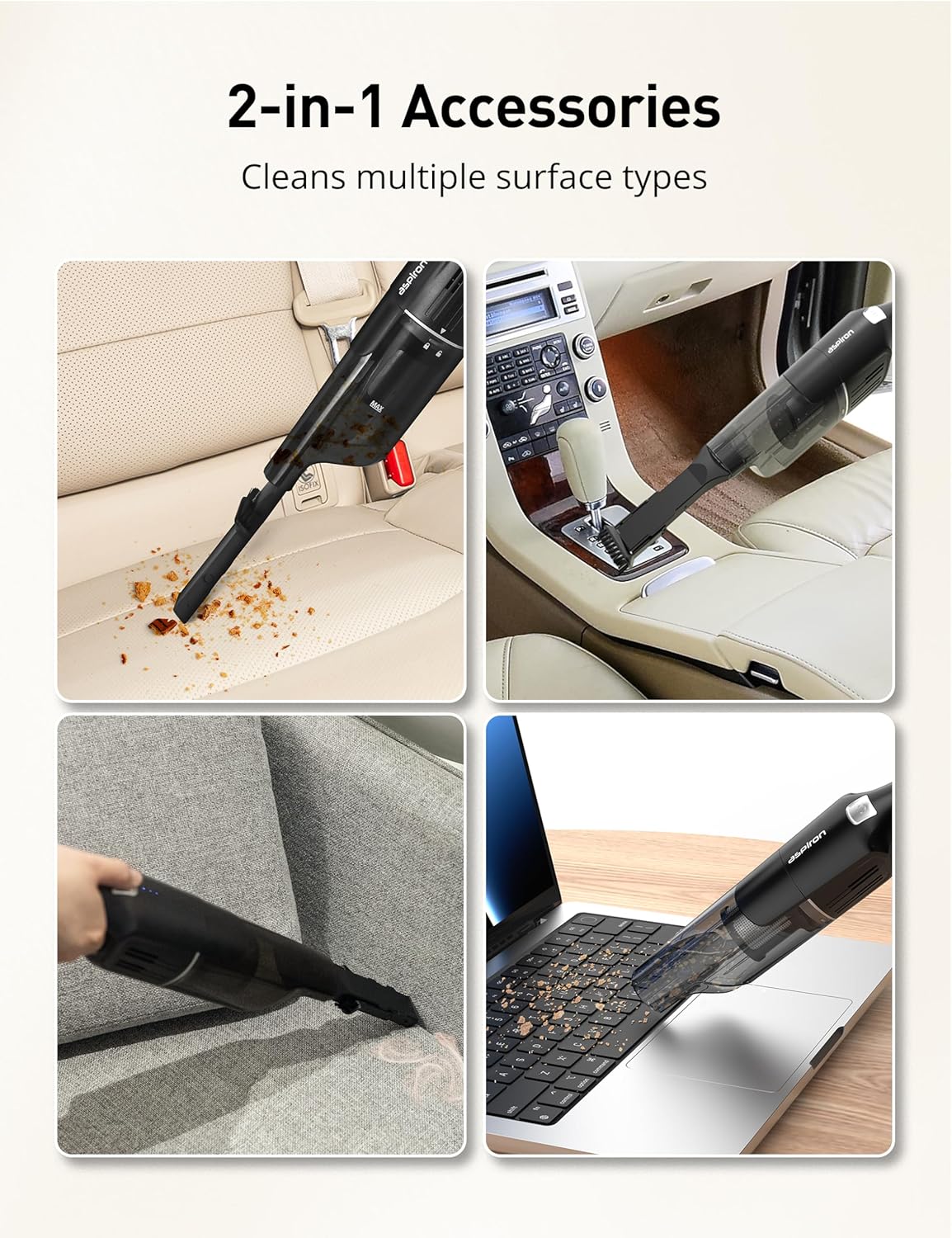
Image 4.1: The versatile 2-in-1 accessory effectively cleans various surfaces and tight spots.
4.3 Official Product Video
Video 4.1: Official product demonstration of the Aspiron Cordless Handheld Vacuum AS-CA038, showcasing its features and ease of use.
5. Maintenance
5.1 Emptying the Dust Cup
- Ensure the vacuum is powered off.
- Locate the lock/unlock indicator on the dust collection container. Twist the container to the unlock position and detach it from the main unit.
- Empty the collected debris into a trash bin.

Image 5.1: Steps for detaching and emptying the dust cup.
5.2 Cleaning the Filters
Regular cleaning of the filters is crucial for maintaining optimal suction performance.
- After emptying the dust cup, carefully remove the metal mesh filter and the HEPA filter from inside the container.
- Rinse both filters under running water until clean.
- Allow the filters to air dry completely before reassembling them into the dust cup and attaching it back to the vacuum unit. Do not use the vacuum with wet filters.

Image 5.2: The double-layer filtration system includes a metal mesh and a HEPA filter.
6. Troubleshooting
- Vacuum Does Not Turn On: Ensure the vacuum is fully charged. For first-time use, it must be connected to the power supply to activate.
- Weak Suction: Check if the dust cup is full and needs emptying. Inspect filters for blockage and clean them thoroughly. Ensure all parts are correctly assembled.
- Short Battery Life: Confirm the vacuum is fully charged (4-5 hours). Battery life is approximately 25 minutes on standard mode and 13 minutes on max mode.
7. Specifications
| Feature | Specification |
|---|---|
| Brand | Aspiron |
| Model Name | AS-CA038 |
| Suction Power | 15000Pa (Standard), 24000Pa (Max) |
| Battery Life | 25 minutes (Standard), 13 minutes (Max) |
| Charging Time | 4-5 Hours |
| Dust Capacity | 0.5 Liters (500ml) |
| Filter Type | HEPA Filter (Washable) |
| Noise Level | <70dB |
| Product Dimensions | 7"L x 3.9"W x 10"H |
| Item Weight | 1.9 pounds |
8. Warranty and Support
Your Aspiron Cordless Handheld Vacuum AS-CA038 comes with a standard warranty. Additionally, you may be eligible for a Free 18-Month Extra Warranty. Please refer to the product packaging or manufacturer's website for details on how to register your product and activate any extended warranty offers.
For any further assistance, technical support, or warranty claims, please contact Aspiron customer service through their official channels.
Video 8.1: A detailed review of the Aspiron Cordless Handheld Vacuum, highlighting its features, performance, and ease of maintenance.
