1. Product Overview
The Rolanstar Full Size Bed Frame is designed for modern bedrooms, offering both comfort and functionality. It features an upholstered headboard with integrated storage, a charging station, and customizable RGB LED lighting. The frame is constructed with heavy-duty wood slats, eliminating the need for a box spring, and is engineered for noise-free operation and easy assembly.

Image 1.1: The Rolanstar Full Size Bed Frame, showcasing its integrated LED lighting and upholstered headboard in a typical bedroom environment.
2. Safety Information
- Ensure all components are securely fastened before use. Periodically check and tighten all screws and bolts.
- Do not exceed the maximum weight capacity of the bed frame. Refer to the specifications section for details.
- Keep electrical components (charging station, LED lights) away from water or excessive moisture.
- Do not attempt to modify the electrical wiring or components. Contact qualified personnel for repairs.
- Children should not climb or play on the bed frame.
- Use only the provided power adapter for the charging station and LED lights.
3. Package Contents
Before beginning assembly, verify that all parts listed below are present and undamaged. If any parts are missing or damaged, contact customer support.

Image 3.1: Exploded view of the bed frame with dimensions and main components highlighted, including the power strip and LED light reel.
List of Components:
- Upholstered Headboard with integrated storage
- Bed Frame Side Rails (Left & Right)
- Bed Frame Footboard
- Wood Slats with Velcro attachment
- Center Support Beam(s)
- Support Legs
- Integrated Power Strip (with 1 Type-C, 2 USB-A ports)
- RGB LED Light Strip
- Remote Control for LED Lights
- Assembly Hardware (screws, bolts, washers, Allen wrench)
- Instruction Manual
4. Setup (Assembly Instructions)
Assembly typically requires two adults. Follow the step-by-step instructions provided in the included manual. All parts are clearly labeled, and necessary tools are supplied.
- Unpack and Identify Parts: Lay out all components on a clean, soft surface to prevent scratches. Refer to the parts list to ensure everything is present.
- Assemble the Headboard: Attach any necessary support legs or brackets to the headboard as indicated in the manual.
- Attach Side Rails: Connect the side rails to the headboard using the provided hardware. Ensure connections are secure but do not fully tighten bolts until the frame is fully assembled.
- Attach Footboard: Connect the footboard to the side rails. Once all four sides are connected, tighten all bolts securely.
- Install Center Support: Place the center support beam(s) and attach any additional support legs as per the instructions.
- Install Wood Slats: Unroll the wood slats onto the bed frame. The slats are pre-assembled with Velcro for easy and secure placement. Press down firmly to engage the Velcro.
- Install Charging Station: Insert the power strip into the designated slot on the headboard. Connect its power cord to a wall outlet.
- Install LED Light Strip: Adhere the LED light strip to the designated channel on the headboard. Connect it to the power source as instructed.
- Final Check: Ensure all connections are tight and the bed frame is stable before placing a mattress on it.

Image 4.1: Details of the bed frame's robust support system, including metal crossbars and Velcro-secured wood slats for stability and ease of assembly.
5. Operating Instructions
5.1. Using the Charging Station
The headboard features a built-in power strip with 1 Type-C port and 2 USB-A ports for convenient charging of your electronic devices.

Image 5.1.1: The headboard's integrated charging station in use, showing devices connected to the USB and Type-C ports.

Image 5.1.2: Detailed view of the charging station's ports: 1 Type-C (5V/3A) and 2 USB-A (5V/2.4A).
- Plug the bed frame's main power cord into a standard wall outlet.
- Connect your devices to the appropriate USB-A or Type-C ports.
- The charging station is always active when the bed frame is plugged in.
5.2. Controlling the RGB LED Lights
The integrated RGB LED light strip can be controlled via the included remote control or a smartphone application.

Image 5.2.1: The bed frame's RGB LED lights in operation, demonstrating control via remote and smartphone app with various modes.
- Remote Control: Use the provided remote to turn the lights on/off, change colors, adjust brightness, and select various lighting modes (e.g., static, flash, fade).
- Smartphone App: Download the designated app (refer to the specific instructions in your included manual for app name and QR code). Connect the lights via Bluetooth or Wi-Fi as prompted by the app. The app offers advanced control, including custom color mixing, music sync mode, microphone mode, and timing functions.
6. Maintenance
- Cleaning the Frame: Wipe the upholstered surfaces with a soft, damp cloth. For spills, blot immediately with a clean, dry cloth. Avoid harsh chemicals or abrasive cleaners.
- Cleaning the Headboard Storage: Dust the storage shelf with a dry cloth.
- Checking Connections: Periodically inspect all bolts and screws to ensure they remain tight. Re-tighten if necessary to maintain stability and prevent noise.
- Under-Bed Clearance: The bed frame offers 6.7 inches of under-bed clearance, allowing for easy cleaning with a robot vacuum or manual cleaning.

Image 6.1: The soft, breathable white velvet fabric of the upholstered headboard, designed for comfort and ease of maintenance.
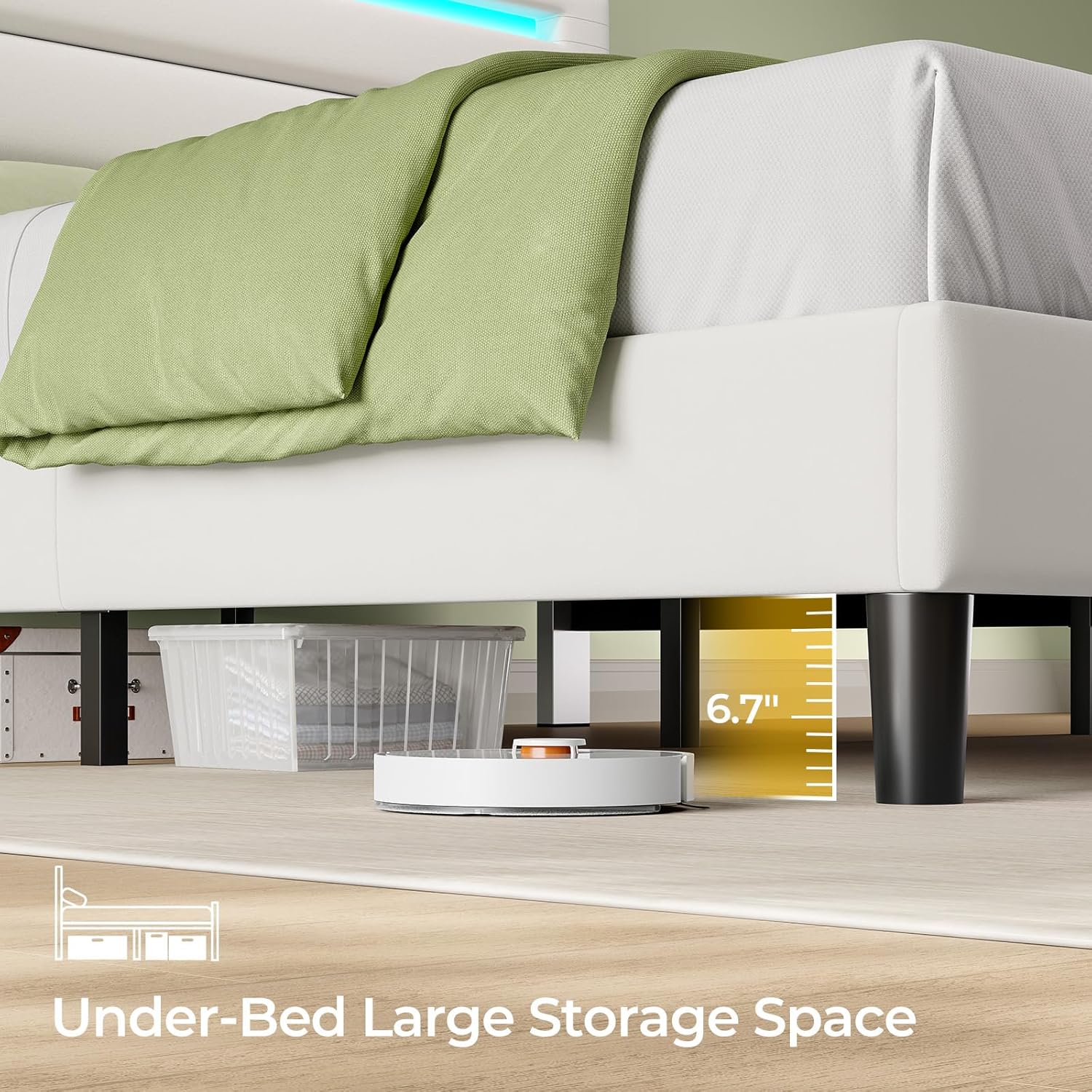
Image 6.2: The generous 6.7-inch under-bed clearance, facilitating easy cleaning and providing space for storage solutions.
7. Troubleshooting
| Problem | Possible Cause | Solution |
|---|---|---|
| Bed frame is wobbly or noisy. | Loose bolts or screws. | Check and tighten all assembly hardware. Ensure the center support legs are properly aligned and secured. |
| LED lights are not turning on. | Power connection issue; remote control battery dead; light strip disconnected. | Ensure the bed frame is plugged into a working outlet. Check if the LED strip is securely connected to its power source. Replace remote control battery. |
| Charging station is not working. | Bed frame not plugged in; device cable faulty; device not compatible. | Verify the bed frame's main power cord is securely plugged into a live outlet. Try a different charging cable or device to rule out compatibility or cable issues. |
| Slats are shifting. | Velcro not fully engaged; slats not properly aligned. | Remove the mattress and firmly press down on each slat to ensure the Velcro is fully engaged with the frame. Realign if necessary. |
8. Specifications
| Feature | Detail |
|---|---|
| Model Number | hq-chj036-02 |
| Size | Full |
| Product Dimensions (L x W x H) | 78.9" x 54" x 41.1" |
| Under-Bed Clearance | 6.7 inches |
| Charging Station Ports | 1 x Type-C (5V/3A), 2 x USB-A (5V/2.4A) |
| LED Lights | RGB, App & Remote Controlled |
| Material | Upholstered (White Velvet Fabric), Heavy Duty Wood Slats, Metal Frame |
| Assembly Required | Yes |
| Weight Capacity | Up to 1000 lbs (approximate, based on typical full-size bed frames) |
| Item Weight | 54 pounds |
9. Warranty and Support
Rolanstar products are manufactured with quality and customer satisfaction in mind. For specific warranty details regarding your bed frame, please refer to the warranty card included in your package or visit the official Rolanstar website.
If you encounter any issues during assembly or use, or if you have questions about your product, please contact Rolanstar Customer Support:
- Email: Refer to your product documentation for the most current support email address.
- Website: Visit the Rolanstar Store on Amazon
- Phone: Refer to your product documentation for customer service phone numbers.
Please have your model number (hq-chj036-02) and purchase information ready when contacting support.


