
1. Overview
The ANRUOLA 3D Sleep Mask with Bluetooth 5.4 Headphones is designed to provide a comfortable and immersive audio experience while effectively blocking light. This device combines a soft, contoured eye mask with integrated stereo speakers, ideal for relaxation, meditation, travel, or improving sleep quality.

Image 1: The ANRUOLA 3D Sleep Mask effectively blocks 100% of light for total darkness.
2. Product Features
- 3D Contoured Design: Features deep eye sockets that prevent pressure on the eyes and allow for natural eye movement, suitable for side sleepers.
- Bluetooth 5.4 Technology: Ensures fast pairing, stable connection, and low power consumption with a connection range of up to 40 feet.
- High-Fidelity Stereo Sound: Built-in ultra-thin speakers deliver clear and immersive audio for music, podcasts, or white noise.
- Long Battery Life: Provides 8-10 hours of continuous playback on a 1-2 hour charge.
- Comfortable & Washable Material: Made from soft, breathable, and hypoallergenic spandex fabric. The electronic components are removable for hand washing the mask.
- Adjustable Elastic Headband: Designed to fit various head shapes securely without compressing hair.

Image 2: The mask features upgraded 3D eye sockets and soft padding for comfort.
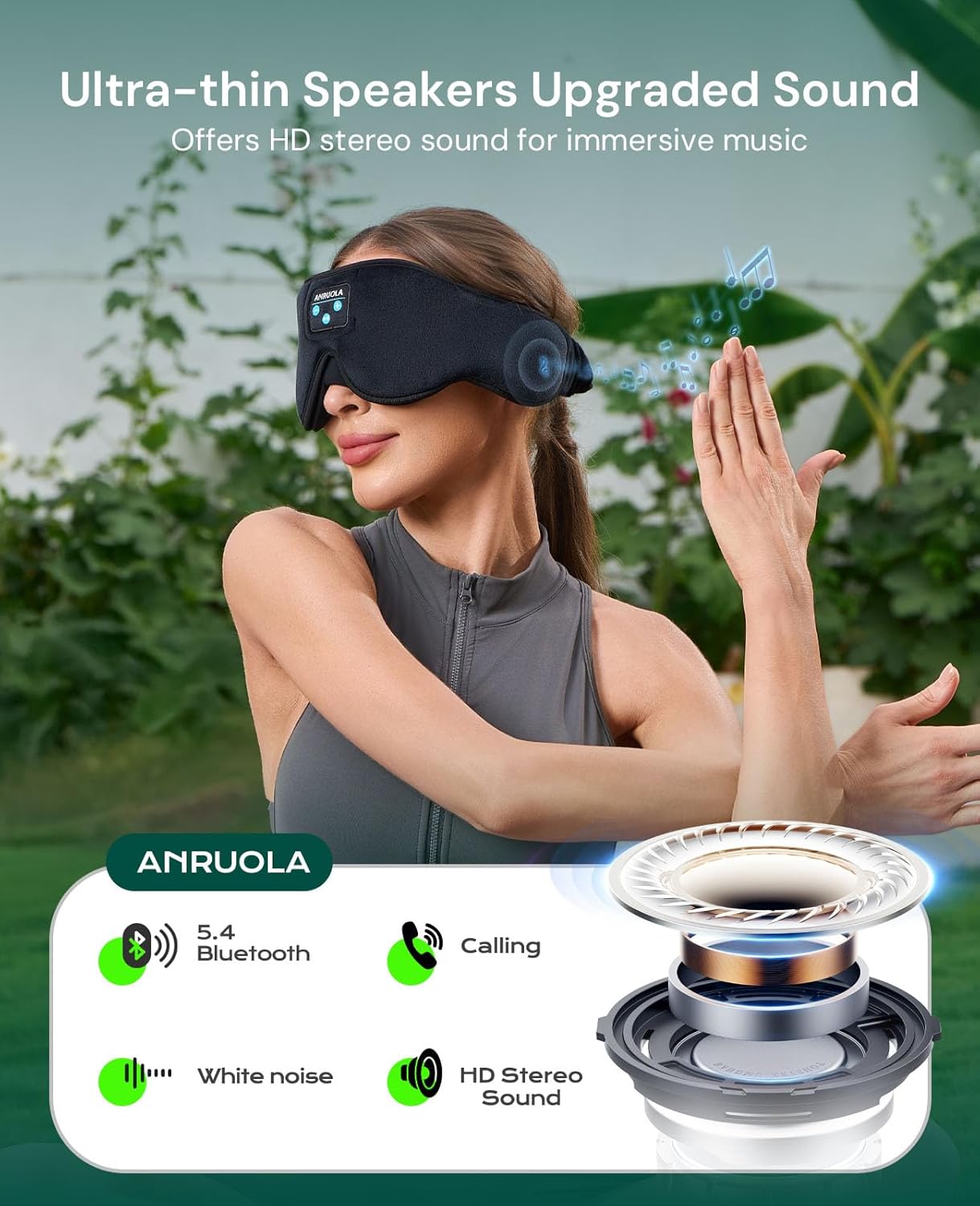
Image 3: Ultra-thin speakers provide HD stereo sound, supporting Bluetooth 5.4 for music and calls.
3. Package Contents
Please check the package for the following items:
- ANRUOLA 3D Sleep Mask with Bluetooth Headphones
- USB-C Charging Cable
- User Manual
- Carrying Pouch (if included with your model)
4. Setup
4.1 Charging the Device
- Locate the charging port on the control panel of the sleep mask.
- Connect the provided USB-C charging cable to the mask's charging port.
- Plug the other end of the USB-C cable into a compatible USB power adapter (not included) or a computer's USB port.
- The LED indicator light will illuminate during charging and turn off when fully charged. A full charge typically takes 1-2 hours.
4.2 Bluetooth Pairing
- Ensure the sleep mask is fully charged.
- Press and hold the Power button on the control panel until the LED indicator light flashes blue and red, indicating pairing mode.
- On your smartphone or Bluetooth-enabled device, go to the Bluetooth settings.
- Search for "ANRUOLA" or "ARLS01" in the list of available devices and select it to connect.
- Once successfully paired, the LED indicator light will turn solid blue or flash blue slowly.

Image 4: Connecting the sleep mask via Bluetooth to a smartphone.
4.3 Adjusting the Fit
- Place the sleep mask over your eyes, ensuring the contoured eye sockets align with your eyes.
- Adjust the elastic headband at the back of your head for a snug yet comfortable fit. The band should not be too tight to avoid discomfort.
- Position the internal speakers over your ears for optimal sound quality. The speakers can be gently moved within the fabric.
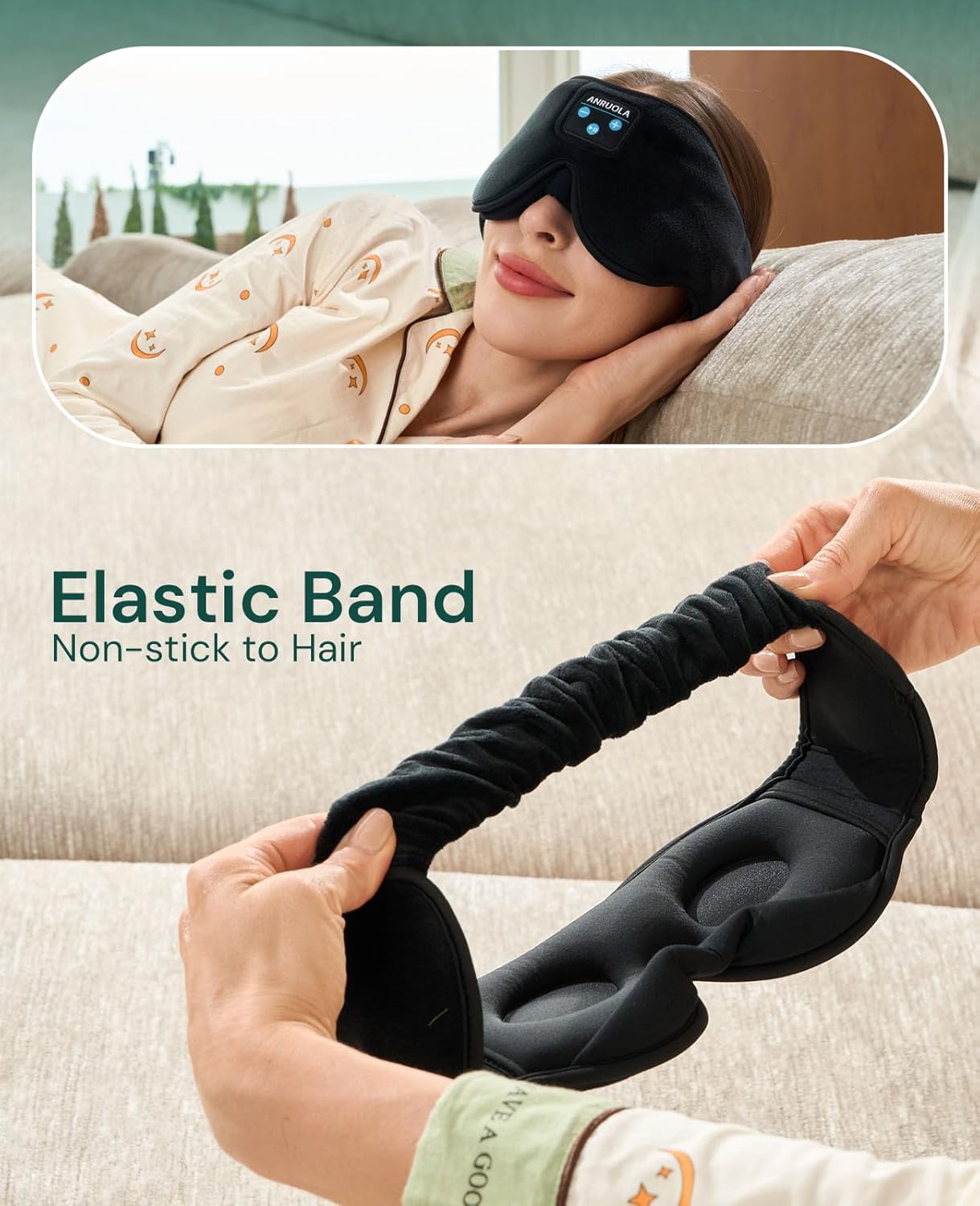
Image 5: The elastic headband is adjustable and designed not to stick to hair.
5. Operating Instructions
5.1 Control Panel Functions
The control panel is located on the front of the sleep mask. It typically includes:
- Power Button: Long press to power on/off. Short press to Play/Pause music or Answer/End calls.
- Volume Up / Next Track Button (+): Short press to increase volume. Long press to skip to the next track.
- Volume Down / Previous Track Button (-): Short press to decrease volume. Long press to go to the previous track.
5.2 Music Playback
- Ensure the mask is paired with your device.
- Start playing music or audio from your connected device.
- Use the control panel buttons to adjust volume, play/pause, or skip tracks.
5.3 Call Management
- When a call comes in, the music will pause.
- Short press the Power button to answer an incoming call.
- Short press the Power button again to end the call.
- Long press the Power button to reject an incoming call.

Image 6: The sleep mask allows for hands-free calls and can be used for relaxation anywhere.
6. Maintenance
6.1 Cleaning Instructions
To clean your ANRUOLA 3D Sleep Mask:
- Ensure the mask is powered off and disconnected from any charging cable.
- Gently open the small opening on the inside of the mask to access the electronic components (speakers and control module).
- Carefully remove all electronic components from the mask.
- Hand wash the fabric mask with mild soap and cold water. Do not machine wash or tumble dry.
- Allow the mask to air dry completely before reinserting the electronic components.
- Once the mask is dry, carefully reinsert the speakers and control module into their designated pockets.
6.2 Storage
Store the sleep mask in a cool, dry place away from direct sunlight and extreme temperatures. Use the provided carrying pouch for protection when traveling or not in use.
7. Troubleshooting
- Device will not power on: Ensure the battery is charged. Connect the charging cable and allow it to charge for at least 30 minutes before attempting to power on again.
- Cannot pair with Bluetooth:
- Ensure the mask is in pairing mode (LED flashing blue/red).
- Make sure Bluetooth is enabled on your device.
- Move the mask closer to your device (within 40 feet).
- Turn off and on your device's Bluetooth, then try pairing again.
- If previously paired, try forgetting the device on your phone and re-pairing.
- No sound or poor sound quality:
- Check the volume levels on both the mask and your connected device.
- Ensure the speakers are correctly positioned over your ears.
- Verify the mask is properly connected via Bluetooth.
- Re-pair the device if the connection is unstable.
8. Specifications
| Model Number | ARLS01 |
| Bluetooth Version | 5.4 |
| Bluetooth Range | Up to 40 feet (12 meters) |
| Charging Time | 1-2 hours |
| Playback Time | 8-10 hours |
| Material | Spandex, Foam (Hypoallergenic, Reusable) |
| Product Dimensions | 11 x 4.5 x 1.2 inches |
| Weight | 6.38 ounces |
9. Warranty and Support
This product comes with a standard manufacturer's warranty. For detailed warranty information, product support, or to report any issues, please refer to the contact information provided with your purchase or visit the official ANRUOLA website. Please retain your proof of purchase for warranty claims.