
FeelTech EC-ZOYI-1000R
ZT-1000R Insulation Resistance Meter User Manual
Model: EC-ZOYI-1000R | Brand: FeelTech
1. Product Overview
The FeelTech ZT-1000R is a high-precision digital megohmmeter and multimeter designed for measuring insulation resistance, voltage, resistance, capacitance, diode, temperature, and continuity. It features advanced functions such as Dielectric Absorption Ratio (DAR) and Polarization Index (PI) testing, making it an essential tool for electrical maintenance and troubleshooting.
This device combines the capabilities of an insulation tester and a multimeter, offering versatility and accuracy for various industrial and scientific applications. Its robust design includes a durable rubber case for enhanced protection against dust, drops, and insulation.
2. Package Contents
Verify that all items listed below are present in your package:
- ZT-1000R Insulation Multimeter
- Test Leads (Red and Black)
- Alligator Clips (Red and Black)
- Rechargeable Batteries (3x)
- Battery Charger
- Soft Carrying Pouch
- User Manual (this document)

Image: The ZT-1000R meter displayed with its full set of accessories, including test leads, alligator clips, batteries, charger, and carrying pouch.
3. Key Features
- High-Precision Measurement: 1000V Insulation Resistance Tester with 4½-Digit High Precision Display.
- Advanced Test Functions: Includes Dielectric Absorption Ratio (DAR) and Polarization Index (PI) test capabilities for comprehensive insulation analysis.
- Multifunctionality: 2-in-1 Multimeter and Insulation Tester with 5 voltage settings, rotary switch dial, and a large backlit screen.
- Durability: Equipped with a durable rubber case providing insulation, dustproof, and drop protection.
- Versatile Measurements: Capable of measuring DC/AC Voltage, Resistance, Capacitance, Diode, Temperature, and Continuity.
4. Setup
4.1 Battery Installation
- Locate the battery compartment on the rear of the meter.
- Open the battery compartment cover.
- Insert the provided rechargeable batteries, ensuring correct polarity (+/-).
- Close the battery compartment cover securely.
- Charge the batteries using the provided charger before first use.
4.2 Connecting Test Leads
- For most measurements, connect the black test lead to the "COM" (Common) input jack.
- Connect the red test lead to the appropriate input jack based on the desired measurement function (e.g., "VΩHz" for voltage/resistance, "HV" for high voltage insulation testing).
- Ensure connections are firm and secure before proceeding with any tests.
5. Operating Instructions
5.1 Power On/Off
Rotate the central dial to any function setting to power on the meter. To power off, rotate the dial to the "OFF" position.
5.2 Insulation Resistance Measurement
- Connect the test leads to the "HV" and "COM" input jacks.
- Rotate the dial to the desired insulation test voltage (e.g., 100V, 250V, 500V, 1000V).
- Attach the test leads to the circuit or component under test.
- Press and hold the TEST button to initiate the measurement. The display will show the insulation resistance value.
- Release the TEST button to stop the measurement and discharge the circuit.
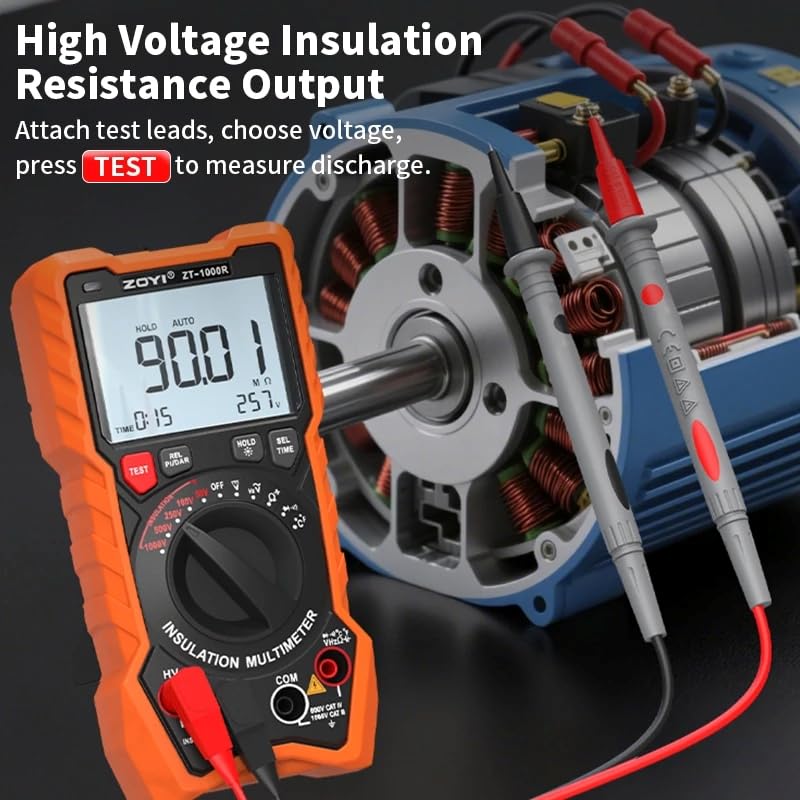
Image: The ZT-1000R connected to an electric motor, demonstrating a high voltage insulation resistance output test. The display shows a reading of 90.01 MΩ.
5.3 Dielectric Absorption Ratio (DAR) and Polarization Index (PI) Test
These functions assess the quality of insulation over time.
- DAR: Compares insulation resistance values at 1 minute and 30 seconds to assess insulation quality.
- PI: Compares insulation resistance at 10 minutes versus 1 minute to evaluate insulation performance.
- Select the desired insulation test voltage.
- Press the REL PI/DAR button to cycle through DAR and PI modes.
- Press and hold the TEST button. The meter will automatically perform the timed measurements and display the calculated DAR or PI value.
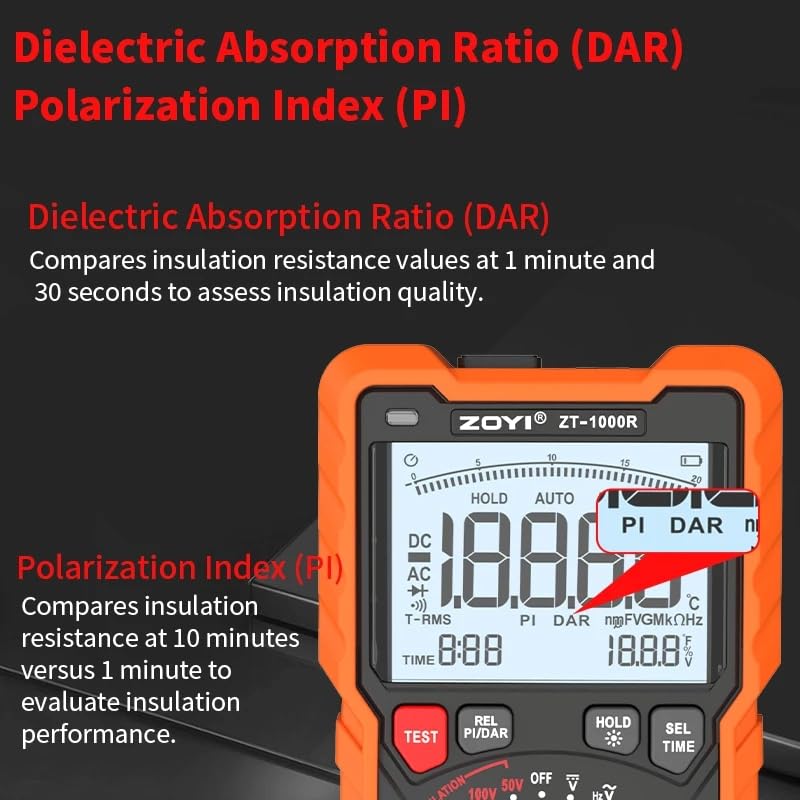
Image: The ZT-1000R's display highlighting the Dielectric Absorption Ratio (DAR) and Polarization Index (PI) indicators, with text explaining their respective functions.
5.4 General Multimeter Functions
Rotate the dial to select functions such as DC/AC Voltage (V), Resistance (Ω), Capacitance (F), Diode, Temperature (°C/°F), or Continuity (BEEP).
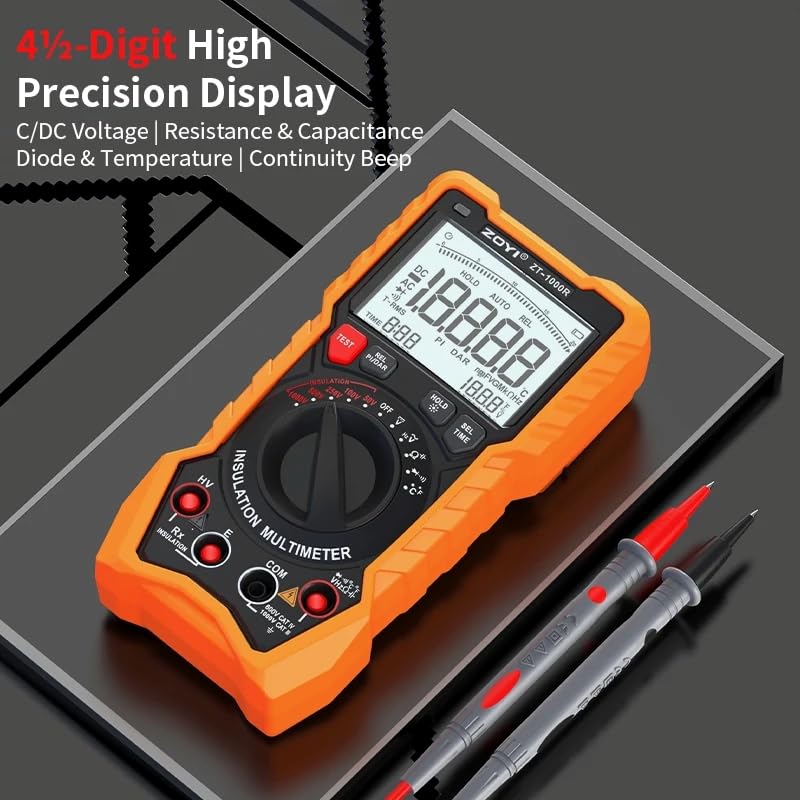
Image: Close-up of the ZT-1000R's 4½-digit high precision display, showing various measurement indicators including DC/AC voltage, resistance, capacitance, diode, temperature, and continuity.
6. Maintenance
6.1 Cleaning
Wipe the meter's surface with a soft, damp cloth. Do not use abrasive cleaners or solvents. Ensure the meter is powered off and disconnected from any circuits before cleaning.
6.2 Battery Care
Recharge batteries when the low battery indicator appears. If the meter will not be used for an extended period, remove the batteries to prevent leakage.
6.3 Storage
Store the meter in a cool, dry place, away from direct sunlight and extreme temperatures. Utilize the provided carrying pouch for protection.
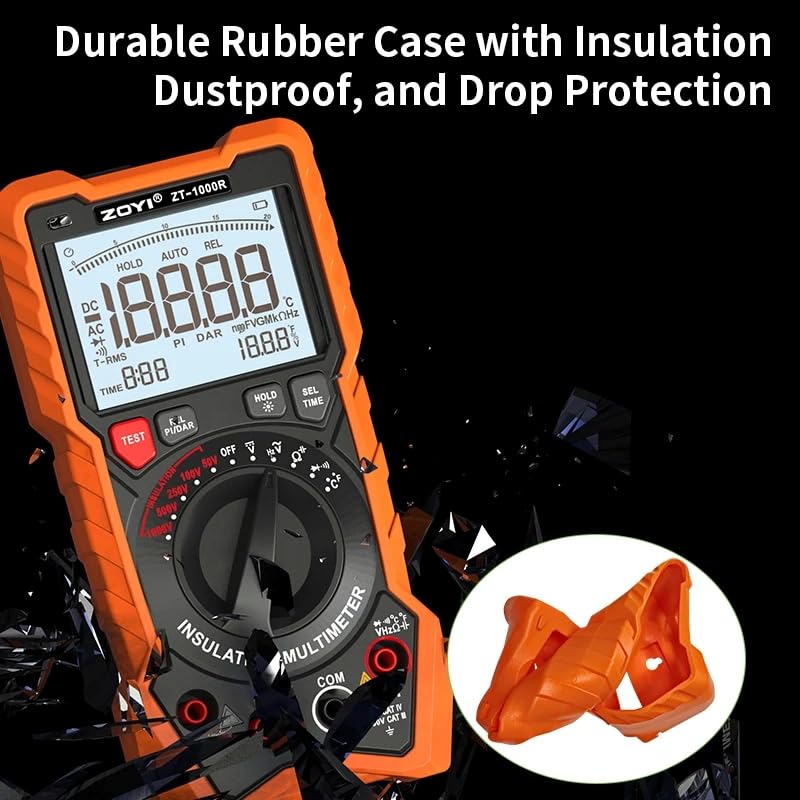
Image: The ZT-1000R meter showcasing its durable orange rubber protective case, emphasizing its insulation, dustproof, and drop protection features.
7. Troubleshooting
| Problem | Possible Cause | Solution |
|---|---|---|
| Meter does not power on. | Low or dead batteries; incorrect battery installation. | Charge or replace batteries; ensure correct polarity. |
| No reading or unstable reading. | Loose test lead connections; incorrect function selected; open circuit. | Check test lead connections; select appropriate function; verify circuit integrity. |
| "OL" or "OVERLOAD" displayed. | Measurement exceeds meter's range. | Select a higher range if available, or ensure the measured value is within the meter's specifications. |
| Inaccurate readings. | Environmental interference; uncalibrated meter; damaged test leads. | Perform measurements in a stable environment; consider professional calibration; inspect and replace damaged leads. |
8. Specifications
| Attribute | Value |
|---|---|
| Model Number | EC-ZOYI-1000R |
| Brand | FeelTech |
| Insulation Test Voltage | Up to 1000V |
| Display | 4½-Digit High Precision Display |
| Dimensions (L x W x H) | Approx. 176mm x 91mm x 47mm (6.93 x 3.58 x 1.85 inches) |
| Item Weight | 1 Kilogram (2.2 Pounds) |
| Safety Standards | CE, RoHS |
| Manufacturer | ZOTEK INSTRUMENTS CO . , LTD. |
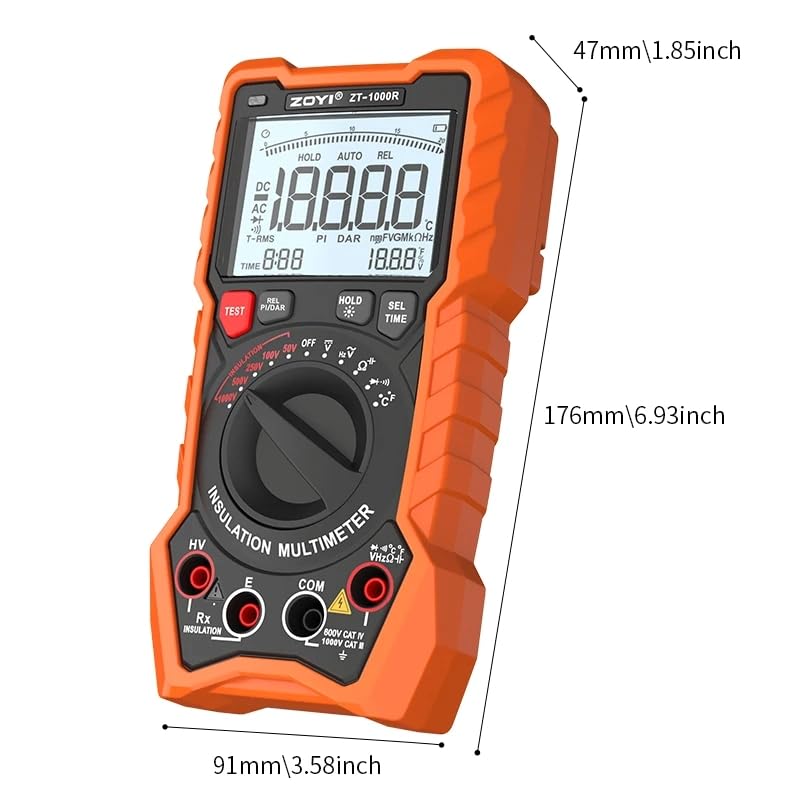
Image: Diagram illustrating the physical dimensions of the ZT-1000R meter: 176mm (6.93 inches) height, 91mm (3.58 inches) width, and 47mm (1.85 inches) depth.
9. Warranty and Support
This product is manufactured by ZOTEK INSTRUMENTS CO., LTD. For specific warranty information and technical support, please refer to the documentation provided with your purchase or contact the manufacturer directly. EU spare part availability duration is 1 year.
For further assistance, you may also contact your point of purchase.
Ask a question about this manual
Ask about setup, troubleshooting, compatibility, parts, safety, or missing instructions. Manuals+ will review the question and use this page’s manual context to help answer it.