
FeelTech EC-Mileseey-DT10-40M
FeelTech DT10 2-in-1 Digital Laser Tape Measure User Manual
Model: EC-Mileseey-DT10-40M
Introduction
The FeelTech DT10 is a versatile 2-in-1 measuring tool, combining a digital laser distance meter with a traditional tape measure. It is designed for accurate and efficient measurements in various applications, offering features such as long-distance laser measurement, a professional measuring tape, and multiple measurement modes.
Safety Information
Please read and understand all safety instructions before operating the device. Failure to follow these instructions may result in laser radiation exposure, electric shock, fire, or serious injury.
- Laser Safety: This device emits Class 2 laser radiation. Do not stare directly into the laser beam. Avoid direct eye exposure.
- Do not disassemble, repair, or modify the device. Unauthorized modifications may cause damage and void the warranty.
- Keep the device away from water and high humidity.
- Store the device in a cool, dry place when not in use.
- Use only the specified charging method (USB) and compatible power adapters.
Product Overview
The FeelTech DT10 integrates a laser distance meter and a physical tape measure into a compact design. Key components include the laser emitter, tape blade, control buttons, and LCD display.
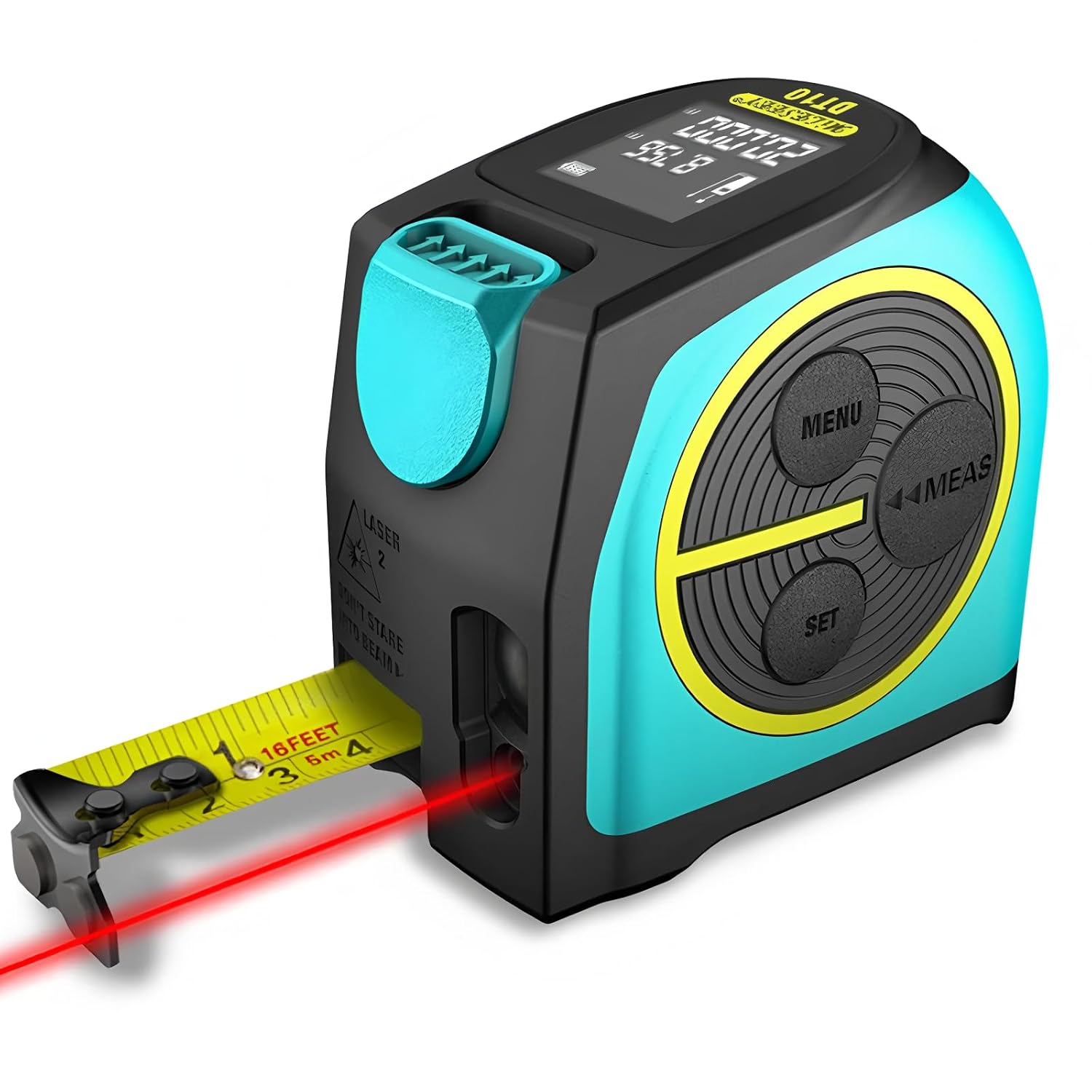
Figure 1: Front view of the DT10 showing the laser distance measurement function in use with the tape measure extended. The device features a black and teal body with yellow accents around the control buttons.

Figure 2: Overview of key features: 60m laser measurement range, lithium rechargeable battery, versatile measurement modes, 5-meter professional measuring tape, ±2mm accuracy, 20 group data storage, and a magnetic hook on the tape blade.

Figure 3: Close-up of the DT10's white-on-black LCD display, providing clear visibility of measurement readings and battery status.

Figure 4: Detail of the DT10's measuring tape, highlighting its nylon-coated blade for durability and a 1.8-meter stand-out capability.
Setup
Charging the Device
The DT10 is equipped with a rechargeable lithium battery. Before first use, ensure the device is fully charged.
- Locate the USB charging port on the side of the device.
- Connect the provided USB charging cable to the device and a compatible USB power adapter (not included) or a computer USB port.
- The battery indicator on the LCD display will show charging status. A full charge typically takes a few hours.
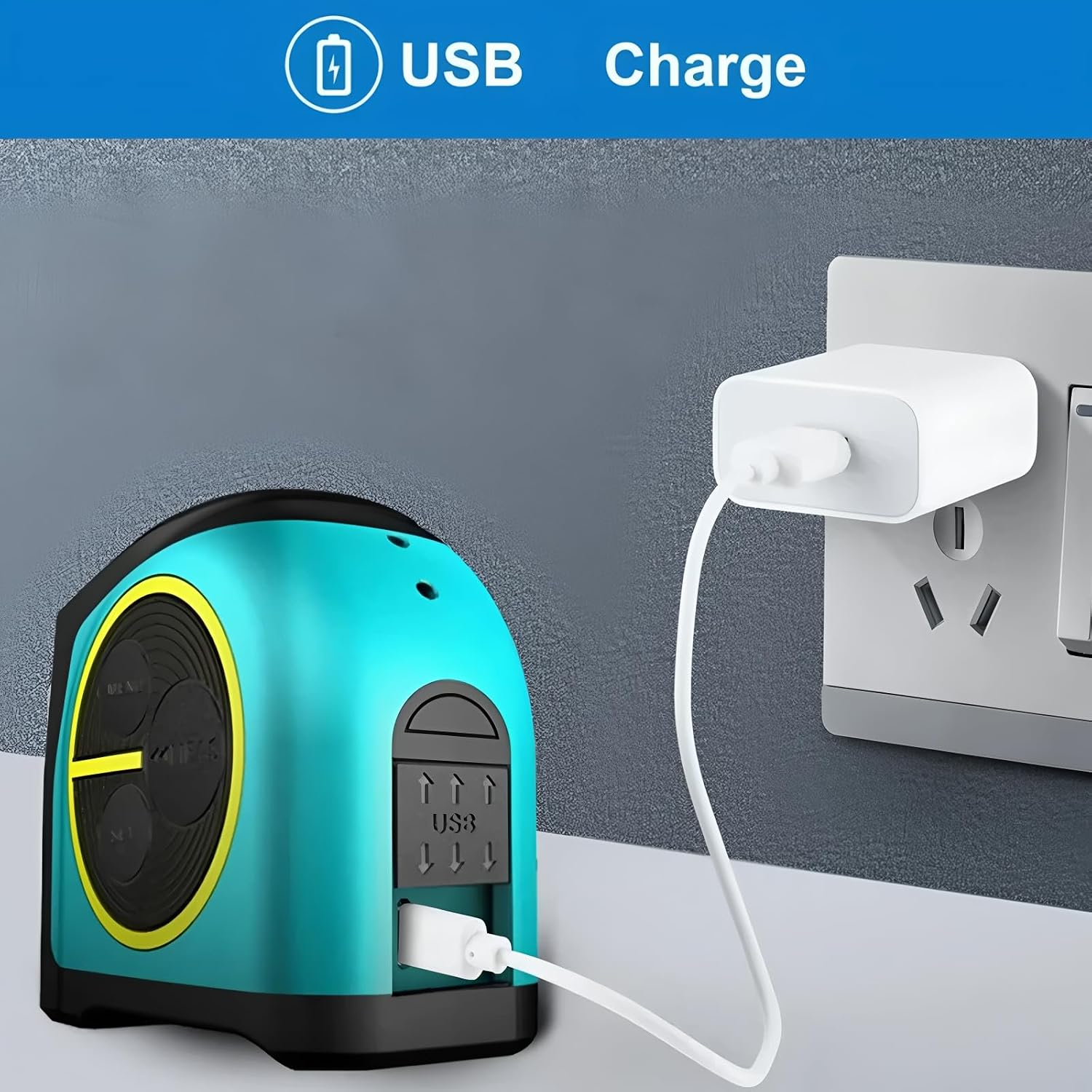
Figure 5: The DT10 connected via USB cable to a wall adapter for charging. The USB port is located on the side of the device.
Initial Calibration (Self-Calibration)
The DT10 features a self-calibration function for its tape measure. This ensures accuracy beyond 1/16" (2 mm).
- The device self-calibrates by simply moving the tape blade. Ensure the blade is fully retracted and then extended a short distance to allow the internal mechanism to calibrate.
- The tape blade is encased in glass-filled nylon for durability and consistent performance.

Figure 6: A user measuring a window frame with the DT10, demonstrating its use and the self-calibration feature which activates by moving the tape blade.
Operating Instructions
The DT10 offers both traditional tape measurement and advanced laser measurement functions. The control panel consists of MENU, MEAS (Measure), and SET buttons.
Using the Tape Measure
- Pull the tape blade from the device casing. The blade will lock in place when extended.
- To retract the tape, press the teal button located on the top of the device.
- The tape features both imperial (feet, inches) and metric (meters, centimeters) markings.
- The magnetic hook at the end of the tape allows for easy attachment to metallic surfaces for single-person measurements.
Using the Laser Distance Meter
The laser distance meter provides precise digital measurements. Ensure the laser emitter is not obstructed.
- Power On: Press the MEAS button to turn on the device and activate the laser.
- Single Measurement: Point the laser at the target surface and press the MEAS button again. The measurement will appear on the LCD.
- Continuous Measurement (Tracking): From the single measurement mode, press and hold the MEAS button. The device will continuously measure as you move it, displaying real-time distance. Press MEAS again to stop.
- Changing Measurement Modes: Press the MENU button to cycle through different measurement modes (e.g., Length, Area, Volume).
- Area Measurement:
- Select Area mode using the MENU button.
- Press MEAS to take the first length measurement.
- Press MEAS again to take the second width measurement. The device will automatically calculate and display the area.
- Volume Measurement:
- Select Volume mode using the MENU button.
- Press MEAS for length, then MEAS for width, and finally MEAS for height. The device will calculate and display the volume.
- Setting Reference Point: The SET button may allow you to change the measurement reference point (e.g., from the front or rear of the device). Refer to the on-screen icons for the current reference point.
- Data Storage: The device can store up to 20 groups of measurement data. Use the MENU and SET buttons to navigate and view stored data.
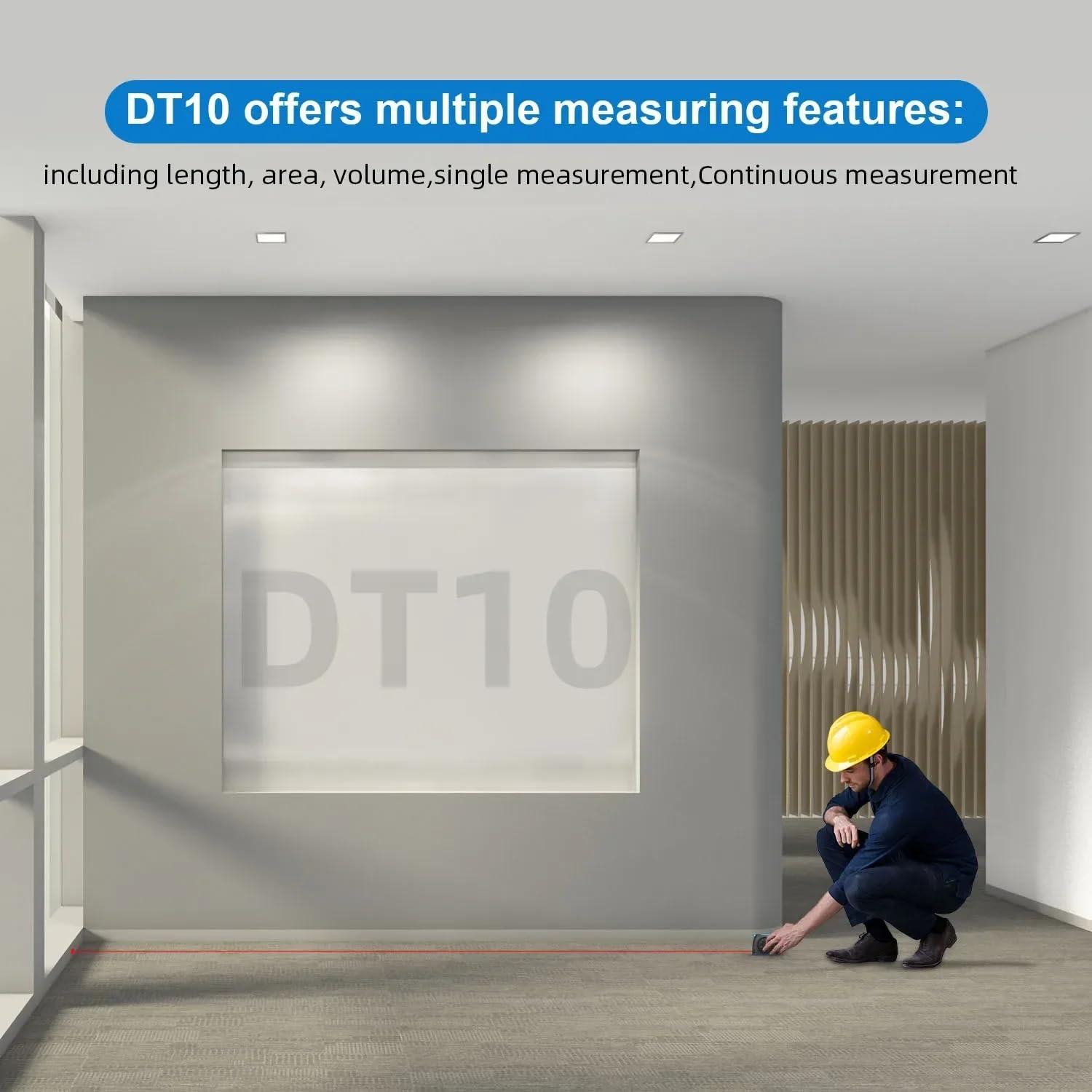
Figure 7: A person using the DT10 to take a laser measurement across a room, demonstrating its capability for various measurement types including length, area, volume, single, and continuous measurements.
Maintenance
- Cleaning: Use a soft, damp cloth to clean the device casing. Do not use abrasive cleaners or solvents. For the laser lens and display, use a clean, lint-free cloth, similar to cleaning eyeglasses.
- Storage: When not in use, store the DT10 in a dry, dust-free environment, away from direct sunlight and extreme temperatures.
- Battery Care: To prolong battery life, avoid fully discharging the battery frequently. Charge the device regularly, even if not in constant use.
Troubleshooting
| Problem | Possible Cause | Solution |
|---|---|---|
| Device does not power on. | Low or depleted battery. | Charge the device using the USB cable. |
| Laser beam is weak or not visible. | Low battery; dirty laser lens; strong ambient light. | Charge the battery; clean the laser lens; use in an environment with less direct sunlight. |
| Inaccurate laser measurements. | Unstable target surface; obstruction; device not held steady. | Ensure target surface is flat and reflective; remove obstructions; hold device steady or use a tripod if available. |
| Tape measure does not retract smoothly. | Dirt or debris in the tape mechanism. | Gently clean the tape blade and opening. Do not force retraction. |
| Display shows error message. | Measurement out of range; internal error. | Ensure target is within measurement range; power off and restart the device. If error persists, contact support. |
Specifications
| Feature | Detail |
|---|---|
| Model Number | EC-Mileseey-DT10-40M |
| Brand | FeelTech |
| Laser Measurement Range | Up to 40m |
| Tape Measure Length | 5 meters (16 feet) |
| Measurement Accuracy | ±2mm (1/16 inch) |
| Laser Class | Class 2 |
| Display Type | White on Black LCD |
| Data Storage | Up to 20 groups |
| Power Source | Rechargeable Lithium Battery (USB Charge) |
| Tape Blade Material | Nylon Coated, Glass-filled Nylon casing |
| Package Dimensions | 11.81 x 9.84 x 7.87 inches |
| Item Weight | 2.2 pounds |
| Manufacturer | Shenzhen Mileseey TECHNOLOGY CO., LTD |
| Date First Available | July 3, 2025 |
Warranty and Support
The FeelTech DT10 comes with a manufacturer's warranty. Based on available information, there is an EU Spare Part Availability Duration of 1 year, which typically aligns with the warranty period for parts and service.
For technical support, warranty claims, or service inquiries, please contact your retailer or the manufacturer, Shenzhen Mileseey TECHNOLOGY CO., LTD, directly. Refer to your purchase documentation for specific contact details.
Ask a question about this manual
Ask about setup, troubleshooting, compatibility, parts, safety, or missing instructions. Manuals+ will review the question and use this page’s manual context to help answer it.