
BIGASUO BGP8
BIGASUO BGP8 Projector User Manual
Model: BGP8
1. Introduction
Thank you for choosing the BIGASUO BGP8 Android 5G WiFi Projector. This manual provides essential information for setting up, operating, and maintaining your projector to ensure optimal performance and longevity. Please read this manual thoroughly before using the product.
2. What's in the Box
Verify that all items are present in the packaging:
- BIGASUO BGP8 Projector
- Remote Control
- Power Adapter
- AV Cable
- User Manual (this document)
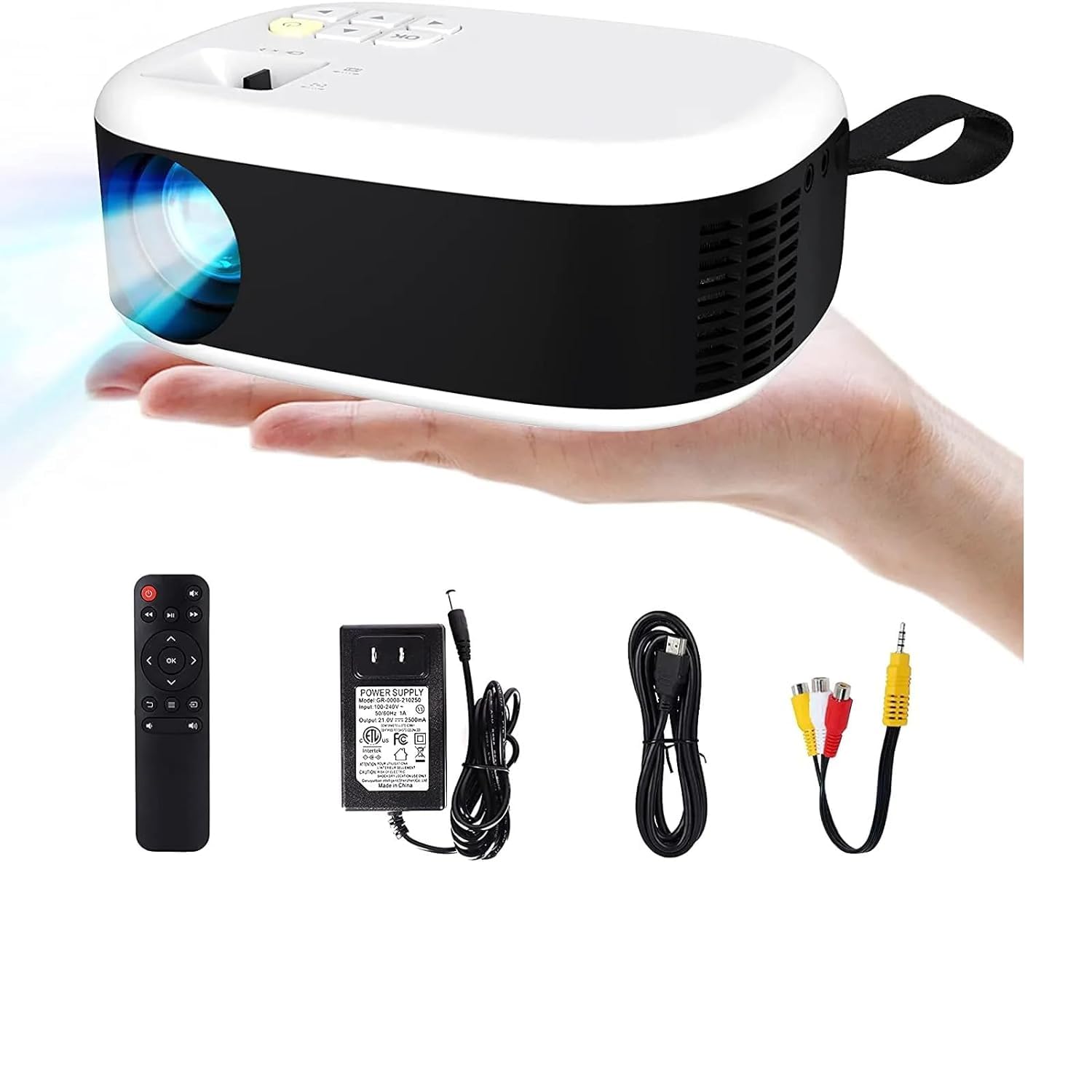
Figure 2.1: Projector and Accessories
3. Product Overview
The BIGASUO BGP8 is a versatile and portable projector designed for home entertainment. Key features include:
- 180° Rotatable Design: The integrated bracket allows for flexible projection angles, from walls to ceilings, supporting viewing from 40 to 130 feet.
- HD Projection Screen: Supports 4K and 1080P resolution with an optimal projection distance of 5.51 feet, offering a screen size range of 40-130 inches. Features automatic horizontal keystone correction for optimal image positioning.
- Wide Application: Equipped with HDMI, USB, and 3.5mm headphone ports for compatibility with various devices such as TV sticks, game consoles, PCs, smartphones, tablets, laptops, DVD players, and USB drives.
- Built-in Android System: Access YouTube and other applications directly from the projector.

Figure 3.1: Key Features of the BGP8 Projector
4. Setup Guide
4.1 Initial Placement
Place the projector on a stable, flat surface. For optimal viewing, position the projector at an appropriate distance from the projection surface (wall or screen). The optimal projection distance is approximately 5.51 feet for a clear image.

Figure 4.1: Projection Distance and Screen Size
4.2 Power Connection
- Connect the power adapter to the projector's power input port.
- Plug the power adapter into a suitable electrical outlet (220 Volts).
- Press the power button on the projector or remote control to turn it on.
4.3 Adjusting the Image
- Focus Adjustment: Rotate the focus ring on the projector lens until the image appears sharp and clear.
- Keystone Correction: The projector features automatic horizontal keystone correction. For vertical adjustments, use the manual keystone knob or digital keystone settings in the menu to correct distorted images (trapezoid effect).
- 180° Rotation: Utilize the integrated 180° rotating bracket at the base of the projector to adjust the projection angle for wall or ceiling viewing.

Figure 4.2: 180° Rotatable Design
5. Operating Instructions
5.1 Connecting Devices
The BGP8 projector supports various input sources:
- HDMI: Connect TV sticks, game consoles, laptops, or DVD players using an HDMI cable (not included). Select the HDMI input source from the projector's menu.
- USB: Insert a USB drive to play media files directly. Navigate to the media player application on the projector.
- AV: Use the provided AV cable to connect older devices.
- Bluetooth: Connect external Bluetooth speakers or headphones for enhanced audio. The projector features Bluetooth 5.0.
- 3.5mm Audio Out: Connect wired headphones or external speakers via the 3.5mm audio jack.
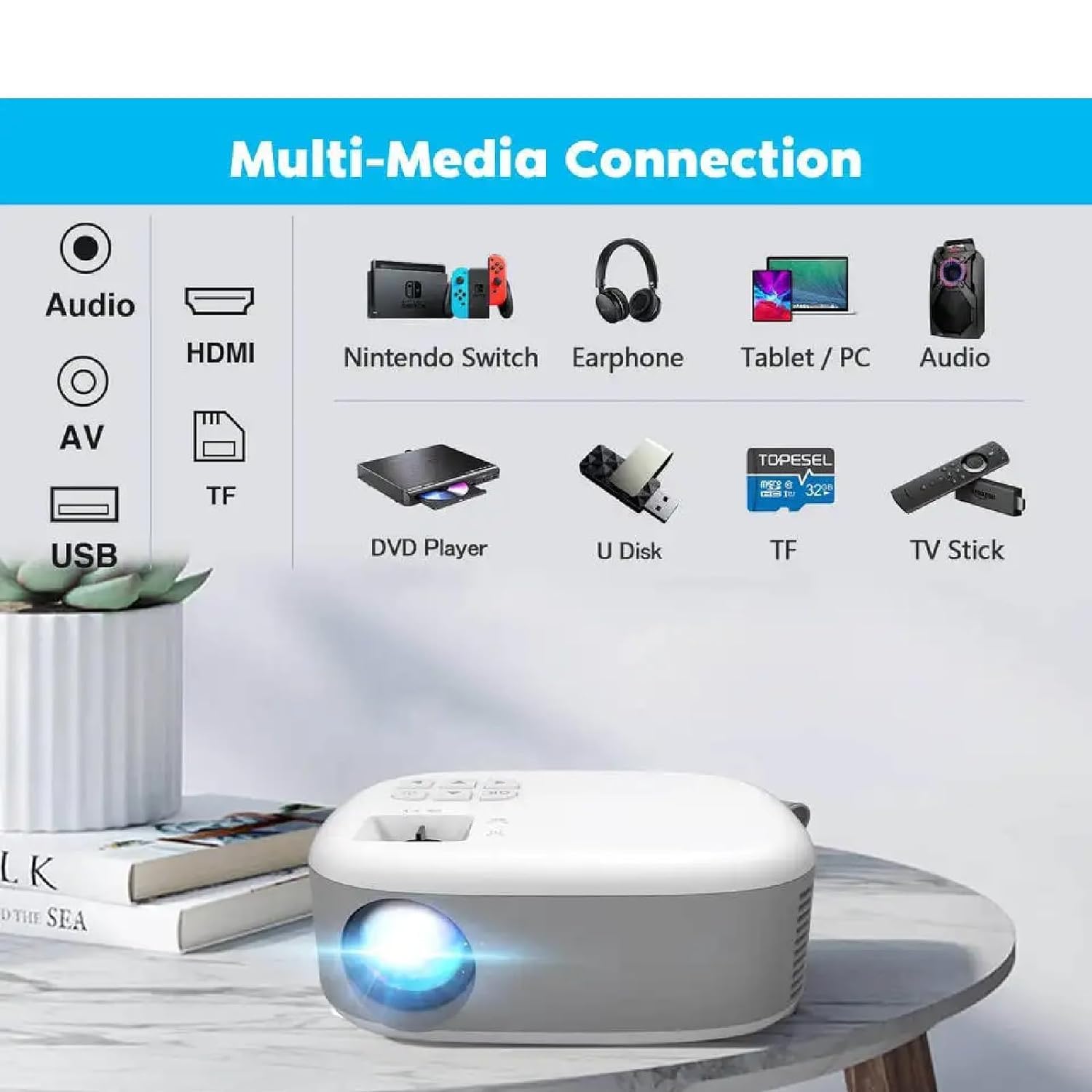
Figure 5.1: Multi-Media Connection Options
5.2 Using the Android System
The projector comes with a built-in Android system, allowing direct access to streaming services and apps.
- Ensure the projector is connected to a stable Wi-Fi network (supports 5G WiFi).
- Navigate the home screen using the remote control.
- Select pre-installed applications like YouTube or access the app store to download others.
6. Maintenance
6.1 Cleaning the Lens
Use a soft, lint-free cloth specifically designed for optical lenses to gently wipe the projector lens. Do not use abrasive cleaners or excessive force, as this can scratch the lens.
6.2 Cleaning the Projector Body
Wipe the exterior of the projector with a soft, dry cloth. For stubborn marks, a slightly damp cloth can be used, followed by a dry cloth. Avoid getting liquids inside the projector.
6.3 Storage
When not in use for extended periods, store the projector in a cool, dry place, away from direct sunlight and extreme temperatures. It is recommended to use the original packaging or a protective case to prevent dust accumulation and damage.

Figure 6.1: Portable Design for Easy Storage
7. Troubleshooting
| Problem | Possible Cause | Solution |
|---|---|---|
| No Power | Power cable not connected; Power outlet issue. | Ensure power cable is securely connected. Try a different power outlet. |
| No Image | Incorrect input source; Device not connected properly. | Select the correct input source (HDMI, USB, AV). Check cable connections. |
| Fuzzy Image | Out of focus; Incorrect keystone. | Adjust the focus ring. Use keystone correction to square the image. |
| No Sound | Volume too low; External audio device not connected. | Increase projector volume. Check external speaker/headphone connections or Bluetooth pairing. |
| Bluetooth Connectivity Issues | Device not in pairing mode; Interference. | Ensure Bluetooth device is in pairing mode. Move closer to the projector. Restart both devices. |
8. Specifications
| Feature | Detail |
|---|---|
| Brand | BIGASUO |
| Model | BGP8 |
| Product Dimensions | 10 x 25 x 10 cm |
| Item Weight | 2.5 kg |
| Display Type | LCD |
| Native Resolution | 1920 x 1080 Pixels (Full HD) |
| Supported Resolution | Up to 4K |
| Aspect Ratio | 16:9 |
| Voltage | 220 Volts |
| Wattage | 50 Watts |
| Refresh Rate | 60 Hz |
| Connectivity Technology | Bluetooth 5.0, HDMI, USB, AV |
| Mounting Type | Tabletop Mount (with 180° rotation) |
| Recommended Use | Home Theatre |
9. Warranty and Support
BIGASUO provides comprehensive support for your BGP8 projector:
- Lifetime Technical Support: For any technical queries or assistance, please contact BIGASUO customer service.
- One-Year Return Service: The product is covered by a one-year return service from the date of purchase.
For further assistance, please refer to the contact information provided with your purchase or visit the official BIGASUO support website.
Ask a question about this manual
Ask about setup, troubleshooting, compatibility, parts, safety, or missing instructions. Manuals+ will review the question and use this page’s manual context to help answer it.