Introduction
This manual provides comprehensive instructions for the Fanvace 5-inch 96GB Android 13 MP3 Player. It covers device setup, operational procedures, maintenance guidelines, and troubleshooting tips to ensure optimal performance and user experience. Please read this manual thoroughly before using your device.
Product Overview
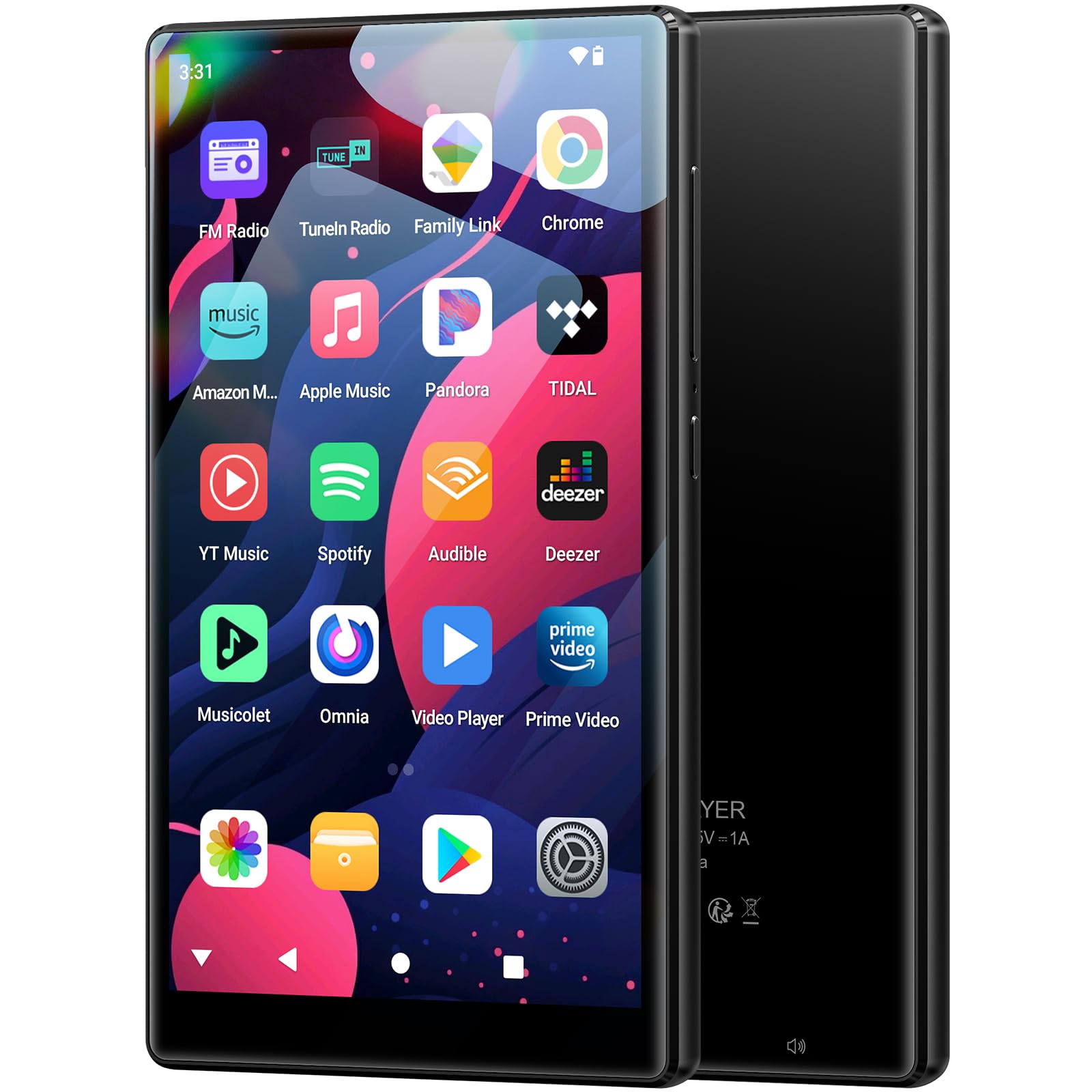
The Fanvace 5-inch MP3 Player is a versatile portable media device running on Android 13. It features a 5-inch full-touchscreen, 96GB of storage (32GB ROM + 64GB TF card), 4GB RAM, and an 8-core MTK processor for smooth operation. It supports Bluetooth 5.0 and Wi-Fi connectivity, allowing for both offline and online music and video streaming through various pre-installed applications like Spotify, Amazon Music, and Audible.
What's in the Box
Upon unboxing your Fanvace MP3 Player, verify that all the following items are included:
- 1 x MP3 Player
- 1 x 64GB SD Card (pre-installed or separate)
- 1 x USB C Cable
- 1 x Wired Earphones
- 1 x Screen Protector
- 1 x Protective Case
- 1 x User Manual

Device Layout
Familiarize yourself with the physical components of your MP3 player:
- Volume + / -: Adjusts the audio output level.
- Reset: Small pinhole button for force restarting the device.
- On/Off: Power button to turn the device on/off or put it to sleep.
- Speaker: Integrated speaker for audio playback.
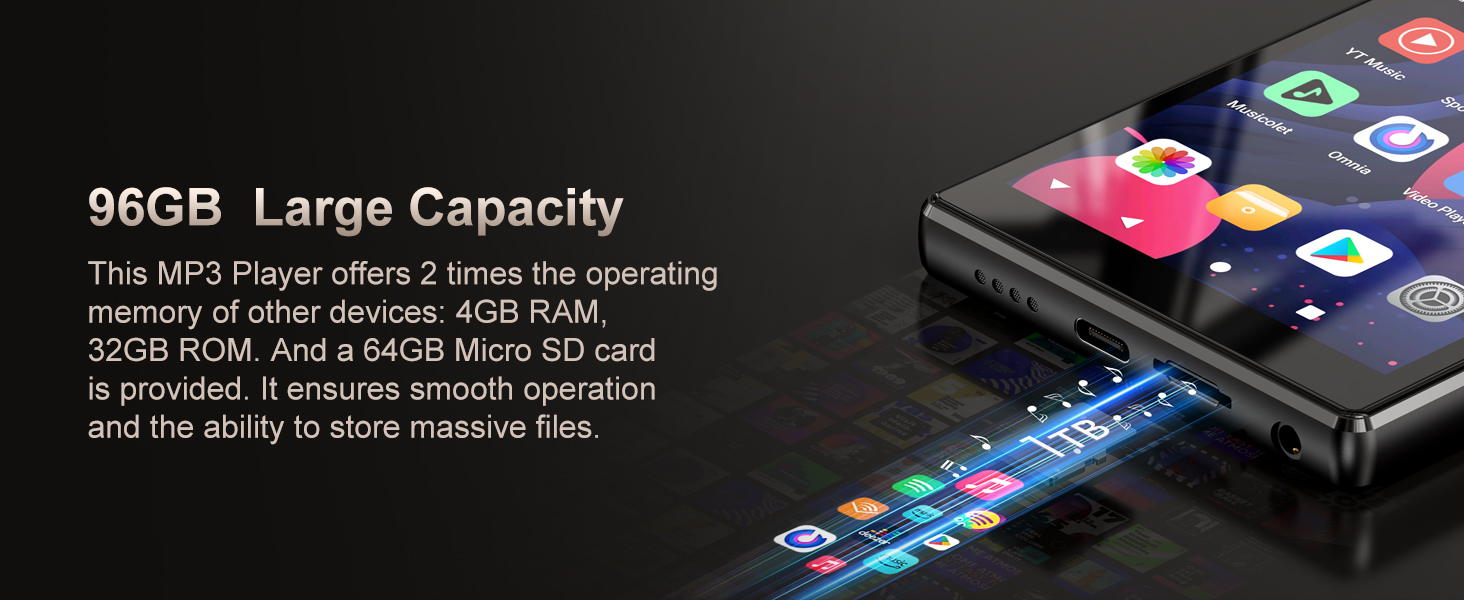
- Card slot: For inserting a Micro SD card to expand storage.
- 3.5mm output: Audio jack for wired headphones.
- USB-C port: For charging and data transfer.

Setup
1. Charging the Device
Before first use, fully charge the MP3 player using the provided USB-C cable and a 5V-1A or 5V-2A charger. Avoid using fast chargers as they can damage the battery.
2. Inserting the SD Card
Locate the card slot on the side of the device. Gently insert the 64GB Micro SD card (or your own, up to 1TB) into the slot until it clicks into place. Ensure the card is correctly oriented.
3. Initial Power On
Press and hold the On/Off button until the screen lights up. Follow the on-screen prompts to select your language and complete the initial setup process.
4. Connecting to Wi-Fi
From the home screen, navigate to Settings > Network & internet > Wi-Fi. Turn on Wi-Fi, select your desired network, and enter the password if prompted. This enables access to online streaming services and the Play Store.
Operating Instructions
Basic Navigation
The device operates via a full-touchscreen interface. Swipe left/right to navigate between home screens, tap icons to open applications, and swipe down from the top for quick settings and notifications.
Bluetooth Pairing
To connect Bluetooth headphones or speakers:
- Ensure your Bluetooth accessory is in pairing mode.
- On the MP3 player, go to Settings > Connected devices > Pair new device.
- Select your accessory from the list of available devices to pair.
Music Playback
The player supports various music formats including MP3, WAV, FLAC, APE, OGG, M4A, AAC, WMA. You can play music stored locally on the device or stream from pre-installed apps like Spotify and Amazon Music. Use the pre-installed music player app or your preferred streaming app to manage and play your audio.

Video Playback
The device supports video formats such as RM, RMVB, FLV, MP4, DAT, MKV, MPG, MOV, TS, and more, allowing direct playback without conversion. The 5-inch HD screen provides a clear viewing experience.

App Installation
As an Android 13 device, you can download and install additional applications from the Google Play Store. Ensure you are connected to Wi-Fi and logged into your Google account to access the store.

Official Product Video
Watch this video for a visual overview of the Fanvace 5-inch MP3 Player's features and capabilities.
Maintenance
- Cleaning: Use a soft, dry cloth to clean the screen and body of the device. Avoid abrasive materials or harsh chemicals.
- Battery Care: To prolong battery life, avoid extreme temperatures. As noted in the setup section, use only 5V-1A or 5V-2A chargers; fast chargers can degrade the battery.
- Software Updates: Periodically check for system updates in Settings to ensure your device has the latest features and security patches.
- Storage Management: Regularly clear unnecessary files and uninstall unused apps to maintain optimal performance.
Troubleshooting
- Device not turning on:
- Ensure the device is fully charged. If it remains unresponsive, press the reset button with a thin object (like a paperclip).
- Wi-Fi connection issues:
- Check if Wi-Fi is enabled in settings. Verify the network password. Restart the device and your Wi-Fi router if problems persist.
- Bluetooth pairing problems:
- Make sure the accessory is in pairing mode and within range. Forget previously paired devices on the MP3 player and try pairing again.
- Insufficient storage:
- Delete unused apps or large files. Transfer media to a computer or ensure your SD card is properly inserted and recognized.
- Slow performance:
- Close background applications. Clear app caches. Consider a factory reset if performance issues continue after other troubleshooting steps (note: this will erase all data).
Specifications
| Feature | Detail |
|---|---|
| Model Name | 5" MP3 Player with Bluetooth WiFi |
| Operating System | Android 13 |
| Processor | MTK 8-core |
| Screen Size | 5 Inches |
| Memory (RAM) | 4GB |
| Internal Storage (ROM) | 32GB |
| Included SD Card | 64GB |
| Expandable Storage | Up to 1TB (Micro SD) |
| Connectivity | Bluetooth 5.0, Wi-Fi |
| Battery Capacity | 2500mAh Lithium Ion |
| Audio Playback Time | Up to 50 hours |
| Video Playback Time | Up to 8 hours |
| Charging Port | USB-C |
| Special Features | Built-In Speaker, FM Radio, Touch Screen, Video Playback, Voice Recorder |
| Dimensions | 6.73 x 5.83 x 0.87 inches |
| Item Weight | 13.4 ounces |
Warranty and Support
Fanvace provides customer support for its products. For any issues or inquiries regarding your MP3 player, please refer to the contact information provided with your purchase documentation or visit the official Fanvace website. Please retain your proof of purchase for warranty claims.


