1. Introduction
The Tenda CH9 2K+2K Dual-Lens Outdoor Wi-Fi Camera is designed for comprehensive outdoor surveillance. It features dual 3MP lenses, one fixed and one PTZ (Pan-Tilt-Zoom), to provide extensive coverage and minimize blind spots. This camera supports full-color night vision up to 30 meters, AI-powered detection for people and vehicles, auto-tracking, and two-way audio communication. Its IP65 weatherproof design ensures reliable operation in various environmental conditions.
Key Features:
- Dual 3MP Lenses: Combines a fixed lens and a PTZ lens for enhanced security and wider area monitoring.
- 2K+2K Resolution: Delivers clear and detailed video footage.
- 360° PTZ Coverage: Offers 355° horizontal and 70° vertical rotation for the PTZ lens, with a 35° fixed vertical angle for the static lens.
- Color Night Vision: Provides full-color visibility up to 30 meters in low-light conditions.
- AI Detection & Auto Tracking: Intelligently identifies people and vehicles, tracks movement, and sends instant alerts.
- Two-Way Audio: Enables real-time communication through the camera.
- IP65 Weatherproof: Durable design suitable for outdoor use in rain, wind, and varying temperatures.
- Local Storage: Supports microSD cards up to 512GB or NVR for continuous recording.
- Wi-Fi 6 2.4GHz: Ensures stable and wider network coverage.

Image 1.1: Overview of the Tenda CH9 Dual Lens Outdoor Wi-Fi Camera highlighting its dual 3MP lenses and outdoor capabilities.
2. Setup and Installation
2.1 Package Contents
Verify that all components are present in the package:
- Tenda CH9 Dual-Lens Outdoor Wi-Fi Camera
- Power Adapter
- Mounting Screws and Anchors
- Waterproof Kit for Ethernet Cable (if applicable)
- Quick Installation Guide
2.2 Initial Setup Steps
- Download the TDSEE App: Search for "TDSEE" in your mobile device's app store (App Store for iOS or Google Play for Android) and install the application.
- Power On the Camera: Connect the camera to a power source using the provided power adapter. Wait for the camera to initialize.
- Connect to Network: Open the TDSEE App. Follow the in-app instructions to connect the camera to your 2.4GHz Wi-Fi network. Ensure your mobile device is connected to the same 2.4GHz Wi-Fi network during setup. An Ethernet cable can also be used for a wired connection.
- Add Device: In the TDSEE App, select to add a new device. Scan the QR code located on the camera or its packaging to pair the camera with your account. Follow any additional prompts to complete the setup.

Image 2.1: Visual guide for the four-step initial setup process using the TDSEE app.
2.3 Mounting Options
The Tenda CH9 camera offers flexible mounting options to suit various outdoor environments:
- Ceiling Mounting: Ideal for overhead surveillance, providing a wide downward view.
- Wall Mounting: A common installation method for monitoring specific areas like entrances or driveways.
- Pole Mounting: Suitable for areas without flat surfaces, such as utility poles.
Use the provided mounting template and hardware to securely install the camera. Ensure the mounting surface is strong enough to support the camera's weight.

Image 2.2: Illustration of various mounting methods for the Tenda CH9 camera.
3. Operation
3.1 Live View and PTZ Control
Access the live video feed through the TDSEE App. The PTZ lens allows for flexible viewing angles. You can control the camera's movement directly from the app:
- Horizontal Rotation: Up to 355°
- Vertical Tilt: Up to 70° for the PTZ lens, with an additional fixed 35° vertical view from the static lens.
- Digital Zoom: Utilize the app to digitally zoom into specific areas of the live feed.

Image 3.1: The camera's 360° vision capabilities, including horizontal and vertical movement ranges, controlled via the mobile app.

Image 3.2: The PTZ control interface within the mobile application, allowing users to adjust camera direction and speed.
3.2 Night Vision Modes
The camera offers advanced night vision capabilities:
- Full-Color Night Vision: Provides clear, colored images even in very low light conditions, up to 30 meters.
- Infrared Night Vision: Standard black and white night vision for discreet monitoring.
You can configure the night vision mode in the TDSEE App settings.

Image 3.3: A visual comparison demonstrating the clarity and color provided by the camera's full-color night vision.

Image 3.4: The camera monitoring an outdoor scene at night, showcasing its night vision capabilities.
3.3 AI Detection and Alerts
The camera utilizes AI to accurately detect and track specific events:
- Human Detection: Identifies human figures, reducing false alarms from pets or swaying branches.
- Vehicle Detection: Recognizes vehicles entering or leaving monitored areas.
- Auto Tracking: Once a person or vehicle is detected, the PTZ lens can automatically follow their movement.
- Instant Notifications: Receive real-time alerts on your smartphone when detection events occur.
- Light and Sound Alarms: The camera can activate built-in lights and sound an alarm to deter intruders.

Image 3.5: The camera's AI detection capabilities identifying a person, vehicle, and pet, reducing false alarms.

Image 3.6: The camera's multi-alert system in action, featuring light and sound warnings, alongside a smartphone notification for intrusion detection.

Image 3.7: A smartphone screen showing an alert for vehicle intrusion detected by the PTZ lens.
3.4 Two-Way Audio
The built-in microphone and speaker enable two-way communication. You can speak through the camera to visitors or deter unwanted individuals directly from your smartphone.
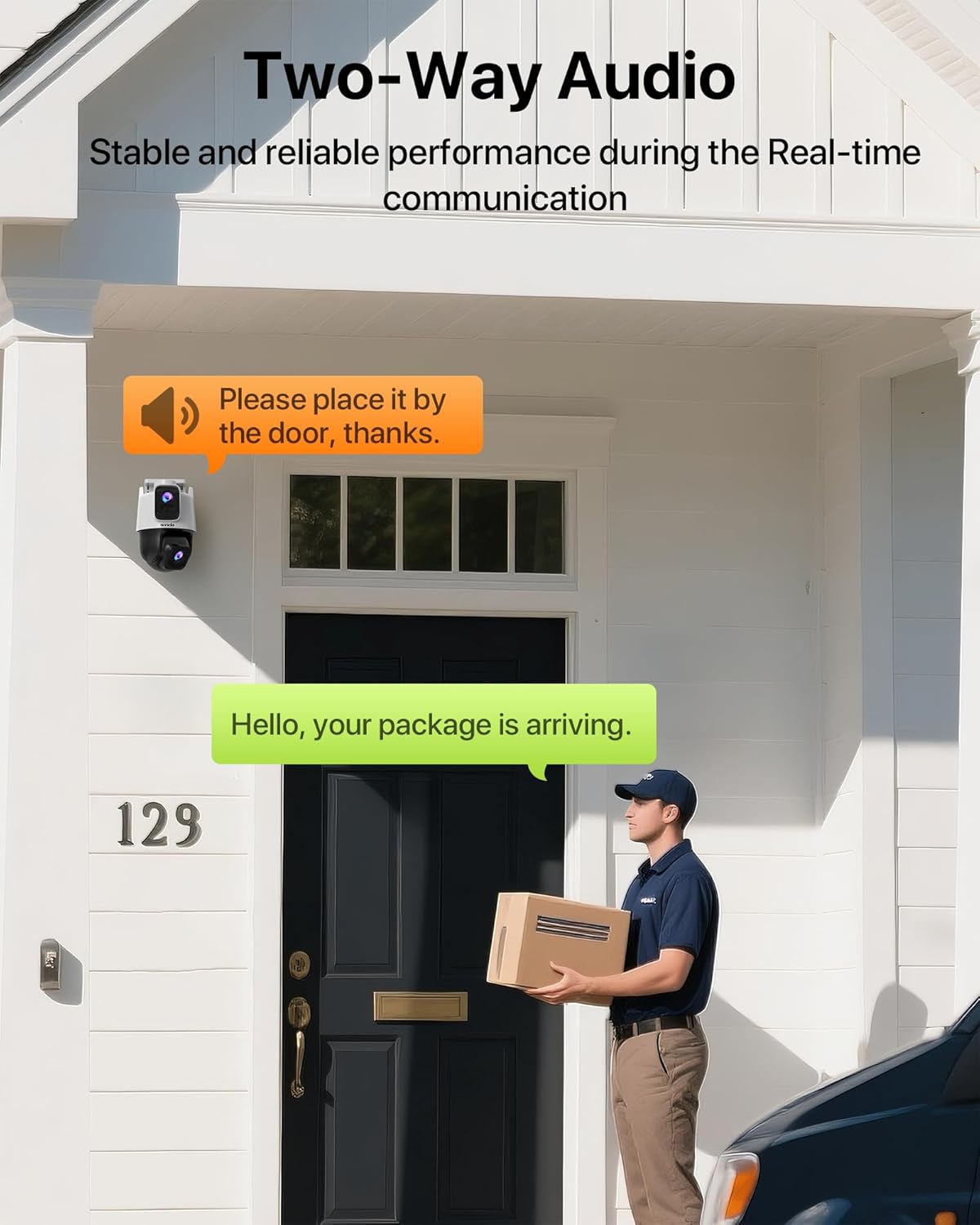
Image 3.8: A delivery person interacting with the camera's two-way audio feature.

Image 3.9: A user engaging in two-way audio communication via the mobile app.
3.5 Customizable Detection Areas and Patrol Routes
Define specific areas within the camera's view for motion detection to focus on critical zones and reduce irrelevant alerts. You can also set up patrol routes for the PTZ lens to automatically monitor multiple points of interest.

Image 3.10: The camera's ability to customize detection areas for targeted surveillance coverage.

Image 3.11: The camera executing a programmed patrol route, monitoring different points of interest.
3.6 Remote Access and Sharing
The TDSEE App allows you to access your camera's live feed and recordings from anywhere with an internet connection. You can also securely share access to your camera with family members or trusted individuals, granting them specific viewing or control permissions.

Image 3.12: The app's feature for sharing camera access and permissions with other users.
4. Maintenance
4.1 Weather Resistance
The Tenda CH9 camera is rated IP65 weatherproof, meaning it is protected against dust ingress and low-pressure water jets from any direction. This ensures reliable operation in various outdoor conditions, including rain, wind, and extreme temperatures ranging from -20°C to 60°C.

Image 4.1: The camera's weather-resistant design, suitable for diverse outdoor environments.
4.2 Storage Management
The camera supports local storage via a microSD card (up to 512GB) or connection to an NVR (Network Video Recorder). Regularly check the storage status in the TDSEE App. For continuous recording, ensure sufficient storage capacity or enable cloud storage services if desired.
- MicroSD Card: Insert a compatible microSD card into the designated slot. The camera will automatically begin recording based on your settings.
- NVR: Connect the camera to a compatible NVR system for centralized recording and management.
- Cloud Storage: Optional cloud storage services may be available for off-site backup of recordings.
4.3 Cleaning
To maintain optimal image quality, periodically clean the camera lens and housing. Use a soft, damp cloth to wipe away dust and dirt. Avoid using harsh chemicals or abrasive materials that could damage the lens or finish.
5. Troubleshooting
| Problem | Possible Cause | Solution |
|---|---|---|
| Camera offline or unable to connect to Wi-Fi. | Incorrect Wi-Fi password; camera too far from router; 5GHz Wi-Fi network used; network interference. | Ensure correct 2.4GHz Wi-Fi password. Move camera closer to router or use a Wi-Fi extender. Verify router is broadcasting 2.4GHz. Reduce interference from other devices. Try wired Ethernet connection if available. |
| Frequent false alarms. | Detection sensitivity too high; detection area too wide; environmental factors (e.g., swaying trees, insects). | Adjust detection sensitivity in the TDSEE App. Refine detection zones to exclude irrelevant areas. Ensure camera lens is clean. |
| PTZ functions are unresponsive or cause camera to crash. | Network instability; outdated firmware; hardware malfunction. | Check network connection stability. Ensure camera firmware is up to date via the TDSEE App. Restart the camera. If issues persist, contact support. |
| Night vision is unclear or erratic. | Lens obstruction; incorrect night vision settings; external light sources. | Clean the camera lens. Verify night vision settings in the TDSEE App (e.g., ensure it's not switching modes erratically). Minimize direct external light sources that might interfere. |
| Two-way audio not working. | Microphone/speaker disabled in app; volume too low; network latency. | Check audio settings in the TDSEE App to ensure microphone and speaker are enabled and volume is adequate. Ensure a stable network connection. |
6. Specifications
| Feature | Detail |
|---|---|
| Model Number | CH9 |
| Resolution | Dual 3MP (2K+2K) |
| Connectivity | Wi-Fi (2.4GHz, Wi-Fi 6), Ethernet |
| PTZ Angles | Horizontal: 355°, Vertical (PTZ lens): 70°, Vertical (Fixed lens): 35° |
| Night Vision | Color Night Vision up to 30m, Infrared Night Vision |
| Detection | AI Human Detection, AI Vehicle Detection, Auto Tracking |
| Audio | Two-Way Audio |
| Weather Resistance | IP65 |
| Operating Temperature | -20°C to 60°C |
| Storage Options | MicroSD card (up to 512GB), NVR, Cloud Storage (optional) |
| Power Source | Corded Electric |
| Dimensions (L x W x H) | 7.87 x 6.3 x 4.7 inches |
| Item Weight | 1.5 pounds |
| Compatible Devices | Smartphone (via TDSEE App) |
7. Warranty and Support
7.1 Product Warranty
Tenda products typically come with a limited warranty. Please refer to the warranty card included with your product or visit the official Tenda website for detailed warranty terms and conditions specific to your region. Keep your purchase receipt as proof of purchase for warranty claims.
7.2 Technical Support
For technical assistance, troubleshooting, or any questions regarding your Tenda CH9 camera, please contact Tenda customer support:
- Email: support.usa@tenda.cn
- Website: Visit the official Tenda website for FAQs, firmware updates, and additional support resources.
When contacting support, please have your product model (CH9) and a description of the issue ready to facilitate faster service.


