
ANRUOLA Bluetooth Sleep Mask with Wireless Headphones - Model ARLS01 Instruction Manual
Model: ARLS01 | Brand: ANRUOLA
1. Product Overview
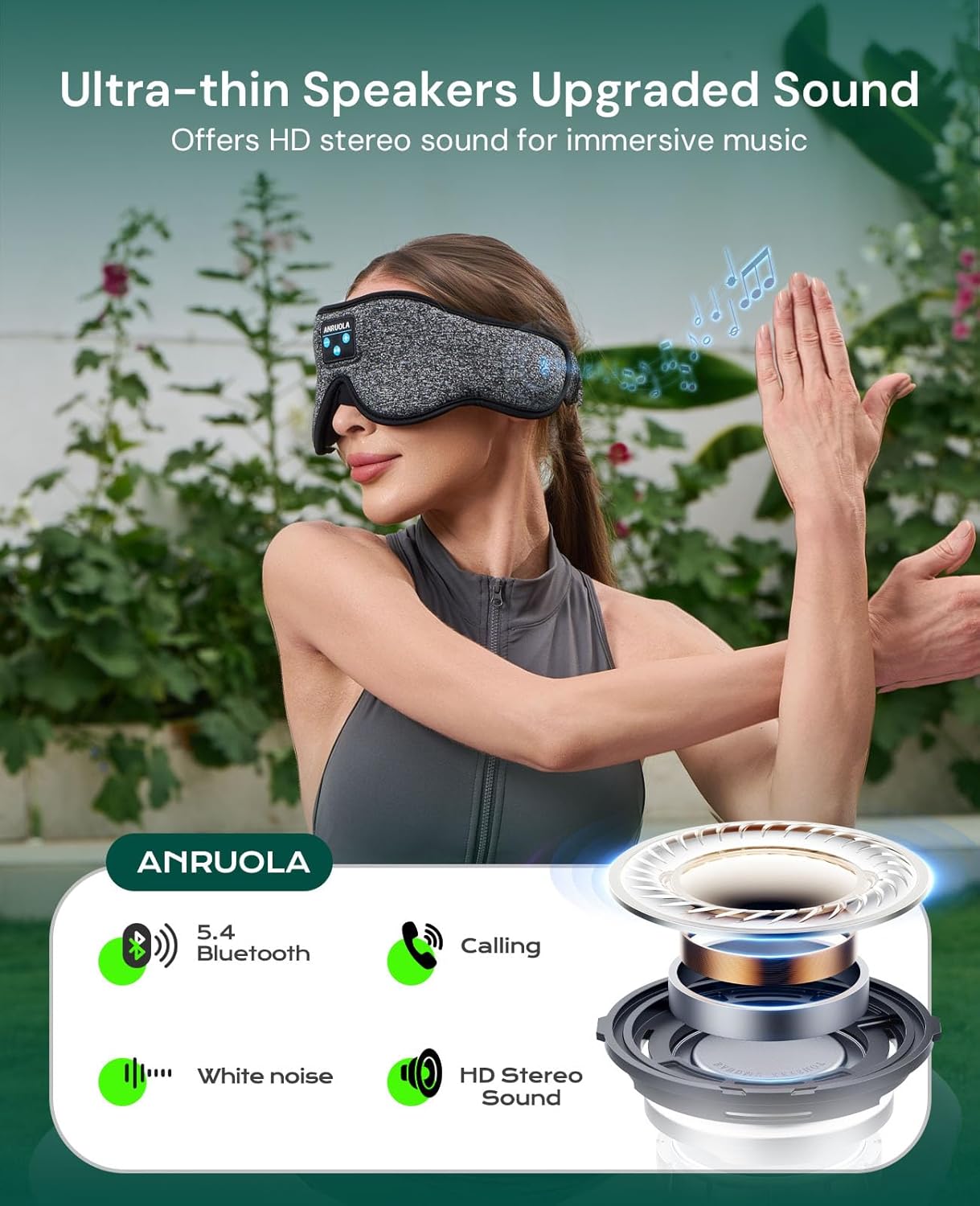
The ANRUOLA Bluetooth Sleep Mask with Wireless Headphones (Model ARLS01) combines a comfortable eye mask with integrated Bluetooth audio. This device is designed to block light and provide a personal audio experience for relaxation, sleep, or travel. Key features include a 3D contoured design for eye comfort, built-in HD Bluetooth headphones for clear sound, and soft, breathable fabric with an adjustable fit.
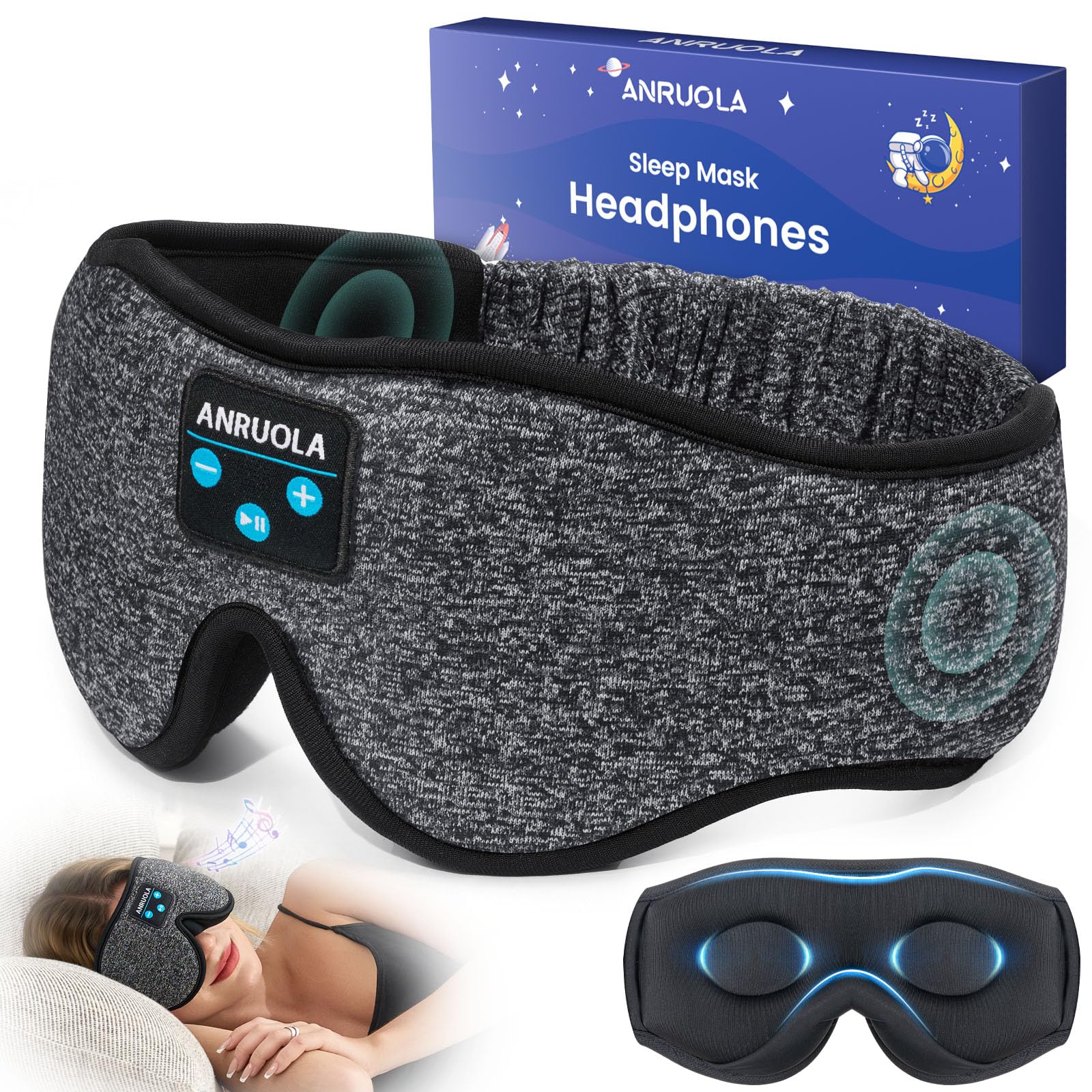
The ANRUOLA Bluetooth Sleep Mask in Dark Grey, featuring integrated wireless headphones.

The sleep mask combines light blocking with Bluetooth audio for a complete sensory experience.
2. Setup Instructions
2.1 Charging the Device
Before initial use, fully charge the sleep mask. Locate the charging port, typically on the side or front control panel. Connect the provided USB charging cable to the mask and a compatible USB power source (e.g., computer USB port, wall adapter). The indicator light will show the charging status and will turn off or change color when fully charged.
2.2 Bluetooth Pairing
Follow these steps to pair your sleep mask with a Bluetooth-enabled device:
- Ensure the sleep mask is charged.
- Press and hold the power button on the control panel until the indicator light flashes, signifying pairing mode.
- On your smartphone or tablet, navigate to the Bluetooth settings menu.
- Search for available devices and select 'ANRUOLA' (or a similar device name) from the list.
- Once connected, the indicator light will stop flashing or show a steady light. You can now play audio through the mask.

A smartphone displaying the Bluetooth settings, showing a successful connection to the ANRUOLA device.
3. Operating Instructions
3.1 Wearing the Sleep Mask
Place the sleep mask over your eyes, ensuring the 3D contoured cups comfortably cover your eyes without applying pressure. Adjust the elastic strap at the back of your head for a snug, secure fit that effectively blocks out all light. Position the integrated speakers over your ears for optimal sound quality.

The sleep mask features 3D contoured eye sockets for enhanced comfort and complete light blockage.

The design ensures comfort for various sleeping positions, including side sleepers.
3.2 Controls
The control panel on the front of the mask provides access to various functions:
- Power Button (usually center): Press and hold to power the device on or off. A short press will play or pause audio.
- Volume Up (+): A short press increases the volume. A long press skips to the next audio track.
- Volume Down (-): A short press decreases the volume. A long press returns to the previous audio track.
- Call Button (often integrated with Power): A short press answers an incoming call. A short press again ends an active call. A long press rejects an incoming call.
The control panel on the sleep mask, showing the buttons for power, volume, and track control.
3.3 Audio Playback
Once the sleep mask is successfully paired with your device, open your preferred audio application (e.g., music player, audiobook app, podcast app). Use the play/pause, volume, and track skip buttons on the sleep mask to control your audio playback.
3.4 Phone Calls
When an incoming call is received, the audio playback will automatically pause. Press the call button to answer the call. Speak normally; the mask has a built-in microphone for communication. Press the call button again to end the call.
4. Maintenance
4.1 Cleaning
The ANRUOLA Bluetooth Sleep Mask is designed for hand washing only. Before washing, carefully remove the electronic components (speakers and control panel) from their pockets within the mask. Hand wash the fabric mask with a mild soap and cool water. Allow the mask to air dry completely before reinserting the electronic components.
4.2 Storage
When not in use, store the sleep mask in a clean, dry place away from direct sunlight and extreme temperatures to prolong its lifespan.

The elastic band is designed for comfort and to prevent hair entanglement.
5. Troubleshooting
If you encounter any issues with your ANRUOLA Bluetooth Sleep Mask, please refer to the following troubleshooting guide:
- Device will not power on: Ensure the battery is charged. Connect the mask to a power source using the provided USB cable and allow it to charge for at least 30 minutes before attempting to power on again.
- Cannot pair with Bluetooth device: Make sure the mask is in pairing mode (flashing indicator light). Ensure Bluetooth is enabled on your smartphone/tablet. Keep the mask within 1 meter (3 feet) of your device during pairing. If previously paired, try 'forgetting' the device on your phone and re-pairing.
- No sound or low volume: Check the volume levels on both the sleep mask and your connected device. Ensure the mask is properly paired and connected. Verify that the speakers are correctly positioned over your ears.
- Short battery life: Ensure the mask is fully charged before each use. Battery performance can decrease over time with repeated charging cycles. The mask is designed for up to 12 hours of use on a single charge.

The sleep mask offers up to 12 hours of battery life for extended use.
6. Specifications
| Product Dimensions | 10.4 x 4.3 x 1.2 inches; 6.38 ounces |
| Model Number | ARLS01 |
| Batteries | 1 Lithium Ion battery (included) |
| Manufacturer | ANRUOLA |
| Material Type | Foam |
| Material Features | Breathable, Comfortable, Hypoallergenic, Non Toxic, Reusable |
| Product Care Instructions | Hand Wash Only |
| Other Special Features | Bluetooth, Breathable, Ergonomic |
| Closure Type | Tie |
| Color | Dark Grey |
| Unit Count | 1.0 Count |
| Size | 1 Count (Pack of 1) |
7. Safety Information
Please observe the following safety guidelines when using this product:
- Do not use this product if it obstructs breathing.
- This product is not suitable for children who cannot remove the mask by themselves.
8. Warranty and Support
For detailed warranty information regarding your ANRUOLA Bluetooth Sleep Mask, please refer to the documentation included with your product packaging. Alternatively, you may visit the official ANRUOLA website or contact their customer support directly for assistance with product inquiries, technical support, or warranty claims.