
1. Safety Information
Please read all safety instructions carefully before using the GiveBest Smart Wall Heater. Keep this manual for future reference.
- Flame-Retardant Materials: The heater is constructed with V-0 rated flame-retardant materials for enhanced safety.
- Overheat Protection: Equipped with automatic overheat protection to prevent hazards.
- Tip-Over Protection: Features an automatic shut-off if the unit is accidentally tipped over.
- Power Connection: Always plug the heater directly into a wall outlet. Do not use extension cords or power strips, as this can lead to overheating and fire hazards.
- Clearance: Maintain at least 3 feet (0.9 m) clearance from the front, sides, and rear of the heater to combustible materials such as furniture, pillows, bedding, papers, clothes, and curtains.
- Indoor Use Only: This heater is designed for indoor use in dry locations. Do not use in bathrooms or other high-humidity areas unless specifically rated for such environments.
- Child Safety Lock: Utilize the child lock feature to prevent unintended operation by children.

Image: GiveBest Smart Wall Heater highlighting its multiple safety features including an enhanced safety plug, 122°F overheat protection, ETL listing, V-0 flame-retardant materials, and a child lock.
2. Product Overview
The GiveBest Smart Wall Heater UPH310M is a versatile and efficient heating solution designed for various indoor spaces. It combines advanced PTC heating technology with smart control options for optimal comfort and convenience.
- Fast & Efficient Heating: Equipped with a PTC heating system and optimized airflow, it delivers rapid warmth.
- Quiet Operation: Operates at a low noise level of 34 dB, ensuring a peaceful environment.
- Smart Control: Control your heater via remote, mobile app (Dreo App), or voice commands (Alexa).
- Flexible Placement: Can be wall-mounted to save floor space or placed on the floor using retractable feet.
- Energy Efficiency: Features an ECO mode and adjustable thermostat to minimize power usage.
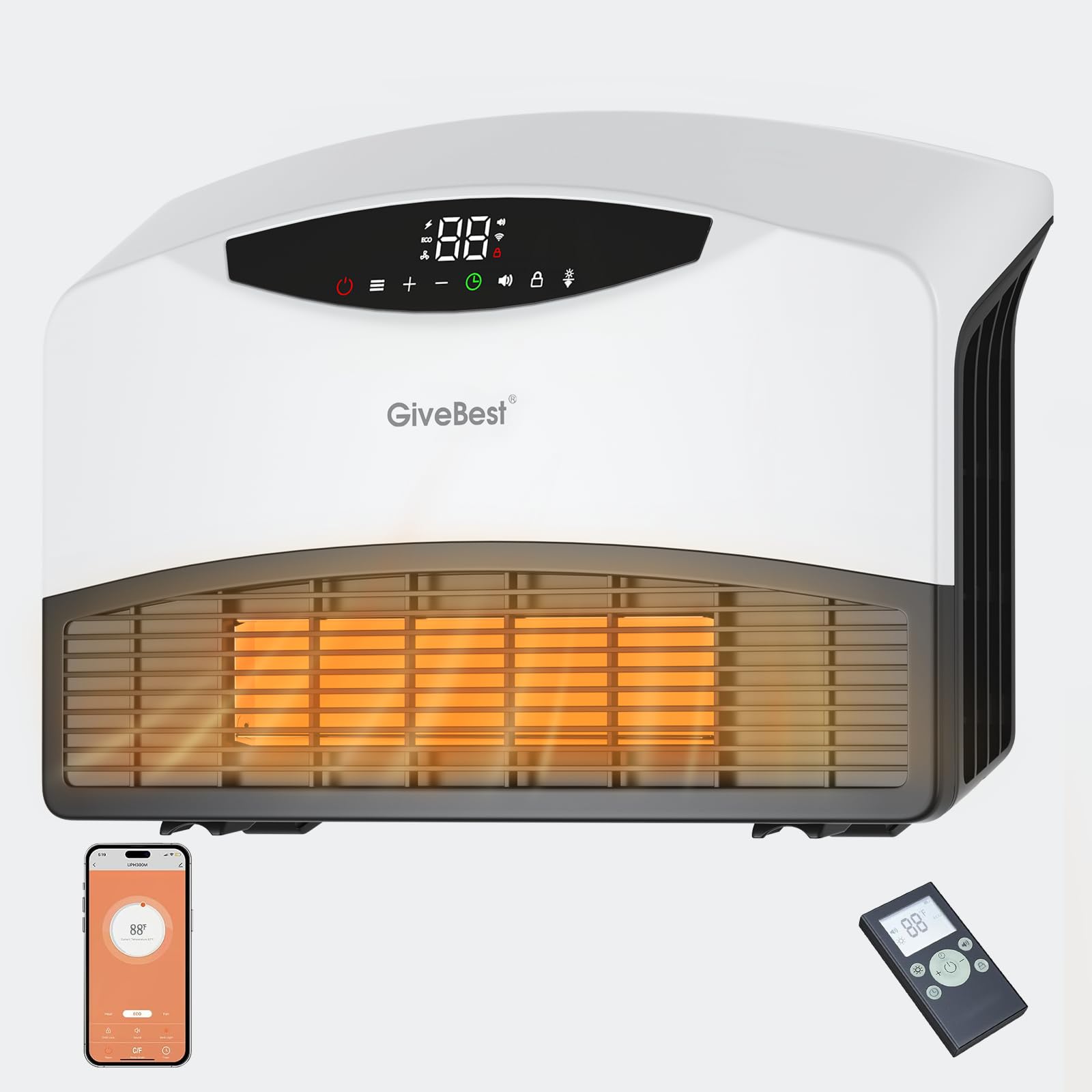
Image: A transparent view of the GiveBest Smart Wall Heater's internal ceramic heating elements, illustrating its 1500W power and a temperature range of 40°F to 99°F, emphasizing fast and safe heating.
3. Package Contents
Upon unboxing, ensure all the following items are present:
- GiveBest Smart Wall Heater UPH310M
- Remote Control
- Instruction Manual
- Mounting Hardware (screws, drywall anchors, brackets)
- Wall Mounting Template
Video: An unboxing and installation guide for the GiveBest Smart Wall Heater, demonstrating how to unpack the unit and prepare it for mounting or floor use.
4. Setup & Installation
4.1 Wall Mounting
- Choose a suitable location on a wall, ensuring at least 12 inches of clearance above and below the heater.
- Use the provided wall mounting template to mark the drill holes accurately. The template includes a built-in level for precise alignment.
- Drill the marked holes and insert the drywall anchors (if needed).
- Secure the top two screws, leaving about 1/5 inch exposed to hang the heater.
- Attach the two bottom brackets to the heater, ensuring the flat end faces the wall.
- Before hanging, ensure the power cord is routed correctly through the bottom channel on the back of the heater.
- Carefully hang the heater onto the top screws, then secure the bottom brackets with screws.
4.2 Floor Placement
The GiveBest Smart Wall Heater can also be placed on the floor. Simply extend the retractable feet located on the bottom of the unit to ensure stability and proper airflow.
4.3 Power Connection
Plug the heater directly into a standard 120V wall outlet. Avoid using extension cords or power strips to prevent overheating and potential fire hazards.

Image: The GiveBest Smart Wall Heater is displayed in two configurations: securely mounted on a wall and standing on the floor using its retractable feet, highlighting its adaptable design for various room setups.
5. Operating Instructions
The heater features a digital display and touch controls on the unit, as well as remote and app control options.
5.1 Power On/Off
Press the power button (usually indicated by a circle with a vertical line) on the unit or remote to turn the heater on or off.
5.2 Heating Modes & Temperature Adjustment
The heater offers three heating modes and an ECO mode:
- H1 (Low Heat): 900W
- H2 (Medium Heat): 1200W
- H3 (High Heat): 1500W
- ECO Mode: This energy-saving mode uses a built-in adjustable thermostat to maintain a set temperature, automatically adjusting heat output to minimize power usage.
- Fan Only Mode: Circulates air without heating.
Use the '+' and '-' buttons on the unit or remote to adjust the desired temperature in ECO mode or to cycle through heating modes.

Image: The GiveBest Smart Wall Heater's display shows the ECO mode, indicating automatic heat output adjustment between 40°F and 99°F, managed by a precise thermal sensor to maintain a comfortable room temperature efficiently.
5.3 Timer Function
Press the timer button to set an automatic shut-off time from 1 to 24 hours. This allows for scheduled operation, enhancing convenience and energy saving.
5.4 Mute & Display Control
The heater features a mute function to silence button operation sounds, ideal for quiet environments like bedrooms. You can also adjust the display brightness or turn it off completely, leaving only a small indicator light.
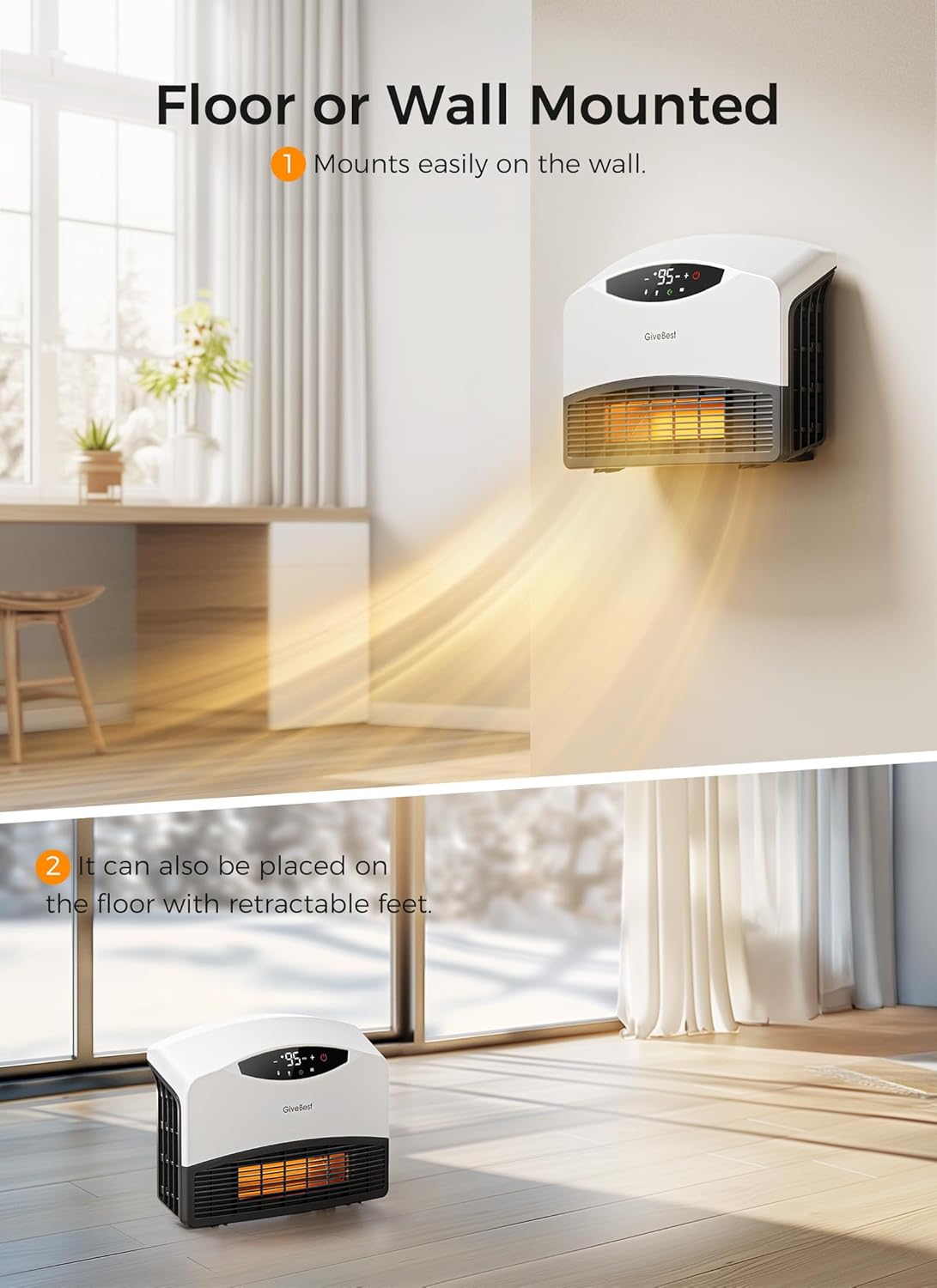
Image: The GiveBest Smart Wall Heater is shown wall-mounted in a bedroom, emphasizing its quiet operation and the ability to turn the LED screen display on or off, as well as mute button sounds, for an undisturbed sleep.
5.5 Child Lock Feature
To activate the child lock, press and hold the '+' and '-' buttons simultaneously for 3 seconds. This will disable all touch controls on the unit. Repeat the action to deactivate the child lock.
Video: A detailed review of the GiveBest Electric Wall Heater, covering its features, controls, and overall user experience.
6. Smart Control Options
The GiveBest Smart Wall Heater offers multiple convenient ways to control its functions.
6.1 Remote Control
The included remote control provides full functionality to adjust settings from a distance, including power, modes, temperature, timer, mute, and display brightness.
6.2 Mobile App Control
Download the user-friendly Dreo app (or similar compatible app) to your smartphone. The heater is compatible with 2.4 GHz Wi-Fi networks (not 5G). Once connected, you can control all heater functions remotely, including preheating your room before arrival.

Image: A smartphone displaying the GiveBest Smart Wall Heater's control app, showing remote preheating capabilities and compatibility with smart home systems like Google and Alexa.
6.3 Voice Control
Integrate your heater with voice assistants like Alexa for hands-free control. Simply use voice commands to adjust settings.
Video: A promotional video from the GiveBest Store showcasing the Smart Wall Heater's features, including its 1500W power and smart control options.
7. Maintenance
Regular maintenance ensures optimal performance and longevity of your heater.
- Cleaning the Filter: The heater features a washable filter. Regularly clean the filter to maintain efficient operation and air quality. Refer to the detailed manual for specific cleaning instructions.
- Exterior Cleaning: Wipe the exterior of the heater with a soft, damp cloth. Do not use abrasive cleaners or allow water to drip into the interior.
- Storage: When not in use, store the heater in a cool, dry place.
8. Troubleshooting
If you encounter any issues with your GiveBest Smart Wall Heater, refer to the table below for common problems and solutions.
| Problem | Possible Cause | Solution |
|---|---|---|
| Heater does not turn on. | No power, power switch off, or safety feature activated. | Check power outlet, ensure master power switch is on, reset safety features (e.g., tip-over switch). |
| Heater stops heating unexpectedly. | Overheat protection activated, timer expired, or ECO mode reached set temperature. | Allow unit to cool, check timer settings, verify ECO mode temperature. |
| Wi-Fi connection fails. | Incorrect Wi-Fi band (5G), weak signal, or incorrect password. | Ensure 2.4 GHz Wi-Fi, move heater closer to router, re-enter password. |
| Display shows incorrect room temperature. | Sensor interference or placement. | Ensure heater is not near drafts or direct heat sources that could affect the sensor. |
9. Specifications
| Feature | Detail |
|---|---|
| Brand | GiveBest |
| Model Number | UPH310M |
| Power | 1500W (High), 1200W (Medium), 900W (Low) |
| Voltage | 120V |
| Dimensions | 16.1"D x 11"W x 4.3"H |
| Item Weight | 7.13 pounds |
| Heating Coverage | Up to 150 sq ft (primary), up to 750 sq ft (supplemental) |
| Noise Level | 34 dB |
| Wi-Fi Compatibility | 2.4 GHz (not compatible with 5G) |
| Safety Features | Overheat Protection, Tip-Over Protection, V-0 Flame-Retardant Materials, Child Lock |
10. Warranty & Support
GiveBest offers dedicated customer support for their products.
- Warranty: Extend your warranty to 30 months by registering your product.
- Customer Support: For quick customer service or product support, please refer to the contact information provided in your quick start guide or visit the GiveBest website.
