
Introduction
Welcome to the comprehensive instruction manual for your Ninja Luxe Café Premier Series ES601CY. This intelligent 3-in-1 system offers unmatched versatility for espresso, drip coffee, and rapid cold brew. Designed for ease of use, it features Barista Assist Technology to guide you through the brewing process, ensuring café-quality drinks at home.

Image: The Ninja Luxe Café Premier Series ES601CY espresso machine, showcasing its sleek design and various components on a kitchen countertop.
Setup
Before first use, ensure all components are thoroughly cleaned and dried. The machine comes with a starter kit containing essential accessories and cleaning tools.
Unboxing and Initial Preparation
- Carefully remove the machine and all accessories from the packaging.
- Refer to the included Quick Start Guide for a visual overview of components.
- Locate the portafilter, baskets (double, luxe), assisted tamper, funnel, and milk jug.
- Identify the cleaning brush, cleaning disc, and descaling powder from the cleaning kit.

Image: A close-up view of the Ninja Luxe Café machine's built-in accessory storage compartment, designed to keep tools organized and readily accessible.
Water Hardness Test
Use the provided water hardness test strip to determine your water's hardness. This helps the machine optimize descaling frequency for longevity and performance.
Filling Water Reservoir and Bean Hopper
- Fill the water reservoir with fresh, filtered water.
- Add whole coffee beans to the integrated bean hopper.
Flushing the Machine
Before first use, run a water flush cycle to prime the machine and ensure all internal components are clean. Follow the on-screen prompts for this one-time process.
Video: A quick setup review of the Ninja Luxe Café, demonstrating the initial unboxing and preparation steps for the machine.
Operating Instructions
The Ninja Luxe Café Premier Series features Barista Assist Technology to simplify your brewing experience.
Grind Size Recommendations and Weight-Based Dosing
- The integrated conical burr grinder offers 25 grind settings.
- Barista Assist Technology provides customized grind size recommendations based on your beans and previous brews.
- The built-in scale ensures precise, weight-based dosing for your selected drink, eliminating manual measurement.

Image: The machine's display panel indicating current and recommended grind sizes, a key feature of the Barista Assist Technology.
Brewing Espresso
- Choose between double shot or quad shot espresso styles.
- The machine automatically adjusts brew temperature and pressure for optimal flavor extraction.

Image: Espresso pouring into a small glass cup, demonstrating the adaptive brewing process of the Ninja Luxe Café machine.
Brewing Drip Coffee and Rapid Cold Brew
- Select from classic, rich, or over ice drip coffee styles.
- Rapid cold brew options include cold-pressed espresso or cold brew coffee.
- Drip coffee and cold brew are available in 6, 8, 10, 12, 14, 16, and 18 oz. sizes.
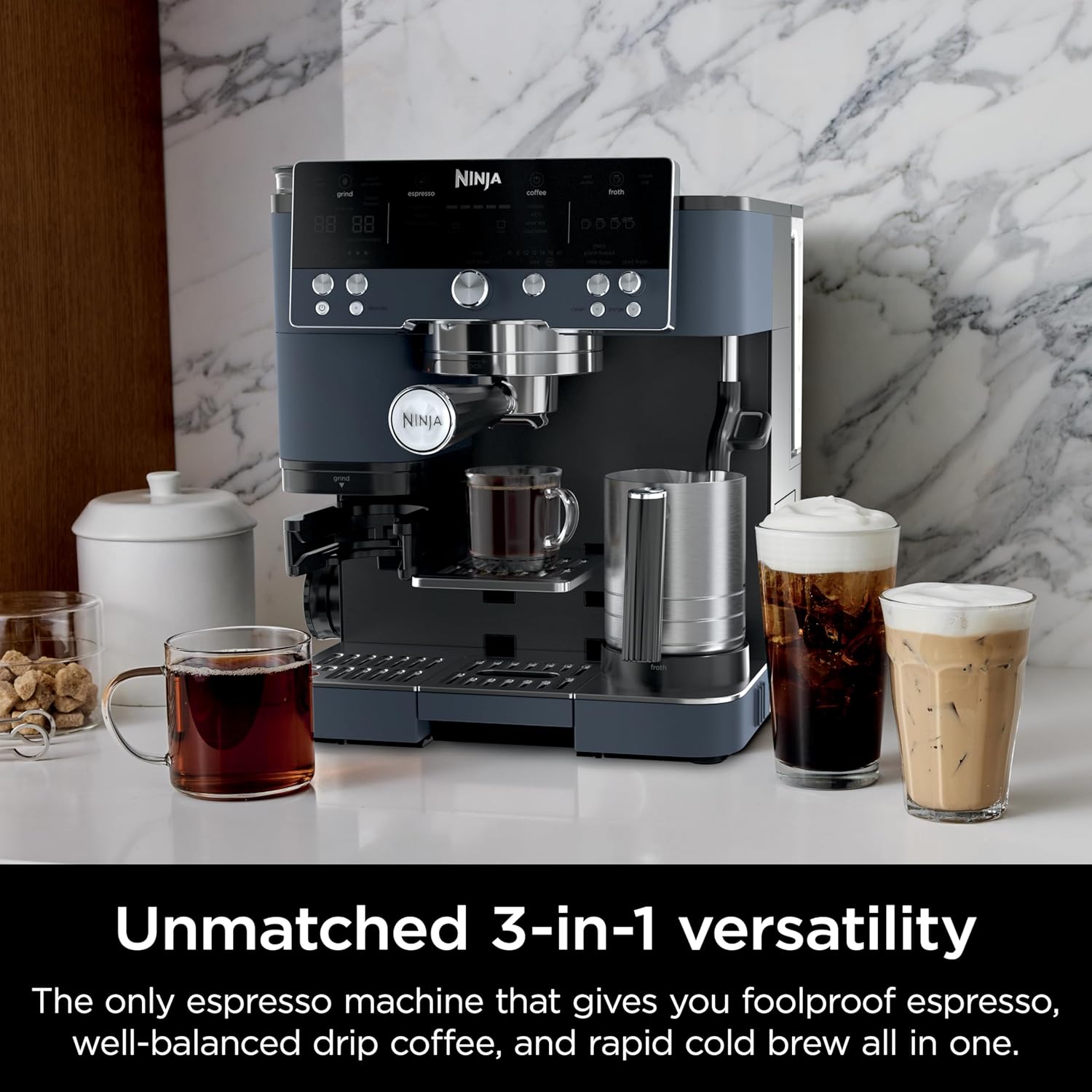
Image: The Ninja Luxe Café machine on a counter, surrounded by different coffee beverages like espresso, iced coffee, and frothed milk drinks, illustrating its multi-functionality.
Hands-Free Frothing
- The Dual Froth System creates perfectly textured microfoam.
- Choose from 4 preset froth programs: Steamed Milk, Thin Froth, Thick Froth, and Cold Foam.
- Compatible with both dairy and plant-based milk options.

Image: A glass cup filled with coffee and a thick layer of frothed milk, showcasing the hands-free frothing feature of the machine.
Video: A demonstration of the Ninja Luxe Café machine's capabilities for espresso, drip coffee, cold brew, and its built-in frother.
Video: A user-friendly overview of the Ninja Luxe Café, highlighting its quick setup and ease of use for preparing various coffee beverages.
Maintenance
Regular cleaning and maintenance ensure the longevity and optimal performance of your Ninja Luxe Café machine.
Cleaning the Frother
- The steam wand automatically purges and cleans itself after each use.
- Wipe the steam wand with a damp cloth immediately after frothing.
Descaling Cycle
- Use the provided descaling powder to remove mineral buildup.
- The machine will prompt you when a descaling cycle is needed based on your water hardness settings.
Cleaning Accessories and Dishwasher Safe Parts
- Regularly clean the portafilter, baskets, and drip tray.
- Many removable parts are dishwasher safe for convenient cleaning. Refer to the owner's guide for specific instructions.
Video: A user demonstrates the features of the Ninja Luxe Café, including the grinding process, espresso extraction, and automatic milk frothing, highlighting its ease of cleaning.
Troubleshooting
If you encounter any issues with your Ninja Luxe Café machine, consult the following general advice:
- Poor Espresso Extraction: Ensure your grind size is appropriate for espresso (finer grind). Check that the portafilter is correctly locked into the group head.
- No or Weak Froth: Verify that the milk jug is filled to the correct level and that the steam wand is clean and unobstructed. Ensure you have selected the correct milk type (dairy/plant-based) and froth level.
- Machine Not Powering On: Check the power cord connection and ensure the outlet is functional.
- Error Messages: Refer to the full owner's manual for specific error code explanations and solutions.
Specifications
- Brand: Ninja
- Model Name: Ninja ES601CY
- Product Dimensions: 12.99"D x 13.39"W x 14.57"H
- Item Weight: 25.7 pounds
- Coffee Maker Type: Espresso Machine
- Operation Mode: Fully Automatic
- Voltage: 120 Volts
- Special Features: Adjustable Brew Strength, Auto Shut-Off, Integrated Coffee Grinder (25 settings), Milk Frother (Dual Froth System with 4 preset programs)
- Coffee Input Type: Ground, Whole Bean
- Included Components: Double Basket, Espresso Machine, Filter, Luxe Basket, Assisted Tamper, Milk Jug

Image: A diagram illustrating the dimensions of the Ninja Luxe Café Premier Series machine, showing its compact footprint.
Warranty and Support
For warranty information or customer support, please refer to the official Ninja website or contact their dedicated support line.
- Customer Service: 1-866-347-5129 (as indicated on the machine's quick start guide)
- Online Resources: Scan the QR codes on your machine or refer to the Quick Start Guide for access to instructional videos and detailed information.


