
1. Important Safety Information
Please read all instructions carefully before using this appliance and retain for future reference. Always follow basic safety precautions to reduce the risk of fire, electric shock, and personal injury.
- Ensure the power supply matches the voltage specified on the rating label.
- Do not operate the unit with a damaged cord or plug.
- Do not insert fingers or objects into the air inlet or outlet.
- Keep the unit away from flammable materials and open flames.
- Always unplug the unit before cleaning or servicing.
- This appliance is not intended for use by persons (including children) with reduced physical, sensory or mental capabilities, or lack of experience and knowledge, unless they have been given supervision or instruction concerning use of the appliance by a person responsible for their safety.
2. Product Overview
The ZAFRO 10000 BTU Portable Air Conditioner (6000 BTU SACC) is a versatile unit designed for cooling, fan, and dehumidification functions. It features intelligent controls, wide coverage, and easy mobility.
Key Features:
- Intelligent Control: One-touch LED display, Wi-Fi + APP control, and a fully functional remote control for convenient operation.
- Wider Coverage: Air is discharged obliquely upward for effective long-distance air supply, balancing indoor temperature in spaces up to 250 sq. ft.
- Energy Efficiency Certified & Temperature Adjustable: 10,000 BTUs (SACC 6,000 BTUs) cooling capacity. Temperature range from 61°F to 86°F with adjustable air outlet.
- Easy Mobility: Equipped with 360° casters and side handles for effortless movement between rooms. Ideal for bedrooms, living rooms, offices, and dorms.
- 4-in-1 Functionality: Cooling, Fan, Dehumidifier, and Sleep modes.
- Quiet Operation: Operates at 47dB in Sleep mode.
- Self-Evaporating Technology: Reduces the need for frequent drainage in short-term cooling or low humidity conditions.
Product Components:

Figure 2.1: ZAFRO Portable Air Conditioner with key features highlighted.

Figure 2.2: Quiet operation of the ZAFRO Portable Air Conditioner in a bedroom setting.
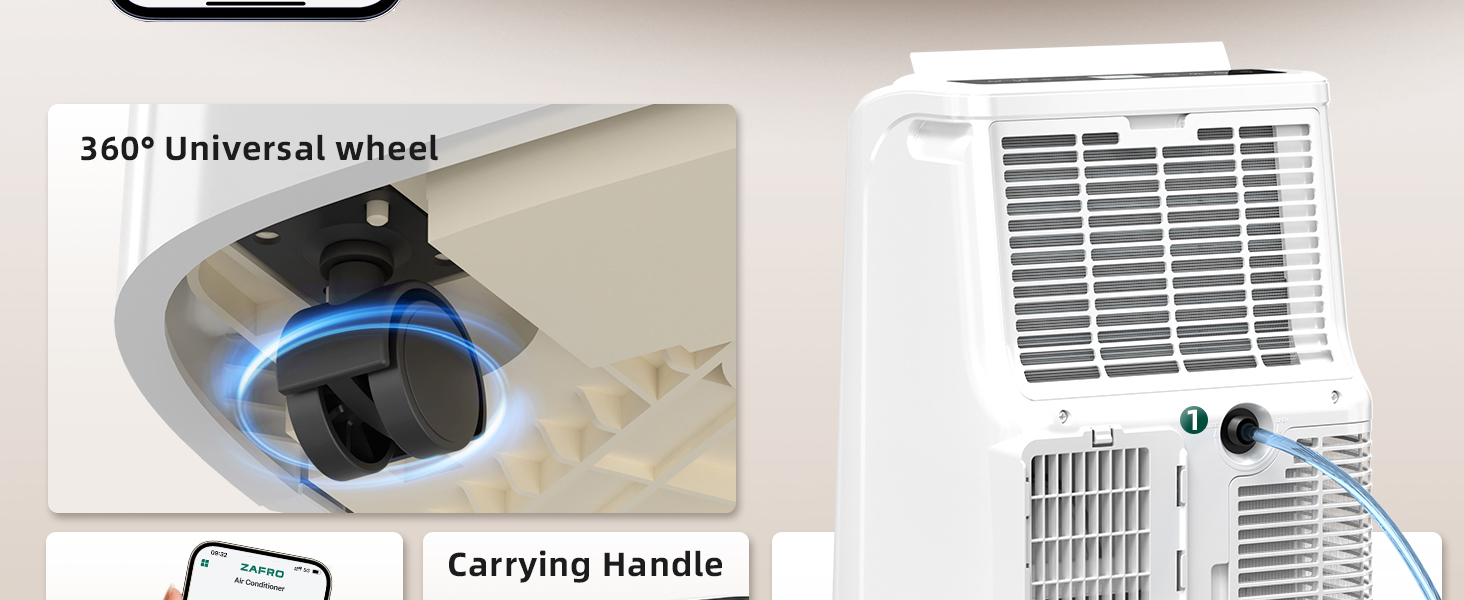
Figure 2.3: Self-evaporating technology for efficient moisture management.
3. Setup and Installation
The ZAFRO Portable Air Conditioner comes with an installation kit for quick setup. Follow these steps for proper installation.
What's in the Box:
- Portable Air Conditioner Unit
- Exhaust Hose
- Window Sealing Kit (Adjustable panels for various window sizes)
- User Manual
- Remote Control
Installation Steps:
- Positioning: Place the air conditioner on a flat, stable surface near a window and a power outlet. Ensure there is at least 20 inches of space around the unit for proper airflow.
- Attach Exhaust Hose: Connect one end of the exhaust hose to the air outlet on the back of the unit. Twist clockwise until secure.
- Install Window Kit: Assemble the window sealing kit according to your window type (double/single-hung or sliding sash). The kit is suitable for window sizes from 20.67" to 69.29". Adjust the panels to fit your window opening.
- Connect Exhaust Hose to Window Kit: Attach the other end of the exhaust hose to the adapter on the window sealing kit. Ensure a tight seal to prevent hot air from re-entering the room.
- Power On: Plug the power cord into a grounded electrical outlet.

Figure 3.1: Window kit installation for horizontal and vertical windows.
4. Operating Instructions
Your ZAFRO Portable Air Conditioner offers multiple ways to control its functions: the LED display control panel, the remote control, and a smartphone application.
Control Panel:
The intuitive LED display allows direct control over all settings.

Figure 4.1: Detailed view of the LED control panel.
- Power Button: Press to turn the unit On or Off.
- Mode Button: Cycle through Cooling, Fan, and Dehumidifier modes.
- Fan Speed Button: Adjust fan speed (Low, Mid, High, Auto).
- Temperature Adjustment (+/-): Set desired temperature (61°F to 86°F).
- Timer Button: Set the 24-hour timer for automatic on/off.
- Sleep Mode Button: Activates quiet operation for nighttime use.
- Swing Button: Controls the oscillation of the air outlet.
- Wi-Fi Reset: Hold 'M' button for 3 seconds to reset Wi-Fi.
- Screen Display On/Off: Hold 'Swing' button for 3 seconds.
- Child Lock On/Off: Hold 'Sleep' and 'Fan Speed' buttons for 3 seconds.
Remote Control:
The included remote control provides convenient operation from a distance.

Figure 4.2: Using the remote control for the ZAFRO Portable Air Conditioner.
APP Control (Wi-Fi):
Download the ZAFRO app to control your air conditioner from your smartphone. The unit supports Google Assistant and Alexa for voice control.

Figure 4.3: Smartphone app control interface.
Official Product Video:
Video 4.1: This video demonstrates the ZAFRO Portable Air Conditioner's features, including its mobility, control options (panel, remote, app), 24-hour timer, and various operating modes (dehumidifier, fan, cooling, sleep mode). It also highlights the wide air throw for effective cooling.
5. Maintenance
Regular maintenance ensures optimal performance and longevity of your air conditioner.
Cleaning the Air Filter:
The air filter should be cleaned every two weeks or more frequently depending on usage and air quality.
- Unplug the air conditioner from the power outlet.
- Locate the air filter panel, usually at the back or side of the unit.
- Remove the filter.
- Wash the filter under running water (warm, not hot) or use a vacuum cleaner to remove dust.
- Allow the filter to air dry completely before reinstalling. Do not expose to direct sunlight.
- Reinsert the dry filter into the unit and close the panel.
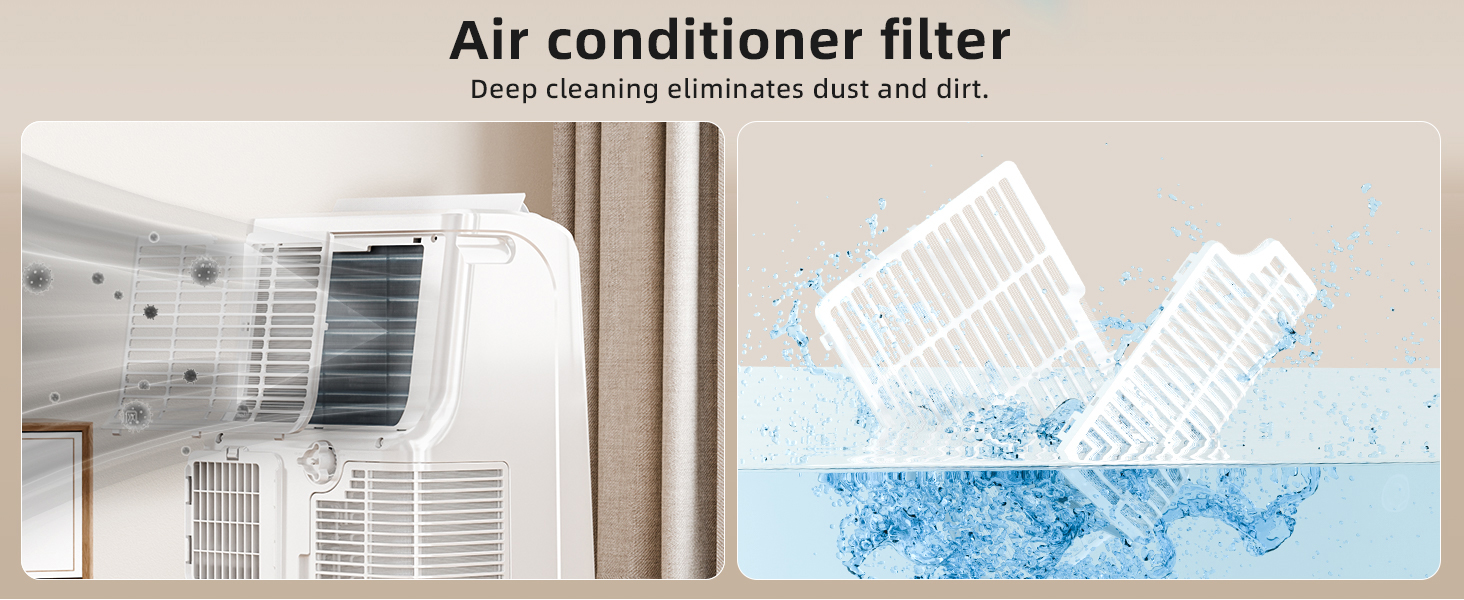
Figure 5.1: Cleaning the washable air filter.
Drainage:
The ZAFRO Portable Air Conditioner features self-evaporating technology, which minimizes the need for manual drainage during short-term cooling or in low humidity environments. However, in high humidity conditions or when using the dehumidifier mode for extended periods, drainage may be required.
- Continuous Drainage: For continuous operation in dehumidifier mode or high humidity, attach a drain hose (not included) to the continuous drainage port at the back of the unit. Position the hose to drain into a floor drain or a suitable container.
- Manual Drainage: If the internal water tank becomes full, the unit will stop operating and display an indicator. Unplug the unit, place a shallow pan under the drainage port, remove the drain plug, and allow the water to empty. Replace the plug firmly before restarting the unit.
6. Troubleshooting
If you encounter issues with your ZAFRO Portable Air Conditioner, refer to the following common problems and solutions.
| Problem | Possible Cause | Solution |
|---|---|---|
| Unit does not turn on | No power, power cord unplugged, circuit breaker tripped, full water tank. | Check power connection, reset circuit breaker, empty water tank if full. |
| Insufficient cooling | Dirty air filter, blocked air intake/outlet, open doors/windows, room too large, exhaust hose not properly installed. | Clean air filter, clear obstructions, close doors/windows, ensure proper exhaust hose installation. |
| Unit is noisy | Unit not on a level surface, fan speed too high, internal components vibrating. | Place unit on a level surface, reduce fan speed, ensure no loose parts. |
| Water leakage | Drain plug loose, continuous drainage hose not properly connected, unit tilted. | Ensure drain plug is secure, check continuous drainage hose connection, place unit on a level surface. |
| Remote control not working | Dead batteries, obstruction between remote and unit, remote out of range. | Replace batteries, remove obstructions, operate within range. |
If the problem persists after attempting these solutions, please contact ZAFRO customer support.
7. Specifications
| Feature | Specification |
|---|---|
| Brand | ZAFRO |
| Model Number | YAC-06CPD/PL7 |
| Cooling Power | 10,000 BTU (6,000 BTU SACC) |
| Coverage Area | Up to 250 sq. ft. |
| Temperature Range | 61°F to 86°F |
| Noise Level | 47 Decibels (Sleep Mode) |
| Functions | Cooling, Fan, Dehumidifier |
| Control Method | Touch Panel, Remote Control, APP (Wi-Fi) |
| Voltage | 115 Volts |
| Wattage | 800 watts |
| Refrigerant | R-32 |
| Product Dimensions (D x W x H) | 12.99" x 14.79" x 23.23" |
| Item Weight | 50 Pounds |
| Window Opening Max Width | 70.87 Inches |
| Window Opening Min Height | 17.72 Inches |
| Annual Energy Consumption | 634 Kilowatt Hours Per Year |
8. Warranty and Support
The ZAFRO Portable Air Conditioner (Model YAC-06CPD/PL7) comes with a 1-year limited warranty from the date of purchase. This warranty covers manufacturing defects in materials and workmanship under normal use.
The warranty does not cover damage resulting from:
- Improper installation or maintenance.
- Accident, misuse, abuse, or unauthorized modification.
- Use with incorrect electrical current or voltage.
- Commercial or non-residential use.
For warranty claims, technical support, or any questions regarding your product, please contact ZAFRO customer service. Have your model number and purchase date available when contacting support.


