1. Introduction
This manual provides essential information for the safe and efficient operation, maintenance, and care of your Mobicyc MS09 MAX All-Terrain Electric Mobility Scooter. Please read this manual thoroughly before using your scooter to ensure proper usage and to maximize its lifespan.
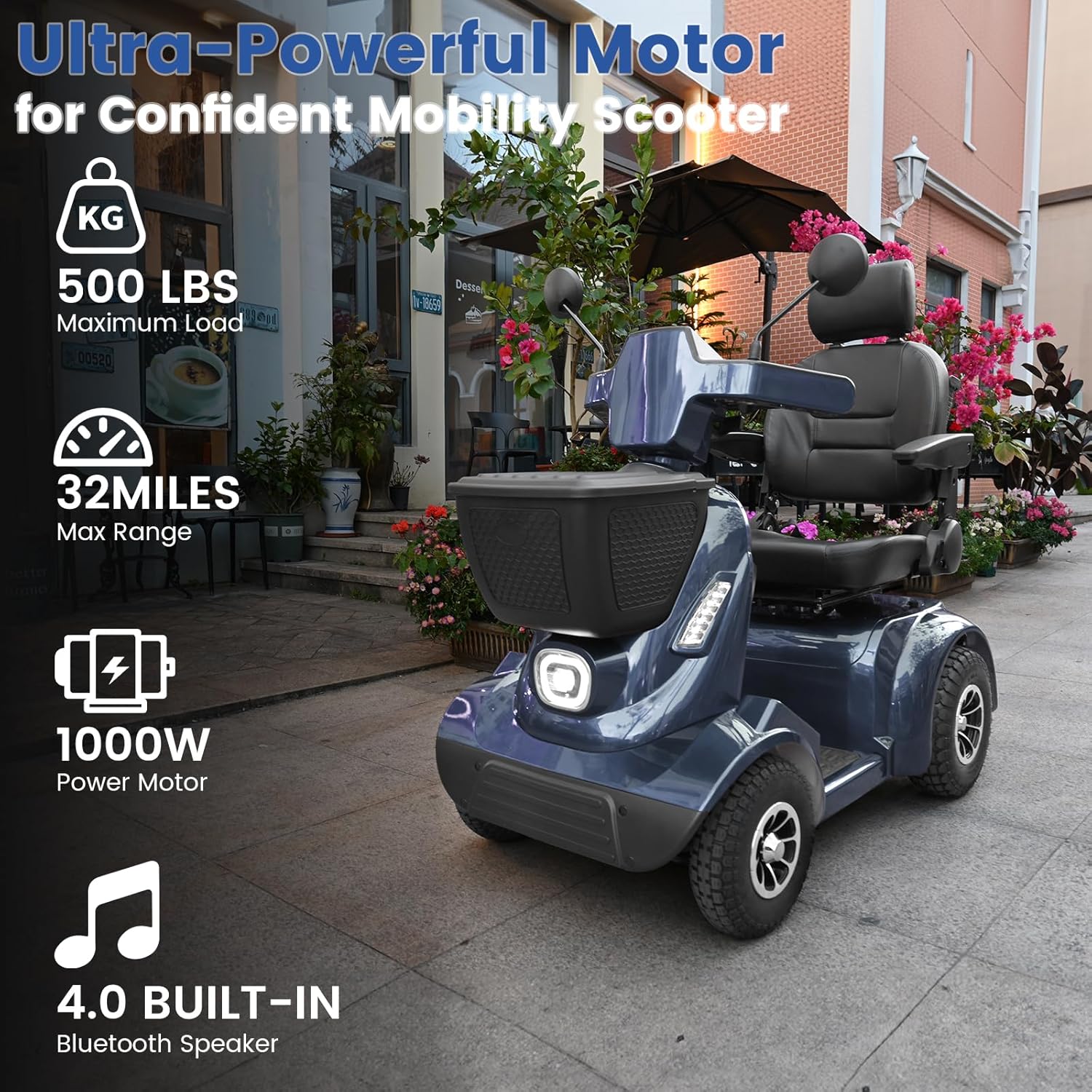
The Mobicyc MS09 MAX is designed for adults and seniors, featuring a robust 1000W motor, a 48V/40Ah battery, and a 500 lbs load capacity. It offers a range of up to 32 miles and is equipped with off-road suspension for various terrains.
2. Safety Information
Always prioritize safety when operating your mobility scooter. Adhere to all local traffic laws and regulations.
- Pre-Ride Checks: Before each use, inspect tires for proper inflation, check brake functionality, and ensure all lights are working.
- Weight Capacity: Do not exceed the maximum load capacity of 500 lbs.
- Terrain: While designed for all-terrain, exercise caution on uneven, slippery, or steep surfaces. Avoid extreme inclines beyond the specified 20° climbing ability.
- Visibility: Use the integrated LED lights, turn signals, and rearview mirrors to ensure you are visible to others and can see your surroundings clearly.
- Battery Safety: Only use the provided charger. Do not attempt to modify the battery or charging system.
- Children and Pets: Keep children and pets away from the scooter during operation and charging.
3. Setup and Assembly
The Mobicyc MS09 MAX is designed for minimal setup. It arrives 100% pre-assembled.
3.1 Initial Inspection
Upon receiving your scooter, carefully unbox it and inspect for any signs of damage during transit. Ensure all components are present.
3.2 Adjusting the Seat and Controls
The scooter features 6 adjustable points for personalized comfort.
- Seat Height: Adjust the seat to a comfortable height for your legs and reach to the controls.
- Seat Depth: Modify the seat depth for optimal legroom.
- Armrests: Adjust the armrests for support and comfort.
- Backrest Angle: Recline the backrest to your preferred angle.
- Handlebar Position: Ensure the handlebars are at a comfortable and accessible position.

3.3 Initial Charging
Before first use, fully charge the scooter's battery.
- Turn off the scooter's power using the key.
- Locate the charging port, typically near the base of the seat or footrest, and open its protective lid.
- Connect the charger cable to the charging port on the scooter.
- Plug the charger into a standard wall outlet. The charger indicator light will turn red, indicating charging is in progress.
- Once fully charged, the indicator light on the charger will turn green. Disconnect the charger from the wall and then from the scooter.
4. Operating Instructions
4.1 Control Panel Overview
The intuitive dashboard provides easy access to all controls and real-time indicators.
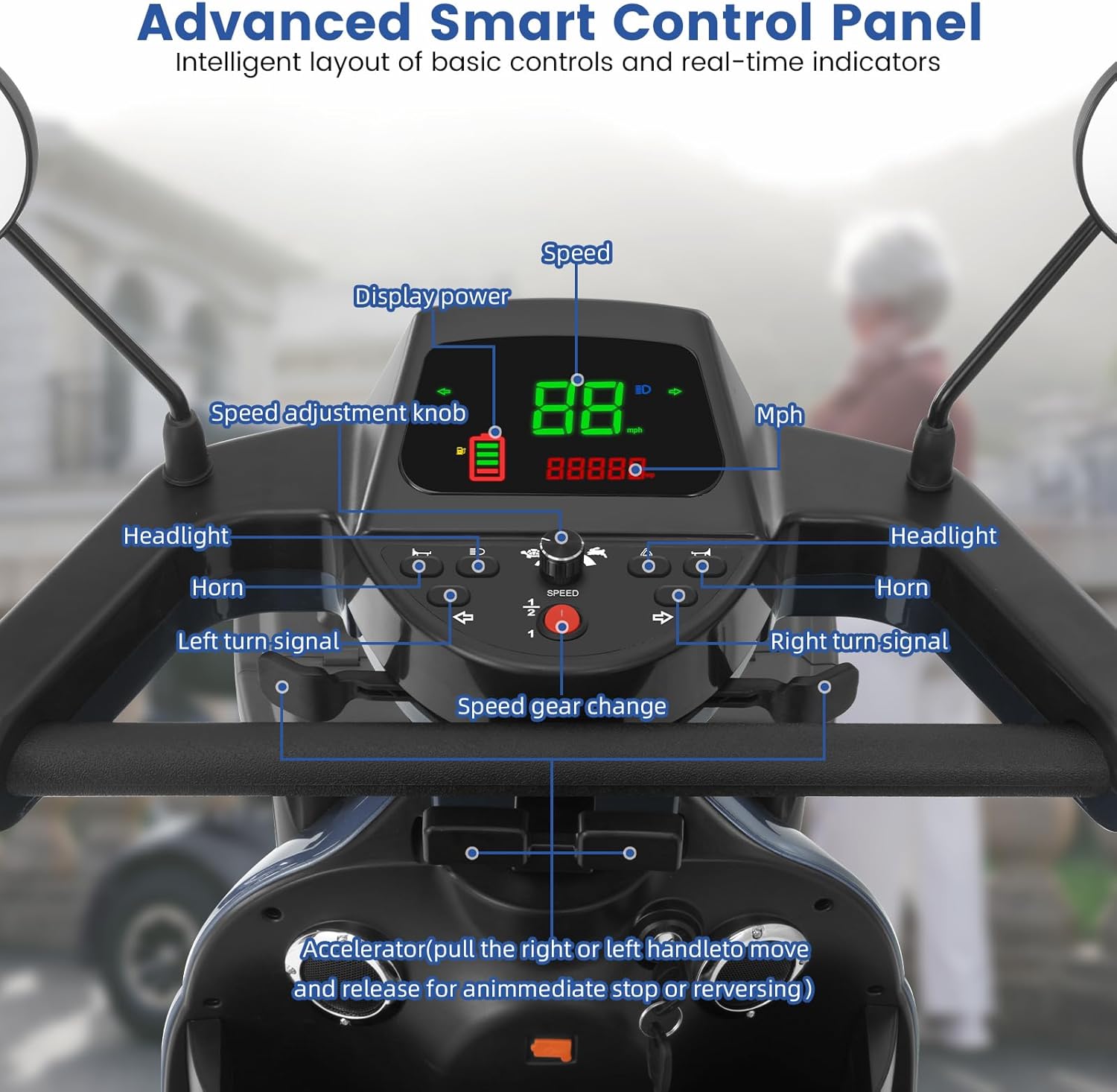
- Key Ignition: Insert the key and turn to the 'ON' position to power on the scooter.
- Speed Adjustment Knob: Rotate to select your desired speed setting.
- Accelerator Paddles: Pull the right or left handle to move forward or backward. Release to engage the automatic braking system.
- Headlights: Press the headlight button to turn on/off the front LED lights.
- Horn: Press the horn button to alert others.
- Turn Signals: Use the left and right turn signal buttons to indicate your direction.
- Display: Shows current speed, battery level, and other operational information.
4.2 Driving the Scooter
Once powered on and adjusted, you can begin operating your scooter.
- Starting: Ensure the scooter is on a flat surface. Turn the key to the 'ON' position.
- Acceleration: Gently pull either the right or left accelerator paddle. The scooter will move in the corresponding direction (forward/reverse).
- Braking: Release the accelerator paddle to automatically engage the electromagnetic brake. For immediate stopping, release the paddle completely.
- Turning: Use the handlebars to steer. Activate turn signals when changing direction.
- Safety Belt: Always wear the safety belt provided for added security.

4.3 Using Storage and Charging Features
The scooter includes practical features for convenience.
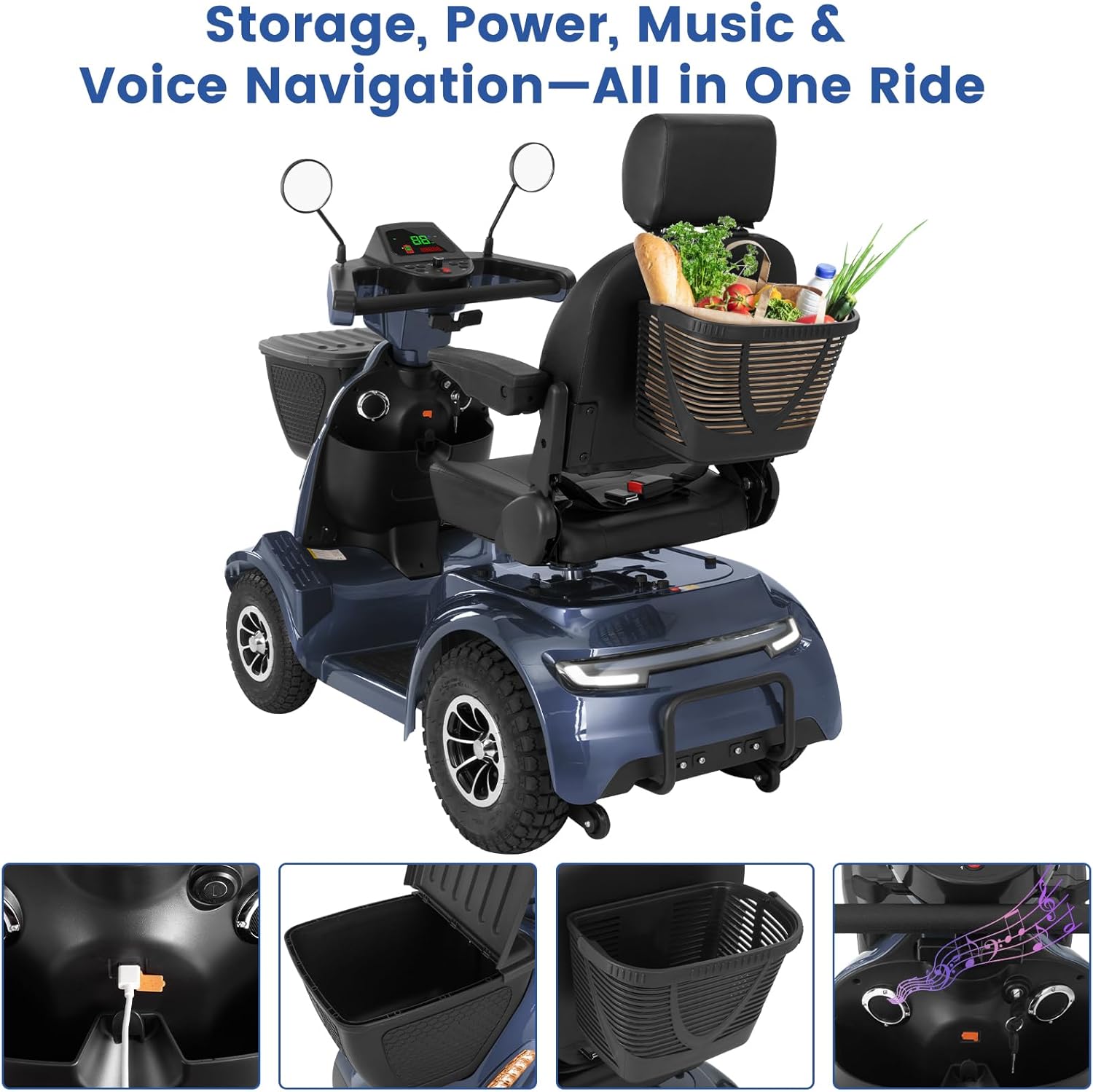
- Front and Rear Baskets: Utilize the oversized front and rear storage baskets for personal belongings or shopping.
- USB Charging Port: A built-in USB port allows you to charge your mobile devices on the go.
- Bluetooth Speaker: The scooter features a built-in Bluetooth speaker for audio playback. Refer to your device's Bluetooth pairing instructions to connect.
5. Maintenance
Regular maintenance ensures the longevity and optimal performance of your Mobicyc MS09 MAX scooter.
- Cleaning: Wipe down the scooter with a damp cloth. Avoid using high-pressure water or harsh chemicals.
- Tire Pressure: Periodically check and maintain the recommended tire pressure for optimal ride quality and battery efficiency.
- Battery Care: Charge the battery regularly, even if the scooter is not in frequent use, to prevent deep discharge. Store the scooter in a cool, dry place.
- Fasteners: Periodically check all nuts, bolts, and fasteners to ensure they are secure.
- Professional Service: For any complex repairs or issues, contact authorized service personnel.
6. Troubleshooting
This section addresses common issues you might encounter.
| Problem | Possible Cause | Solution |
|---|---|---|
| Scooter does not power on. | Battery is discharged; Key is not fully inserted or turned to 'ON'; Emergency stop button engaged. | Charge the battery; Ensure key is in 'ON' position; Check if the emergency stop button is disengaged. |
| Reduced range or power. | Low battery charge; Under-inflated tires; Overload; Battery degradation. | Fully charge the battery; Check and inflate tires to recommended pressure; Reduce load; Contact support if battery performance continues to decline. |
| Unusual noises during operation. | Loose components; Obstruction in wheels; Motor issue. | Inspect for loose parts and tighten; Check wheels for debris; If noise persists, contact customer support. |
If you encounter an issue not listed here or if the suggested solutions do not resolve the problem, please contact Mobicyc customer support.
7. Specifications
| Feature | Detail |
|---|---|
| Model Number | MS09 MAX |
| Motor Power | 1000W |
| Battery | 48V/40Ah (battery included) |
| Max Speed | Up to 15 MPH |
| Max Range | Up to 32 Miles per charge |
| Max Load Capacity | 500 LBS |
| Climbing Ability | 20° slope |
| Ground Clearance | 4.3 inches (11 cm) |
| Product Dimensions (L x W x H) | 54.3"D x 26.7"W x 48"H (54.3 x 26.7 x 48 inches) |
| Item Weight | 198 Pounds |
| Tires | 14"x2" air-filled rear tires, All-Terrain Pneumatic Tire System |
| Safety Features | Front and rear LED lights, Rearview mirrors, Integrated turn signals, Tail warning light, Full suspension system, Safety belt, Anti-roll wheels |
| Additional Features | Bluetooth speaker, USB charging port, Front and rear storage baskets |


8. Warranty and Support
Mobicyc is committed to providing reliable products and excellent customer service.
- Warranty: Your Mobicyc MS09 MAX scooter comes with a manufacturer's warranty. Please refer to the warranty card included with your purchase for specific terms and conditions.
- Parts Replacement: Free replacement of parts may be available under warranty terms.
- Customer Support: For any inquiries, technical assistance, or warranty claims, please contact our customer support team.
Service Telephone: +1 (833) 866-0007
Availability: Monday - Friday, 9 AM - 5 PM EST


