1. Introduction
This manual provides essential information for setting up, operating, maintaining, and troubleshooting your OUKITEL G5 Rugged Smartphone. Please read it carefully to ensure proper use and to maximize the device's performance and longevity.
2. What's in the Box
- 1x OUKITEL G5 Rugged Smartphone
- 1x 10W Charger
- 1x Data Cable
- 1x Card Needle
- 1x Manual (this document)
3. Setup
3.1. SIM Card and TF Card Installation
The OUKITEL G5 supports dual SIM dual standby (Nano+Nano/Nano+TF). Use the provided card needle to open the SIM card tray.
- Locate the SIM card tray on the side of the device.
- Insert the card needle into the small hole next to the tray and press gently until the tray ejects.
- Place your Nano-SIM card(s) and/or TF card into the designated slots on the tray. Ensure the cards are correctly oriented.
- Carefully push the tray back into the device until it is flush.
3.2. Initial Charging
Before first use, fully charge your OUKITEL G5. Use the provided 10W charger and data cable.
- Connect the data cable to the charging port on your phone.
- Connect the other end of the data cable to the 10W charger.
- Plug the charger into a power outlet.
- The phone will indicate charging status on the screen. Allow the device to charge completely.
3.3. Powering On/Off
- To Power On: Press and hold the Power button until the OUKITEL logo appears.
- To Power Off: Press and hold the Power button, then select 'Power off' from the options on the screen.
4. Operating Instructions
4.1. Display and Navigation
The OUKITEL G5 features a 6-inch HD display with 450 nits brightness, ensuring clear visibility even in direct sunlight. Navigate the Android 14 operating system using touch gestures.
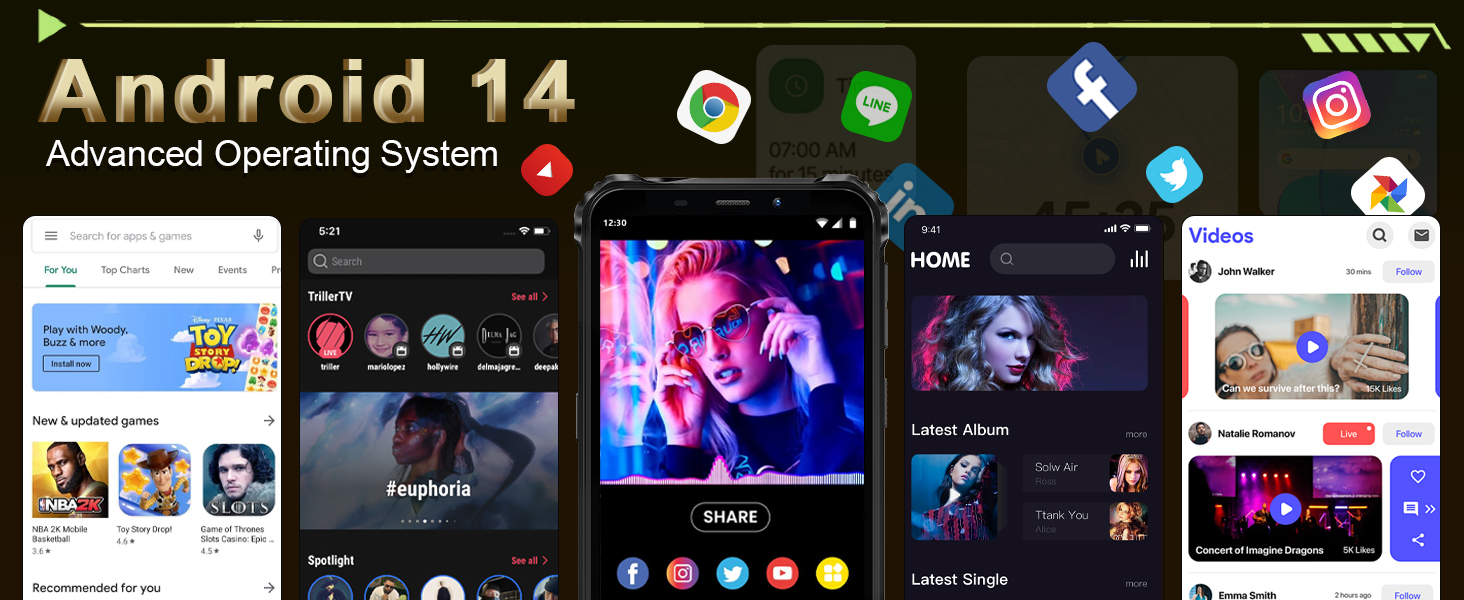
Image: The OUKITEL G5's 6-inch HD display, offering clear and vibrant visuals.
4.2. Camera Functions
Capture moments with the 13MP main camera and 5MP front-facing camera.
- Open the Camera application from your home screen or app drawer.
- Select between photo and video modes.
- Tap the screen to focus on a specific area.
- Press the shutter button to take a photo or start/stop video recording.
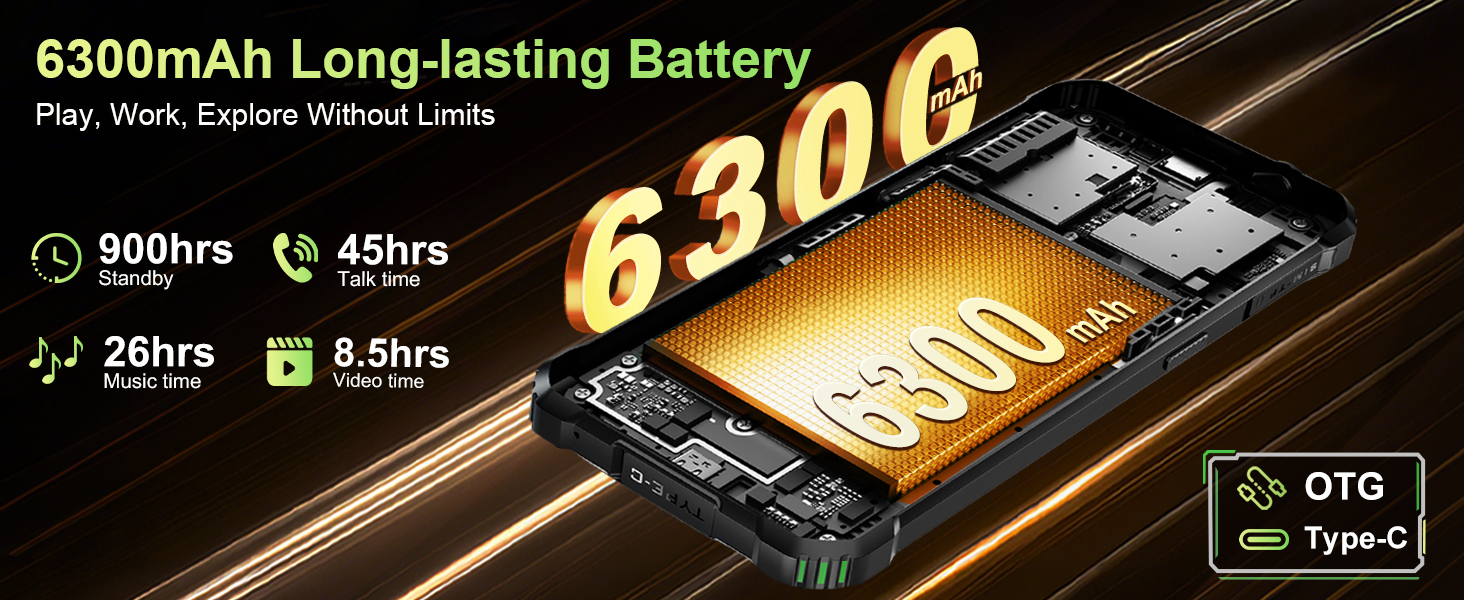
Image: The OUKITEL G5's 13MP main camera, designed for capturing clear images.
4.3. Dual Camping Lights
The OUKITEL G5 is equipped with 900-lumen dual camping lights, offering multiple modes for various outdoor situations.
- Access the camping lights application on your device.
- Choose from available modes: SOS, Strobe, or Constant Lighting.
- Adjust brightness levels as needed (three levels available).
Warning: Do not shine the camping lights directly into eyes.

Image: The OUKITEL G5's dual camping lights in action, providing illumination for outdoor activities.
4.4. Storage and Performance
The device comes with 16GB RAM (4GB physical + 12GB virtual) and 128GB internal storage, expandable up to 1TB with a TF card. The octa-core processor ensures smooth operation and app switching.
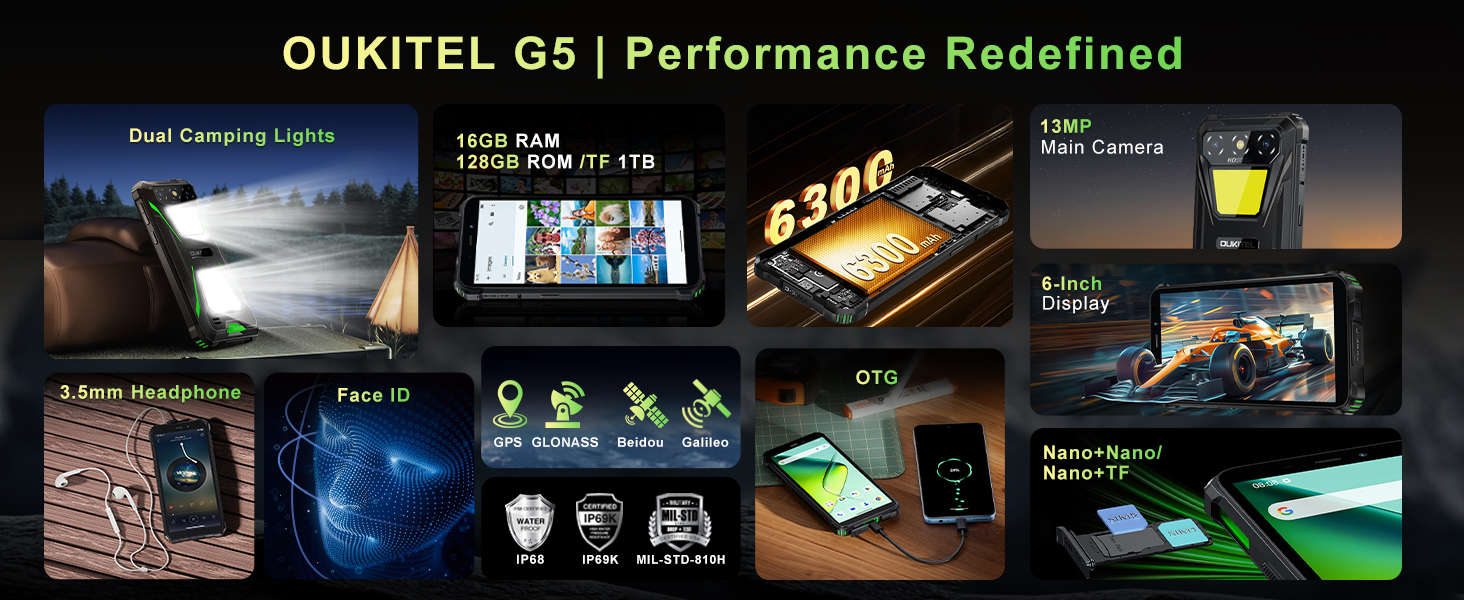
Image: Visual representation of the OUKITEL G5's memory and processor capabilities.
4.5. OTG Reverse Charging
Utilize the OTG reverse charging feature to power other devices using your OUKITEL G5's battery.
- Ensure your OUKITEL G5 has sufficient battery charge.
- Connect an OTG cable (not included) to your OUKITEL G5.
- Connect the other end of the OTG cable to the device you wish to charge.
- The charging process should begin automatically.
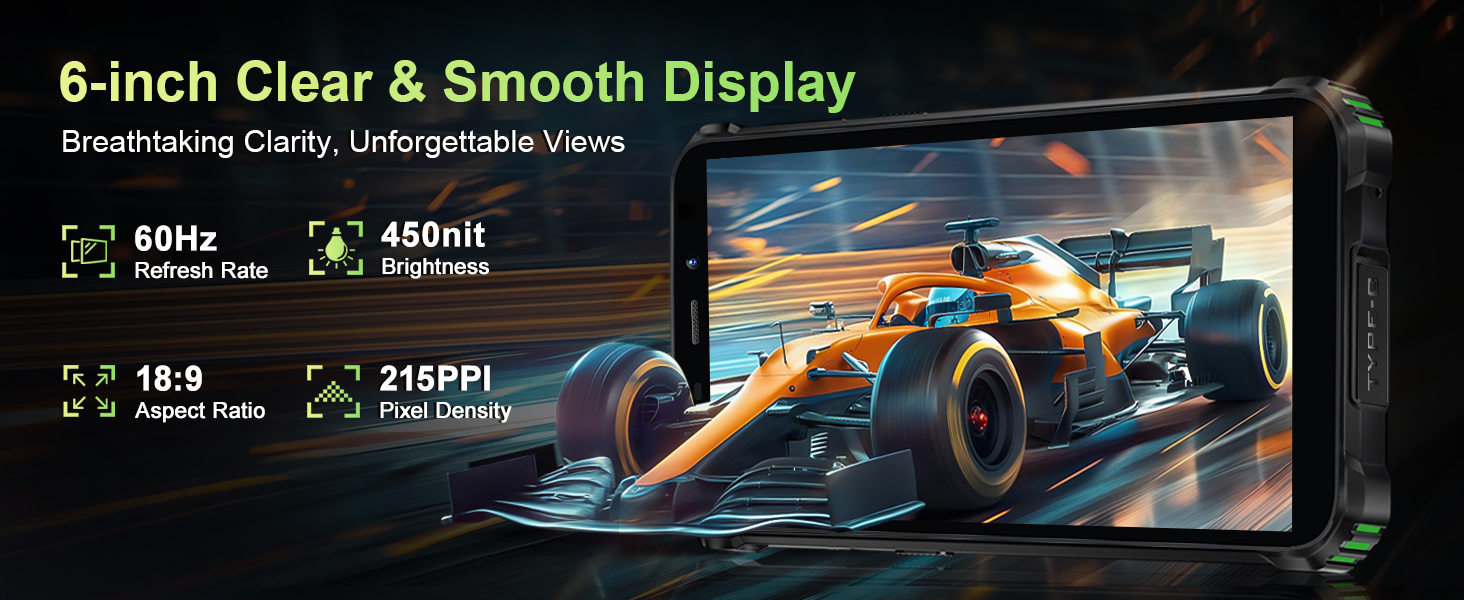
Image: The OUKITEL G5 providing power to another device via OTG reverse charging.
4.6. Face ID
Unlock your device quickly and securely using Face ID.
- Go to Settings > Security > Face Unlock.
- Follow the on-screen instructions to register your face.
- Once registered, you can unlock your phone by looking at the front camera.
4.7. GPS and Navigation
The OUKITEL G5 integrates a comprehensive positioning system including Beidou, Galileo, GLONASS, and GPS for accurate location services.
- Ensure location services are enabled in your phone's settings.
- Use pre-installed or downloaded navigation applications for route guidance and location tracking.
5. Maintenance
5.1. Durability Features
The OUKITEL G5 is built to withstand harsh conditions, certified with IP68/IP69K dust/water resistance and MIL-STD-810H for shock resistance.
- Waterproof: Rated for submersion up to 1.5 meters for 30 minutes. Ensure all port covers are securely closed before exposure to water.
- Dustproof: Designed to prevent ingress of dust and fine particles.
- Shockproof: Constructed to endure drops and impacts, though extreme force may still cause damage.

Image: The OUKITEL G5 showcasing its robust design and resistance to water, dust, and drops.
5.2. Cleaning Your Device
To clean your OUKITEL G5, use a soft, damp cloth. Avoid harsh chemicals or abrasive materials that could damage the device's protective coatings.
5.3. Battery Care
To prolong battery life:
- Avoid extreme temperatures.
- Do not leave the phone fully charged or fully discharged for extended periods.
- Use the original charger and cable for optimal charging.
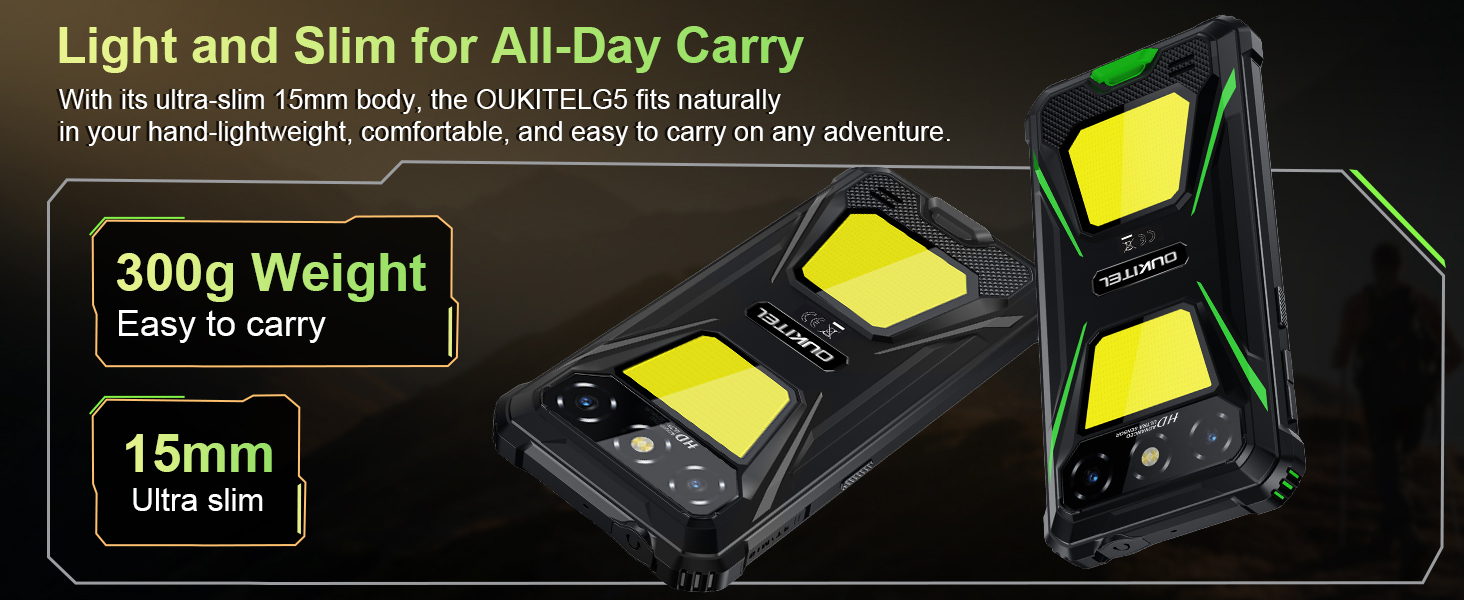
Image: The OUKITEL G5's 6300mAh battery, providing extended usage times.
6. Troubleshooting
6.1. Common Issues and Solutions
- Device not turning on: Ensure the battery is charged. Connect to the charger and try again.
- Screen unresponsive: Restart the device by holding the Power button for about 10-15 seconds until it reboots.
- Network connectivity issues: Check if your SIM card is properly inserted. Verify that your carrier (T-Mobile is supported; Verizon/AT&T/MetroPCS are not) has active service. Try toggling Airplane Mode on and off.
- Apps crashing or slow performance: Close background applications. Clear app cache in Settings > Apps. Ensure sufficient storage space is available.
- Charging problems: Ensure the charger and cable are securely connected and undamaged. Try a different power outlet.
7. Specifications
| Feature | Description |
|---|---|
| Model Name | OUKITEL G5 |
| Operating System | Android 14 |
| Processor | Octa-core |
| RAM | 16GB (4GB physical + 12GB virtual) |
| Internal Storage | 128GB ROM |
| Expandable Storage | Up to 1TB with TF card |
| Display | 6-inch HD, 450 nits brightness, 18:9 Aspect Ratio, 215 PPI |
| Main Camera | 13MP |
| Front Camera | 5MP |
| Battery Capacity | 6300mAh |
| Charging | 10W Fast Charging, OTG Reverse Charging |
| Durability | IP68/IP69K (Waterproof, Dustproof), MIL-STD-810H (Shockproof) |
| Connectivity | 4G Dual SIM (Nano+Nano/Nano+TF), Bluetooth, GPS (Beidou, Galileo, GLONASS, GPS) |
| Supported Frequency Bands | GSM: B2/3/5/8, WCDMA: B1/2/4/5/8, TDD: 34/38/39/40/41, FDD: B1/2/3/4/5/7/8/12/17/19/20/25/26/28A/28B/66 |
| Audio Jack | 3.5mm |
| Special Features | 900LM Dual Camping Lights, Face ID |
| Dimensions | 8.11 x 4.5 x 2.16 inches |
| Weight | 1.26 pounds (approx. 570g) |
8. Official Product Videos
Video: An overview of the OUKITEL G5 Rugged Phone, highlighting its features and durability in outdoor environments. Duration: 0:42.
Video: A concise presentation of the OUKITEL G5 Rugged Smartphone's key attributes. Duration: 0:20.
9. Warranty and Support
OUKITEL provides comprehensive customer service for your device:
- Return Policy: 30 days no-reason return.
- Technical Support: Long-term technical support.
- Customer Service: 24 hours online customer service.
For further assistance, please contact OUKITEL official service channels.


