
1. Introduction
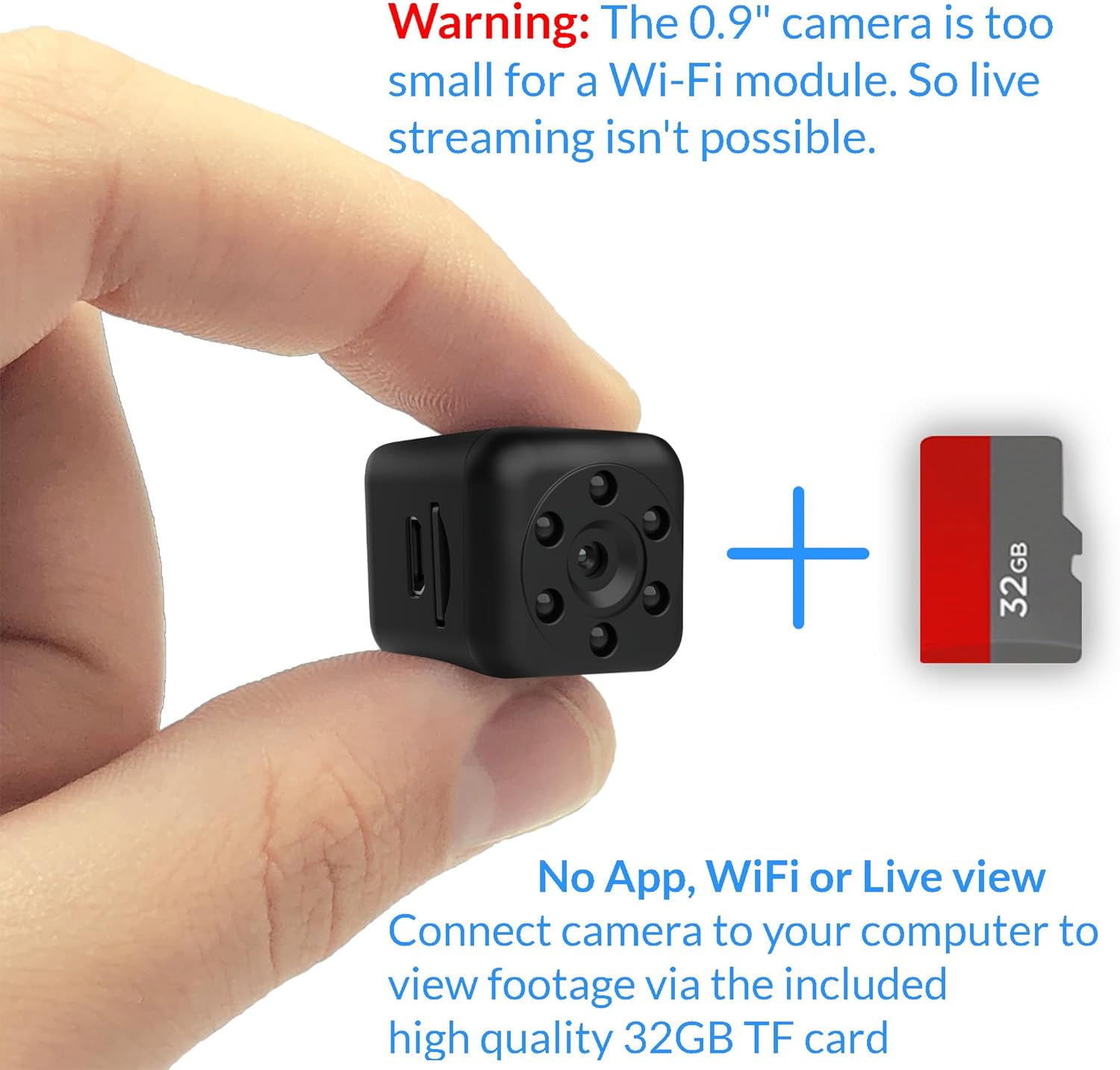
The KUUS. C1PRO is an ultra-compact hidden camera designed for discreet recording in various environments. Measuring just 0.9 inches, this camera is suitable for tight spaces and applications such as model railroads, close-up shots, travel, and quick indoor monitoring. It operates without Wi-Fi, apps, or live view, storing all footage locally on an included 32GB TF card. The camera features 1080P video recording, approximately 90 minutes of battery life, automatic night vision up to 18 feet, and motion detection capabilities.
2. Safety Information
- Do not expose the camera to extreme temperatures, direct sunlight, or high humidity.
- Keep the device away from water and other liquids.
- Do not attempt to disassemble or modify the camera. This will void the warranty and may cause damage.
- Use only the provided charging cable or a compatible 5V USB charger.
- Keep out of reach of children.
- Ensure the camera is used in compliance with all local laws and regulations regarding surveillance and privacy.
3. Package Contents
Verify that all items are present in your package:
- KUUS. C1PRO Mini Hidden Camera
- 32GB TF Card (pre-installed or separate)
- USB Charging/Data Cable
- Camera Stand/Mount
- User Manual (this document)
4. Product Overview
Familiarize yourself with the components of your KUUS. C1PRO camera.

The KUUS. C1PRO mini camera, a compact device for discreet recording.

Detailed view of the KUUS. C1PRO camera with labels for its buttons, ports, and lens. Key components include the On/Off button, Mode button, Reset pinhole, Night mode light, HD Camera lens, and SD card slot.

The compact size of the C1PRO camera, measuring 0.9 x 0.9 x 0.9 inches, shown in comparison to a US quarter.
5. Setup
5.1. Charging the Battery
Before first use, fully charge the camera battery. Connect the camera to a USB power source (e.g., computer USB port or 5V USB charger) using the provided USB cable. The indicator light will show charging status (refer to specific light patterns in the manual for details). A full charge typically takes 2-3 hours.
5.2. Inserting the Micro SD Card
The camera requires a Micro SD (TF) card for recording. A 32GB card is included. Gently insert the Micro SD card into the card slot with the gold contacts facing the correct direction (refer to the diagram on the camera or in the manual). Push until it clicks into place. To remove, push the card again until it springs out.
Inserting the 32GB TF card into the camera and connecting the camera to a laptop via USB to view recorded footage.
5.3. Powering On/Off
- Power On: Press and hold the On/Off button for a few seconds until the indicator light illuminates.
- Power Off: Press and hold the On/Off button again for a few seconds until the indicator light turns off.
6. Operating Instructions
6.1. Recording Video (Continuous)
After powering on, the camera typically enters standby mode. Press the Mode button once to begin continuous video recording. The indicator light will flash to indicate recording is in progress. Press the Mode button again to stop recording and save the file.
6.2. Motion Detection Recording
From standby mode, press and hold the Mode button for approximately 3 seconds to activate motion detection recording. The indicator light will show a specific pattern (e.g., slow flash) to confirm this mode. The camera will automatically start recording when motion is detected and stop when motion ceases. Press the Mode button again to exit motion detection mode.

Visual representation of the camera's motion detection and night vision features.
6.3. Night Vision
The KUUS. C1PRO features automatic night vision. In low-light conditions, the camera's infrared (IR) LEDs will activate automatically to provide clear footage up to 18 feet. These IR LEDs are designed to be discreet.

The C1PRO camera operating in low-light conditions, showing its night vision infrared LEDs.
6.4. Viewing Recorded Footage
To view recordings, connect the camera to your computer using the USB cable. The camera will appear as a removable disk drive. Navigate to the appropriate folder to access your video files (typically in MP4 format). Alternatively, you can remove the Micro SD card and insert it into a card reader connected to your computer.
6.5. Loop Recording
The camera supports loop recording. When the Micro SD card is full, the oldest video files will be automatically overwritten by new recordings. This ensures continuous operation without manual deletion of files.

Diagram illustrating loop recording functionality and options for continuous recording while charging via a power bank or charger.
6.6. Continuous Recording While Charging
The camera can record continuously while connected to a power source. Connect the camera to a USB charger or power bank for extended recording sessions. This also provides a backup in case of power failure if using a power bank.
6.7. Example Use Case: Model Railroad
The compact size and magnetic placement option make this camera ideal for mounting on model trains to capture unique track-level footage.

The C1PRO camera mounted on a model train, demonstrating its use for miniature railway footage.
6.8. Instructional Videos
KUUS. C1 Instruction Video
This video provides a comprehensive guide to setting up and operating your KUUS. C1PRO camera.
Mini Camera Night Vision Demonstration
Observe the night vision capabilities of the mini camera in various low-light scenarios.
Model Railroad Camera Footage
View footage captured by the KUUS. C1PRO camera mounted on an N scale model railroad.
7. Maintenance
7.1. Cleaning
Use a soft, dry cloth to clean the camera body. For the lens, use a specialized lens cleaning cloth to avoid scratches. Do not use liquid cleaners or solvents.
7.2. Storage
When not in use, store the camera in a cool, dry place, away from direct sunlight and extreme temperatures. It is recommended to fully charge the battery before long-term storage and recharge it every few months to maintain battery health.
7.3. Battery Care
To prolong battery life, avoid completely draining the battery frequently. Charge the camera regularly, even if not in constant use.
8. Troubleshooting
| Problem | Possible Cause | Solution |
|---|---|---|
| Camera does not turn on. | Battery is depleted. | Charge the camera fully. |
| Camera not recording. | No Micro SD card inserted or card is full/corrupted. | Ensure Micro SD card is inserted correctly. Format the card if necessary (this will erase all data). Check available space. |
| Poor video quality. | Insufficient lighting; dirty lens. | Ensure adequate lighting for optimal video. Clean the camera lens with a soft cloth. |
| Cannot view files on computer. | Incorrect USB connection; driver issue; corrupted files. | Ensure the camera is properly connected to the computer. Try a different USB port or cable. Try removing the Micro SD card and using a card reader. |
| Difficulty switching modes. | Incorrect button press sequence. | Refer to the 'Operating Instructions' section for correct button press durations and sequences. |
9. Specifications
| Feature | Detail |
|---|---|
| Model Name | C1PRO |
| Dimensions | 0.9 x 0.9 x 0.9 inches |
| Video Capture Resolution | 1080p |
| Frame Rate | 20 frames per second |
| Photo Sensor Resolution | 3 MP |
| Viewing Angle | 140 Degrees |
| Connectivity Technology | Wireless (no Wi-Fi/App) |
| Storage Type | Micro SD (TF) Card |
| Flash Memory Installed Size | 32 GB (included) |
| Flash Memory Supported Size Maximum | 32 GB |
| Power Source | Battery Powered |
| Battery Life (approx.) | 90 minutes |
| Night Vision Range | 2 Meters (approx. 6.5 feet) |
| Alert Type | Motion Only |
| Indoor/Outdoor Usage | Indoor |
| Control Method | Push Button |
10. Warranty & Support
10.1. Warranty Information
For detailed warranty information, please refer to the product packaging or the official KUUS. website. Keep your proof of purchase for warranty claims.
10.2. Customer Support
If you encounter any issues or have questions not covered in this manual, please contact KUUS. customer support. You can also visit the official KUUS. brand store for additional resources and FAQs.
KUUS. Brand Store: https://www.amazon.com/stores/KUUS/page/B0E8A267-89DB-4F2D-90A7-7273C435C754