1. Introduction
This user manual provides comprehensive instructions for the safe and efficient operation of your SILVERCREST® KITCHEN TOOLS Monsieur Cuisine Smart SKMS 1200 C1. This versatile kitchen appliance is designed to simplify various cooking tasks, offering a wide range of functions and smart features. Please read this manual thoroughly before first use and keep it for future reference.
2. Safety Instructions
Always observe basic safety precautions when using electrical appliances to reduce the risk of fire, electric shock, and/or injury to persons. Failure to follow these instructions may result in electric shock, fire, or serious injury.
- Ensure the appliance is placed on a stable, flat, heat-resistant surface.
- Do not immerse the main unit in water or other liquids.
- Keep hands and utensils out of the mixing bowl during operation to prevent injury and damage to the appliance.
- Always unplug the appliance from the power outlet before cleaning or when not in use.
- Do not operate the appliance with a damaged cord or plug, or after the appliance malfunctions or has been damaged in any manner.
- This appliance is for household use only. Do not use outdoors.
3. Product Overview
The Monsieur Cuisine Smart SKMS 1200 C1 is an all-in-one kitchen assistant. Familiarize yourself with its components and features.

Figure 3.1: Front view of the Monsieur Cuisine Smart SKMS 1200 C1, showcasing its main unit with integrated display and mixing bowl.

Figure 3.2: Close-up of the appliance's touchscreen display, illustrating the 'Modes' and 'Recipes' selection options for various cooking functions.

Figure 3.3: An exploded view showing the various components and accessories included with the Monsieur Cuisine Smart, such as the mixing bowl, steaming attachments, and spatula.
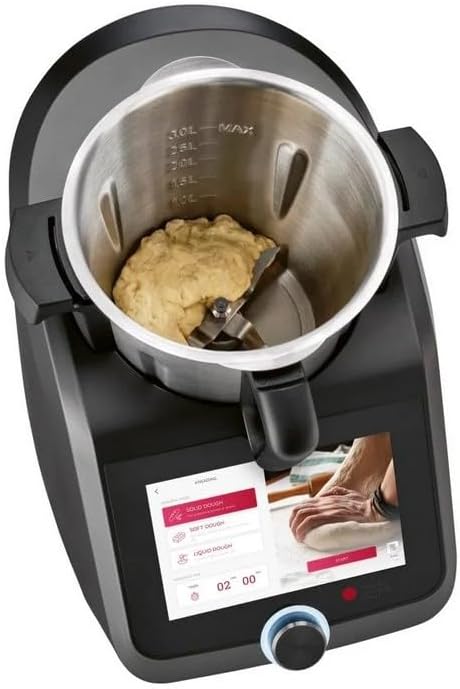
Figure 3.4: The mixing bowl with dough inside, demonstrating the appliance's kneading capability. The display shows settings for dough preparation.
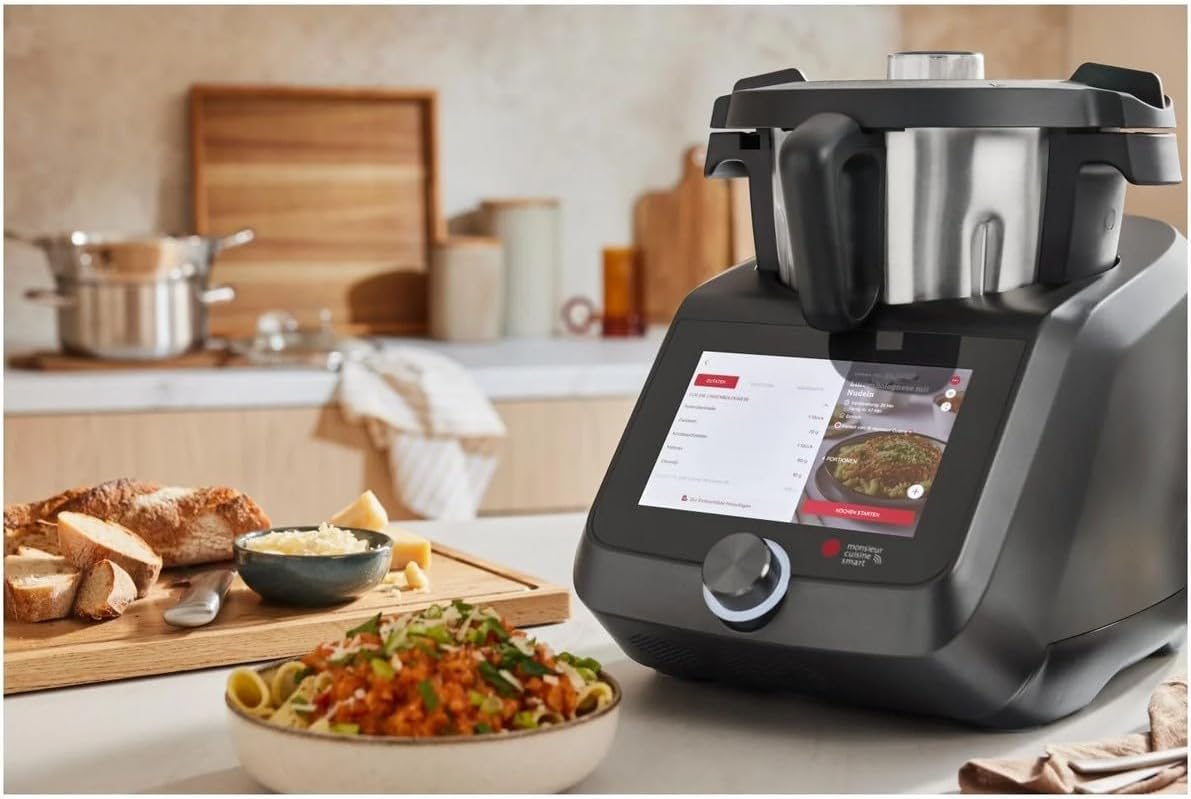
Figure 3.5: The Monsieur Cuisine Smart appliance positioned on a kitchen counter, ready for use, with prepared food in the foreground.
4. Setup
- Unpacking: Carefully remove all components from the packaging. Retain packaging for future storage or transport.
- Initial Cleaning: Before first use, clean all parts that will come into contact with food. Refer to the 'Maintenance and Cleaning' section for detailed instructions.
- Assembly: Place the mixing bowl securely into the main unit. Ensure all attachments (e.g., blade, stirring attachment) are correctly installed for your desired function.
- Power Connection: Plug the power cord into a grounded electrical outlet.
- Initial Setup on Display: Follow the on-screen prompts to select language, connect to Wi-Fi (for smart features), and perform any initial software updates.
5. Operating Instructions
The Monsieur Cuisine Smart offers 16 functions and automatic programs to assist with various cooking tasks. Its intelligent design and connectivity enhance your culinary experience.
5.1 Key Functions and Programs
- Automatic Programs: Includes dedicated programs for kneading, steaming, searing, smoothie preparation, crushing, cleaning, egg cooking, fermentation, slow cooking, and sous-vide.
- Speed Control: Adjust speed across 10 levels. A turbo function provides additional pulse mixing for quick tasks.
- Left Rotation: Utilize the left rotation function for gentle stirring of soups, risottos, stews, and delicate foods without grinding.
5.2 Smart Features and Connectivity
- Pilot Cooking App: Access over 1,000 recipes with step-by-step instructions via the free Pilot Cooking app.
- Video Guided Cooking: Selected recipes include video guides for visual assistance during preparation.
- Recipe Scaling: Prepare selected recipes in different portion sizes to suit your needs.
- Voice Control: Control the appliance via Google Assistant when connected to Wi-Fi.
- Notes and Planning: Easily add notes to recipe steps and use the weekly planner to directly add ingredients to your shopping list.
All recipes are developed in a professional kitchen studio and tested to ensure successful results.
6. Maintenance and Cleaning
Regular cleaning ensures the longevity and hygienic operation of your Monsieur Cuisine Smart.
- Before Cleaning: Always unplug the appliance from the power outlet and allow it to cool down completely.
- Mixing Bowl and Accessories: The mixing bowl, lid, and most accessories are dishwasher safe. For stubborn residue, use warm soapy water and a non-abrasive sponge.
- Main Unit: Wipe the main unit and display with a damp cloth. Do not use abrasive cleaners or immerse the main unit in water.
- Self-Cleaning Program: Utilize the integrated cleaning program for quick and easy preliminary cleaning of the mixing bowl.
- Drying: Ensure all parts are thoroughly dry before reassembling or storing the appliance.
7. Troubleshooting
If you encounter issues with your Monsieur Cuisine Smart, refer to the following common solutions:
| Problem | Possible Cause | Solution |
|---|---|---|
| Appliance does not turn on. | Not plugged in; power outage; main switch off. | Check power connection; verify power supply; ensure main switch is on. |
| Display is unresponsive. | Software glitch; temporary error. | Restart the appliance by unplugging and plugging it back in after 30 seconds. |
| Mixing bowl not recognized. | Bowl not seated correctly. | Ensure the mixing bowl is firmly and correctly placed in the main unit. |
| Wi-Fi connection issues. | Incorrect password; router too far; network issue. | Re-enter Wi-Fi password; move appliance closer to router; restart router. |
For issues not listed here, please consult the manufacturer's official support channels or website.
8. Specifications
| Feature | Detail |
|---|---|
| Brand | PSIDE |
| Model Number | SKMS 1200 C1 (IAN-100386951) |
| Color | Anthracite Grey |
| Product Dimensions | Approx. 49.5 x 31.0 x 37.5 cm (19.5 x 12.2 x 14.8 inches) |
| Item Weight | Approx. 15 kg (33 lbs) |
| Functions | 16 functions, automatic programs (kneading, steaming, searing, etc.) |
| Connectivity | Wi-Fi, Pilot Cooking App, Google Assistant voice control |
9. Warranty and Support
For information regarding warranty coverage and customer support, please refer to the warranty card included with your product or visit the official PSIDE website. Keep your proof of purchase for warranty claims.
For technical assistance or service inquiries, please contact the manufacturer's customer service department.


