Introduction
This manual provides detailed instructions for the safe and effective use of your ULANZI TT39 Travel Tripod. Designed for versatility and portability, this tripod is compatible with both DSLR cameras and smartphones, offering stable support for various photography and videography needs.
What's in the Box
- Video Tripod x 1
- Smartphone Clamp x 1
- Tripod Storage Bag x 1

Image: All items included in the ULANZI TT39 Travel Tripod package.
Key Features
- All-in-One Compatibility: Arca 1/4'' thread mount and built-in phone mount with cold shoe (2.36–3.93 inches spacing) for DSLR cameras and smartphones.
- Versatile Shooting Scenes: Smooth fluid head for horizontal, vertical, +90°/-80° tilt adjustment, and 360° panoramic shots.
- Ultra-Portable Design: Folded size of 43cm/16.93 inches and lightweight build (2.15 lbs). Max height of 61 inches with adjustable center column.
- Secure & Easy Operation: User-friendly knob head and quick-release flip locks for fast setup. Anti-slip grip and locking system.
- Strong Load-Bearing Capacity: Durable aluminum alloy construction, supports up to 8kg/17.63 lbs. 5-section adjustable legs.
Setup
- Unfolding the Tripod:
Gently extend the tripod legs from their folded position. Each leg features quick-release flip locks. Open the locks, extend the leg sections to your desired length, and then close the flip locks securely. Ensure all leg sections are fully extended and locked for maximum stability.
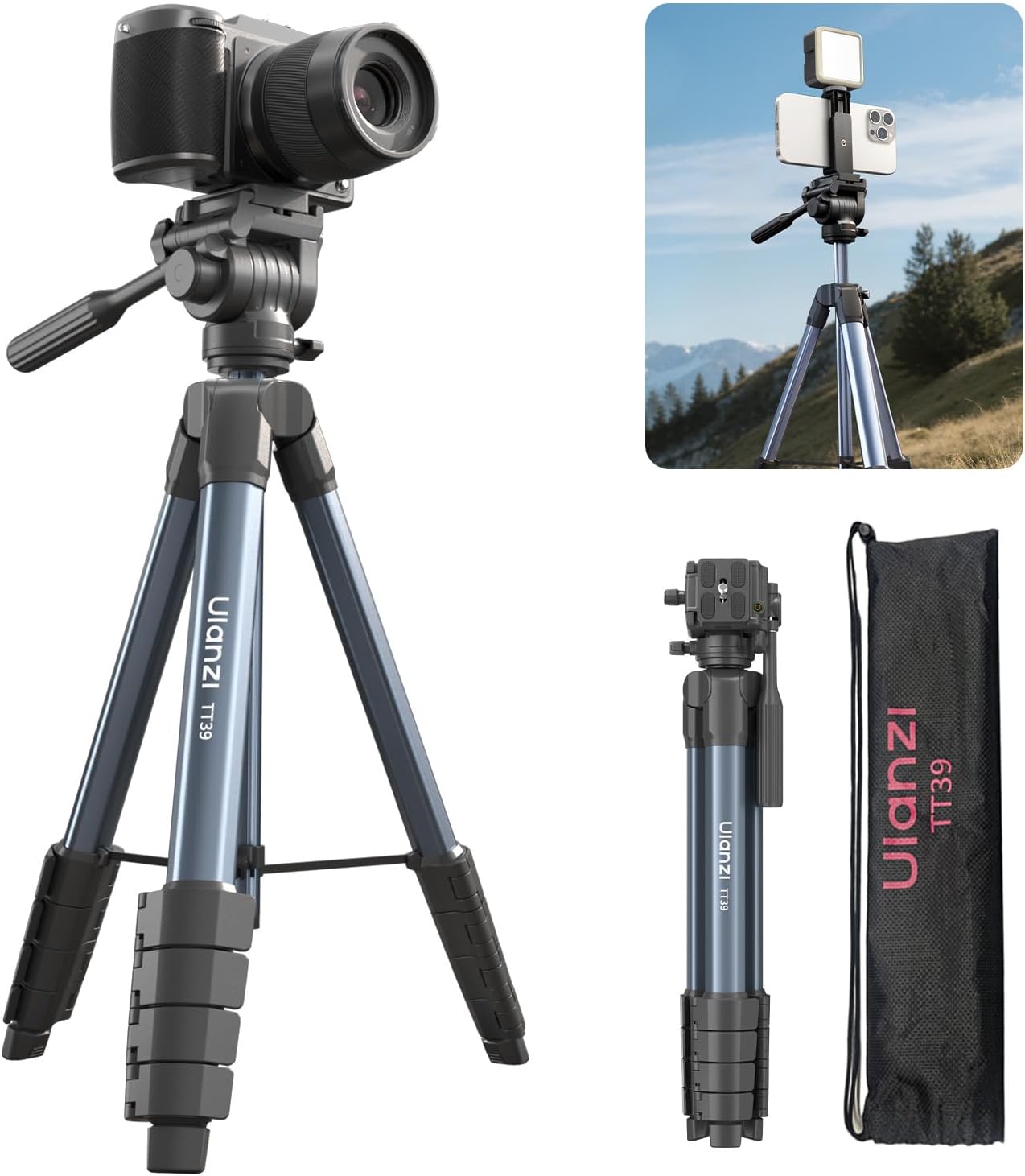
Image: The ULANZI TT39 tripod shown both folded for transport and fully extended for use, highlighting its compact design and adjustable height.
- Attaching Your Device:
The tripod head features an Arca 1/4'' thread mount. Attach your DSLR camera directly to this mount. For smartphones, use the included smartphone clamp. The clamp has a cold shoe mount for additional accessories like fill lights or microphones.
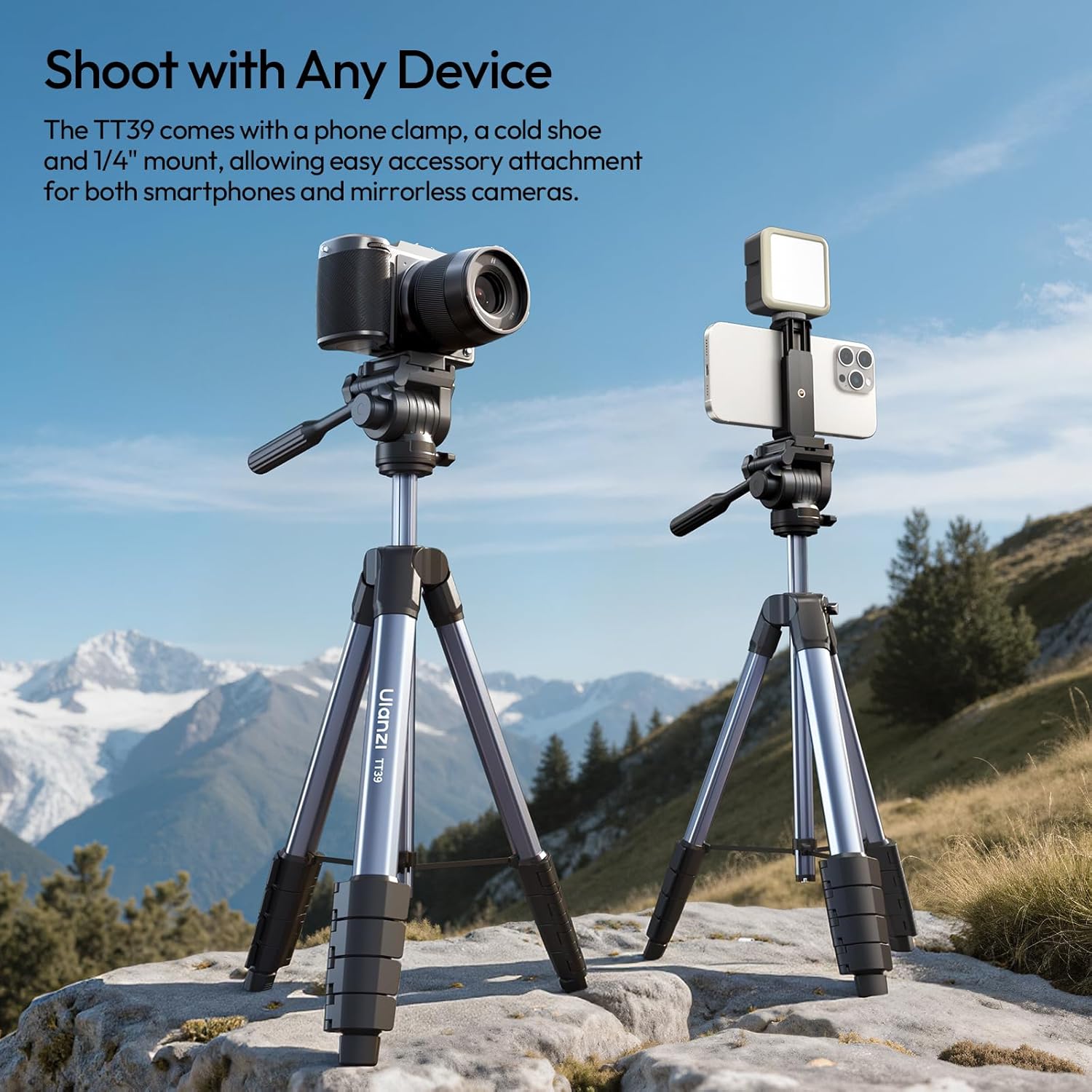
Image: Two ULANZI TT39 tripods, one supporting a DSLR camera and the other a smartphone with an external light, demonstrating versatile device compatibility.

Image: A detailed view of the tripod's phone clamp, illustrating its integrated cold shoe mount and the 1/4-inch screw for camera attachment.
- Adjusting Height:
The tripod features a 5-section adjustable center column. Loosen the knob on the center column, extend it to your desired height, and then tighten the knob to secure it. The maximum height is 61 inches.

Image: A user extending the tripod's central column to achieve a higher shooting angle, with a camera attached and a lake in the background.
Setup Demonstration Video
Video: This video demonstrates the basic setup and height adjustment of the ULANZI TT39 Camera Tripod, including mounting a camera.
Operating Instructions
- Fluid Head Adjustments:
The smooth fluid head allows for precise camera movements. Use the handle to control horizontal panning (360°) and vertical tilting (+90°/-80°). Loosen the appropriate knobs to adjust the angle and tighten them to secure the position.

Image: The tripod demonstrating its quick horizontal and vertical switching capability for mounted cameras.
- Ensuring Stability:
The tripod is constructed from durable aluminum alloy and supports up to 8kg (17.63 lbs). For added stability, especially with heavier equipment or on uneven terrain, ensure the legs are spread wide and the anti-slip feet are firmly placed. The 5-section legs provide flexibility for various setups.
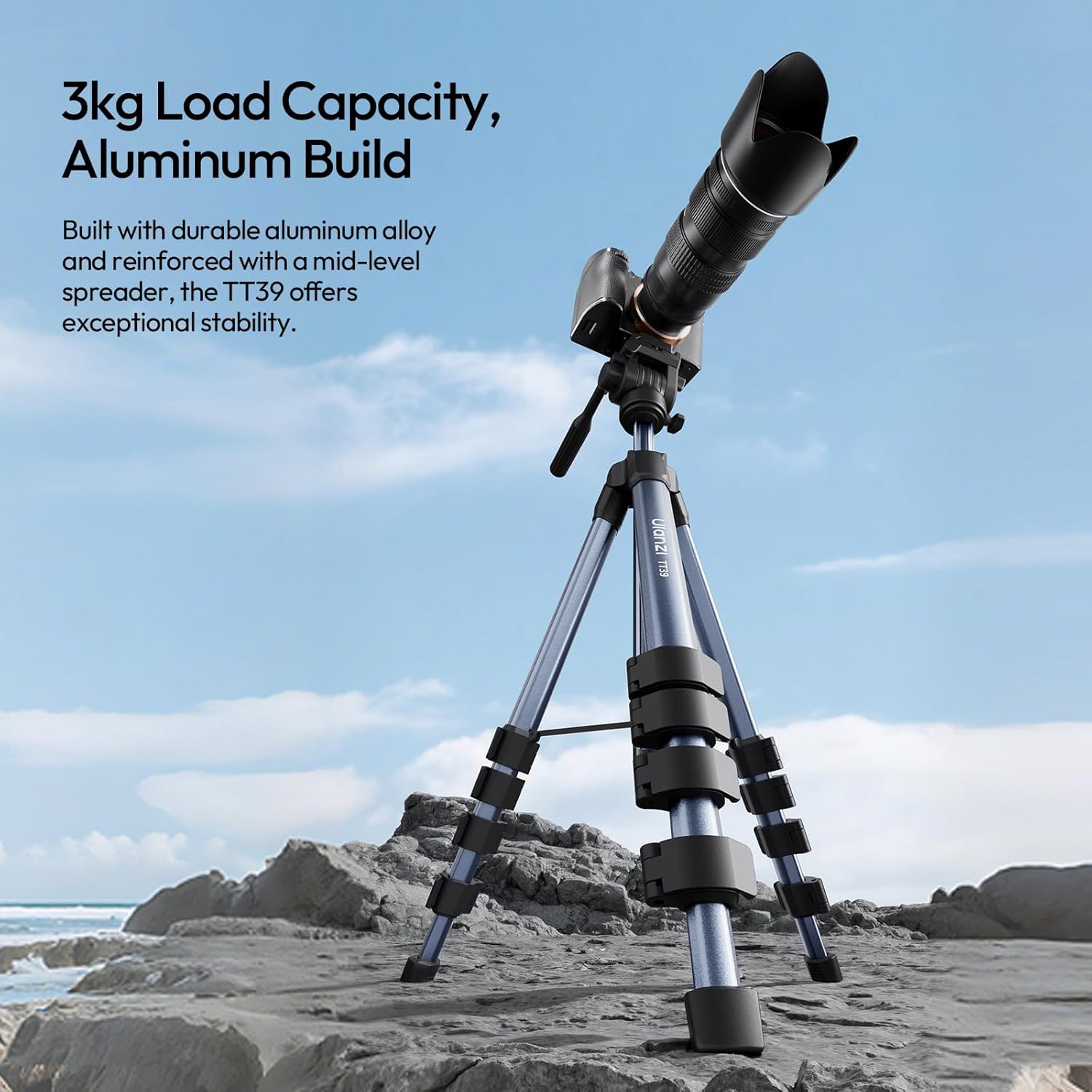
Image: The ULANZI TT39 tripod supporting a DSLR camera on a rugged outdoor surface, emphasizing its robust aluminum construction and load capacity.
- Portability:
When not in use, collapse the legs and center column completely. The tripod folds down to a compact 43cm (16.93 inches) and weighs only 2.15 lbs, making it easy to carry in the included storage bag.

Image: A woman holding the ULANZI TT39 tripod in its fully collapsed form, demonstrating its lightweight and compact design for easy transport.
Operating Demonstration Video
Video: This video showcases the 360-degree rotation and ball head adjustments of the ULANZI tripod, demonstrating its flexibility for various shooting angles.
Maintenance
- Cleaning: Wipe down the tripod with a soft, dry cloth after each use to remove dust and debris. For stubborn dirt, use a slightly damp cloth and dry thoroughly.
- Storage: Store the tripod in its included storage bag in a cool, dry place away from direct sunlight and extreme temperatures.
- Lubrication: Avoid applying lubricants to the leg locks or head mechanisms unless specifically recommended by the manufacturer, as this can attract dirt and impair function.
- Inspection: Periodically check all screws, knobs, and locks to ensure they are tight and functioning correctly. Do not overtighten.
Troubleshooting
- Tripod Instability: Ensure all leg sections are fully extended and their flip locks are securely closed. Verify that the center column knob is tightened. For heavy loads, ensure the legs are spread as wide as possible.
- Stiff Head Movement: Loosen the pan and tilt knobs on the fluid head. If movement remains stiff, check for any debris obstructing the mechanism. Do not force movements.
- Device Not Secure: Ensure your camera's quick release plate is properly attached to the tripod head and the locking mechanism is engaged. For smartphones, confirm the clamp is securely holding the device and the screw is tightened.
Specifications
| Brand | ULANZI |
| Model Name | TT39 Camera Tripod |
| Material | Aluminum |
| Item Weight | 2.09 pounds (0.95 Kilograms) |
| Weight Limit | 17.64 Pounds (8 kg) |
| Maximum Height | 61 Inches (155 cm) |
| Product Dimensions (Folded) | 2.76 x 2.76 x 16.93 inches (43 cm) |
| Tripod Head Type | Pan Heads (Fluid Head) |
| Special Features | Foldable, Lightweight, Shock Resistant, Slip Resistant, with Phone Clamp |
| Compatible Devices | DSLR Cameras (various models), Smartphones (various models) |
Warranty and Support
For warranty information or technical support, please refer to the official ULANZI website or contact their customer service directly. Keep your purchase receipt for warranty claims.


