
1. Introduction
Thank you for choosing the AIVOLT 40V Cordless 3-in-1 Leaf Blower, Vacuum, and Mulcher. This versatile tool is designed for efficient outdoor cleaning, offering powerful blowing, vacuuming, and mulching capabilities. Please read this manual thoroughly before operation to ensure safe and effective use of the product.
This device is equipped with a 40V battery system, providing cordless convenience for various tasks such as clearing leaves, debris, and light snow from gardens, driveways, and other outdoor areas.
2. Safety Instructions
WARNING: Read all safety warnings and instructions. Failure to follow the warnings and instructions may result in electric shock, fire, and/or serious injury.
- Always wear appropriate personal protective equipment (PPE) including eye protection, hearing protection, and sturdy footwear.
- Keep children, bystanders, and pets at a safe distance (at least 15 meters) from the operating area.
- Do not operate the tool in wet conditions or rain.
- Inspect the work area for objects that could be thrown or entangled in the machine.
- Ensure all guards and safety features are in place and functioning correctly before use.
- Remove the battery pack before making any adjustments, changing accessories, or storing the tool.
- Use only AIVOLT recommended battery packs and chargers.
- Do not point the blower nozzle at people or animals.
- Avoid operating the tool in poorly lit areas.
3. Package Contents
Verify that all items listed below are included in your package. If any parts are missing or damaged, contact customer service.
- Leaf Blower and Leaf Vacuum Cleaner Unit (x1)
- 4.0 Ah Battery (x2)
- Dual-Port Charger (x1)
- Waste Collection Bag (40L) (x1)
- Shoulder Strap (x1)
- Instruction Manual (x1)
4. Assembly and Setup
4.1 Charging the Battery
Before first use, fully charge both 4.0 Ah batteries using the provided dual-port charger. A full charge typically takes approximately 2 hours per battery.
- Connect the charger to a standard power outlet.
- Insert the battery pack(s) into the charger slots.
- The charger indicator lights will show the charging status. Refer to the charger's specific instructions for light patterns.
- Once fully charged, remove the battery pack(s) from the charger.

Image: Two 4.0Ah Li-ion battery packs and a dual-port charger. The batteries are shown with internal components and charging indicators, highlighting the upgraded battery system.
4.2 Attaching the Collection Bag (for Vacuum/Mulching)
For vacuuming and mulching functions, the 40-liter collection bag must be securely attached.
- Ensure the tool is off and the battery is removed.
- Locate the vacuum inlet on the main unit.
- Align the collection bag's opening with the vacuum inlet and twist or clip it into place until it is firmly secured.
4.3 Attaching the Shoulder Strap
The adjustable shoulder strap helps distribute the tool's weight for comfortable operation, especially during extended use.
- Attach the strap clips to the designated attachment points on the tool.
- Adjust the strap length to a comfortable position that allows you to operate the tool without excessive bending.
5. Operation
5.1 Inserting the Battery
With the tool switched off, slide a charged battery pack into the battery slot until it clicks securely into place.
5.2 Control Panel Overview

Image: Close-up of the control panel showing the battery indicator, four speed mode lights, speed up/down buttons, an on/off switch, and a 'TURBO' button for maximum power.
- Battery Indicator: Displays the remaining battery charge.
- Speed Modes (1-4): Indicates the current operating speed.
- Speed Up/Down Buttons: Adjust the airflow speed.
- Switch On/Off: Powers the tool on or off.
- TURBO Button: Activates the strongest mode for maximum blowing or suction power.
5.3 Operating Modes (Blower, Vacuum, Mulcher)
This tool functions as a 3-in-1 device: a blower, a vacuum, and a mulcher.

Image: The AIVOLT tool shown in vacuum mode, collecting leaves into the attached collection bag, illustrating its 3-in-1 functionality as a leaf blower, vacuum, and mulcher.
Blower Function
To use as a blower, ensure the collection bag is not attached or the vacuum inlet is closed (if applicable). Press the On/Off switch, then use the speed buttons to select the desired airflow. The TURBO button provides maximum air speed (up to 257 km/h) for stubborn debris or wet leaves.
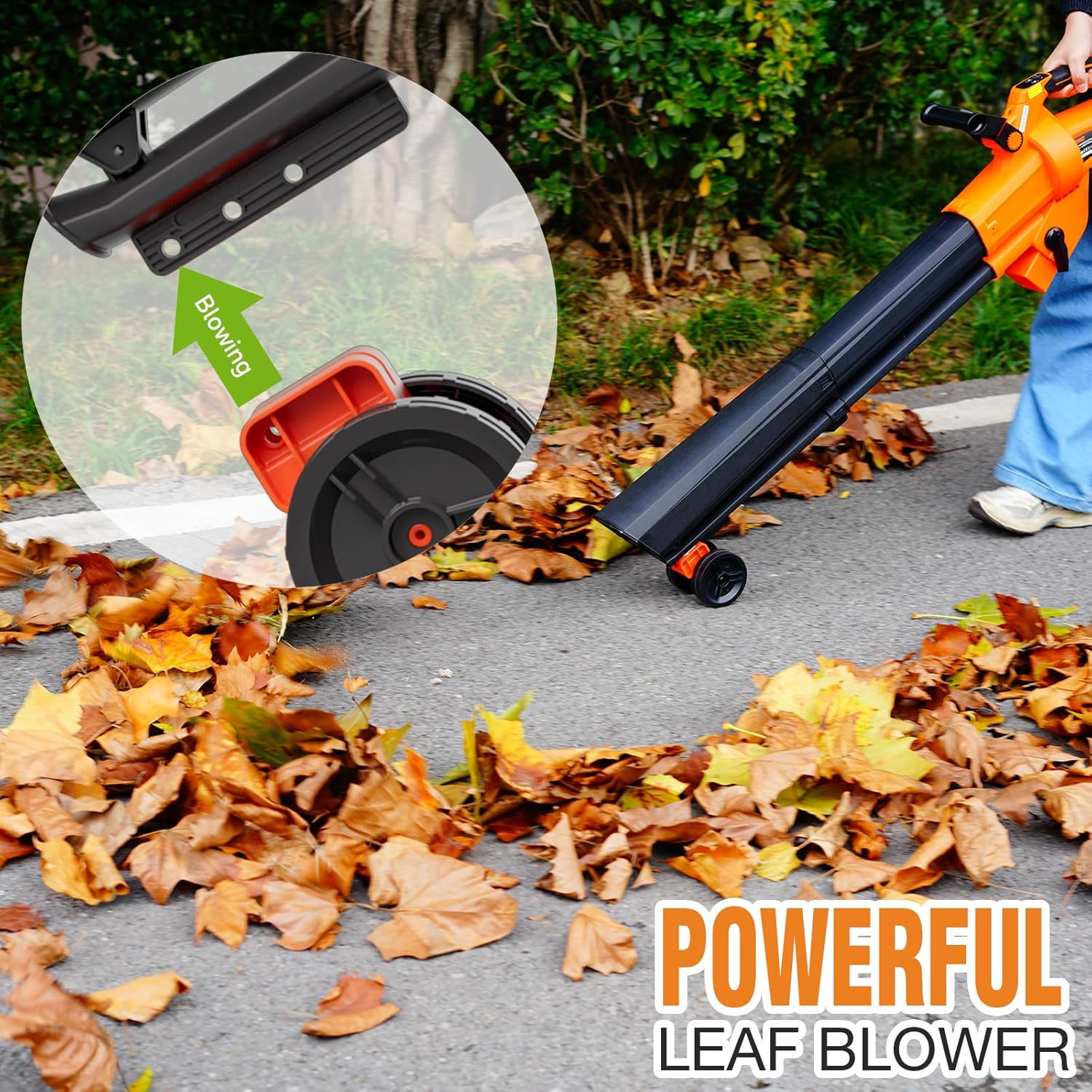
Image: A person using the AIVOLT leaf blower to clear a path of autumn leaves, demonstrating its powerful blowing capability. An inset shows the blowing mechanism.
Vacuum and Mulching Function
To use as a vacuum and mulcher, ensure the collection bag is securely attached. Turn on the tool and select the desired speed. The high-speed rotation of the turbine will shred leaves as they are vacuumed, reducing their volume. The mulching ratio is approximately 15:1.

Image: A pile of finely mulched leaves held in hands, illustrating the 15:1 shredding ratio achieved by the tool's mulching function.

Image: An internal view of the AIVOLT tool, showcasing the turbine and motor components responsible for generating high air volume (600 CFM) and speed (160 MPH), essential for both blowing and mulching functions.
5.4 Battery Runtime
With two fully charged 4.0Ah batteries, the tool can operate for approximately 25 minutes at high speed or over 65 minutes at low speed.
6. Maintenance
Regular maintenance ensures optimal performance and extends the life of your tool. Always remove the battery before performing any maintenance.
- Cleaning: After each use, clean the exterior of the tool with a damp cloth. Remove any debris from the air intake vents, blower nozzle, and vacuum inlet.
- Collection Bag: Empty the collection bag regularly. Clean the bag as needed to prevent clogging and maintain airflow.
- Battery Care: Store batteries in a cool, dry place away from direct sunlight. Do not store fully discharged batteries for extended periods.
- Storage: Store the tool in a dry, secure location out of reach of children.
7. Troubleshooting
| Problem | Possible Cause | Solution |
|---|---|---|
| Tool does not start | Battery not inserted correctly Battery discharged On/Off switch not pressed |
Ensure battery is fully seated Charge battery fully Press the On/Off switch firmly |
| Low blowing/suction power | Low battery charge Air intake/outlet blocked Collection bag full (vacuum mode) |
Recharge battery Clear any obstructions Empty collection bag |
| Excessive vibration/noise | Debris caught in impeller Loose components |
Remove battery, clear impeller Check for loose screws or parts |
If you encounter issues not listed here or if solutions do not resolve the problem, please contact AIVOLT customer support.
8. Specifications
| Feature | Specification |
|---|---|
| Model Number | EUHY831521 |
| Brand | AIVOLT |
| Voltage | 40 Volts |
| Battery Capacity | 2 x 4.0 Ah Li-ion (8000 mAh total) |
| Charger Type | Dual-Port Charger |
| Charging Time | Approx. 2 hours (per battery) |
| Max Air Speed | 257 km/h |
| Max Air Volume | 17 m³/minute (600 CFM) |
| Speed Settings | 6 (including Turbo mode) |
| Mulching Ratio | 15:1 |
| Collection Bag Capacity | 40 Liters |
| Product Dimensions | 45 x 19 x 35 cm |
| Weight | 5.17 kg |
| Special Features | Adjustable Speed, Instant Start, Mulcher, Rechargeable, Turbo |
9. Warranty and Support
AIVOLT products are manufactured to high-quality standards. For information regarding warranty coverage, please refer to the warranty card included with your purchase or visit the official AIVOLT website.
For technical support, replacement parts, or any questions regarding the operation of your AIVOLT 40V Cordless 3-in-1 Leaf Blower, Vacuum, and Mulcher, please contact AIVOLT customer service through the contact information provided on your purchase documentation or the official brand website.