
1. Introduction
Thank you for choosing the CYCPLUS AS2 ULTRA Portable Air Pump. This compact and powerful device is designed for convenient and efficient tire inflation for bicycles and other inflatables. This manual provides essential information for proper setup, operation, and maintenance to ensure optimal performance and longevity of your product.
2. Safety Information
Please read all safety instructions carefully before using the air pump. Failure to follow these instructions may result in product damage, property damage, or personal injury.
- This product is not a toy. Keep out of reach of children.
- Do not operate the pump in wet conditions or immerse it in water.
- Avoid over-inflating tires. Always refer to the recommended pressure for your specific tire.
- Do not leave the pump unattended while in operation.
- Do not expose the pump to extreme temperatures or direct sunlight for prolonged periods.
- Use only the provided charging cable and accessories.
- If the pump emits unusual noises, smells, or smoke, discontinue use immediately and contact support.
3. Package Contents
Verify that all items listed below are included in your package:
- CYCPLUS AS2 ULTRA Main Unit x1
- Silicone Protective Cover x1
- Waterproof Storage Pouch x1
- Extended Hose x1
- Ball Needle Nozzle x1
- Presta Adapter x1
- Nozzle Pin x1
- Sealing Gasket x1
- USB-C Charging Cable x1

Image: All components included in the CYCPLUS AS2 ULTRA package, laid out for inspection.
4. Product Overview
The CYCPLUS AS2 ULTRA features a compact design with an intuitive interface for easy operation.
4.1 Device Layout

Image: The CYCPLUS AS2 ULTRA pump displaying real-time pressure, with indicators for battery level and pressure units (BAR/PSI).
The device features a clear digital display for real-time pressure monitoring, control buttons for setting pressure and units, and a Type-C charging port. Its ultra-compact size (65x47.5x28mm) and lightweight design (87g) make it highly portable.

Image: A size comparison showing the AS2 ULTRA (left) next to AS2 Pro and AS2 Pro Max models, highlighting its compact dimensions.
5. Setup
5.1 Initial Charging
Before first use, fully charge the air pump. Connect the provided USB-C charging cable to the pump's Type-C port and a compatible USB power source. A full charge takes approximately 25 minutes.

Image: The CYCPLUS AS2 ULTRA connected via its Type-C port for fast charging, indicating a 25-minute full charge time.
5.2 Attaching the Hose and Adapters
Screw the extended hose onto the pump's inflation port. Select the appropriate valve adapter (Presta, Schrader, or Dunlop) for your tire and attach it to the other end of the hose. Ensure all connections are secure to prevent air leakage.
6. Operating Instructions
6.1 Powering On/Off
Press and hold the power button to turn the pump on or off.
6.2 Setting Desired Pressure and Units
Once powered on, the display will show the current tire pressure. Use the '+' and '-' buttons to set your desired pressure. Press the unit button to switch between PSI and BAR units. The maximum inflation pressure is 120 PSI.
6.3 Connecting to the Tire Valve
Connect the appropriate valve adapter on the extended hose securely to your tire's valve stem. For Presta valves, ensure the valve core is unscrewed before attaching the adapter.
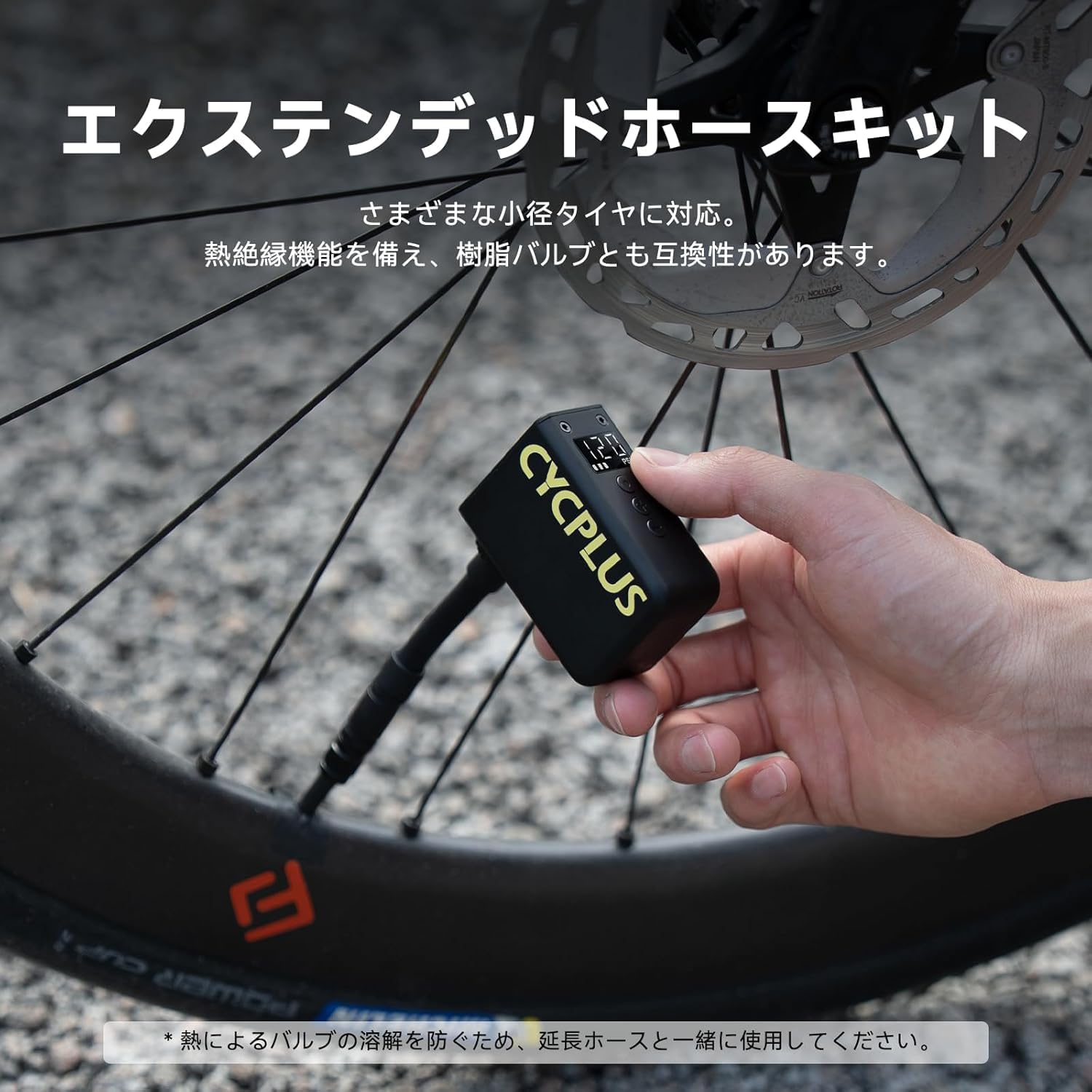
Image: The CYCPLUS AS2 ULTRA connected to a bicycle tire valve via its extended hose, demonstrating its use for various small tires.
6.4 Starting and Stopping Inflation
Press the power button to start inflation. The pump will automatically stop once the preset pressure is reached. To manually stop inflation, press the power button again.
Inflation Performance:
- A 700x25C road bike tire can be inflated from 0 to 80 PSI in approximately 50 seconds.
- A 700x25C road bike tire can be inflated from 0 to 110 PSI in approximately 110 seconds.
- A full charge can inflate approximately two 700x25C road bike tires to 110 PSI.
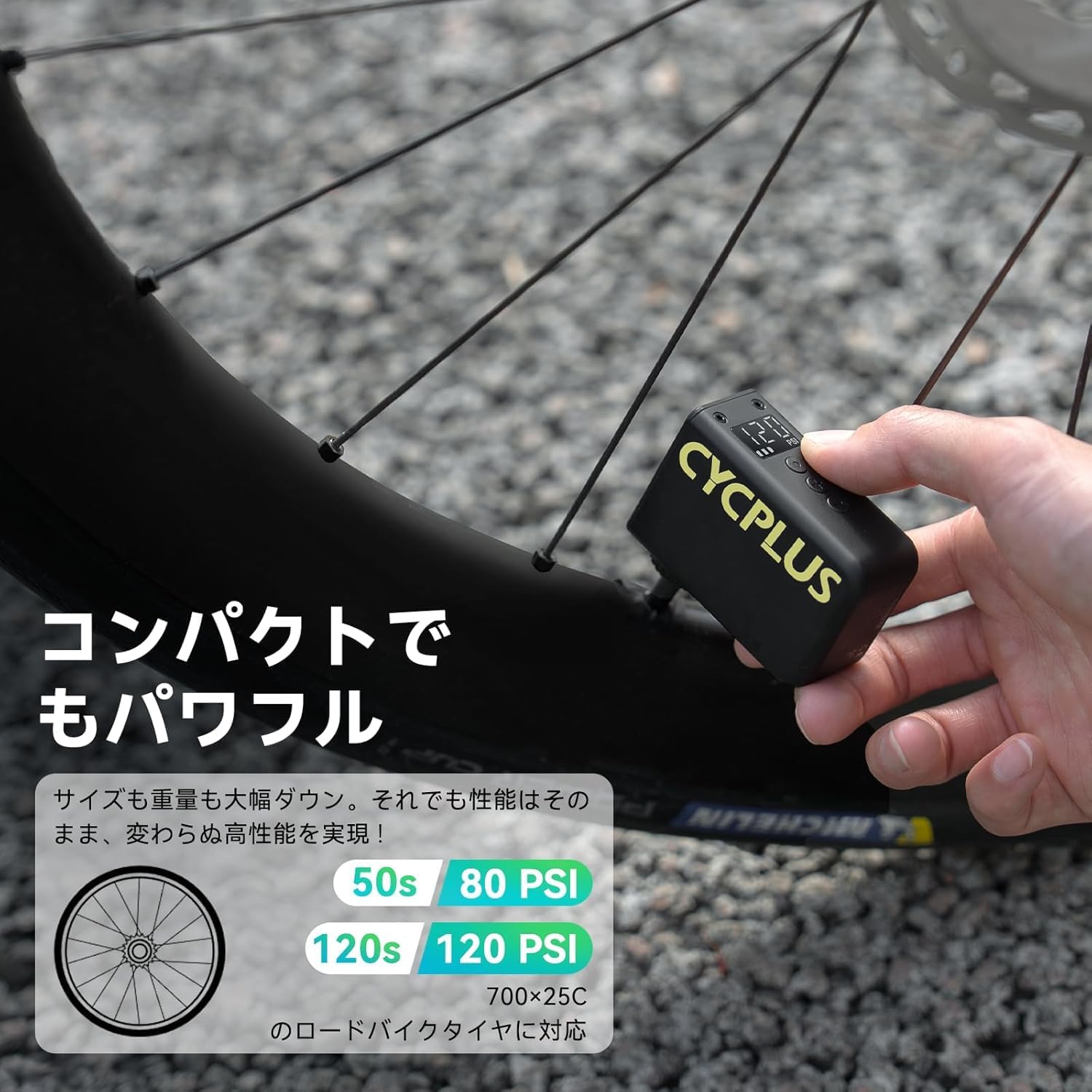
Image: Visual representation of the CYCPLUS AS2 ULTRA's inflation speed, showing 50 seconds for 80 PSI and 120 seconds for 120 PSI for a 700x25C road bike tire.

Image: The CYCPLUS AS2 ULTRA demonstrating its battery endurance, capable of inflating two 700C25 tires to 110 PSI or four tires to 80 PSI on a single charge.
7. Maintenance
- Cleaning: Wipe the pump's exterior with a soft, dry cloth. Do not use harsh chemicals or abrasive cleaners.
- Storage: Store the pump in a cool, dry place, away from direct sunlight and extreme temperatures. Use the provided waterproof storage pouch for protection.
- Charging: To maintain battery health, charge the pump at least once every three months if not in regular use.
- Hose and Adapters: Inspect the hose and adapters regularly for any signs of wear or damage. Replace if necessary to ensure proper sealing.
8. Troubleshooting
| Problem | Possible Cause | Solution |
|---|---|---|
| Pump does not turn on. | Low battery. | Charge the pump fully using the USB-C cable. |
| Pump inflates slowly or not at all. | Hose or adapter not securely connected; valve core not open (Presta). | Ensure all connections are tight. For Presta valves, unscrew the valve core before inflation. |
| Inaccurate pressure reading. | Loose connection; sensor issue. | Check connections. If issue persists, contact customer support. |
| Pump stops unexpectedly. | Desired pressure reached; low battery; overheating. | Check preset pressure. Recharge if battery is low. Allow pump to cool down if it feels hot. |
9. Specifications
| Feature | Detail |
|---|---|
| Model | AS2 ULTRA |
| Brand | CYCPLUS |
| Dimensions | 65 x 47.5 x 28 mm |
| Weight | 87 g |
| Material | Aluminum |
| Max Pressure | 120 PSI |
| Pressure Units | PSI, BAR |
| Valve Compatibility | Schrader, Presta, Dunlop |
| Charging Port | USB Type-C |
| Charging Time | Approx. 25 minutes (full charge) |
| Included Components | Silicone protective cover, waterproof storage pouch, hose, ball needle, Presta adapter, nozzle pin, sealing gasket, USB-C charging cable |
10. Warranty and Support
The CYCPLUS AS2 ULTRA Portable Air Pump comes with a 1-year manufacturer's warranty from the date of purchase. This warranty covers defects in materials and workmanship under normal use.
For warranty claims, technical assistance, or any product-related inquiries, please contact the domestic sales agent or the retailer from whom you purchased the product. Please retain your proof of purchase for warranty validation.


