
Introduction
This manual provides comprehensive instructions for the safe and efficient use of your DOOGEE Fire 3 Pro Rugged Phone. Please read this manual thoroughly before operating your device to ensure optimal performance and longevity. This device is designed for durability and performance in challenging environments, featuring an 8350mAh battery, Android 15, and IP68/IP69K ratings.
1. Package Contents
Verify that all items are present in the product packaging:
- 1x DOOGEE Fire 3 Pro Smartphone
- 1x Type-C USB Cable
- 1x 18W Charger
- 1x Card Slot Opener
- 1x Sling

Image: Front and back view of the DOOGEE Fire 3 Pro Rugged Phone, showcasing its robust design and camera module.
2. Device Overview
Familiarize yourself with the physical components of your DOOGEE Fire 3 Pro:
- Front: 5.5-inch IPS HD+ Display, Front Camera, Earpiece.
- Rear: 16MP Main Camera, Flash, Fingerprint Sensor.
- Sides: Power Button, Volume Buttons, Customizable Side Button, SIM/TF Card Slot, USB Type-C Port, 3.5mm Audio Jack.
3. Setup
3.1. SIM Card and TF Card Installation
- Locate the SIM/TF card slot on the side of the device.
- Insert the provided card slot opener into the small hole next to the tray and push gently until the tray ejects.
- Place your Nano SIM card(s) and/or TF card (up to 2TB) into the designated slots on the tray. Ensure the cards are correctly oriented.
- Carefully reinsert the tray into the phone until it is flush with the device body.
3.2. Initial Power On and Setup
- Press and hold the Power button until the DOOGEE logo appears.
- Follow the on-screen prompts to select your language, connect to Wi-Fi, and set up your Google account.
- Configure security settings such as fingerprint unlock and face recognition.
3.3. Charging the Device
Connect the Type-C USB cable to the phone's charging port and the 18W charger to a power outlet. The device supports 18W fast charging. The 8350mAh battery provides extended usage time.

Image: The DOOGEE Fire 3 Pro connected to an 18W charger, highlighting its 8350mAh battery capacity and OTG support.
4. Operating Instructions
4.1. Basic Navigation
The DOOGEE Fire 3 Pro operates on Android 15. Navigate using standard touchscreen gestures: tap, swipe, pinch-to-zoom.
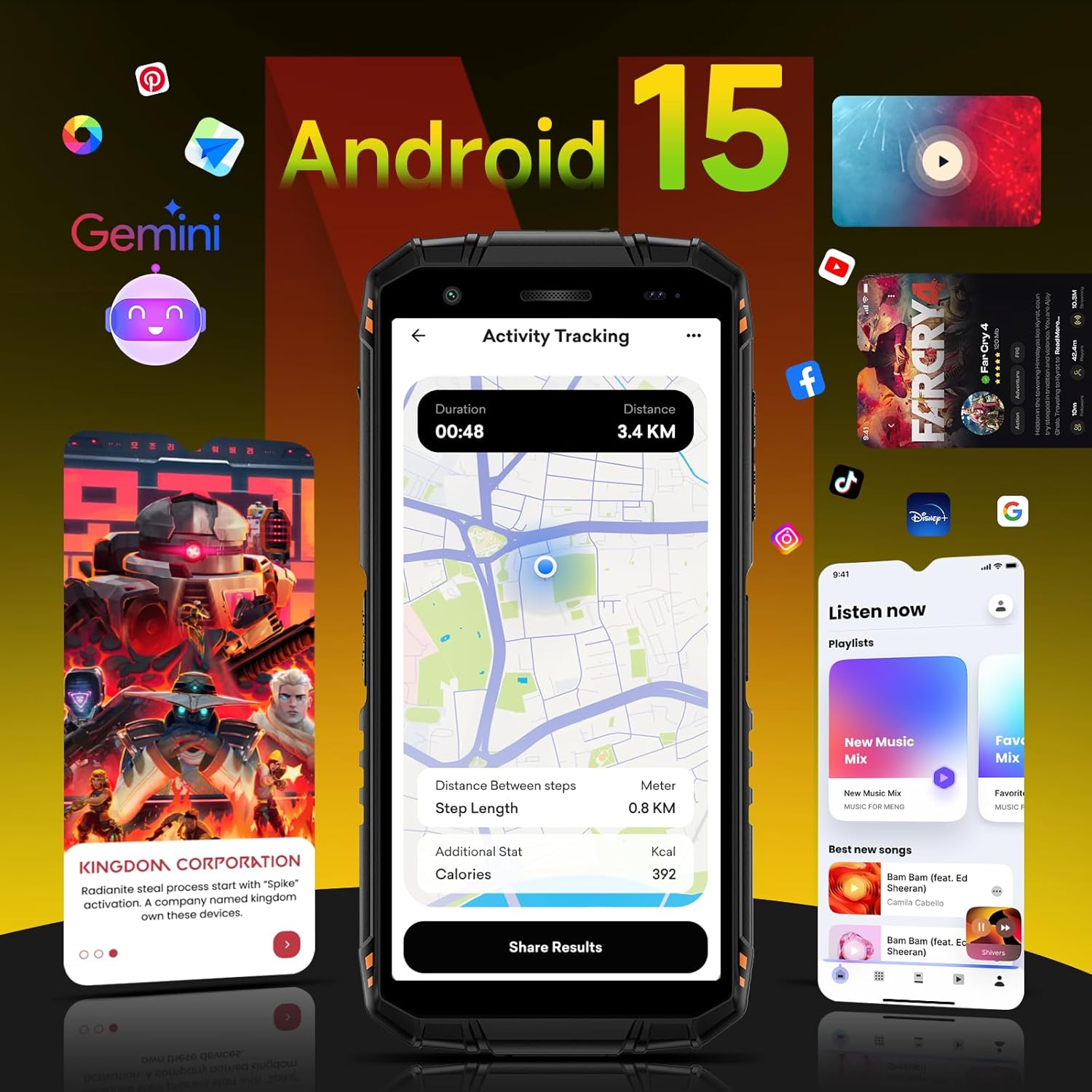
Image: The DOOGEE Fire 3 Pro screen showing the Android 15 operating system interface with various applications and Gemini AI integration.
4.2. Security Features
- Fingerprint Unlock: Register your fingerprints in the Security settings for quick and secure access.
- Face Recognition: Set up face unlock for convenient access to your device.
4.3. Custom Key Functionality
The customizable side button can be configured in settings to quickly launch applications or perform specific functions.
4.4. NFC and Google Pay
Utilize NFC (Near Field Communication) for contactless payments via Google Pay and for quick pairing with compatible devices.
4.5. Connectivity (Wi-Fi, Bluetooth, GPS)
- Wi-Fi: Supports 2.4G/5G Wi-Fi for stable internet connectivity.
- Bluetooth: Connect to wireless accessories such as headphones or speakers.
- GPS: Integrated GPS+GLONASS+Galileo+BEIDOU for precise location tracking and navigation.
4.6. Camera Operation
The device features a 16MP main camera and an 8MP front camera. Access the camera app to capture photos and videos. Built-in modes include portrait and panorama. AI intelligent scene recognition automatically adjusts settings for optimal results. The phone also supports underwater photography.

Image: Close-up of the DOOGEE Fire 3 Pro's rear camera module, alongside examples of photos taken with the 16MP rear and 8MP front cameras, including an underwater shot.
4.7. Widevine L1 for Streaming
The 5.5-inch IPS HD+ display supports Widevine L1, enabling high-definition playback from streaming services without lag.

Image: The DOOGEE Fire 3 Pro displaying a vibrant image on its 5.5-inch HD+ screen, highlighting its 60Hz refresh rate, 18:9 aspect ratio, and 720x1440 resolution.
5. Maintenance
5.1. Cleaning the Device
Use a soft, lint-free cloth to clean the screen and body of the phone. For stubborn dirt, a slightly damp cloth can be used. Avoid harsh chemicals or abrasive materials.
5.2. Software Updates
Regularly check for and install software updates to ensure your device has the latest features, security patches, and performance improvements. Updates can be found in the device's settings menu.
5.3. Battery Care
To prolong battery life, avoid exposing the phone to extreme temperatures. It is recommended to keep the battery charge between 20% and 80% for optimal long-term health.
6. Troubleshooting
- Device not powering on: Ensure the battery is charged. Connect the charger and wait a few minutes before attempting to power on again.
- Network issues: Check if your SIM card is properly inserted. Verify that mobile data is enabled in settings. Contact your carrier to confirm service availability.
- Slow performance: Close unused applications. Clear cache regularly. Consider performing a factory reset if issues persist (back up data first).
- Touchscreen unresponsive: Restart the device. If the issue continues, contact support.
7. Specifications

Image: Diagram illustrating the DOOGEE Fire 3 Pro's 16GB RAM (4GB physical + 12GB virtual) and 128GB ROM, expandable up to 2TB, powered by an Octa-Core processor and Android 15.
| Feature | Detail |
|---|---|
| Model Name | DOOGEE Fire 3 Pro |
| Operating System | Android 15 |
| RAM | 16GB (4GB physical + 12GB virtual) |
| Internal Storage | 128GB (Expandable up to 2TB via TF card) |
| Battery Capacity | 8350mAh |
| Charging | 18W Fast Charging, OTG Reverse Charging |
| Display Size | 5.5 Inches IPS HD+ |
| Resolution | 720*1440 |
| Refresh Rate | 60 Hz |
| Rear Camera | 16MP |
| Front Camera | 8MP |
| Connectivity | 4G Dual SIM, Wi-Fi (2.4G/5G), Bluetooth, NFC, 3.5mm Audio Jack |
| Navigation | GPS+GLONASS+Galileo+BEIDOU |
| Durability Ratings | IP68, IP69K, MIL-STD-810H |
| Dimensions | 6.39 x 3.04 x 0.70 inches |
| Item Weight | 1.2 pounds |
8. Durability and Environmental Resistance
The DOOGEE Fire 3 Pro is engineered for rugged use:
- IP68 Certified: Dustproof and waterproof up to 1.5 meters for 30 minutes.
- IP69K Certified: Resistant to high-pressure, high-temperature water jets.
- MIL-STD-810H Certified: Military-grade drop resistance up to 1.5 meters.
- 360° Dustproof: Provides complete protection against dust ingress.

Image: The DOOGEE Fire 3 Pro highlighting its MIL-STD-810H, IP68 waterproof, and IP69K certifications, demonstrating its robust construction.
9. Warranty Information
For detailed warranty information, please refer to the official DOOGEE website or the warranty card included with your product. Warranty terms and conditions may vary by region.
10. Support
If you encounter any issues or require further assistance, please visit the official DOOGEE support page or contact their customer service. You can find more information and products at the DOOGEE Store on Amazon.


