
1. Introduction
This manual provides essential instructions for the safe and efficient use of your DOOGEE Fire 3 Ultra Rugged Smartphone. Please read this manual thoroughly before operating your device to ensure optimal performance and longevity. The DOOGEE Fire 3 Ultra is designed for durability and performance, featuring a robust build, advanced camera system, and long-lasting battery.

2. What's in the Box
Verify that all items are present in the package:
- 1x DOOGEE Fire 3 Ultra Rugged Phone
- 1x Type-C USB Cable
- 1x 18W Charger
- 1x Sling
- 1x Card Slot Opener
3. Setup
3.1. SIM Card and TF Card Installation
The DOOGEE Fire 3 Ultra supports dual Nano SIM cards or one Nano SIM card and one TF (microSD) card for expanded storage up to 2TB.
- Locate the SIM card tray on the side of the device.
- Insert the provided card slot opener into the small hole next to the tray to eject it.
- Carefully place your Nano SIM card(s) and/or TF card into the designated slots on the tray. Ensure the gold contacts are facing down.
- Gently reinsert the tray into the phone until it clicks into place.
3.2. Initial Charging and Power On
Before first use, it is recommended to fully charge the device.
- Connect the Type-C USB cable to the phone's charging port and the 18W charger.
- Plug the charger into a power outlet. The charging indicator will appear on the screen.
- Once sufficiently charged, press and hold the Power button (usually on the side) until the DOOGEE logo appears.
- Follow the on-screen prompts to complete the initial setup, including language selection, Wi-Fi connection, and Google account setup.

4. Operating Instructions
4.1. Basic Navigation and Display
The device features a 5.5-inch IPS HD+ display with a 60Hz refresh rate. Navigate using touch gestures: tap, swipe, pinch-to-zoom.
- Power Button: Press to wake/sleep the screen. Press and hold to power off or restart.
- Volume Buttons: Adjust media volume, call volume, or ringtone volume.
- Widevine L1 Support: Enjoy high-definition content streaming from supported platforms.

4.2. Camera Functions
The DOOGEE Fire 3 Ultra is equipped with a versatile camera system.
- Main Camera: 16MP sensor for general photography.
- Night Vision Camera: 20MP sensor for enhanced low-light imaging.
- Front Camera: 8MP for selfies and video calls.
- Shooting Modes: Includes HDR, Pro Mode, Panorama, Night Mode, Beauty, Portrait, Filters, Watermark Camera, Smile Shutter, and QR Code Scan.


4.3. Connectivity and Navigation
The device supports various connectivity options and advanced navigation systems.
- Wi-Fi: Connect to 2.4G/5G wireless networks.
- Bluetooth: Pair with wireless accessories.
- NFC: Enable for mobile payments, device pairing, and access card scanning.
- GPS: Utilize Beidou, Galileo, Glonass, and GPS for accurate positioning and navigation.
- 4G Dual SIM: Supports two Nano SIM cards for flexible network usage.
4.4. Security Features
Secure your device with biometric authentication.
- Side Fingerprint Unlock: Register your fingerprint for quick and secure access.
- Face Unlock: Use facial recognition to unlock your device.
4.5. Memory and Storage
The DOOGEE Fire 3 Ultra offers substantial memory and expandable storage.
- RAM: 24GB (6GB physical + 18GB virtual) for smooth multitasking.
- Internal Storage: 256GB for applications, photos, and documents.
- Expandable Storage: Supports TF cards up to 2TB (sold separately).

5. Maintenance
5.1. Ruggedness and Cleaning
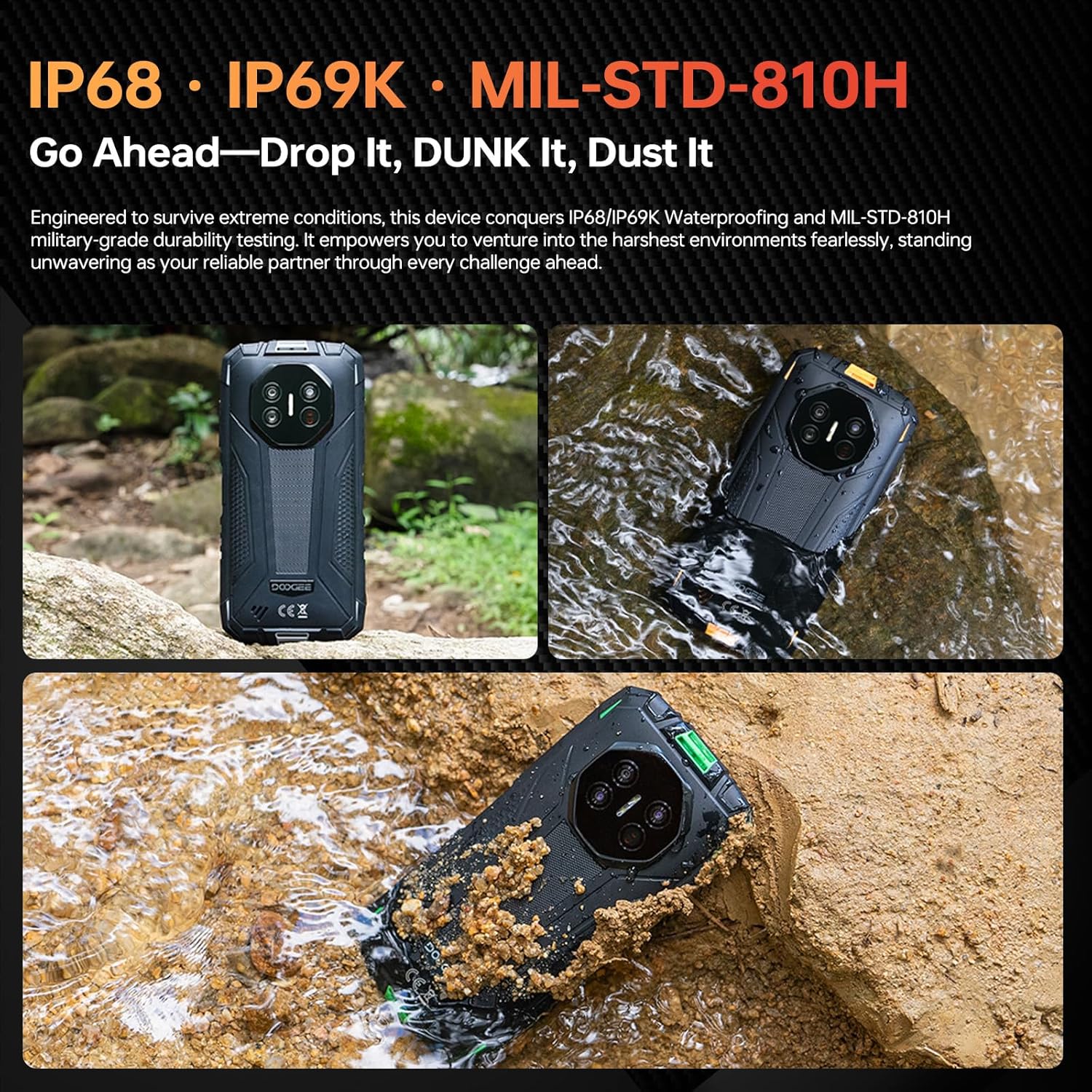
The DOOGEE Fire 3 Ultra is designed to withstand harsh environments with IP68/IP69K and MIL-STD-810H certifications.
- Water and Dust Resistance: The device is resistant to dust and can be submerged in up to 1.5 meters of water for 30 minutes. Ensure all port covers are securely closed before exposure to water or dust.
- Drop Protection: Designed to withstand drops up to 1.5 meters.
- Cleaning: Use a soft, damp cloth to clean the device. Avoid harsh chemicals or abrasive materials. For water exposure, rinse with clean water and dry thoroughly.
5.2. Battery Care
To maximize the lifespan of your 8350mAh battery:
- Avoid extreme temperatures.
- Use only the provided 18W charger and Type-C USB cable.
- Do not allow the battery to fully discharge frequently.
- The device supports OTG reverse charging, allowing it to charge other devices.
6. Troubleshooting
This section addresses common issues you might encounter.
- Device not powering on: Ensure the battery is charged. Connect to the charger for at least 10 minutes, then try pressing and holding the Power button.
- Screen unresponsive: Restart the device by holding the Power button for an extended period (e.g., 10-15 seconds) until it reboots.
- Connectivity issues (Wi-Fi/Bluetooth/4G):
- Toggle the respective connection (Wi-Fi, Bluetooth, Mobile Data) off and on.
- Restart the device.
- For Wi-Fi, try forgetting the network and reconnecting.
- For 4G, ensure your SIM card is correctly inserted and your plan is active.
- Apps crashing or freezing:
- Close and reopen the app.
- Clear the app's cache and data in Settings > Apps.
- Ensure the app is updated to the latest version.
- Slow performance:
- Close unnecessary background apps.
- Clear cache regularly.
- Ensure sufficient storage space is available.
If problems persist, contact customer support or refer to the official DOOGEE website for further assistance.
7. Specifications
| Feature | Detail |
|---|---|
| Model Name | DOOGEE Fire 3 Ultra |
| Operating System | Android 15 |
| RAM Memory | 24 GB (6GB physical + 18GB virtual) |
| Internal Storage | 256 GB |
| Expandable Storage | Up to 2 TB (TF card) |
| Screen Size | 5.5 Inches |
| Display Resolution | 720 x 1440 (HD+) |
| Refresh Rate | 60 Hz |
| Main Camera | 16 MP |
| Night Vision Camera | 20 MP |
| Front Camera | 8 MP |
| Battery Capacity | 8350 mAh |
| Charging | 18W Fast Charging, OTG Reverse Charging |
| Connectivity | 4G Dual SIM, Wi-Fi (2.4G/5G), Bluetooth, NFC |
| Navigation | GPS, Glonass, Galileo, Beidou |
| Durability Ratings | IP68, IP69K, MIL-STD-810H |
| Audio Jack | 3.5 mm |
| Dimensions | 6.39 x 3.04 x 0.70 inches (approx.) |
| Weight | 1.2 pounds (approx.) |
8. Warranty and Support
For warranty information, please refer to the warranty card included with your product or visit the official DOOGEE website. For technical support, product registration, or service inquiries, please contact DOOGEE customer service through their official channels.
Official DOOGEE Website: www.doogee.cc


