
1. Introduction
Welcome to the JONR X1 Max Robot Vacuum and Mop Cleaner instruction manual. This guide provides essential information for the safe and efficient operation, maintenance, and troubleshooting of your new appliance. Please read this manual thoroughly before first use and retain it for future reference.
Important Safety Information
Always follow basic safety precautions when using electrical appliances to reduce the risk of fire, electric shock, or injury. This appliance is for household use only. Do not allow children to play with the robot. Ensure the charging base is placed on a flat, stable surface away from water sources. Do not use the robot in environments with open flames or flammable materials.
2. Product Overview
The JONR X1 Max is an advanced robot vacuum and mop cleaner designed to provide comprehensive floor cleaning. It features powerful suction, intelligent navigation, and an automatic self-cleaning station.
Included Components
- JONR X1 Max Robot Vacuum and Mop Cleaner
- Docking Station
- Charging Adapter
- Water Tank (integrated or separate, refer to packaging)
- Mop Pads
- Instruction Manual (this document)

Figure 2.1: JONR X1 Max Robot Vacuum and Mop Cleaner with its multifunctional docking station.
3. Setup Guide
3.1 Unboxing and Placement
- Carefully remove all components from the packaging.
- Choose a suitable location for the docking station. Ensure there is at least 0.5 meters of clear space on both sides and 1.5 meters in front of the station for optimal robot navigation.
- Plug the charging adapter into the docking station and then into a power outlet.
3.2 Initial Charging
Place the robot onto the docking station. Ensure the charging contacts on the robot align with those on the station. The robot will begin charging automatically. For first-time use, fully charge the robot before operation (approximately 4-6 hours).
3.3 App Connection
- Download the official JONR app from your smartphone's app store.
- Create an account and log in.
- Follow the in-app instructions to add your JONR X1 Max robot. This typically involves connecting to the robot's temporary Wi-Fi network and then connecting it to your home Wi-Fi network.
- Once connected, you can access all smart features and controls via the app.
4. Operating Instructions
4.1 Basic Operation
- Start Cleaning: Press the power button on the robot or use the app to start a cleaning cycle. The robot will automatically map your home and begin cleaning.
- Pause/Resume: Press the power button during cleaning to pause. Press again to resume.
- Return to Dock: Press the home button on the robot or use the app to send the robot back to its docking station for charging.
4.2 Advanced Features
- 20,000 Pa Suction Power: The JONR X1 Max delivers powerful suction to effectively remove dust, pet hair, and debris from various floor types.
- 30 mm Obstacle Climbing: The robot is designed to easily overcome obstacles such as door sills and carpets up to 30 mm in height.
- Edge-to-Edge Cleaning: Specialized design allows the robot to clean close to walls and corners, ensuring thorough coverage.
- LiDAR Navigation & AI Vision: The robot uses LiDAR technology for precise 3D mapping and an AI camera to identify over 150 types of objects, ensuring efficient navigation and obstacle avoidance.
- Smart Control: Control the robot via the JONR app or voice commands using compatible smart home assistants like Amazon Alexa and Google Home.
- Multi-Floor Mapping: The robot can store multiple floor plans, allowing for customized cleaning across different levels of your home.
- AI Spot Detection: The AI camera can detect dry, wet, and stubborn stains, adjusting cleaning intensity as needed.
- Hush Flow Motor: Engineered for quiet operation, reducing noise by 40% for a less disruptive cleaning experience.

Figure 4.1: The robot's underside demonstrating its powerful suction capability.

Figure 4.2: The robot demonstrating its ability to navigate over a 30mm threshold.

Figure 4.3: The robot performing edge cleaning, reaching close to the wall.
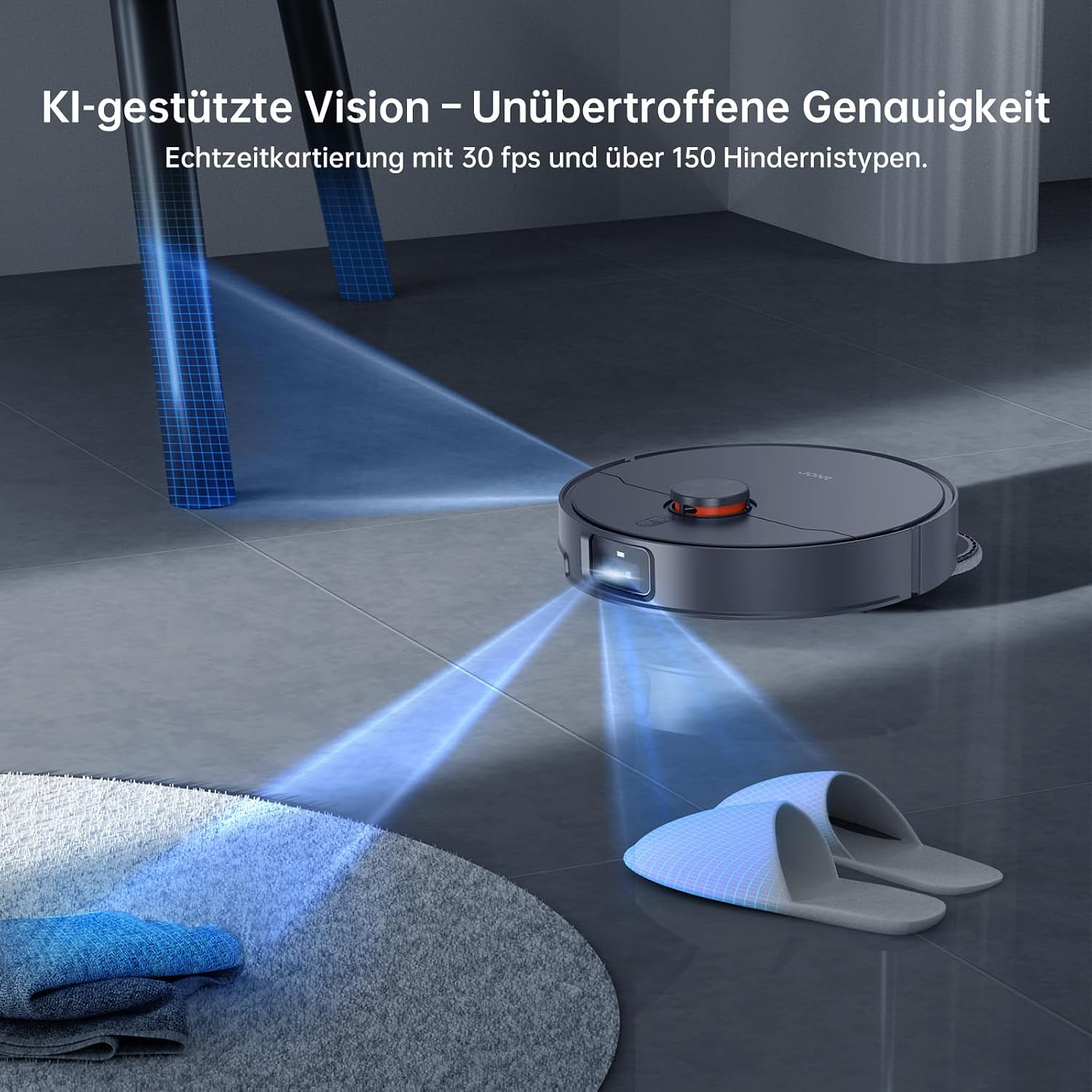
Figure 4.4: The robot utilizing its AI vision system to detect and map its surroundings.
5. Maintenance
Regular maintenance ensures optimal performance and extends the lifespan of your JONR X1 Max.
5.1 Multifunctional Docking Station Maintenance
- Automatic Mop Washing: The station automatically washes the mop pads with 75°C hot water to dissolve stubborn dirt.
- Hot Air Drying: After washing, the mop pads are dried with 45°C hot air to prevent odors and mildew.
- Automatic Dust Emptying: The station automatically empties the robot's dustbin into a large 2.5L dust bag, providing up to 2.5 months of hands-free cleaning.
- Water Tank Management: The station features a 4.0L clean water tank and a 3.5L dirty water tank. Regularly check and refill the clean water tank and empty the dirty water tank.

Figure 5.1: Mop pads undergoing hot water cleaning within the docking station.
5.2 Robot Maintenance
- Anti-Tangle Brush: The TroboWave DuoBrush system and anti-entanglement mechanisms reduce hair tangles. Periodically check and clean the main brush and side brushes.
- Sensors: Wipe the robot's sensors (LiDAR, cliff sensors, bumper sensors) with a soft, dry cloth regularly to ensure accurate navigation.
- Wheels: Clean any hair or debris from the robot's wheels.

Figure 5.2: Detail of the anti-tangle brush roller, designed to prevent hair entanglement.
6. Troubleshooting
If you encounter issues with your JONR X1 Max, refer to the table below for common problems and solutions. If the problem persists, contact customer support.
| Problem | Possible Cause | Solution |
|---|---|---|
| Robot does not start or respond. | Low battery; power switch off; robot stuck. | Charge the robot; ensure power switch is on; clear any obstructions. |
| Poor cleaning performance. | Dustbin full; brushes tangled; filter clogged; mop pads dirty. | Empty dustbin; clean brushes; clean/replace filter; wash mop pads. |
| Robot cannot return to docking station. | Docking station obstructed; robot too far from station; station unplugged. | Clear area around station; manually place robot closer; ensure station is powered. |
| App connection issues. | Incorrect Wi-Fi password; weak Wi-Fi signal; robot not in pairing mode. | Verify Wi-Fi credentials; move robot closer to router; reset robot and re-pair. |
| Unusual noise during operation. | Debris in brushes or wheels; foreign object in suction path. | Inspect and clean brushes, wheels, and suction inlet. |
7. Technical Specifications
| Feature | Specification |
|---|---|
| Brand | JONR |
| Model Name | X1 MAX |
| Color | Black |
| Suction Power | 20,000 Pa |
| Obstacle Climbing Capability | Up to 30 mm |
| Hot Water Mop Cleaning Temperature | 75°C |
| Hot Air Mop Drying Temperature | 45°C |
| Battery Capacity | 5200 mAh |
| Battery Runtime | Up to 150 minutes (2.5 hours) |
| Clean Water Tank Capacity | 4.0 Liters |
| Dirty Water Tank Capacity | 3.5 Liters |
| Dust Bag Capacity | 2.5 Liters (up to 2.5 months autonomy) |
| Navigation Type | 3D LiDAR + RGB Camera (AI Vision) |
| Noise Level | 60 Decibels |
| Product Compatibility | Amazon Echo, Google Home, Smartphone App |
| Material | ABS |
| Item Weight | 12 Kilograms |
| Product Dimensions | 39L x 53W x 41H centimeters |
| Filter Type | Sponge |
| Voltage | 20 Volts |
8. Warranty and Support
8.1 Warranty Information
The JONR X1 Max Robot Vacuum and Mop Cleaner comes with a manufacturer's warranty. Please refer to the warranty card included in your product packaging or your purchase documentation for specific terms, conditions, and duration of the warranty. Keep your proof of purchase for warranty claims.
8.2 Customer Support
For technical assistance, troubleshooting beyond this manual, or warranty inquiries, please contact JONR customer support. Contact details can typically be found on the official JONR website or within the product app.
Note: Video content could not be embedded as specific video URLs and metadata (creator_type, filename) were not provided in the input data.


